
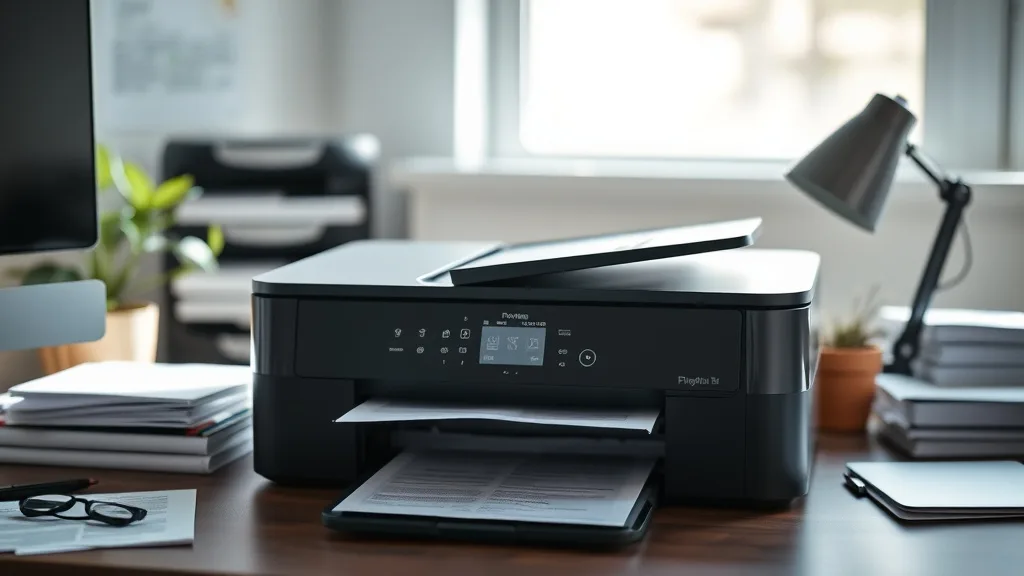
Many inkjet printer owners are frustrated by the high cost of brand-name ink cartridges and wary of compatibility issues with third-party ink. Finding a printer model known for reliable performance with compatible or third-party ink can save hundreds per year on printing costs while minimizing risk of printhead clogs, chip errors, or warranty voids. This review breaks down the most dependable inkjet printers for use with compatible cartridges and refillable inks, focusing on cost-per-page, yield, chip technology, and real-world reliability.
What Makes an Inkjet Printer Reliable for Compatible Ink?
Not all inkjet printers respond equally well to third-party cartridges. The interaction between OEM printheads, cartridge electronics (chips), and ink formulations can mean the difference between seamless use and frustrating lockouts or print failures.
Key factors include:
-
Chip Compatibility and Firmware Locks: Some printers have chips that frequently reject non-OEM cartridges or receive firmware updates that increase lockout sensitivity. Models with simpler or widely supported chip designs tend to be more reliable.
-
Printhead Design: Printers with separate, permanent printheads (instead of integrated printhead cartridges) generally tolerate refill or third-party inks better.
-
Ink System and Yield: High-yield cartridges and efficient ink delivery reduce cost per page, making third-party replacements more economically attractive.
-
User Community and Support: Models popular among third-party sellers and user bases often have more compatible ink options and workarounds for firmware updates.
See also: 20. Best compatible cartridges for Brother MFC printers
Top 5 Inkjet Printers for Compatible Ink Reliability (Ranked Review)
Phone cases - Sponsored - 15% off first order
Phone Case Gift - They pick the model · 2 minutes Code FIRST15GIFTBelow is a detailed look at some of the most reliable inkjet printers when paired with compatible or refillable inks. Rankings factor in chip lockout history, printhead amenability, yield, and cost-per-page potential.
| Rank | Printer Type | Printhead Type | Chip Lockout Risk | Compatible Ink Availability | Typical Yield (Color Mono) | Approx. Cost Per Page (Compatible) | Notes |
|---|---|---|---|---|---|---|---|
| 1 | Office All-in-One | Permanent Printhead | Low | Excellent | 1,500 pages | $0.02 - $0.03 | Reliable chip design, widely popular model |
| 2 | Professional Photo | Integrated Cartridge | Moderate | Good | 300 pages | $0.10 - $0.15 | High-quality output, watch firmware updates |
| 3 | Budget Home Printer | Permanent Printhead | Low | Very Good | 800 pages | $0.03 - $0.05 | Great entry level with simple chips |
| 4 | Compact Mobile Inkjet | Integrated Cartridge | High | Limited | 180 pages | $0.12 - $0.20 | Portability good, ink cost higher |
| 5 | Photo-Quality All-in-One | Permanent Printhead | Moderate | Fair | 500 pages | $0.07 - $0.10 | Compromise between photos and yield |
1. Office All-in-One Models with Permanent Printheads
Printers with permanent, stationary printheads separate from the ink cartridges typically handle third-party ink cartridges better. This is because the costly printhead does not need to be replaced frequently, and the printer’s firmware tends to be less aggressive at chip blocking.
- Cost Efficiency: These printers often have high-yield cartridge options, reducing cost per page markedly with third-party ink.
- Reliability: Because cartridges are replaceable without reprinting the printhead, compatibility issues tend to cause less disruption.
- Best Use: Ideal for office environments demanding moderate to high print volumes at low costs.
2. Professional Photo Printers with Integrated Cartridges
High-end photo printers frequently use integrated printhead and cartridge units, limiting third-party use as printheads are replaced with cartridges. Firmware updates sometimes block compatible chipsets, though trusted third-party suppliers often track these closely.
- Cost: While base cartridges have lower yield, third-party options can still make a difference compared to OEM.
- Print Quality: These models excel in color accuracy and resolution but require careful ink selection to avoid clogging.
- Best Use: Photographers or artists seeking quality output with some cost savings but ready to manage firmware and compatibility vigilance.
3. Budget Home Printers with Permanent Printheads
Lower-cost home printers with permanent printheads and simpler chip designs frequently deliver great experiences with compatible cartridges.
- Yield and Cost: Moderate page yields but often the lowest cost compatible cartridges on the market.
- Compatibility: Frequent model popularity among third-party manufacturers ensures steady chip compatibility.
- Best Use: Casual or home users who print intermittently and prioritize low ink expenses.
4. Compact Mobile Inkjets with Integrated Cartridges
Mobile inkjets prioritize portability but face challenges with compatible ink due to integrated printhead cartridges and limited chip compatibility.
- Cost: Very low base yields and higher cost-per-page.
- Compatibility: Susceptible to firmware lockouts and fewer third-party options available.
- Best Use: Travelers who print on the go and accept higher ink costs for convenience.
5. Photo-Quality All-in-One Printers
These balance multifunction features with photo printing but are often less aggressive in chip blocking than purely professional photo printers.
- Compatibility: Moderate chip lockout risk but limited third-party ink choices.
- Yield: Mid-range yields limiting cost savings.
- Best Use: Users needing a versatile printer with decent photo capabilities willing to monitor ink type.
How to Evaluate Compatible Ink Reliability Before Purchase
-
Research Firmware Lock Policies: Before buying, check forums and reviews for any recent printer firmware updates that blocked third-party chips.
-
Look for Permanent Printhead Designs: Permanent printheads generally lead to fewer compatibility headaches and lower total cost of ownership.
-
Review Third-Party Ink Availability: The more third-party cartridge providers for a model, the better your chances of a reliable, affordable option.
-
Check Cartridge Yield and Cost: Calculate cost per page using the cartridge price and yield from reputable third-party sellers.
-
Verify Warranty Terms: Some brands void warranties if third-party ink damages the printer, so understand your risk tolerance.
Cost-Per-Page Example Calculation
Phone cases - Sponsored - 15% off first order
Titan Case - Precision fit · 2,000+ designs Code FIRST15TITAssume a compatible ink cartridge costs $25 and yields 800 pages of average mixed text and color.
Cost per page = Cartridge cost ÷ Yield
              = $25 ÷ 800
              = $0.03125 (3.1 cents per page)
Compare that to an OEM cartridge often priced at $65 for the same yield:
OEM cost per page = $65 ÷ 800 = 8.1 cents per pageUsing compatible ink can save you over 60% on ink costs.
Common Pitfalls When Using Compatible Ink with Inkjet Printers
- Firmware Updates: Automatic updates can disable third-party cartridges. Disable auto-updates or wait before updating firmware.
- Chip Reset or Bypass Required: Some printers require chip resetters or manual bypasses to accept compatible cartridges.
- Printhead Clogging: Poor quality ink risks clogging permanent printheads; use reputable third-party ink suppliers.
- Warranty Concerns: Some manufacturers deny warranty claims if third-party inks cause damage.
- Quality Variation: Compatible inks from unreliable vendors can cause color shifts, smudging, or reduced printhead lifespan.
Summary Table: Compatible Ink Reliability Factors
Phone cases - Sponsored - 15% off first order
Phone Cases For Charity - Every case supports a cause Code GIVE10| Factor | Permanent Printhead Model | Integrated Cartridge Model |
|---|---|---|
| Chip Lockout Risk | Low to Moderate | Moderate to High |
| Third-Party Ink Options | Wide | Narrow |
| Ink Cost Savings | High | Moderate |
| Firmware Updates Impact | Less severe | Often causes lockout |
| Printhead Replacement | Rare | Frequent (with cartridge) |
| Warranty Risk | Lower | Higher |
Frequently Asked Questions
Q: Can I use any compatible ink in an inkjet printer?
A: Not necessarily. Compatibility depends on chip design, firmware, and printhead type. Always check if a model is known to accept third-party inks reliably.
Q: How do firmware updates affect compatible ink use?
A: Firmware updates can block third-party chips, causing cartridges to be rejected. It’s best to delay updates or look for community workarounds before upgrading.
Q: Does using compatible ink damage my printer?
A: Using low-quality ink can clog printheads or cause poor prints. However, good-quality compatible inks used in printers with permanent printheads generally pose minimal risk.
Understanding the strengths and weaknesses of your inkjet printer regarding compatible ink can empower you to reduce printing costs without sacrificing reliability. Opt for printers with permanent printheads and a solid history of third-party ink support to maximize savings and minimize headaches.
Top Picks
Watchdog picks
- Aomya Ink Refill kit 5x100ml for Canon 250 251 270 271 280 281 1200 2200 PG240 C
- B01N7V39UO
- Miss Deer LC3019XXL Ink Cartridges, Comaptible Replacement for Brother LC3019 LC
- Aomya Compatible Ink Refill kit for HP 60 61 63 64 65 902 932 952 564 Refillable
- Printer Ink 67 Compatible for HP 67 Ink Cartridges Black/Color Combo Pack for HP
- B0BVD54HPS
- B0DMS3D2JT
- B0G1N9SX2M
Products in this guide
- Inkjet Refill Kit Pro — Compatible with HP, Canon, Epson, and Lexmark Cartridges
- Brother Printer LC30193PK Super High Yield XXL 3 Pack Ink Cartridges- 1 Ea: Cyan/Magenta/Yellow Ink
- Brother LC3019BK Super High Yield Black Ink Cartridge
- Brother Genuine TN760 High Yield Black Toner Cartridge, (for use with MFC-L2710DW MFC-L2750DW HL-L2350DW HL-L2370DW HL-L
