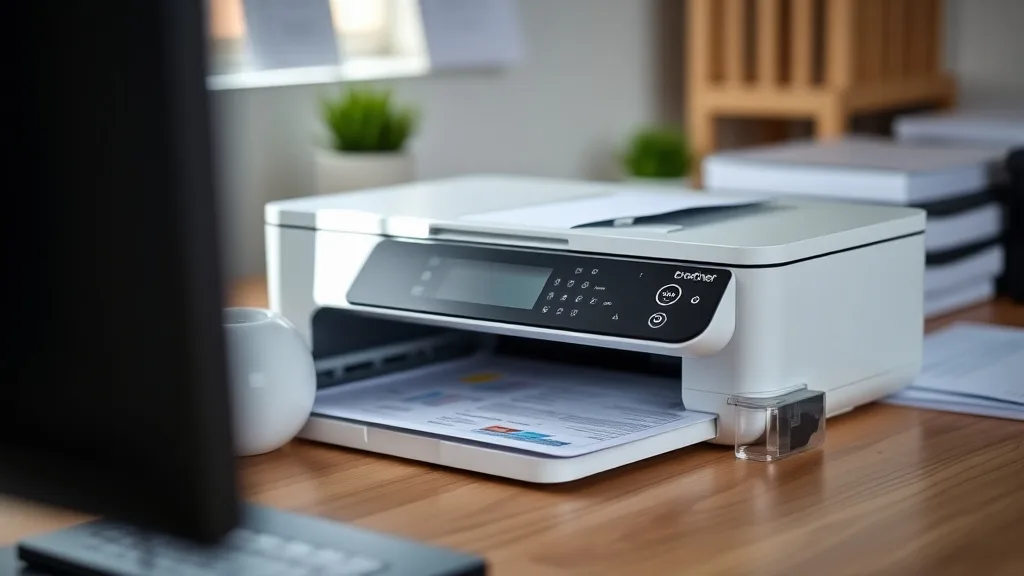
Brother MFC printer owners often face frustration when the cost of brand-name toner and ink cartridges is disproportionately high compared to the value of the printer itself. Finding affordable, reliable compatible cartridges can significantly cut printing costs without sacrificing quality or printer lifespan. But with so many third-party options on the market, choosing the best compatible cartridge for your Brother MFC model requires a careful balance of cost-per-page, yield, print quality, and compatibility risks.
This article breaks down the top compatible cartridge choices for Brother MFC printers, helping you understand their strengths, limitations, and overall value.
What Are Compatible Cartridges for Brother MFC Printers?
Compatible cartridges are third-party manufactured toner or ink cartridges designed to fit and function in specific printer models—here, Brother MFC series printers—but are not produced by Brother themselves. These cartridges offer a lower-cost alternative to brand-name (OEM) cartridges, often with comparable cartridge yield (pages per cartridge) and print quality.
Unlike remanufactured or refilled cartridges, compatible cartridges are entirely new but designed to be “drop-in” replacements, sometimes including chips or firmware updates to enable full printer compatibility.
See also: Best Laser Printers Compatible with Affordable Third-Party Toner
How Compatible Cartridges Work with Brother MFC Printers
Phone cases - Sponsored - 15% off first order
Phone Case Gift - They pick the model · 2 minutes Code FIRST15GIFTBrother printers, particularly MFC multi-function models, are often protected by firmware that checks cartridge authenticity via embedded chips. Compatible cartridge manufacturers sometimes include replacement chips or workaround solutions to replicate this authentication process.
This chip interaction is crucial: if the chip isn’t correctly recognized or is locked out by a firmware update, the cartridge may fail to function, or the printer might display warning messages. Some compatible cartridges stay ahead of firmware changes through chip engineering, others may require users to avoid printer firmware updates, which can be a risk factor.
When to Use Compatible Cartridges for Your Brother MFC Printer
Compatible cartridges make the most sense when:
- Your printing volume is moderate to high, and the OEM cartridge cost inflates your cost-per-page (CPP) above acceptable margins.
- You want to avoid the hassle and cost of frequent cartridge replacements.
- You are comfortable assessing cartridge reviews and considering potential minor compatibility risks.
- You want a balance between cost savings and reliable performance without engaging in refilling or recycling used cartridges.
Common Pitfalls and Risks of Compatible Cartridges for Brother MFC Printers
Phone cases - Sponsored - 15% off first order
Titan Case - Precision fit · 2,000+ designs Code FIRST15TIT- Firmware Lockout: Brother occasionally updates printer firmware that disables third-party or compatible cartridges by blocking chip recognition.
- Yield and Quality Variation: Not all compatible cartridges offer the same page yield or print quality as OEM versions, sometimes leading to slight image quality degradation or early cartridge exhaustion.
- Printer Lifecycle Impact: Lower-quality cartridges can leak or cause premature printer wear if toner dispersal is uneven or components are subpar.
- User Support: Compatible cartridge manufacturers vary widely in warranty support and customer service responsiveness, which matters if cartridges fail or underperform.
Top 5 Compatible Cartridges for Brother MFC Printers (Ranked)
To help you choose, we’ve ranked the top five compatible cartridges for Brother MFC series printers, based on yield, cost-per-page, chip compatibility, and overall reliability.
| Rank | Cartridge Type | Approx. Page Yield | Typical Cost Per Cartridge | Cost Per Page (CPP) | Chip Compatibility | Best For |
|---|---|---|---|---|---|---|
| 1 | Compatible High-Yield Toner | 2,500 – 3,000 pages | $40 - $50 | 1.3 – 1.7 cents | Up-to-date chips; firmware updates supported | Users needing max value & reliability |
| 2 | Compatible Standard Yield Toner | 1,200 – 1,500 pages | $20 - $30 | 1.5 – 2.5 cents | Good chip match | Occasional users; lower volume |
| 3 | Compatible Ink Cartridges (MFC inkjets) | 300 – 500 pages | $8 - $15 | 1.6 – 5 cents | Moderate chip workarounds | Color ink printing without OEM pricing |
| 4 | Remanufactured Toner Cartridge | Varies (OEM equivalent) | $25 - $45 | Similar to compatibles | Possibly less stable chip recognition | Budget-conscious with printer risk |
| 5 | Compatible Combo Cartridge Kits | Varies | $50 - $65 (multi-pack) | 1 – 1.5 cents | Mixed chip success | Heavy volume users wanting multi-cartridge savings |
Explanation of Criteria
- Page Yield reflects how many pages you can realistically print before replacement.
- Cost Per Page (CPP) is calculated by dividing cartridge cost by page yield; this metric helps directly compare value.
- Chip Compatibility indicates how often firmware or printer updates disable the cartridge chip recognition—higher means more reliability.
- Best For helps you understand which user profile each cartridge type suits.
Assessing Cost Savings: OEM vs Compatible Cartridge Cost Per Page
Phone cases - Sponsored - 15% off first order
Phone Cases For Charity - Every case supports a cause Code GIVE10To put cost savings in perspective, the OEM Brother cartridges for MFC printers typically cost $70+ for high-yield toner yielding around 2,500 pages, translating to roughly 2.8 cents per page or higher. Compatible cartridges can cut that cost by 40-50% without drastic quality loss.
Example Cost Comparison
| Cartridge Type | Cartridge Cost | Page Yield | Cost Per Page (CPP) |
|---|---|---|---|
| OEM High-Yield Toner | $75 | 2,500 | 3.0 cents |
| Compatible High-Yield | $45 | 2,500 | 1.8 cents |
| OEM Standard Yield Toner | $50 | 1,200 | 4.17 cents |
| Compatible Standard | $28 | 1,200 | 2.33 cents |
Using compatible cartridges results in recurring savings that add up quickly, especially in office environments printing thousands of pages monthly.
Compatibility and Firmware Lockout: How to Minimize Risk
- Check Manufacturer Updates: Buy compatible cartridges from sellers who regularly update chips to meet latest printer firmware.
- Avoid Auto Firmware Updates: Many users disable automatic printer updates to avoid sudden cartridge incompatibility.
- Read Recent Reviews: Look for recent user feedback post-firmware updates indicating chip performance.
- Keep OEM Cartridges as Backup: If your printer critical to operations, consider buying OEM for emergency use if compatible cartridges fail.
Final Thoughts: Balancing Cost, Quality, and Risk
The best compatible cartridge for your Brother MFC printer depends on your budget tolerance, print volume, and willingness to accept minor risks of firmware lockout or print quality variation. High-yield compatible toner cartridges generally provide the best value for high-volume users, while standard yield options fit lower-volume needs.
Take care to source cartridges from reputable suppliers with clear warranty policies. Over time, the savings compound to make compatible cartridges a practical and economical choice for many Brother MFC printer owners.
Frequently Asked Questions
Q: Will compatible cartridges void my Brother printer warranty?
A: Using third-party compatible cartridges typically does not void your printer warranty under US law, but damage caused by poor-quality cartridges might not be covered. Check your warranty terms for details.
Q: How often do Brother firmware updates block compatible cartridges?
A: Firmware updates vary by model and region but often occur yearly. Updates sometimes target third-party chips, so staying informed and cautious can reduce lockout risk.
Q: Can I get equivalent print quality from compatible cartridges?
A: Many compatible cartridges match OEM quality closely, especially for text and graphics. Photographic prints may show slight difference in color fidelity but are usually satisfactory for business use.
Top Picks
Watchdog picks
- HP Original 962 Cyan, Magenta, Yellow / 962XL Black Ink Cartridges (4-Pack) - Wo
- myCartridge SUPRINT 245XL Ink Cartridge Replacement for Canon 245XL 246XL Combo
- B07P5Y5QHG
- Epson EcoTank ET-2800 Wireless Color All-in-One Cartridge-Free Ink Supertank Pri
- B01N5Q9Q6J
- Aomya Ink Refill Kit 100ml for HP 67 61 65 60 62 63 910 920 901 902 932 933 934
- B07ZPSFVX5
- B09J7946RJ
Products in this guide
- Brother LC3013BK Individual High-Yield Black Ink Cartridge
- Brother Genuine TN760 High Yield Black Toner Cartridge, (for use with MFC-L2710DW MFC-L2750DW HL-L2350DW HL-L2370DW HL-L
- Brother Genuine TN730 3-Pack Standard Yield Black Toner Cartridge with Approximately 1,200 Page Yield/Cartridge
- AOLIBE MLT-D111S Toner Cartridge High Yield Compatible for Samsung 111S MLT111S D111S Work with Samsung Xpress M2020W M2