
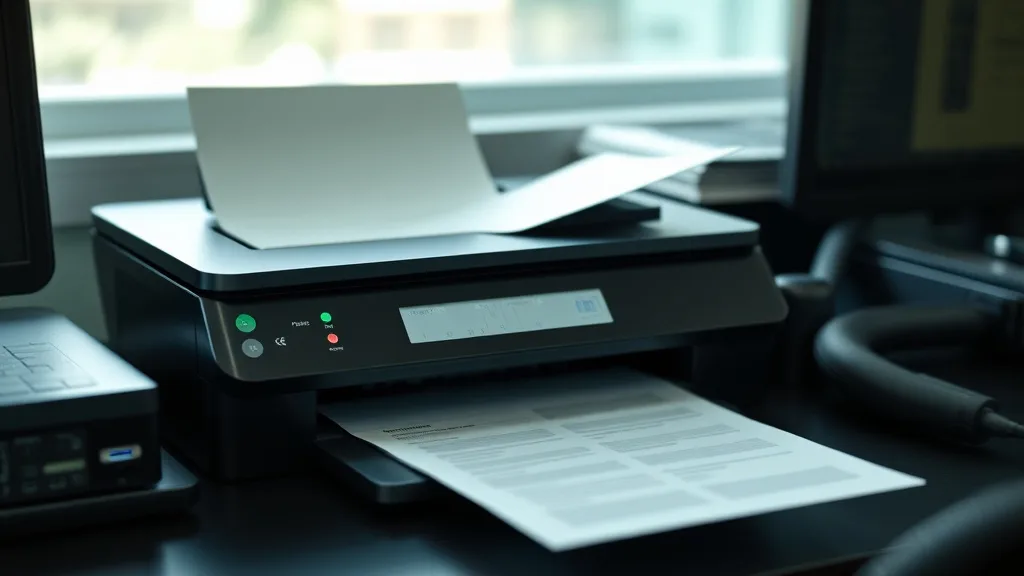
Inkledger’s Comparison of Print Speed Using OEM and Compatible Toner
If you’ve switched from brand-name toner cartridges to compatible, third-party options primarily to save money, you might have noticed something else: print speed changes. Sometimes pages seem to come out slower, or print jobs stall unexpectedly. Others report no differences at all. Understanding how print speed varies between OEM (original equipment manufacturer) toner and compatible toner cartridges is key for getting the most out of your printer while balancing cost and performance.
In this article, we’ll break down how print speed is affected by toner choice, explore the factors behind these differences, and help you decide when compatible cartridges are a smart buy and when OEM cartridges might be worth the extra expense.
See also: Inkledger Insights on Print Density: OEM vs Compatible Toner
What Is Print Speed and Why Does It Matter?
Phone cases - Sponsored - 15% off first order
Phone Case Gift - They pick the model · 2 minutes Code FIRST15GIFTPrint speed is the time it takes for your printer to produce a finished page, usually measured in pages per minute (ppm). For office users with large print volumes, slower speeds can mean productivity loss and frustration. For home users, it affects workflow and how quickly you get your documents.
Printer manufacturers publish estimated print speeds based on OEM cartridges and optimal settings. These figures help buyers estimate performance, but they rarely discuss how using third-party or compatible toner cartridges impacts actual print speed.
How Print Speed Works: The Toner’s Role in the Printing Process
Toner cartridges contain powdered ink that is fused onto paper using heat and pressure inside a laser printer or copier. The process involves:
- Charging: The drum unit is charged with a static electricity pattern.
- Exposure: A laser writes the image onto the drum.
- Developing: Toner particles adhere to the charged areas.
- Transferring: Toner is transferred onto the paper.
- Fusing: Heat melts and fuses toner permanently to the paper.
Toner quality affects how smoothly these steps proceed:
- Particle size and consistency: OEM toner powders are optimized for precise charge and transfer, ensuring smooth pages and fast fusing.
- Formulation: Compatible toners may use slightly different compositions, which can affect melting temperature and adherence.
- Yield and volume: If toner clumps or is unevenly distributed, the printer may slow down, pause, or require extra passes.
When to Use OEM Toner vs Compatible Toner for Print Speed
Phone cases - Sponsored - 15% off first order
Titan Case - Precision fit · 2,000+ designs Code FIRST15TITOEM Toner Advantages Related to Speed
- Consistent performance: Designed specifically for printer models, OEM cartridges maintain advertised print speed.
- Reliable fusing: The toner powder melts precisely, reducing jams and reprints.
- Firmware-style coupling: Some printers have chip lockouts and communication protocols tailored to OEM, ensuring smooth workflow.
Compatible Toner Advantages Related to Cost and Yield
- Cost savings: Compatible toners typically cost 40-70% less per cartridge.
- Comparable yields: Many compatible cartridges offer similar or slightly lower page yields.
- Decent speed: Some high-quality compatibles come close to OEM speeds, but variability can occur.
Common Pitfalls Affecting Print Speed with Compatible Toner
- Printer chip communication: Many compatibles include chips to bypass OEM locks. If poorly matched, they can cause delays or errors that slow printing.
- Inconsistent toner formulation: Variations in powder quality can increase fuser time or cause smearing, prompting slower print cycles.
- Hardware wear and tear: Using incompatible toner could lead to increased maintenance needs, indirectly slowing down print speed over time.
- Printer sensing delays: Some printers detect compatible cartridges and apply throttling as a protective measure.
Practical Comparison Table: OEM vs Compatible Toner Print Speed
Phone cases - Sponsored - 15% off first order
Phone Cases For Charity - Every case supports a cause Code GIVE10| Feature | OEM Toner | Compatible Toner |
|---|---|---|
| Typical print speed | Manufacturer-rated ppm (e.g., 20-40 ppm) | Often within 90-100% of OEM speed, variance depends on quality |
| Page yield accuracy | High accuracy, consistent yield | Generally close, +/- 10-15% variation |
| Chip compatibility | Perfect match, no communication lag | May cause small delays or require firmware workarounds |
| Impact on fuser performance | Optimized for minimum fusing time | Variable; low-quality toner may increase fuser time by up to 20% |
| Risk of print job interruptions | Very low | Low to moderate, depending on brand and printer model |
| Overall cost per page | High due to OEM pricing | 40-70% lower cost per page, even considering speed variances |
| Maintenance implications | Lower risk of hardware wear | Possible increase in maintenance workload if toner quality is poor |
How to Measure and Optimize Print Speed When Using Compatible Toner
If you want to assess if your compatible toner is affecting print speed, try the following steps:
- Time printed jobs: Use a stopwatch to measure time for identical test documents when using OEM and compatible cartridges.
- Check printer settings: Ensure print quality and duplex modes are consistent between tests.
- Monitor error messages or delays: Keep an eye on any pauses or warnings that may point to toner or communication issues.
- Use manufacturer diagnostic tools: Some printers provide job logs or counters that help detect slowdowns.
- Test a variety of compatibles: Different suppliers and batches may perform differently, so trial multiple sources.
- Evaluate overall cost-per-page: Calculate savings net of any efficiency losses from reduced print speed.
Balancing Print Speed and Cost: What Really Matters?
To decide whether to stick with OEM or switch to compatible toner you should:
- Calculate true cost-per-page by dividing total cartridge cost by yield.
- Assess workflow impact: For small print jobs, small speed differences usually don’t matter.
- Consider compatibility risk: In high-volume environments, avoid compatibles that cause slowdowns or failures.
- Factor in potential maintenance costs from toner that may increase fuser or drum wear.
- Watch your printer’s warranty conditions: Some OEM warranties may be voided by third-party cartridges, which might affect repair turnaround and downtime.
Summary: The Print Speed Trade-Off between OEM and Compatible Toner
OEM cartridges generally guarantee the fastest print speeds because they are built and tested specifically for each printer model. Compatible toners provide compelling cost savings and yields but carry a slight risk of reducing print speed due to differences in toner formulation, communication errors, or printer safeguards.
For users printing moderately, good compatible brands often perform close to OEM speeds without noticeable delays, making them a sensible value choice. However, in mission-critical printing operations demanding consistent throughput and minimal downtime, OEM toner still holds a performance edge.
| Aspect | Use OEM Toner if… | Use Compatible Toner if… |
|---|---|---|
| Print speed is critical | You need maximum throughput from your device | You can tolerate minor speed variations for cost savings |
| Budget is flexible | Cost is less important than performance | Saving 40-70% per cartridge is a priority |
| Hardware warranty | Warranty conditions require OEM toner | You accept possible warranty trade-offs |
| Maintenance workload | Need minimal printer maintenance | Willing to handle occasional maintenance |
| Print quality required | Requires consistently sharp, high-quality prints | Acceptable quality within a range |
Frequently Asked Questions
Q: Will compatible toner always print slower than OEM?
A: Not always. High-quality compatible toner can come close to OEM print speeds, but lower-quality variants may slow down printing due to formulation or chip issues.
Q: Can using compatible toner damage my printer and affect speed long-term?
A: Poorly made compatible toner might increase wear on rollers and the fuser, potentially leading to slower print speeds and higher maintenance costs over time.
Q: How can I check if my printer is slowing down because of the toner cartridge?
A: Conduct timed print tests using standard documents with OEM and compatible cartridges under identical settings. Also, watch for printer error messages or firmware updates affecting third-party cartridge recognition.
Top Picks
Watchdog picks
- LxTek Compatible Toner Cartridge 6510 6515 106R03480 106R03477 106R03478 106R034
- B0748ZCG45
- Smart Ink Remanufactured Ink Cartridges Replacement for HP 962XL 962 XL Combo Pa
- Brother Printer LC30193PK Super High Yield XXL 3 Pack Ink Cartridges- 1 Ea: Cyan
- B001ET73J2
- HP (Refurbished) OfficeJet Pro 9015e All-in-One Wireless Color Printer for Home
- B0BTSZ81C7
- B0041RRMQS
Products in this guide
- Tide PODS Laundry Detergent Soap Pods, Original Scent, 112 Count
- Amazon Basics AA Performance Alkaline Batteries, 48-Count
- Brother Genuine Standard Yield Toner Cartridge, TN730, Replacement Black Toner, Page Yield Up To 1,200 Pages, Amazon Das
- Epson 502 Ink Cartridges, Black/Cyan/Magenta/Yellow, 4-Pack
