
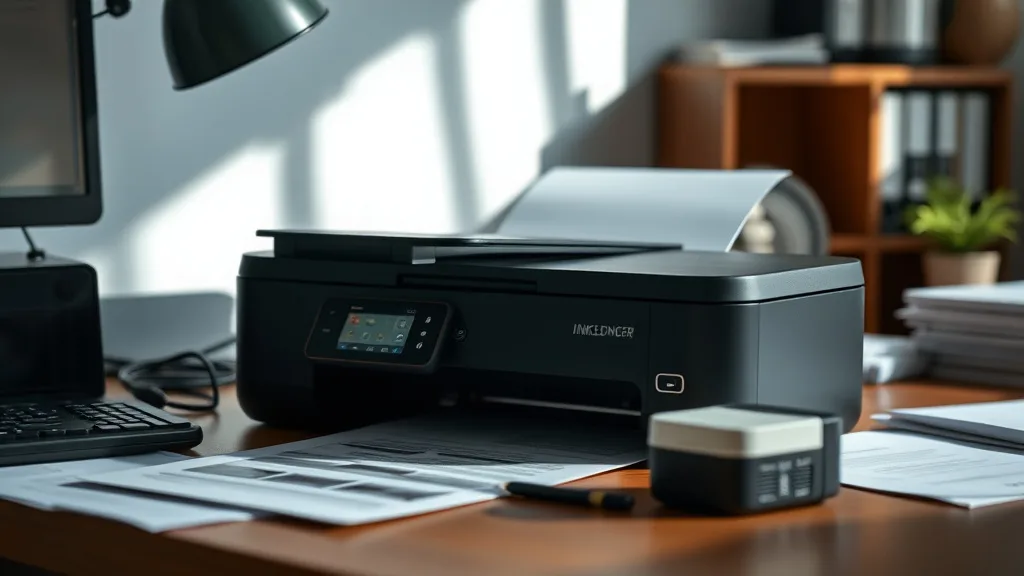
Inkledger’s Approach to Maintaining Print Consistency with Refilled Ink
If you’ve ever switched from brand-name ink cartridges to refilled ink and noticed your print quality is uneven, faded, or outright problematic, you’re not alone. Many printer owners face unpredictable results when using refilled cartridges, causing frustration, wasted supplies, and added costs. At Inkledger, we understand that consistent print quality is non-negotiable — especially when using refilled ink. This article breaks down how Inkledger maintains reliable print consistency while helping you keep your printing costs low.
What Is Refilled Ink and Why Does Consistency Matter?
Refilled ink cartridges are OEM cartridges that have been emptied and then refilled with third-party ink. The appeal is clear: dramatically lower cost per page compared to brand-new cartridges. However, refilled ink is a mixed bag—some consumers experience varying print quality, clogged nozzles, inconsistent color density, or even cartridge read errors.
Print consistency means uniform output in color saturation, sharpness, and overall quality from the first print to the last, without error messages or interruptions. For businesses and home users alike, inconsistent output leads to wasted pages, reprints, and annoyance that often outweigh initial savings.
Maintaining consistent print quality with refilled ink involves understanding ink formulations, cartridge preparation, yield trade-offs, and printer communication protocols. Inkledger’s approach focuses on quality controls and strategies tailored to these factors.
See also: Top Features to Look for in Compatible Ink Cartridges Today
How Inkledger Maintains Print Consistency with Refilled Ink
Phone cases - Sponsored - 15% off first order
Phone Case Gift - They pick the model · 2 minutes Code FIRST15GIFT-
Advanced Ink Formulation and Testing
- Inkledger partners with ink refill specialists who formulate inks specifically to match the chemical properties and viscosity of OEM inks.
- These inks undergo rigorous print density, drying time, and longevity tests across various printer models.
- The result is ink that flows smoothly, resists clogging, and faithfully reproduces colors.
-
Refill Process Calibration and Quality Controls
- Each cartridge is carefully drained and cleaned using ultrasonic cleaning methods to remove residual ink and dried particles.
- During refilling, ink volume is calibrated to closely match the original cartridge yield to avoid over- or under-filling.
- Post-refill, cartridges are sealed and inspected under controlled conditions to prevent contamination.
-
Chip Resetting and Smart Compatibility
- Printer chips often act as ink level monitors or security locks and can reject refilled cartridges.
- Inkledger uses chip-resetting technology that reprograms or replaces chips to ensure the printer accepts the cartridge and accurately reports ink levels.
- This avoids common errors like “empty cartridge” warnings or print mode restrictions.
-
Ongoing Yield and Print Quality Monitoring
- Through feed-back mechanisms like user surveys and controlled print tests, Inkledger tracks cartridge longevity and output quality.
- Insights inform continuous improvements in ink mixtures, refill procedures, and chip functionality.
When to Use Refilled Ink with Inkledger’s Approach
Refilled ink cartridges can be a viable alternative for cost-conscious users who:
- Want to reduce the cost per page without sacrificing too much print quality.
- Need regular color or black-and-white prints for documents, photos, or labels.
- Are comfortable with handling cartridges that may have slight yield or color variations compared to OEM originals.
- Appreciate the environmental impact reduction from reusing cartridges.
However, users relying on ultra-high quality prints (e.g., professional photography or legal document certification) should weigh whether refilled ink meets their standards.
Understanding the Trade-Offs: OEM vs Refilled Ink with Inkledger
Phone cases - Sponsored - 15% off first order
Titan Case - Precision fit · 2,000+ designs Code FIRST15TITChoosing between OEM cartridges and refilled ink often boils down to balancing cost, quality, yield, and reliability. Here is a straightforward comparison to clarify the decision-making factors when Inkledger’s refilled ink is involved:
| Feature | OEM Brand-Name Cartridge | Inkledger Refilled Ink Cartridge |
|---|---|---|
| Cost per Page | Highest cost per page due to premium pricing | Typically 40-70% lower cost per page |
| Print Quality | Guaranteed consistent sharpness and color | Very consistent with Inkledger’s quality process, slight hue variations possible |
| Yield (Pages per Cartridge) | Usually matches printer’s rated page yield | Close to OEM yield but may vary ±10% due to refill tolerance |
| Printer Compatibility | Fully supported with native chip communication | Chip-reset ensures high compatibility, but rare printer firmware updates may cause issues |
| Reliability | Low risk of cartridge errors or clogging | Slightly higher risk if cartridge not handled properly, minimized by Inkledger’s process |
| Environmental Impact | New plastic cartridges | Reuse of plastic reduces waste significantly |
Common Pitfalls and How Inkledger Avoids Them
-
Chip Lockouts and Ink Detection Issues
- Many printers refuse to print or report “counterfeit cartridge” errors if an unrecognized chip is detected.
- Inkledger’s chip-reset method ensures the printer recognizes the cartridge as genuine, preventing disruptive lockouts.
-
Ink Drying and Clogging
- Poor-quality refill ink can lead to rapid drying on nozzles or irregular ink flow.
- Inkledger uses ink formulations optimized for smooth flow and longer nozzle life, reducing the frequency of printhead maintenance.
-
Yield Variations and False Ink Level Reporting
- Refilling without precise volume measurement can cause early “empty” signals or premature cartridge replacement.
- Inkledger’s refill calibration and chip-level reprogramming improve ink level accuracy, making yield more predictable.
-
Color Inconsistency and Fading
- Third-party inks can deviate in pigment and stability, causing color shifts.
- Inkledger tests and matches pigment profiles for high fidelity in common printers.
Practical Tips for Printer Owners Using Refilled Ink
Phone cases - Sponsored - 15% off first order
Phone Cases For Charity - Every case supports a cause Code GIVE10- Always purchase refilled cartridges from a trusted provider who offers chip-reset service and quality guarantees.
- Confirm the refilled cartridge matches your printer model exactly to avoid compatibility errors.
- After installing a refilled cartridge, run a nozzle check and head cleaning cycle (if needed) to ensure proper ink flow.
- If your printer shows wrong ink level warnings, try a power reset or chip reset tool if available.
- Store cartridges in a cool, dry place to minimize ink drying inside the cartridge or printhead.
- Consider printing in draft mode for non-critical prints to extend cartridge life.
Comparison Table Recap: Key Factors for Print Consistency
| Aspect | OEM Cartridge | Inkledger Refilled Cartridge |
|---|---|---|
| Chip Recognition | Native, full support | Chip-reset, high compatibility |
| Color Matching | Accurate OEM tint | Close match, some variation may occur |
| Printhead Health Impact | Low risk | Low risk with Inkledger’s ink, moderate with unknown inks |
| Ink Drying Time | Typically quick drying | Optimized for controlled drying |
| User Maintenance Needed | Minimal | Recommended nozzle checks |
Frequently Asked Questions
Q: Will using refilled ink void my printer’s warranty?
A: Manufacturers may claim warranty voidance if non-OEM cartridges cause printer damage, but many users use refilled cartridges without issue. Check your printer’s warranty terms and apply Inkledger’s quality services for minimized risk.
Q: How close is the print quality of refilled ink compared to brand-name cartridges?
A: Inkledger’s refilled ink matches print quality closely for everyday document and photo printing, with only slight color saturation or hue differences rarely noticeable to the casual user.
Q: What should I do if my printer rejects a refilled cartridge?
A: First, remove and reinstall the cartridge correctly. Then try clearing error messages by powering the printer off and on. Contact the provider about chip resetting or firmware updates if problems persist.
Inkledger’s methodical approach ensures that refilled ink cartridges consistently deliver reliable print results, transform printer economics, and reduce environmental impact without the typical headaches associated with third-party cartridges. By understanding the technology and following proper usage practices, you can enjoy low-cost printing with peace of mind.
Top Picks
Watchdog picks
- TEINO Remanufactured Ink Cartridge Replacement for HP 65 65XL 65 XL use with HP
- Brother Genuine TN760 High Yield Black Toner Cartridge, (for use with MFC-L2710D
- B08KDQZJQ5
- HP Original 962 Cyan, Magenta, Yellow / 962XL Black Ink Cartridges (4-Pack) - Wo
- GOTOBY Compatible Toner Cartridge Replacement for HP 48A CF248A for Pro M15w M15
- 65XL Ink Cartridges Black/Color Combo Pack High-Yield Replacement for HP Ink 65
- B01N4QAK9O
- B0041RRMQS
Products in this guide
- Inkjet Refill Kit Pro — Compatible with HP, Canon, Epson, and Lexmark Cartridges
- HP DeskJet 2755 Wireless All-in-One Printer, Mobile Print, Scan & Copy, Instant Ink Ready, Works with Alexa (3XV17A)
- HP OfficeJet Pro 9125e Wireless All-in-One Color Inkjet Printer, Print, scan, copy, fax, ADF, Duplex printing best-for-o
- HP OfficeJet Pro 8125e Wireless All-in-One Color Inkjet Printer, Print, scan, Copy, ADF, Duplex Printing Best-for-Home O
