
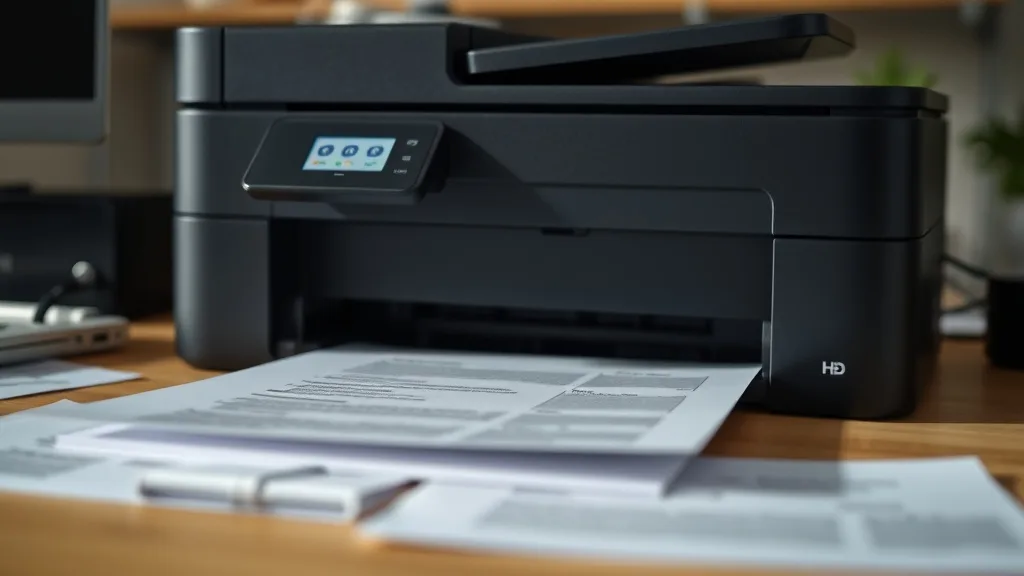
Laser printer owners face a constant headache: toner cartridge costs that can rival or exceed the printer’s initial price. When it’s time to replace your toner, you’re confronted with a critical choice — stick with expensive brand-name (OEM) cartridges or turn to more affordable compatible or third-party toners? The question comes down to cost, print quality, reliability, and risks like chip lockouts or yield discrepancies. Understanding these trade-offs with clear cost-per-page math and technical insight can help you make an informed decision that protects your printer and budget.
What Are OEM and Compatible Toner Cartridges?
OEM Toner Cartridges
OEM (Original Equipment Manufacturer) toner cartridges are produced by the printer maker or an authorized subsidiary. These cartridges are designed specifically for your printer model, promising optimal performance, quality, and compatibility. Brand-name toners often carry premium pricing reflecting the manufacturer’s R&D, quality controls, and warranty assurances.
Compatible Toner Cartridges
Compatible toners are produced by third-party manufacturers, not affiliated with the printer brand. They aim to fit and function like OEM cartridges but are significantly cheaper. These cartridges may be newly manufactured or refurbished OEM cartridges that have been cleaned, refilled, or re-chipped. Compatible toner cartridges offer a budget-friendly alternative but come with certain trade-offs in quality, yield, and warranty risk.
See also: Best Laser Printers Compatible with Affordable Third-Party Toner
How OEM and Compatible Toners Work Differently
Phone cases - Sponsored - 15% off first order
Phone Case Gift - They pick the model · 2 minutes Code FIRST15GIFT1. Cartridge Design and Quality Standards
OEM cartridges are engineered to very strict tolerances and tested extensively with the printer’s hardware and software. This integration ensures smooth installation, immediate recognition by the printer, and optimized print density and sharpness.
Compatible cartridges often mimic OEM designs but may use different materials or lower-grade toner powder. This can lead to variations in color saturation, particulate size, or overall cartridge construction quality. Some compatibles include re-coded chips that try to fool the printer’s authentication sensors, but firmware updates may occasionally disable these.
2. Chip Lockout and Firmware Compatibility
Many modern laser printers include chips on toner cartridges that communicate with the printer. These chips track toner level, enforce page yield limits, and authenticate genuine cartridges. OEM cartridges come preprogrammed with authentic chips, avoiding printer error messages.
Compatible cartridges frequently incorporate cloned or resettable chips to bypass chip authentication. Firmware updates from manufacturers may disable these chips, leading to error messages like “Cartridge not recognized” or “Replace Toner.” Some compatibles circumvent this by releasing chip updates or reset tools, but the risk of lockout remains.
3. Toner Yield and Page Count
Yield is the estimated number of pages a cartridge can print before toner runs out, usually measured at 5% page coverage per page. OEM yields are guaranteed by the manufacturer and are relatively consistent. Compatible cartridges often have slightly lower or variable yield, sometimes due to less toner powder or toners with different print densities.
Some third-party suppliers offer “high yield” compatibles, but these yields are generally based on extrapolations, not independent testing, so actual results may vary.
When to Use OEM Toner Cartridges
- Critical or professional prints: If your documents require the highest resolution, consistent color density, or guaranteed fade resistance, OEM toners deliver the best quality.
- Printer warranty or service agreement compliance: OEM cartridges are the safest option to maintain your printer’s warranty and minimize service disruption.
- High-volume business environments: Premium reliability and consistent yield numbers help avoid downtime and repeat cartridge replacements.
- Minimal tolerance for printer errors: OEM cartridges rarely trigger chip lockout messages or compatibility warnings.
When to Use Compatible Toner Cartridges
Phone cases - Sponsored - 15% off first order
Titan Case - Precision fit · 2,000+ designs Code FIRST15TIT- Cost-sensitive users: Compatible cartridges can reduce your cost per page by 30-60% or more compared to OEM cartridges.
- Non-critical print jobs: Drafts, internal memos, and general office prints where slight quality variation is acceptable.
- Out-of-warranty printers: Devices no longer supported by the manufacturer may benefit from compatible replacements without risking warranty loss.
- Users willing to troubleshoot occasional issues: Firmware updates or chip lockouts may require manual interventions like chip resets or firmware rollbacks.
Cost-Per-Page and Yield: How They Impact Your Bottom Line
A practical way to evaluate toner cartridges is cost per page (CPP). This metric reflects the true cost of toner by dividing the cartridge price by its yield.
| Feature | OEM Cartridge | Compatible Cartridge |
|---|---|---|
| Typical Price | $100 - $200+ | $30 - $100 |
| Page Yield (standard) | 2,000 - 5,000 pages (5% coverage) | 1,800 - 4,500 pages (variable) |
| Cost Per Page Range | 2¢ - 10¢ per page | 1¢ - 5¢ per page |
| Chip Authentication | Guaranteed compatibility | Sometimes unsupported; risk of lockout |
| Print Quality | Consistent, high-quality, fade resistant | Good but variable; occasional streaks or light prints |
| Warranty Impact | No effect on printer warranty | May void warranty or service agreements |
| Risk of Printer Errors | Minimal to none | Moderate (chip errors, toner sensing issues) |
As you can see, compatible toners offer compelling cost savings but at varying levels of reliability and consistency. Being aware of these trade-offs ensures you get the best value for your specific printing needs.
Reliability and Warranty Considerations
Phone cases - Sponsored - 15% off first order
Phone Cases For Charity - Every case supports a cause Code GIVE10Compatible toner cartridges can differ widely depending on the manufacturer’s reputation. While many third-party suppliers have improved their quality control, cheaper compatibles might cause print defects such as streaking, background toning (grey smudges), or premature toner depletion.
OEM cartridges benefit from official guarantees, meaning if a cartridge damages your printer, the manufacturer will cover repairs under warranty. Compatible cartridges may void this coverage, forcing out-of-pocket repairs if problems arise.
To minimize risk, buy compatibles from established vendors with transparent return policies and customer support. Reading reviews or seeking third-party testing reports can help you avoid poor-quality offerings.
Tips for Safely Using Compatible Toners
- Check compatibility lists to ensure the cartridge is designed specifically for your printer model.
- Monitor printer firmware updates, especially from OEM manufacturers, which may block compatible cartridge usage.
- Keep spare OEM cartridges on hand in case chip lockout or print quality issues arise.
- Perform regular cleaning and maintenance of your printer’s toner and drum units to avoid residue buildup from lower-quality toners.
- Calculate total cost of ownership, including downtime or servicing if a compatible cartridge causes printer errors.
Summary Comparison: OEM vs Compatible Toner
| Criteria | OEM Toner | Compatible Toner |
|---|---|---|
| Cost | High | Low to Moderate |
| Print Quality | Consistent, professional grade | Varies; mostly acceptable |
| Cartridge Yield | Guaranteed and consistent | Variable; usually slightly lower |
| Compatibility | Perfect fit, no printer errors | Possible chip lockouts/firmware blocks |
| Warranty Impact | Maintains printer warranty | May void printer warranty |
| Risk of Printer Damage | Very low | Some risk if poor quality cartridge |
| Availability | Widely available from OEM | Widely available from multiple suppliers |
Choosing between OEM and compatible toner cartridges depends on your priorities: if print quality, consistency, and warranty coverage dominate, OEM is your safest bet. If minimizing print costs is paramount and you’re willing to accept some risk and occasional troubleshooting, compatible toners offer substantial savings.
Frequently Asked Questions
Q: Will using compatible toner void my printer’s warranty?
A: It depends on the printer manufacturer. Some explicitly state that non-OEM cartridges can void warranty coverage, especially if damage is linked to the cartridge. Others allow third-party use but may not cover damage related to incompatible supplies.
Q: How often do printer firmware updates disable compatible toners?
A: Firmware updates targeting chip security and authentication occur irregularly but have become more frequent in recent years. Some compatible cartridge manufacturers quickly issue updated chip fixes in response; others do not.
Q: Can I refill my OEM toner cartridge instead of buying compatible toner?
A: Refilling OEM cartridges is an option for those familiar with the process and risks. However, refilled cartridges may have inconsistent yields, print quality issues, and chip recognition problems, similar to compatibles, and require careful handling.
Choosing the right toner cartridge means balancing cost, quality, and printer compatibility. With clear knowledge of OEM versus compatible toner trade-offs and realistic cost-per-page math, you can avoid overpaying while protecting your printer investment.
Top Picks
Watchdog picks
- Canon PG-245 XL / CL-246 XL Genuine Ink Value Pack (2 Cartridges), Compatible wi
- HP OfficeJet Pro 8125e Wireless All-in-One Color Inkjet Printer, Print, scan, Co
- B0041RRMQS
- Brother Genuine TN760 High Yield Black Toner Cartridge, (for use with MFC-L2710D
- Epson EcoTank ET-2980 Wireless All-in-One Color Supertank Printer with Refillabl
- Skyink Compatible Ink Cartridge Replacement for Canon 245XL 246XL 245 246 XL (Bl
- HP Original 962 Cyan, Magenta, Yellow / 962XL Black Ink Cartridges (4-Pack) - Wo
- B0CT8ZJ7ZC
Products in this guide
- Brother Genuine TN730 3-Pack Standard Yield Black Toner Cartridge with Approximately 1,200 Page Yield/Cartridge
- HP 65 Black Ink Cartridge Works with HP AMP 100, DeskJet 2600, 3700, ENVY 5000 Series
- Brother Genuine TN760 High Yield Black Toner Cartridge, (for use with MFC-L2710DW MFC-L2750DW HL-L2350DW HL-L2370DW HL-L
- Brother Genuine Standard Yield Toner Cartridge, TN730, Replacement Black Toner, Page Yield Up To 1,200 Pages, Amazon Das
