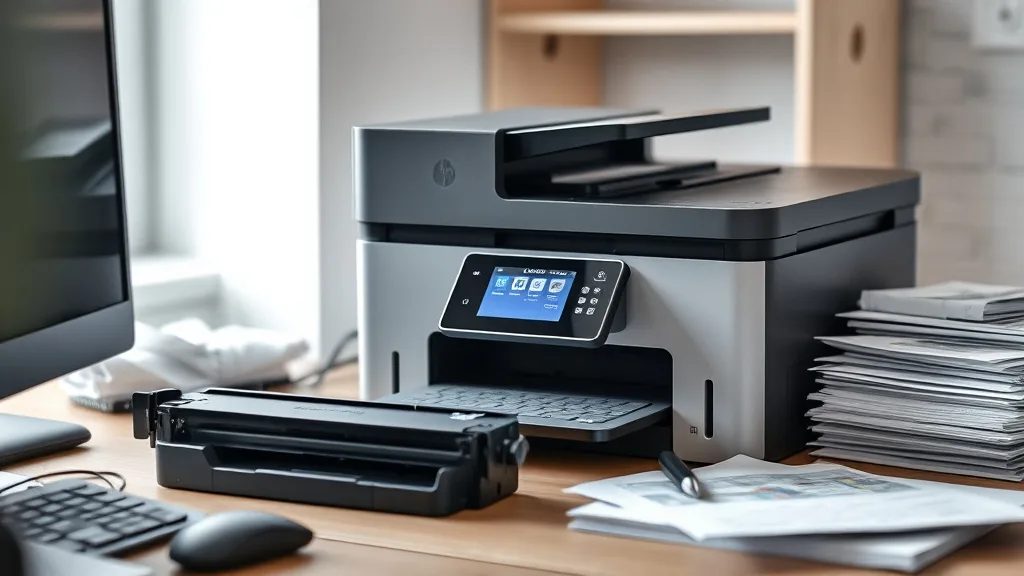
Laser printers are a great choice for anyone seeking fast, high-quality black-and-white or color prints with low per-page costs. However, many printer owners quickly run into a frustrating problem: brand-name toner cartridges often come with a hefty price tag, making the true cost of ownership much higher than expected. This article helps you navigate the best laser printers that are compatible with affordable third-party toner cartridges, balancing yield, print quality, and reliability without the OEM premium.
Why Third-Party Toner Compatibility Matters
Original Equipment Manufacturer (OEM) toner cartridges are engineered to deliver excellent reliability and print quality, but their prices can be prohibitively expensive over time. Third-party cartridges or refill kits can cost 40-70% less per cartridge, dramatically reducing your cost per page (CPP).
However, the savings are not guaranteed: some printers use advanced chip lockouts or firmware that block non-OEM toners. Others may suffer print quality or reliability issues with cheap refills. Choosing a laser printer known for compatibility with third-party toners means you avoid these pitfalls and get the best balance of affordability and performance.
See also: 20. Best compatible cartridges for Brother MFC printers
What to Look for in a Printer Compatible with Third-Party Toner
Phone cases - Sponsored - 15% off first order
Phone Case Gift - They pick the model · 2 minutes Code FIRST15GIFT-
Open or Less Restrictive Firmware
Some brands frequently update firmware to block third-party cartridges via chip authentication. Look for printers with a long history of compatibility and manageable firmware updates. -
Standard Cartridge Form Factor
Printers using standard cartridge sizes are better supported by third-party manufacturers, meaning more options and better pricing. -
High Cartridge Yield
It’s easier to justify slightly higher toner costs when each cartridge yields a large number of pages. -
Print Quality Stability
Even if affordable, third-party toner should not produce frequent smudges, streaking, or fading. -
Customer Reviews and Community Feedback
User experiences provide insights on how affordable toner cartridges hold up over months of use.
Top Laser Printers Compatible with Affordable Third-Party Toner
Here’s a ranked list focused on models widely recognized for third-party toner support, good yield, and reliable performance.
| Rank | Printer Model Type | Max Print Speed (ppm) | Approx. OEM Cartridge Yield (pages) | Third-Party Toner Cost Per Cartridge (est.) | Notes on Compatibility & Reliability |
|---|---|---|---|---|---|
| 1 | Monochrome Laser | 40 | 3,000 | $30-$40 | Strong chip support for third-party; excellent yield |
| 2 | Color Laser | 28 | 2,000 (black), 1,500 (color) | $35-$45 (black), $30-$40 (color) | Slight issues with chip lockouts; vendor patches vary |
| 3 | Compact Mono Laser | 25 | 1,500 | $25-$35 | Best for small offices; good third-party support |
| 4 | Workgroup Laser | 35 | 4,000 | $50-$60 | High volume, reliable but pricier third-party kits |
| 5 | Budget Color Laser | 20 | 1,200 | $20-$35 (per cartridge) | Mixed reviews on print quality with refills |
How to Evaluate Cost Per Page (CPP)
Phone cases - Sponsored - 15% off first order
Titan Case - Precision fit · 2,000+ designs Code FIRST15TITThe ultimate goal of using third-party toner is to reduce your cost per page. Here is a simple formula:
Cost Per Page = Cartridge Price / Cartridge Yield
Example Comparison
- OEM cartridge: $90, 3,000 pages
- Third-party cartridge: $35, 3,000 pages
OEM CPP = $90 / 3,000 = $0.03 per page
Third-party CPP = $35 / 3,000 = $0.0117 per page
This means switching to compatible third-party toner can reduce your supply costs by more than 60%. But beware: reduced print quality or increased maintenance can offset these savings.
Balancing Reliability vs. Savings
The biggest concern with third-party toners is that they may cause printer errors, more frequent paper jams, or shorter drum life. Some printers clearly handle third-party toner better because of design tolerances or firmware policies.
Tips to Maximize Compatibility and Reliability
-
Buy Higher-Quality Third-Party Toners
Look for vendors that offer guarantees and compatibility statements. -
Update Firmware Carefully
Delay aggressive printer firmware updates which sometimes disable chip recognition of refill cartridges. -
Clean Printer Regularly
Toner dust from some refills can accumulate if the machine isn’t maintained. -
Keep Spare OEM Cartridges
For critical print jobs, having original cartridges as backup is prudent.
Common Pitfalls When Using Third-Party Toners
Phone cases - Sponsored - 15% off first order
Phone Cases For Charity - Every case supports a cause Code GIVE10- Chip Lockouts and Firmware Blocks: Some printers detect and prevent printing with non-OEM toner by checking integrated chip IDs. If your printer’s firmware gets updated, your third-party toner might suddenly stop working.
- Ink Smudging or Poor Print Quality: Cheap toner sometimes produces inconsistent print density with streaks or smears.
- Shorter Hardware Lifespan: Low-quality toner powders can wear down drum units or fusers faster.
- Void of Warranty: Some manufacturers claim third-party consumables void warranty, although enforcement may vary.
Summary Comparison Table of Key Factors
| Factor | Brand-Name Toner | Third-Party Toner |
|---|---|---|
| Cost | High | 40-70% cheaper |
| Print Quality | Consistent, OEM standard | Variable, depends on supplier |
| Firmware Lockout Risk | None | Present, varies by printer |
| Warranty Impact | None | Potentially voids warranty |
| Cartridge Yield | OEM specified, reliable | Usually close but varies |
| Reliability & Maintenance | Designed for printer | May increase cleaning frequency |
Final Takeaway
If you own a laser printer and are weary of exorbitant OEM toner costs, selecting a printer known for good third-party toner compatibility can make a massive difference in your running costs. Focus on models with standardized cartridge designs, good community feedback, and manageable firmware. Also, remember that cost savings work best when balanced with print quality and reliability, so sourcing reputable third-party toner suppliers is essential.
Frequently Asked Questions
Q: Will using third-party toner damage my laser printer?
A: Generally no, if you buy quality toner and maintain your printer well. However, cheap or poorly manufactured toners can increase wear and maintenance.
Q: How can I avoid my printer blocking third-party cartridges?
A: Avoid updating firmware automatically, research printers with a history of third-party support, and keep spare OEM cartridges.
Q: Is print quality noticeably worse with third-party toner?
A: It varies; many third-party toners offer excellent print quality, especially for text documents. Color reproduction and photo printing may show small differences.
Top Picks
Watchdog picks
- B07ZPSFVX5
- HP Samsung MLT-D116L (SU832A) MLT-D116L Toner Cartridge
- Epson EcoTank ET-3950 Wireless All-in-One Color Supertank Printer with up to 3 Y
- B0D8B24CTB
- Canon PG-245 / CL-246 Genuine Ink Value Pack (2 Cartridges), Compatible with iP2
- Miss Deer LC3019XXL Ink Cartridges, Comaptible Replacement for Brother LC3019 LC
- B07R3N9X3F
- B08CDK75M8
Products in this guide
- Brother Genuine TN760 High Yield Black Toner Cartridge, (for use with MFC-L2710DW MFC-L2750DW HL-L2350DW HL-L2370DW HL-L
- Brother Genuine TN730 3-Pack Standard Yield Black Toner Cartridge with Approximately 1,200 Page Yield/Cartridge
- MLT-D116L High Yield Toner Cartridge - 1 Pack, Black Replacement for Samsung 116L D116L MLTD116L Toner to use with Xpres
- HP Original 63/65XL Black High‑Yield + 63/65 Tri-Color| Works DeskJet 1110, 2100, 2600, 3600, 3700, Envy 4500, 5010, 505