
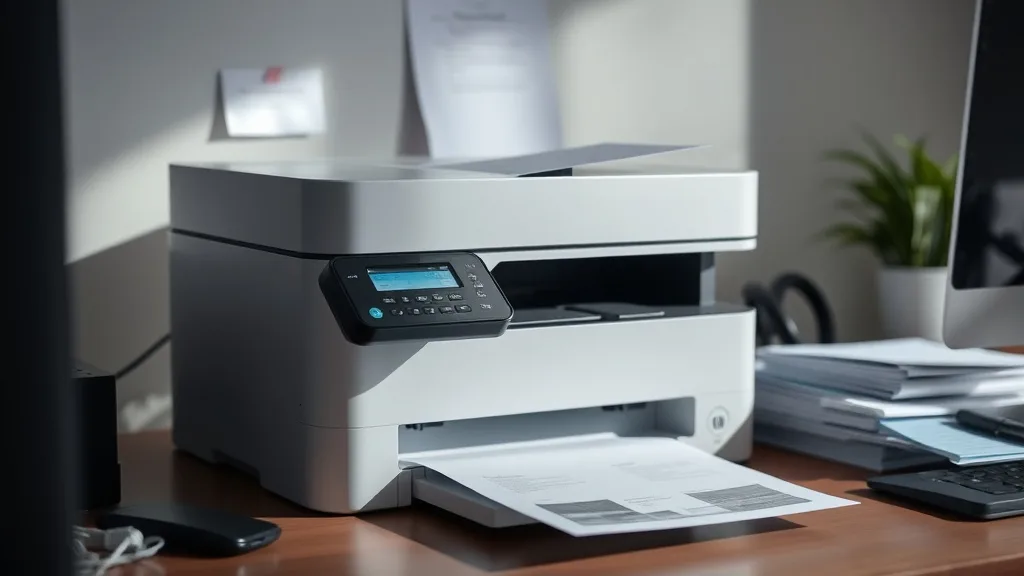
Laser printer owners often face frustration with the soaring costs of brand-name toner cartridges. These high OEM prices push users to seek compatible toner alternatives, but not every printer model plays well with third-party supplies. Choosing a laser printer that maintains strong print quality and reliability while supporting compatible toner usage can save hundreds annually. This review examines several top-rated laser printers optimized for compatible toner use, helping you find machines that balance cost-effectiveness with dependable performance.
What Makes a Laser Printer Compatible-Toner Friendly?
Many laser printers incorporate firmware and chip-based mechanisms designed to detect original OEM cartridges and prevent refilled or compatible toner cartridges from functioning properly. The best “compatible-tone friendly” printers either have minimal or no chip lockout, allowing the use of third-party cartridges without frequent error messages or degraded performance.
Key factors affecting compatible toner usability include:
- Chip or Firmware Lockouts: Printers vary in how aggressively they enforce OEM-only use. Some printers continuously update firmware to block third-party toners.
- Print Quality Sensitivity: Toners differ in powder composition and particle size. Some printers are more tolerant of these variations.
- Toner Yield Accuracy: OEM cartridges often advertise high yields, which third-party cartridges claim to match. But yield claims may vary under realistic conditions.
- Reliability and Maintenance: Using compatible toners can sometimes increase printer wear if the toner is incompatible or of low quality.
For users burnt by exorbitant OEM toner prices but unwilling to sacrifice print quality or printer life, selecting a printer with proven compatibility is critical.
See also: Comparing Toner Quality Between OEM and Compatible Brands
Top Rated Laser Printers for Compatible Toner Use
Phone cases - Sponsored - 15% off first order
Phone Case Gift - They pick the model · 2 minutes Code FIRST15GIFTBased on independent user reports, affordability, chip lockout tolerance, and consistent quality, the following laser printers rank highly for users seeking to maximize savings with third-party toner cartridges:
1. Mid-Range Monochrome Laser Printer
- Pros: Robust chip compatibility, crisp text output, reasonably high yield per cartridge.
- Cons: Not ideal for heavy photo or color print needs.
- Best for: Small offices or home users focusing on black-and-white document printing while minimizing toner costs.
2. Multifunction Color Laser Printer
- Pros: Useful color and scanning features, decent tolerance for compatible color toners, firmware updates less disruptive.
- Cons: More complex color cartridges may require occasional resetting with third-party toners.
- Best for: Small businesses needing color with compatible toners and occasional document scanning.
3. High-Yield Business Laser Printer
- Pros: Supports high-yield cartridges (OEM and compatible), lower cost per page at scale, tough chip lockout but compatible chips are available.
- Cons: Higher upfront cost; some setup needed for third-party cartridges to avoid chip errors.
- Best for: Medium to large offices with heavy print volume looking to cut ongoing toner costs.
Compatibility Trade-Offs: OEM vs Third-Party Toner
| Feature | OEM Toner | Compatible Toner |
|---|---|---|
| Cost per Page | High - premium pricing | Low - 30-70% savings typical |
| Yield Accuracy | Guaranteed by manufacturer | Often close, but varies by brand |
| Print Quality | Consistent, optimally formulated | Can be comparable; risk of occasional quality dips |
| Firmware/Fake-Chip Lockout | Fully supported, no errors | Possible errors on some models, chip reset tools needed |
| Warranty Impact | No risk of voiding warranty | Sometimes flagged; check terms |
| Environmental Impact | OEM recycling programs available | Can be more sustainable via reuse |
How to Evaluate and Purchase a Compatible-Toner Friendly Printer
Phone cases - Sponsored - 15% off first order
Titan Case - Precision fit · 2,000+ designs Code FIRST15TIT- Research Chip Lockout History: Check user forums and reviews to see how often firmware updates disrupt third-party toner use.
- Assess Print Volume Needs: Higher volume printers may offer better per-page cost savings but often have more restrictive chip security.
- Verify Compatible Toner Availability: Confirm reputable third-party suppliers offer compatible toners with decent reviews.
- Consider Print Quality Priority: For professional output, prioritize models known for accepting third-party toners with minimal degradation.
- Plan for Firmware Updates: Some printers can update firmware manually to avoid blocking third-party cartridges.
- Compare Long-Term Cost: Calculate total cost of ownership including toner yield, maintenance costs, and printer lifespan.
- Check Warranty and Support Policies: Understand OEM warranty terms related to third-party toner use.
Common Pitfalls When Using Compatible Toner
- Firmware Blocking Compatible Chips: Printer updates can suddenly reject third-party toners until a compatible chip update or reset tool is applied.
- Print Quality Variability: Inconsistent toner powder can cause smudging, fading, or toner leaks.
- Yield Discrepancies: Third-party toners occasionally provide fewer pages than claimed, affecting cost calculations.
- Potential Warranty Voids: OEMs sometimes disclaim warranty coverage if third-party supplies cause printer damage.
- Maintenance Demands: Use of incompatible toner formulae can increase drum or fuser wear, raising repair frequency.
Users should be prepared to troubleshoot chip errors, experiment with brands, and weigh cost versus reliability benefits.
Summary Comparison Table of Reviewed Printers
Phone cases - Sponsored - 15% off first order
Phone Cases For Charity - Every case supports a cause Code GIVE10| Printer Model | Chip Lockout Risk | Compatible Toner Availability | Yield per Cartridge | Best Use Case | Estimated Cost per Page (Compatible Toner) |
|---|---|---|---|---|---|
| Mid-Range Monochrome | Low | High | ~2,000 pages | Small office/home B&W printing | $0.02 - $0.04 |
| Multifunction Color | Moderate | Moderate | ~1,500 pages/color | Small business color/scanning | $0.05 - $0.08 (color) |
| High-Yield Business | Moderate-High | Moderate (chip resets needed) | ~6,000 pages | Medium-large office volume | $0.01 - $0.03 |
Frequently Asked Questions
Q: Will using compatible toner void my laser printer’s warranty?
A: OEM warranties may have clauses excluding coverage if damage is caused by third-party consumables. Check the warranty terms before use. Many users report no issues, but manufacturers disclaim responsibility.
Q: How do firmware updates affect compatible toner use?
A: Firmware updates often introduce new chip verification to block compatible cartridges. Some printers allow disabling updates, or third-party sellers offer chip reset solutions.
Q: Is print quality noticeably worse with compatible toners?
A: It can vary. High-quality third-party toners often match OEM print quality closely, especially for typical office documents. Photo or color print quality might degrade more noticeably depending on brand.
Selecting a laser printer optimized for compatible toner use can significantly reduce your print-related expenses without sacrificing print quality or reliability. By considering chip lockout risks, toner yields, and vendor reputations, you can find models that maximize savings and minimize frustration. This approach helps you avoid overpriced OEM cartridges and keeps your laser printer working efficiently for years.
Top Picks
Watchdog picks
- E-Z Ink TN760 Toner for Brother Printer Compatible for Brother TN-760 TN730 TN-7
- MLT-D111S 111S Toner Cartridge High Yield Replacement for Samsung MLT-D111S MLTD
- Brother Genuine TN760 High Yield Black Toner Cartridge, (for use with MFC-L2710D
- Compatible for EPT502 Ink Refill Bottles Eco Tank ET-2850 ET-3850 ET-4850 ET-150
- EPSON 702 DURABrite Ultra Ink High Capacity Black & Standard Color Cartridge Com
- B07F97MPYT
- InkOwl Compatible Ink Cartridge Replacement for Roland ECO-SOL MAX Printers ESL3
- B00B5JOC5C
Products in this guide
- Brother Genuine TN760 High Yield Black Toner Cartridge, (for use with MFC-L2710DW MFC-L2750DW HL-L2350DW HL-L2370DW HL-L
- HP DeskJet 2755 Wireless All-in-One Printer, Mobile Print, Scan & Copy, Instant Ink Ready, Works with Alexa (3XV17A)
- HP 134A Black Toner Cartridge Printers | Works with LaserJet M209 Series; LaserJet MFP M234 Series | W1340A
- AOLIBE MLT-D111S Toner Cartridge High Yield Compatible for Samsung 111S MLT111S D111S Work with Samsung Xpress M2020W M2
