
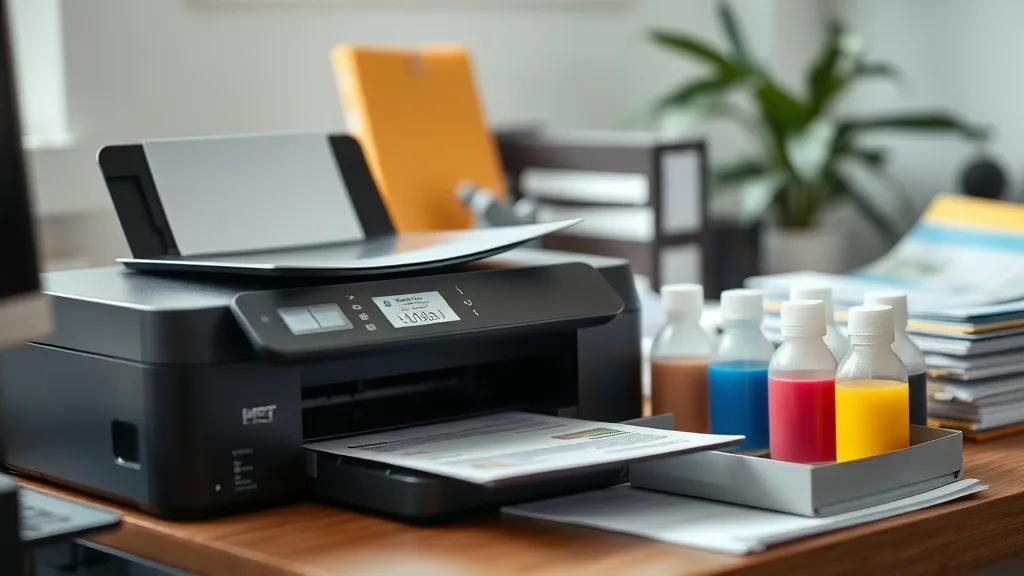
Refill Kits for Inkjet Printers: Pros and Cons Explained
If you’re an inkjet printer owner frustrated by the high cost of original equipment manufacturer (OEM) cartridges, refill kits likely seem like a promising solution. These kits offer the chance to replenish your existing cartridges at a fraction of the price, theoretically slashing your cost per page and reducing waste. But are refill kits really a practical and reliable alternative? This article breaks down what refill kits are, how they work, when they make sense, and what risks and trade-offs they entail compared to buying brand-new cartridges.
What Are Inkjet Refill Kits?
Inkjet refill kits typically include bottles of ink, syringes or needles for filling, gloves, and sometimes instructions or tools to reset cartridge chips. These kits allow you to refill your empty ink cartridges yourself rather than purchasing a new cartridge each time the ink runs out.
The process involves injecting ink directly into the existing cartridge’s reservoir. For cartridges that contain chips or electronic counters, some kits provide options to reset these chips, which is necessary for the printer to recognize the cartridge as “full” and not flag it as empty or incompatible.
See also: How Compatible Ink Cartridges Can Save Money Without Losing Quality
How Do Inkjet Refill Kits Work?
Phone cases - Sponsored - 15% off first order
Phone Case Gift - They pick the model · 2 minutes Code FIRST15GIFTMost inkjet cartridges contain ink reservoirs sealed with small openings or plugs designed for easy refill or replacement. The key steps in using a refill kit are:
- Remove the Cartridge: Carefully take the cartridge from your printer. Handle with gloves or on a protected surface to avoid stains.
- Locate the Refill Hole: Some cartridges have a visible refill plug. Others might require you to remove a label or cap to access the fill point.
- Draw Ink Into Syringe: Using the kit’s syringe, draw the recommended amount of compatible ink. Overfilling can cause leakage; underfilling reduces yield.
- Inject Ink Slowly: Insert the needle carefully into the refill hole and inject the ink steadily to avoid air bubbles.
- Seal the Cartridge: Secure any plugs or tape over opened holes to prevent ink from drying or leaking.
- Reset the Chip if Needed: For cartridges with ink-level chips, use the provided chip resetter or software method to clear the cartridge counter.
- Reinstall Cartridge: Place the cartridge back in the printer and print test pages to verify functionality.
When to Use Inkjet Refill Kits
Inkjet refill kits best serve specific printer owners who:
- Understand and accept some risk: They acknowledge that refilled cartridges may have variability in performance and may require troubleshooting.
- Print in high volumes: If you print frequently (photos, documents), the cost savings per page significantly add up.
- Are budget-conscious: Users looking to reduce printing expenses without investing in a new printer or costly OEM cartridges.
- Have compatible cartridges: Some inkjet cartridges are easier to refill, with accessible refill ports and less chip security.
- Want to minimize waste: Reusing cartridges cuts down on plastic waste versus discarding empty cartridges.
Conversely, owners who print infrequently, prioritize perfect print quality without hassle, or have costly printers with encrypted cartridges may find refill kits less attractive.
Pros and Cons of Inkjet Refill Kits
Phone cases - Sponsored - 15% off first order
Titan Case - Precision fit · 2,000+ designs Code FIRST15TITHere is a detailed comparison of the advantages and disadvantages of refill kits, focusing on practical concerns like cost, yield, reliability, and compatibility:
| Feature | Pros | Cons |
|---|---|---|
| Cost Savings | Lower upfront cost for ink vs OEM cartridges; can reduce cost per page by 50-80%. | Initial investment in kit (ink, syringes) can be inconvenient; potential wasted ink if mistakes occur. |
| Yield | Custom fill amounts possible, maximizing cartridge capacity. | Ink drying or leakage if not filled correctly; risk of shorter cartridge life if seals are broken. |
| Ink Quality | Bulk inks often formulated to be compatible with popular printers. | Potential color inconsistency, fading, or clogging if ink quality is inferior or poorly matched. |
| Environmental Impact | Reduces plastic waste by reusing cartridges multiple times. | Improper disposal of excess ink or faulty cartridges could negate some eco benefits. |
| Printer Compatibility | Many mainstream inkjet cartridges refillable with standard kits. | Some printers use chip lockout mechanisms preventing refill without resets or chip replacements. |
| Reliability & Warranty | Avoids needing new cartridges; can be more convenient if done carefully. | May void printer warranty; risk of printer errors, clogged print heads, or damage if improperly refilled. |
| User Skill Required | Interactive process that gives user control over refill. | Requires care, precision, and time; not suited for casual or infrequent print users. |
Common Pitfalls and How to Avoid Them
Overfilling or Underfilling Cartridges
Filling beyond cartridge capacity causes leakage and potential printer damage. Underfilling leads to premature “empty” messages. Use syringes carefully and stick to recommended ink volumes.
Ink Quality and Compatibility Issues
Always buy high-quality inks compatible with your printer model. Avoid unknown or suspicious ink sources which may cause clogs or poor print quality.
Chip Lockout or Recognition Problems
Chip-protected cartridges may refuse to print after refill if the chip is not reset or replaced. Using a chip reset tool included in some refill kits can fix this, but some models are more restrictive.
Cartridge Physical Damage
Improper filling can harm seals or plastic parts. Insert needles slowly, avoid force, and make sure cartridges are clean and dry before refilling.
Warranty Voids and Printer Risks
Manufacturer warranties generally do not cover damage from third-party inks. Understand this risk and take precautions, like testing refill kits on older cartridges first.
Cost-Per-Page Impact: Examples
Phone cases - Sponsored - 15% off first order
Phone Cases For Charity - Every case supports a cause Code GIVE10A major reason users turn to refill kits is cost savings. OEM cartridges often list for $30+ per cartridge and offer yields of 300 pages (varies by color and model). This equates to around 10 cents per page or more for black and color.
Purchasing bulk refill ink may cost $10-$15 for enough ink to refill several cartridges, reducing the cost to 3-5 cents per page or less. However, ink quality and yield consistency vary.
| Cartridge Type | OEM Cartridge Cost | Yield (pages) | Cost per Page (OEM) | Bulk Ink Cost (per refill) | Cost per Page (Refill) |
|---|---|---|---|---|---|
| Black Ink Cartridge | $30 | 300 | $0.10 | $4 | $0.013 |
| Color Ink Cartridge | $35 | 250 | $0.14 | $5 | $0.02 |
Savings multiply with frequent printing, but at the trade-off of user time and some risk.
Summary
Inkjet refill kits offer a viable cost-saving alternative to OEM ink cartridges if you’re willing to invest the time and care it takes to refill cartridges properly. They can substantially reduce cost per page and minimize cartridge waste, but introduce risk of ink compatibility issues, chip lockouts, and possible printer or cartridge damage. Not every printer or user will benefit equally; evaluate your printing volume, willingness to handle technical steps, and tolerance for potential print quality variability before choosing refill kits. When done right, refill kits can help escape the OEM cartridge pricing trap effectively.
Frequently Asked Questions
Q: Can I use any ink refill kit with my inkjet printer?
A: No. Ink refills must match your printer’s ink type (dye or pigment), color formulation, and cartridge model to avoid printhead clogs and poor quality. Check compatibility before purchasing.
Q: Will refilling cartridges void my printer’s warranty?
A: Most manufacturers exclude damage caused by third-party inks from warranty coverage. Proceed with refills knowing this risk.
Q: How often do I need to reset the cartridge chip after refilling?
A: Some cartridges require a chip reset after every refill, while others may last for multiple refills without resetting. Chip reset tools or software can help maintain cartridge recognition.
Top Picks
Watchdog picks
- B07L2MZW6B
- AZ Compatible Toner Cartridge Replacement for Dell 1250 (1250BK) use in Color La
- B0FHDJXJNZ
- B0G6Z1834N
- ecodot 552 Pigment Ink Refill Ink Bottle Replacement for Epson 552 Ink Used for
- Printer Ink 67 Compatible for HP 67 Ink Cartridges Black/Color Combo Pack for HP
- B07ZPSFVX5
- B0GYRCQLFV
Products in this guide
- Inkjet Refill Kit Pro — Compatible with HP, Canon, Epson, and Lexmark Cartridges
- Brother Printer LC30193PK Super High Yield XXL 3 Pack Ink Cartridges- 1 Ea: Cyan/Magenta/Yellow Ink
- Aomya Ink Refill Kit 100ml for HP 67 61 65 60 62 63 910 920 901 902 932 933 934 940 952 94 95 96 Inkjet Printer Cartridg
- Epson EcoTank Wireless Color All-in-One Cartridge-Free ET-3850 Supertank Inkjet Printer for Home Office, Scanner, Copier
