
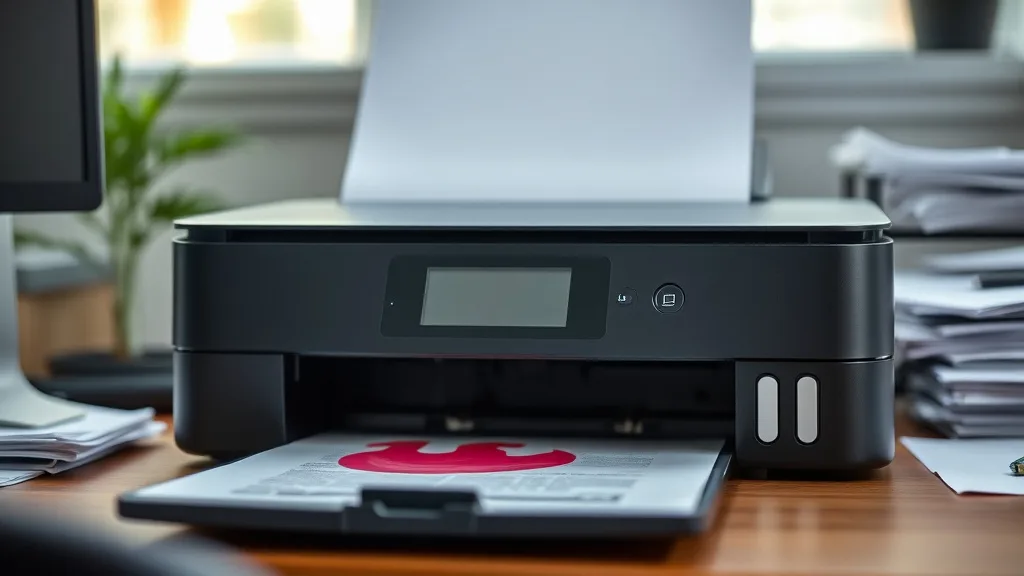
Printer ink cartridge leaks can cause frustrating messes, wasted ink, and even damage to your printer. If you’ve experienced ink pooling inside your printer or staining the paper tray, you’re not alone—and the fix starts with understanding why leaks happen and how to prevent them. This article breaks down the causes of ink cartridge leaks, practical troubleshooting steps, and how to minimize the risk moving forward.
What Causes Ink Cartridge Leaks?
Ink cartridge leaks occur when ink escapes the cartridge housing unintentionally. This can happen for several reasons:
- Physical damage: Dropping or mishandling cartridges can crack the casing or damage seals.
- Poor cartridge fit: Using incompatible or low-quality third-party cartridges that don’t fit well can leave gaps.
- Expired or dried ink: Over time, ink can thicken or dry, impairing flow and causing clogs that force ink out in other spots.
- Chip or vent blockages: Cartridges have air vents to regulate pressure; blockages or chip malfunctions can cause ink to spill.
- Printer design and maintenance: Printers with poorly designed cartridge bays or lack of regular cleaning contribute to leaks.
Understanding the root cause is key to both fixing leaks and avoiding them in the future.
See also: Troubleshooting Printer Error Codes Related to Ink and Toner
How to Troubleshoot Ink Cartridge Leaks: Step-by-Step
Phone cases - Sponsored - 15% off first order
Phone Case Gift - They pick the model · 2 minutes Code FIRST15GIFTHere’s a clear process to diagnose and fix cartridge leaks:
1. Remove and Inspect the Cartridge
Power off the printer and carefully remove the leaking cartridge. Examine it for:
- Cracks, punctures, or visible leaks on the casing
- Excess ink on the cartridge surface suggesting overflow
- Whether the cartridge feels full or unusually light (possible defective refill)
2. Clean the Cartridge and Printer Interior
Use lint-free cloths and a small amount of distilled water or isopropyl alcohol to clean:
- Ink residues on cartridge contacts and casing
- Ink spills inside the cartridge bay, carriage, and paper tray
- Avoid using harsh cleaners or getting ink into electronic parts
3. Check Cartridge Compatibility and Seating
- Verify that your cartridge is compatible with your printer model (OEM vs compatible/third-party)
- Insert the cartridge firmly but gently to ensure a snug fit and proper seal
- Improper alignment or loose seating can cause leaks and misfeeds
4. Observe the Vent and Chip Area
Use a magnifying glass if possible to inspect the cartridge vent (usually a small hole) and chip contacts:
- Make sure the vent hole is free of dried ink or debris
- Gently wipe chip contacts with a soft cloth to ensure good connection
5. Test Print and Monitor
Reinstall the cartridge and print a test page. Keep an eye on:
- Ink flow consistency (no skipping or pooling)
- Any new ink spots inside the printer or on paper edges
If leaks persist, replacing the cartridge is often necessary.
How to Prevent Ink Cartridge Leaks: Best Practices
While some leaks occur due to cartridge flaws or printer issues, you can mitigate risks with proactive steps:
Use Genuine Brand-Name or High-Quality Compatible Cartridges
- Brand-name cartridges have tighter manufacturing tolerances and tested seals
- High-quality compatibles that come with positive user reviews and satisfaction guarantees are safer than cheap no-name refills
- Avoid questionable refilled or bulk cartridges as these often have compromised seals or ink quality
Store Cartridges Correctly
- Keep unused cartridges sealed and stored horizontally at room temperature
- Avoid extreme heat or cold, which can alter ink viscosity and damage seals
Handle Cartridges Carefully
- Avoid shaking cartridges violently before installation (this can create air bubbles)
- Hold cartridges level and insert/remove gently to prevent cracking or misalignment
Maintain Your Printer Regularly
- Clean the printhead and cartridge bay periodically with recommended wipes or solutions
- Check printer firmware updates—some improve cartridge communication and sealing
- Run the printer regularly to keep ink flowing and avoid clogging that can lead to leaks
Replace Cartridges Promptly When Low
- Do not push cartridges beyond recommended yield, as low ink can cause air passages and back pressure that result in leakage
- Monitor yield estimates and replace cartridges on time to maintain optimal printing quality and reduce leaks
Comparing Cartridge Types: Leak Risk and Cost Efficiency
Phone cases - Sponsored - 15% off first order
Titan Case - Precision fit · 2,000+ designs Code FIRST15TIT| Cartridge Type | Leak Risk | Cost Per Page (Est.) | Reliability | Compatibility Issues | Usage Scenario |
|---|---|---|---|---|---|
| OEM Brand-Name | Low | High | High | None | Best for critical, high-quality prints |
| High-Quality Compatible | Medium-Low | Medium-Low | Generally Good | Rare | Cost-conscious users seeking reliability |
| No-Name Compatible | Medium-High | Low | Variable | Common | Riskier option for budget users |
| Refilled Cartridges | High | Lowest | Low to Medium | Frequent | Occasional use where cost is primary |
Cost per page is approximate and varies by model and ink type. Leak risk is based on manufacturing quality and compatibility.
Common Pitfalls to Avoid
- Using cartridges past shelf-life: Expired ink dries or thickens, causing channel blockages and leaks.
- Skipping printer cleaning: Neglected printheads accumulate dried ink that disrupts flow and pressure seals.
- Forcing cartridge installation: Applying too much pressure can crack or dislodge seals.
- Ignoring printer firmware: Some OEMs release updates that fix chip communication issues tied to leaks.
- Mixing cartridge types: Combining OEM and low-quality third-party cartridges can cause flow inconsistencies and leaks.
Frequently Asked Questions
Phone cases - Sponsored - 15% off first order
Phone Cases For Charity - Every case supports a cause Code GIVE10Q: Can I fix a leaking cartridge myself?
A: Minor leaks from spilled ink on the cartridge surface can be cleaned, but cracks or damaged seals usually require cartridge replacement.
Q: Does using third-party cartridges increase leak risk?
A: Generally, yes. Lower-quality third-party or refilled cartridges may have imperfect fits or vent blockages, increasing leak likelihood.
Q: How often should I clean my printer to avoid leaks?
A: Aim for every 2-3 months if printing regularly, or before each new cartridge installation if you use your printer infrequently.
Ink leaks from printer cartridges can be frustrating but are preventable with an understanding of causes, proper cartridge handling, and regular printer maintenance. Balancing cost and reliability by choosing quality cartridges and maintaining your printer ensures smooth printing without messy surprises.
Top Picks
Watchdog picks
- EPSON 502 EcoTank Ink Ultra-high Capacity Bottle Black Works with ET-2750, 2760,
- B00B5JOC5C
- B00762AHTE
- EaseFusion Replacement for Epson 502 Ink Refill Bottles Work with ET-2850 ET-385
- B0CYGN38RF
- HP OfficeJet Pro 9135 Wireless All-in-One Color Inkjet Printer, Print, Scan, Cop
- 280XXL 281XXL Ink for Canon Ink 280 281 Replacement for Canon TR8620 Ink Cartrid
- B01N4IWH2O
Products in this guide
- HP DeskJet 2755 Wireless All-in-One Printer, Mobile Print, Scan & Copy, Instant Ink Ready, Works with Alexa (3XV17A)
- HP (Refurbished) OfficeJet Pro 9015e All-in-One Wireless Color Printer for Home Office, Compatible with Alexa (1G5L3A) (
- Epson EcoTank ET-2800 Wireless Color All-in-One Cartridge-Free Ink Supertank Printer with Scan and Copy for Home Use, Wh
- Epson EcoTank ET-2800 Wireless Color All-in-One Cartridge-Free Ink Supertank Printer with Scan and Copy for Home Use, Bl
