
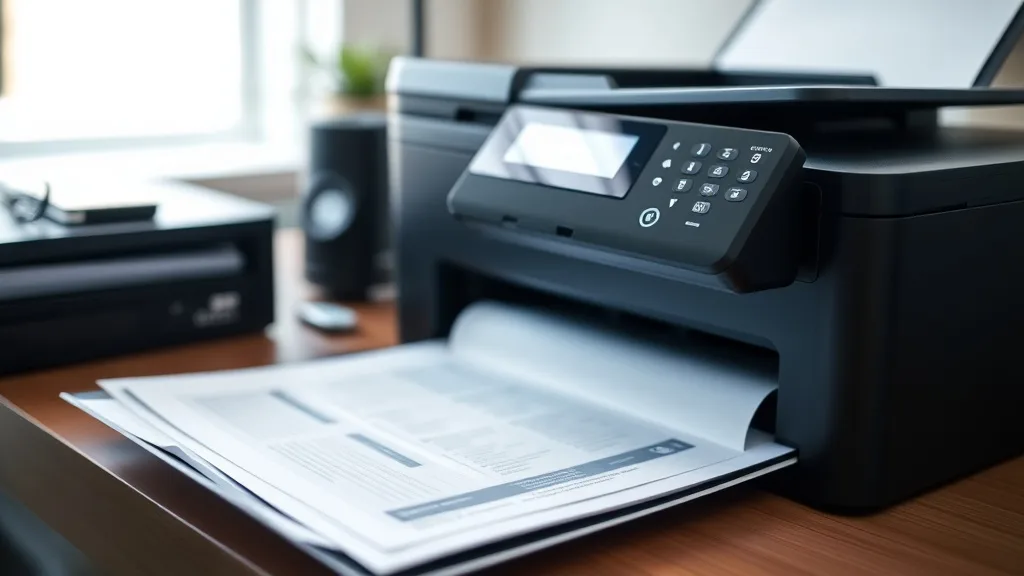
Choosing the right toner cartridge for your printer can be a frustrating and costly challenge, especially with the excessively high prices of brand-name cartridges and the endless variety of third-party options on the market. If you’ve ever bought a cartridge only to find it incompatible, low yield, or causing print quality issues, this guide is for you. Here’s a step-by-step approach to selecting the best toner cartridge for your printer model while balancing cost, yield, reliability, and compatibility risks.
Step 1: Identify Your Printer Model and Cartridge Number
Before shopping, find your exact printer model number (usually on the front or back of the device) and the OEM (original equipment manufacturer) cartridge number it uses. This information is critical because cartridges are model-specific. Using the wrong cartridge can cause print errors or damage your printer.
- Check the printer manual or the OEM website for cartridge numbers.
- Look inside the cartridge door or on the cartridge itself for a sticker or label.
- Use your printer’s software or system preferences to confirm the model.
See also: Top Compatible Ink Brands for High-Quality Photo Printing
Step 2: Understand OEM vs Third-Party Compatible Cartridges
Phone cases - Sponsored - 15% off first order
Phone Case Gift - They pick the model · 2 minutes Code FIRST15GIFTOEM Cartridges
OEM, or brand-name cartridges, are made by the printer manufacturer. They promise maximum compatibility, print quality, and yield but come with a premium price tag.
Third-Party Compatible and Remanufactured Cartridges
- Compatible cartridges are new, non-OEM cartridges designed to match OEM specifications.
- Remanufactured cartridges are OEM cartridges that have been cleaned, refilled, and reassembled by third-party companies.
These options are typically cheaper but vary in quality and yield. Some may have chip or firmware compatibility issues due to OEM chip lockouts designed to block non-OEM cartridges.
Step 3: Evaluate Cost Per Page and Yield Ratings
Cartridge price alone can be misleading. What matters more is the cost per page (CPP), which factors in how many pages the cartridge will print on average. For example:
- A $60 cartridge yielding 1,500 pages has a CPP of $0.04.
- A $30 third-party cartridge yielding 1,000 pages has a CPP of $0.03.
Despite the lower yield, the third-party option may be more economical per page, but you must also factor in reliability.
Check the yield specifications on the product packaging or datasheet. Be wary of unrealistic high yield claims from some third-party sellers.
Step 4: Assess Compatibility and Chip Lockout Risks
Phone cases - Sponsored - 15% off first order
Titan Case - Precision fit · 2,000+ designs Code FIRST15TITMany modern printers use chips to authenticate cartridges, often rejecting third-party cartridges if the firmware detects non-OEM chips. This chip lockout can cause:
- Printer error messages
- Reduced functionality (e.g., no toner level reporting)
- Complete refusal to print
Before buying a third-party or remanufactured cartridge:
- Verify the seller’s compatibility claims with your printer model and firmware version.
- Check for cartridges with updated chips designed to bypass these restrictions.
- Read recent user reviews to see if firmware updates have affected compatibility.
- Be prepared for occasional need to update printer firmware or reset cartridges manually.
Step 5: Consider Print Quality and Reliability Trade-Offs
OEM cartridges tend to deliver consistent print quality and longer-lasting results. Third-party or remanufactured cartridges may:
- Print with slightly lower resolution or color fidelity
- Experience issues like streaking, smudges, or toner fading
- Have shorter shelf life or less reliable yields
That said, many third-party cartridges now provide excellent quality for everyday office or home prints at significant cost savings.
Step 6: Match Cartridge Features to Your Printing Needs
Phone cases - Sponsored - 15% off first order
Phone Cases For Charity - Every case supports a cause Code GIVE10Your choice also depends on your printing volume and quality requirements:
| Printing Scenario | Recommended Cartridge Type | Key Considerations |
|---|---|---|
| High-volume office use | High-yield OEM or premium compatible cartridges | Reliability, long run costs, consistent quality |
| Low-volume home use | Standard-yield OEM or budget-compatible | Save money but accept moderate yield and quality |
| Occasional color prints | OEM color cartridges for best fidelity | Consistent color accuracy |
| Draft or internal prints | Remanufactured or compatible bulk cartridges | Focus on cost efficiency, less on print quality |
Step 7: Buy from Reputable Sellers and Monitor Firmware Updates
When buying third-party cartridges:
- Purchase from reputable vendors known for quality control.
- Avoid extremely cheap options that do not provide refunds or guarantees.
- Keep an eye on printer firmware updates from manufacturers that may affect cartridge compatibility.
- Consider keeping an OEM cartridge as backup in case a third-party cartridge fails.
Practical Example of Cost Per Page Calculation
Suppose you print about 2,000 pages per month and want to save on toner costs.
- OEM cartridge costs $80 with 2,000 page yield → CPP = $0.04/page
- Third-party cartridge costs $45 with 1,500 page yield → CPP = $0.03/page
Monthly toner cost = pages × CPP
OEM = 2,000 × $0.04 = $80
Third-party = 2,000 × $0.03 = $60
You save $20/month but accept potential risk of lower quality or compatibility issues. Over a year, savings can be significant, but also consider downtime if cartridges misbehave.
Toner Cartridge Comparison Matrix
| Feature | OEM Cartridge | Third-Party Compatible Cartridge | Remanufactured Cartridge |
|---|---|---|---|
| Price | Highest | Lowest | Moderate |
| Print Quality | Consistent, best | Varies, usually good | Variable, sometimes compromised |
| Page Yield | Manufacturer rated, reliable | Often lower or similar | Variable, depends on remanufacturer quality |
| Firmware Compatibility | Guaranteed | Sometimes incompatible | Sometimes incompatible |
| Chip Lockout Risk | None | Possible | Possible |
| Warranty and Support | Full OEM support | Limited or none | Limited or none |
| Environmental Impact | New cartridges, more waste | New cartridges, less waste if recyclable | Reuse OEM cartridges, more eco-friendly |
Frequently Asked Questions
Q: Can my printer stop working if I use a third-party toner?
A: Yes, some printers use chip lockout technology that can block third-party cartridges. Always verify compatibility and firmware updates before purchasing.
Q: Are remanufactured cartridges better than compatible ones?
A: Remanufactured cartridges reuse OEM hardware, potentially reducing waste, but quality varies based on the remanufacturer. Compatible cartridges are brand new but made by third parties, often less expensive but with higher compatibility risk.
Q: How can I calculate the real cost savings of using third-party cartridges?
A: Calculate the cost per page by dividing the cartridge price by its page yield. Then multiply by your estimated monthly print volume to compare total cost over time.
Choosing the right toner cartridge requires balancing initial cost, reliability, yield, and printer compatibility. By following these steps and understanding the trade-offs, you can avoid costly mistakes and optimize your printing expenses.
Top Picks
Watchdog picks
- Dikarsum 5 in 1 Ink Refill Tools Compatible with Hp Inkjet Ink Cartridges (Ink C
- Miss Deer LC3019XXL Ink Cartridges, Comaptible Replacement for Brother LC3019 LC
- B0CT2QHQVF
- B001EQ4G0O
- HP DeskJet 2955 Wireless All-in-One Color Inkjet Printer, Scanner, Copier, Best-
- HP 134A Black Toner Cartridge Printers - Works with LaserJet M209 Series; LaserJ
- B0H1M158VT
- B0CT8ZJ7ZC
Products in this guide
- Brother Genuine TN760 High Yield Black Toner Cartridge, (for use with MFC-L2710DW MFC-L2750DW HL-L2350DW HL-L2370DW HL-L
- AOLIBE MLT-D111S Toner Cartridge High Yield Compatible for Samsung 111S MLT111S D111S Work with Samsung Xpress M2020W M2
- MLT-D111S 111S Toner Cartridge High Yield Replacement for Samsung MLT-D111S MLTD111S D111S to use with Xpress M2020W Ton
- MLT-D116L High Yield Toner Cartridge - 1 Pack, Black Replacement for Samsung 116L D116L MLTD116L Toner to use with Xpres
