
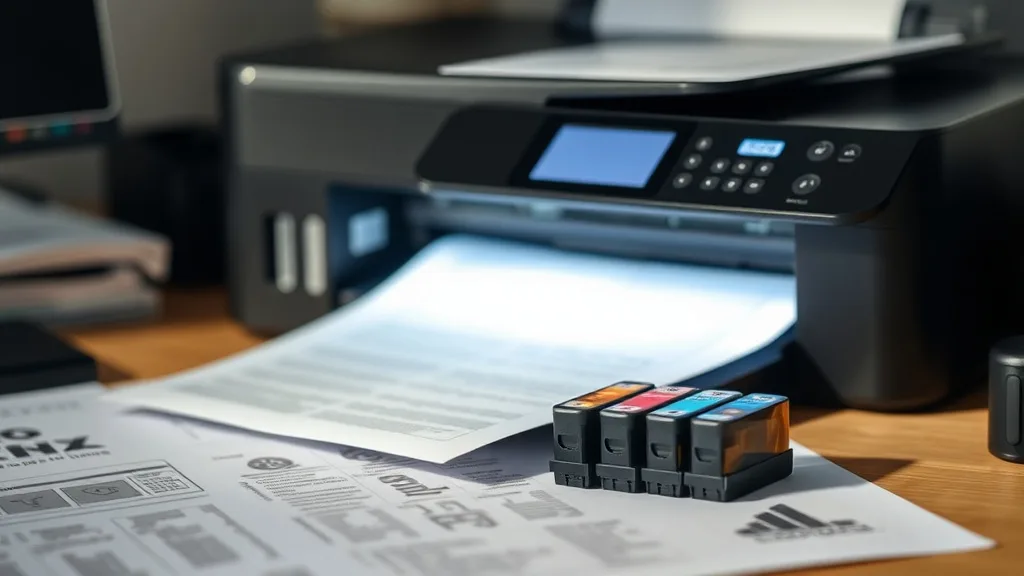
How Compatible Ink Cartridges Affect Print Quality Performance
If you’ve ever tried to save money by switching from brand-name (OEM) cartridges to compatible ink cartridges, you may have ended up with disappointing print quality—faded colors, streaks, or even blotchy prints. Understanding how compatible ink cartridges impact print quality and why these differences occur can help printer owners make smarter choices without sacrificing image fidelity or reliability.
This article explains what compatible cartridges are, how they interact with your printer, when they are an appropriate cost-saving solution, and common pitfalls that can degrade print quality. Solid cost-per-page math and yield considerations are also embedded to help you evaluate value beyond initial price alone.
See also: Cost Comparison: OEM Ink vs Compatible Ink Over One Year
What Are Compatible Ink Cartridges?
Phone cases - Sponsored - 15% off first order
Phone Case Gift - They pick the model · 2 minutes Code FIRST15GIFTCompatible ink cartridges are third-party manufactured cartridges designed to work with specific printer models but are not made by the original equipment manufacturer (OEM). Unlike OEM cartridges, which often carry premium pricing justified by proprietary design and guaranteed printer compatibility, compatible cartridges aim to offer a cheaper alternative by replicating cartridge form factors and ink formulas.
These cartridges typically come in two forms:
- New build compatibles: Freshly manufactured cartridges using non-OEM components.
- Remanufactured cartridges: Refurbished OEM cartridges that have been cleaned, refilled, and tested.
Compatible cartridges replace OEM cartridges in printers to save money but do so with varying degrees of quality and print performance.
How Compatible Ink Cartridges Affect Print Quality
Print quality hinges on multiple factors related to the cartridge itself and its interaction with the printer:
1. Ink Formulation and Color Accuracy
OEM cartridges use inks formulated specifically for their printers, calibrated for consistent color profiles, drying times, and pigment saturation. Compatible inks may use cheaper, generalized ink formulations, potentially leading to:
- Color shifts or less vibrant hues.
- Inconsistent saturation or patchy printing.
- Increased smudging or slower drying times.
2. Cartridge Chip and Printer Communication
Many printers use microchips on cartridges to verify authenticity and control ink flow. Compatible cartridges include third-party chips attempting to emulate OEM behavior, but:
- Poorly programmed chips can misreport ink levels.
- Chip incompatibility can trigger printer error messages or lockouts.
- Limited communication can result in inferior print quality as printers adjust ink delivery based on chip feedback.
3. Cartridge Build Quality and Ink Delivery
Cartridge components like nozzles, seals, and inner reservoirs affect how ink is dispensed:
- Inferior nozzle precision can cause streaking, banding, or uneven ink flow.
- Poor seals can lead to leakage or drying out.
- Reduced ink volume or inaccurate yield estimates distort cost-per-page calculations.
4. Yield and Cost-Per-Page Trade-offs
While compatible cartridges usually cost less upfront, yield (the number of pages printed per cartridge) varies widely. Lower yields combined with increased reprints due to poor quality can actually raise overall cost-per-page.
When to Use Compatible Cartridges
Phone cases - Sponsored - 15% off first order
Titan Case - Precision fit · 2,000+ designs Code FIRST15TITDespite potential print quality reductions, compatible cartridges can be an economical choice when:
- Printing predominantly text documents or drafts where color accuracy and precision are less critical.
- Budget constraints outweigh the need for top photographic or graphic print quality.
- Your printer is known to accept compatible cartridges with minimal lockout or chip issues.
- You perform good maintenance and calibration to compensate for minor print irregularities.
Common Pitfalls in Using Compatible Ink Cartridges
Even when opting for compatibles, beware of these common print-quality risks:
| Problem | Cause | Impact on Printouts | Mitigation Tips |
|---|---|---|---|
| Faded or dull colors | Ink formula mismatch | Washed-out images; weak color saturation | Choose compatibles with good user reviews on color fidelity |
| Banding or streaking | Poor nozzle quality or clogged nozzles | Stripes or lines across prints | Regular print head cleaning and maintenance |
| Ink smudging/drying issues | Ink drying time or paper incompatibility | Smears or blurred images | Use recommended papers; test inks before bulk use |
| Cartridge detection errors | Chip incompatibility | Printer refuses to print or shows error | Use tested compatible brands known for chip updates |
| Reduced cartridge yield | Smaller ink reservoirs or inaccurate reporting | More frequent cartridge changes | Track page yields carefully; calculate real cost-per-page |
Balancing Cost and Quality: OEM vs Compatible Cartridges
Phone cases - Sponsored - 15% off first order
Phone Cases For Charity - Every case supports a cause Code GIVE10Evaluating cartridges purely on sticker price misses key considerations around overall value. Let’s compare how OEM and compatible cartridges trade off on critical factors affecting cost-per-page and print quality:
| Feature | OEM Cartridge | Compatible Cartridge | Ideal Use Case |
|---|---|---|---|
| Print Quality | High, consistent color accuracy | Variable, often lower quality | OEM for photo, graphics; compatible for drafts |
| Ink Formulation | Engineered for printer | Generic or third-party inks | OEM for reliability, compatible if testing confirms |
| Cost (Upfront) | High | Low | Compatible for savings |
| Page Yield | Manufacturer tested and guaranteed | Variable; sometimes lower | OEM for predictable yield; compatible if yields verified |
| Chip Compatibility | Guaranteed perfect | Varies; some risk of errors or lockouts | OEM when error-free operation needed |
| Warranty Impact | No effect | Some OEMs void printer warranty if non-OEM used | OEM if warranty compliance is critical |
| Environmental Impact | Often more recyclable components | Varies, remanufactured options greener | Remanufactured compatible for eco concerns |
How to Maximize Print Quality When Using Compatible Ink Cartridges
If you opt to use compatible cartridges, here are practical steps to maintain the best possible print quality:
- Research thoroughly: Read verified user reviews focusing on print quality and yield for your specific printer model.
- Buy from reputable sellers: Avoid ultra-cheap no-name cartridges which often cut corners in ink formulation and manufacturing.
- Test before committing: Use one or two compatible cartridges first to inspect output quality. Compare side-by-side with OEM if possible.
- Perform printer maintenance: Regular cleaning cycles, print head alignments, and firmware updates can improve compatibility and print consistency.
- Use matching ink types: If available, select cartridges with pigment inks if your OEM uses pigment inks, instead of dye-based to maintain expected print characteristics.
- Keep spare OEM cartridges: In case of print failures or chip problems, having OEM cartridges lets you switch back seamlessly.
- Adjust print settings: Modifying print quality settings to standard or draft may help mitigate some visible quality issues with cheaper inks.
Final Thoughts
Compatible ink cartridges can offer significant upfront savings, but they come with well-documented risks to print quality and printer reliability. Understanding the interactions between ink chemistry, chip technology, and cartridge design helps printer owners optimize their purchasing decisions to balance cost savings with acceptable print quality. For draft and everyday use, compatible cartridges are often a reasonable option. For critical color prints and photography, OEM cartridges remain the safest route to consistent, vibrant results.
Frequently Asked Questions
Q: Will using compatible cartridges void my printer’s warranty?
A: Some OEMs state that using non-OEM cartridges can void warranty coverage for printer issues, but enforcement varies widely. Check your printer’s warranty terms for specifics.
Q: How can I tell if a compatible cartridge is good quality before buying?
A: Look for user reviews from owners of your exact printer model, seek detailed comments about print quality and chip compatibility, and avoid listings with too-good-to-be-true pricing.
Q: Do compatible cartridges always have lower yield than OEM ones?
A: Not always, but many do. Compatible cartridges sometimes contain less ink or inaccurate reporting chips. Always track your page count to calculate real cost-per-page rather than rely on package claims.
Top Picks
Watchdog picks
- B07N1DF9VV
- EaseFusion Replacement for Epson 502 Ink Refill Bottles Work with ET-2850 ET-385
- Skydo 141A Toner Cartridge 2 Black Replacement for HP 141A W1410A 141X W1410X To
- Epson EcoTank ET-2980 Wireless All-in-One Color Supertank Printer with Refillabl
- Remanufactured Replacement for Epson 702 Ink Cartridges for 702XL Ink cartridges
- B0G2LS7RMK
- B0F7JTLB86
- B0FHDJXJNZ
Products in this guide
- Brother Genuine TN730 3-Pack Standard Yield Black Toner Cartridge with Approximately 1,200 Page Yield/Cartridge
- HP DeskJet 2755 Wireless All-in-One Printer, Mobile Print, Scan & Copy, Instant Ink Ready, Works with Alexa (3XV17A)
- HP 65 Black Ink Cartridge Works with HP AMP 100, DeskJet 2600, 3700, ENVY 5000 Series
- Inkjet Refill Kit Pro — Compatible with HP, Canon, Epson, and Lexmark Cartridges
