
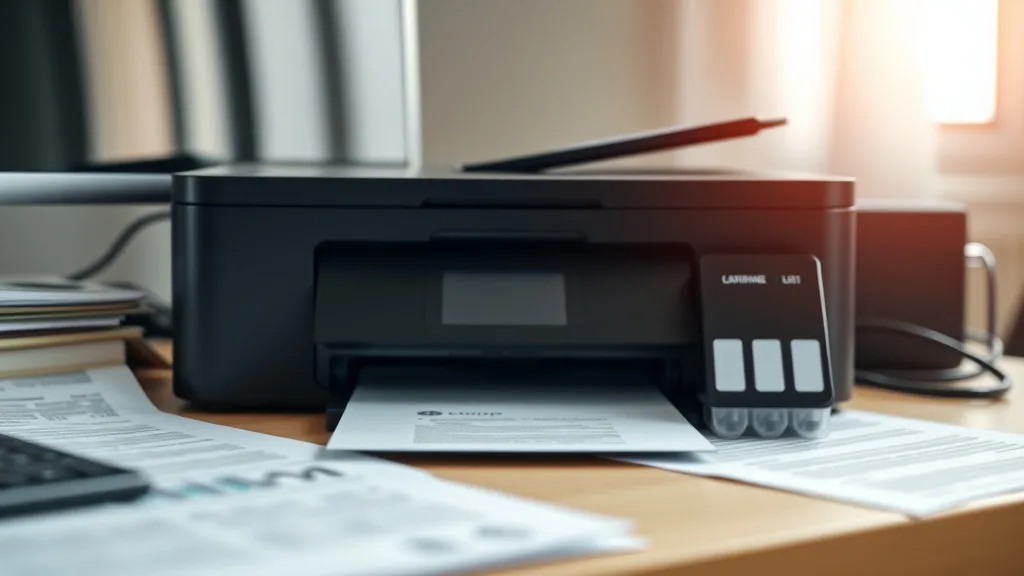
Many printer owners are frustrated by the steep cost of brand-name (OEM) ink cartridges, which often feel like a recurring, unavoidable expense. While third-party refill kits promise significant savings, questions around print yield, page cost, and compatibility risks often hold buyers back. This article breaks down the cost comparison of OEM ink cartridges versus refill kits, helping you make an informed, practical decision based on real math and reliability trade-offs.
What Are OEM Ink Cartridges and Refill Kits?
OEM Ink Cartridges are ink or toner cartridges manufactured by the original printer maker. These are designed to work precisely with their printers, offering consistent quality, reliable chip communication, and manufacturer-backed warranty coverage. They represent the “official” ink solution your printer was designed to use.
Refill Kits are third-party products that enable users to refill an empty OEM cartridge with fresh ink or toner. These kits typically include ink bottles or syringes, gloves, syringes or tools for injection, and instructions. Instead of buying a pre-filled OEM cartridge, you reutilize the empty cartridge and add ink yourself—a method that promises reduced cost-per-page by sidestepping retail cartridge pricing.
See also: Cost Comparison: OEM Ink vs Compatible Ink Over One Year
How Does Cost Per Page Math Work?
Phone cases - Sponsored - 15% off first order
Phone Case Gift - They pick the model · 2 minutes Code FIRST15GIFTThe cost-per-page (CPP) is the most useful metric for comparing OEM and refill solutions. CPP is calculated by dividing the total price of ink and cartridge-related supplies by the number of pages the ink will reliably print based on the yield.
[ \text{CPP} = \frac{\text{Total Cost}}{\text{Page Yield}} ]
For OEM cartridges, the “Total Cost” is simply the retail purchase price of a new cartridge because it comes pre-filled and ready. For refill kits, it includes the upfront cost of the refill solution, plus any consumables like gloves or cleaning tools, divided by the number of pages that ink will produce after refilling the cartridge.
Yield Considerations
- OEM Yield: Specified by the manufacturer, often tested under standardized conditions (e.g., ISO/IEC 24711). These provide a reliable baseline.
- Refill Yield: Less predictable. Dependent on accuracy of refilling, ink quality, and cartridge condition. Often lower than OEM due to incomplete fills or ink formulation differences.
Cost Comparison Table: OEM Cartridges vs Refill Kits
| Feature / Factor | OEM Cartridge | Third-Party Refill Kit |
|---|---|---|
| Upfront Cost | High — prefilled cartridge price | Moderate — refill kit + supplies |
| Cost Per Page (CPP) | Typically higher (e.g., $0.08-$0.15) | Often lower (e.g., $0.03-$0.07) |
| Print Quality | Consistent, OEM-optimized | Variable; can degrade over time |
| Chip/Ink Recognition | Guaranteed compatibility | Risk of chip errors or lockouts |
| Yield Certainty | Manufacturer tested, reliable | Uncertain; depends on user skill |
| Warranty Impact | No risk | Possible warranty voiding |
| Environmental Impact | More waste due to disposable cartridges | Eco-friendlier by reusing cartridges |
| Time & Effort | Minimal setup | Requires time and care to refill |
| Risk of Printer Damage | Minimal | Slight risk if refilled improperly |
When to Use OEM Cartridges
Phone cases - Sponsored - 15% off first order
Titan Case - Precision fit · 2,000+ designs Code FIRST15TIT- If you want hassle-free printing with guaranteed printer compatibility.
- When your printer is still under warranty and you want to avoid voiding it.
- If print quality (especially photo or professional documents) is paramount.
- When you need the most reliable page yield without risk of premature cartridge failure.
- If your usage volume is low enough that the higher CPP is manageable.
When to Use Refill Kits
- If your priority is drastically lowering cost-per-page for everyday text printing.
- When you are comfortable with a small amount of hands-on effort and risk.
- If you have experience refilling or are willing to invest the time to learn.
- When your printer is older, no longer under warranty, and you expect to replace it soon.
- You are environmentally conscious and want to reduce cartridge waste by reusing hardware.
Common Pitfalls of Refill Kits
Phone cases - Sponsored - 15% off first order
Phone Cases For Charity - Every case supports a cause Code GIVE10- Inconsistent Ink Quality: Some refill inks are not OEM-matched, leading to color shifts, streaking, or clogging.
- Chip Lockouts and Firmware Updates: Printers may reject refilled cartridges due to chip recognition or firmware that blocks non-OEM use.
- Yield Variability: Overfilling can cause leaks; underfilling shortens lifespan — accurate refill technique is essential.
- Warranty Voiding: Using refilled cartridges may void certain printer warranty protections, which is a risk for newer devices.
- Mess & Time: Refilling can be messy or time-consuming, especially for first timers without the right tools.
Practical Example: Cost Calculation for a Color Inkjet Cartridge
Imagine you have a color ink cartridge that OEMs sell for $60 with a yield of 400 pages (ISO/IEC standard).
- OEM CPP:
($60 / 400 = $0.15) per page.
Now compare this with a refill kit costing $25 that yields approximately 600 pages after refill (more ink volume but user risk involved).
- Refill CPP:
($25 / 600 = $0.042) per page.
On paper, refills can be nearly 3.5x cheaper per printed page. The trade-off comes in print consistency, hassle, and the risk of cartridge rejection by the printer.
Tips for Getting the Most Out of Refill Kits
- Buy Reputable Ink: Avoid the cheapest inks; opt for known third-party inks with good reviews.
- Follow Refilling Instructions Closely: Fill slowly to avoid clogs and ensure the cartridge is properly sealed.
- Use Chip Resetters if Available: These devices help bypass chip lockout on refilled cartridges.
- Keep Firmware Updates in Check: Delay or skip printer firmware updates that might block third-party cartridges.
- Recycle Your Cartridges: Proper disposal or reuse minimizes environmental footprint despite refilling.
Summary
OEM cartridges offer guaranteed performance, consistent print quality, and worry-free operation at a premium price. Refill kits, while considerably more economical on a per-page basis, come with trade-offs that include print quality variability, compatibility risks, and extra user effort. Pairing your needs for cost savings with willingness to manage these challenges will dictate which approach fits your printing routine best.
| Decision Factor | Choose OEM Cartridge | Choose Refill Kit |
|---|---|---|
| Priority on print quality | Yes | No (acceptable variability) |
| Willingness to DIY | Low | High |
| Warranty protection | Desired | Risk of voiding |
| Cost sensitivity | Low | High |
| Printer model age | Newer or under warranty | Older or out of warranty |
If cost-per-page is your main concern but you value reliability, experimenting with a single refill before committing is a prudent, practical approach.
Frequently Asked Questions
Q: Will refilling my cartridge damage my printer?
A: Generally no if done properly, but poor refilling can cause leaks or clogs that might harm printheads. Handle carefully.
Q: Can my printer detect refilled cartridges and reject them?
A: Yes, some printers have chips or firmware that block third-party and refilled cartridges. Tools like chip resetters or firmware rollback can help.
Q: How often can I refill the same cartridge?
A: It depends on cartridge design and printhead durability. Most can be refilled 2–3 times before quality declines or mechanical failure.
By understanding and weighing these elements, you can control your printing expenses without sacrificing too much reliability or quality.
Top Picks
Watchdog picks
- B089CGSV4N
- B0G1N9SX2M
- HP 65 Black Ink Cartridge - Works with AMP 100, DeskJet 2600, 3700; Envy 5000 -
- 962XL Ink Cartridges for HP 962XL Ink Cartridges Combo Pack Work for HP Officeje
- B00CAZAU62
- B00762AHTE
- B0BJ194Z43
- B002BWQ6XK
Products in this guide
- Inkjet Refill Kit Pro — Compatible with HP, Canon, Epson, and Lexmark Cartridges
- Epson 502 Ink Cartridges, Black/Cyan/Magenta/Yellow, 4-Pack
- Brother Genuine TN730 3-Pack Standard Yield Black Toner Cartridge with Approximately 1,200 Page Yield/Cartridge
- HP 65 Black Ink Cartridge Works with HP AMP 100, DeskJet 2600, 3700, ENVY 5000 Series
