
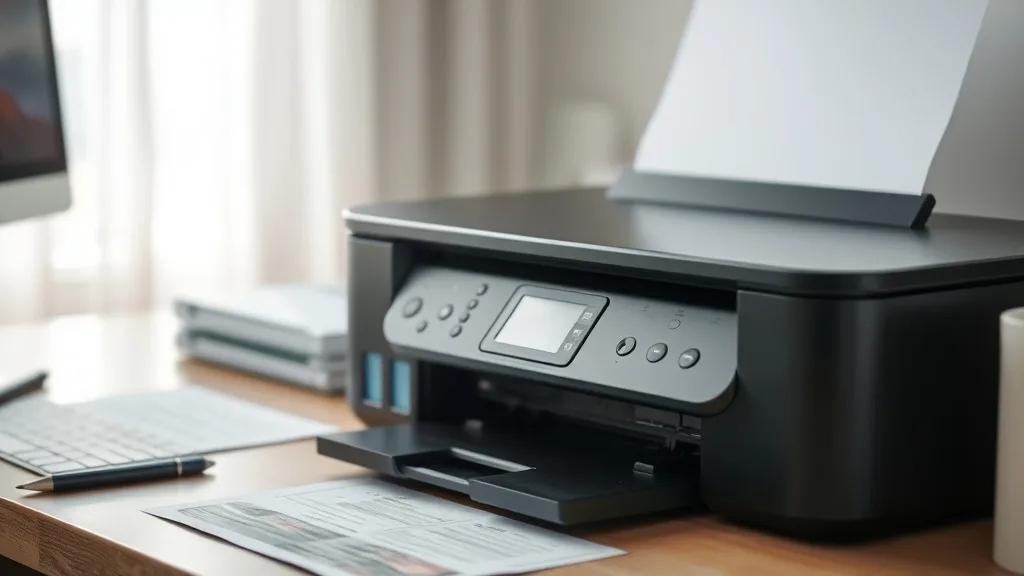
Using refilled ink cartridges is an appealing way to cut down on the high expenses of brand-name cartridges, but it comes with a real risk: potential damage to your printer. Printer owners often discover that cost savings from refills can be wiped out by clogged print heads, ink leakage, or even costly printer repairs. Avoiding these pitfalls requires understanding exactly how refilled cartridges interact with your device and taking deliberate steps to minimize reliability issues.
What Are Refilled Ink Cartridges?
Refilled ink cartridges are emptied OEM cartridges that have been cleaned, refilled with ink, and sometimes resealed for resale or reuse. They differ from compatible cartridges, which are newly manufactured to fit a specific printer model but are not produced by the printer’s original equipment manufacturer (OEM).
Refills typically come from third-party providers who take used brand-name cartridges, refill them with ink, and sell them at a fraction of original prices. This reuse helps reduce plastic waste and lowers printing costs but introduces variability in ink formulation, cartridge condition, and chip compatibility.
See also: Understanding Ink Formulations: OEM vs Compatible Cartridge Chemistry
How Refilled Ink Cartridges Can Impact Printer Health
Phone cases - Sponsored - 15% off first order
Phone Case Gift - They pick the model · 2 minutes Code FIRST15GIFTPrinters are calibrated devices designed to work seamlessly with OEM cartridges using specified ink formulations and cartridge chips. When you switch to refilled cartridges, several risk factors can affect longevity and printer performance:
- Ink Formulation Differences: Third-party ink may differ in viscosity, drying time, or chemical composition, increasing the chance of clogged nozzles or printhead corrosion.
- Residual Debris: Inadequate cleaning of the cartridge before refilling can introduce dry ink residue or particulates that clog the printer’s ink delivery system.
- Chip and Firmware Incompatibility: Many cartridges have microchips that communicate ink levels and authenticity to the printer. Non-OEM refilled cartridges may not report accurate status or can trigger firmware lockouts preventing printing.
- Physical Wear and Tear: Reused cartridges have been subjected to wear; seals may degrade, or the cartridge housing may crack, resulting in leaks or improper alignment.
When to Use Refilled Ink Cartridges
Refilled cartridges can be a practical choice in the following scenarios:
- Budget Constraints Are Significant: You print frequently enough that the reduced cost per page on refills provides noticeable savings.
- Environmental Concerns: You want to reduce cartridge waste by extending the life of original cartridges.
- Tolerance for Occasional Print Issues: You understand that reusing cartridges may require occasional cleaning cycles or troubleshooting.
- Printers Without Locked Firmware: Your printer model is known for better compatibility with third-party or refilled cartridges.
Refilled cartridges typically make the most sense in office settings with bulk printing needs or for home users who print black-and-white documents and do not require photo-quality output.
How to Avoid Printer Damage When Using Refilled Ink Cartridges
Phone cases - Sponsored - 15% off first order
Titan Case - Precision fit · 2,000+ designs Code FIRST15TITMinimizing damage risks involves a careful approach at every step from purchase to installation and maintenance:
1. Choose Refills from Reputable Providers
Opt for refilled cartridges from sellers who guarantee quality through testing, provide clear return policies, and state compatibility with your printer model. Avoid cheapest options lacking reviews or warranties.
2. Inspect Cartridges Before Installation
Check for cracks, leaks, or dried ink around the cartridge. Look for intact seals and chip areas; any damage is a sign to request a replacement.
3. Use the Correct Ink Formulation
Whenever possible, get refills with ink specified for your exact printer series. Generic inks formulated for multiple printers may be cheaper but are more likely to cause clogs or poor color reproduction.
4. Handle Cartridges Properly
Avoid touching the cartridge nozzles or chip contacts with bare fingers. Store cartridges in a cool, dry area before use and install them soon after unboxing to prevent ink drying.
5. Update Printer Firmware Wisely
Some printer firmware updates intentionally disable refilled cartridges. Research your printer model’s history with firmware updates before applying new ones, or disable auto firmware updates if possible.
6. Perform Regular Printer Maintenance
Run printhead cleaning and nozzle check tools periodically, especially after installing refilled cartridges. Keep the printer interior clean and free of dried ink buildup.
7. Rotate OEM and Refilled Cartridges
If practical, alternate use of OEM and refilled cartridges to maintain printhead health and limit clogging from sustained third-party ink use.
Cost-Per-Page and Yield: Refilled vs Brand-Name Ink
Understanding true savings means comparing both the cost and the yield (number of pages printed per cartridge) between refilled and OEM cartridges. The table below outlines typical trade-offs:
| Feature | Brand-Name Cartridge | Refilled Cartridge |
|---|---|---|
| Purchase Price | High | Low to moderate |
| Ink Yield (Pages) | Guaranteed by OEM, consistent | Variable, often slightly lower |
| Cost Per Page | Higher due to OEM pricing | Potentially lower if yield stable |
| Ink Formulation | Rigorously tested for printer | Varies; risk of clogging or fading |
| Chip Compatibility | Native, full printer recognition | May have chip errors or lockouts |
| Risk of Damage | Minimal when used correctly | Higher if refills or cartridges faulty |
| Environmental Impact | Higher plastic waste | Less waste due to reuse |
Common Pitfalls to Avoid with Refilled Ink
Phone cases - Sponsored - 15% off first order
Phone Cases For Charity - Every case supports a cause Code GIVE10- Assuming All Cartridges Are Equal: Variability between refilled cartridges can be significant; one batch may work perfectly while another causes issues.
- Ignoring Firmware Lockouts: Some printer updates block use of refilled cartridges, leading to sudden inability to print.
- Neglecting Printer Cleaning: Failing to clean printheads after switching inks can lead to hardened clogs and permanent damage.
- Overlooking Ink Expiry: Stored inks and refilled cartridges degrade over time, which can harm print quality and increase risk of printer malfunction.
- Mismatching Ink Colors or Types: Using generic black ink in a photo black cartridge slot or mixing pigment and dye inks drastically reduces performance and can clog heads.
Frequently Asked Questions
Q: Will using refilled cartridges void my printer warranty?
A: In many cases, manufacturers claim warranty void if damage results from non-OEM cartridges. However, mere use of refilled cartridges without damage may not itself void your warranty. Review your printer’s warranty terms carefully.
Q: How can I tell if my printer firmware has locked out refilled cartridges?
A: Common signs include error messages about cartridge incompatibility or sudden refusal to print after firmware updates. Check your printer support forums for model-specific reports.
Q: Are there specific printer models better suited for refilled cartridges?
A: Yes, older models and those without aggressive chip-based security or firmware lockouts tend to be more forgiving with refilled cartridges. Research user experiences for your specific printer series.
Using refilled ink cartridges can offer meaningful savings, but only when implemented carefully with awareness of compatibility and maintenance requirements. By selecting trustworthy sources, monitoring cartridge condition, and practicing good printer upkeep, you can reduce the risk of damage and enjoy a lower cost per page over time.
Top Picks
Watchdog picks
- HP 65 Black Ink Cartridge - Works with AMP 100, DeskJet 2600, 3700; Envy 5000 -
- EPSON 702 DURABrite Ultra Ink Standard Capacity Black Cartridge (T702120-S) Work
- B08R3R5KXJ
- Epson 522 EcoTank Ink Ultra-high Capacity Bottle Black & Color Combo Pack (T5221
- E-Z Ink Remanufactured Ink Cartridge Replacement for 252XL Combo Pack for Epson
- B07N1DF9VV
- B001QY8QXM
- Epson EcoTank Wireless Color All-in-One Cartridge-Free ET-3850 Supertank Inkjet
Products in this guide
- HP DeskJet 2755 Wireless All-in-One Printer, Mobile Print, Scan & Copy, Instant Ink Ready, Works with Alexa (3XV17A)
- Inkjet Refill Kit Pro — Compatible with HP, Canon, Epson, and Lexmark Cartridges
- Brother Printer LC30193PK Super High Yield XXL 3 Pack Ink Cartridges- 1 Ea: Cyan/Magenta/Yellow Ink
- EPSON 702 DURABrite Ultra Ink High Capacity Black & Standard Color Cartridge Combo Pack (T702XL-BCS) Works with WorkForc
