
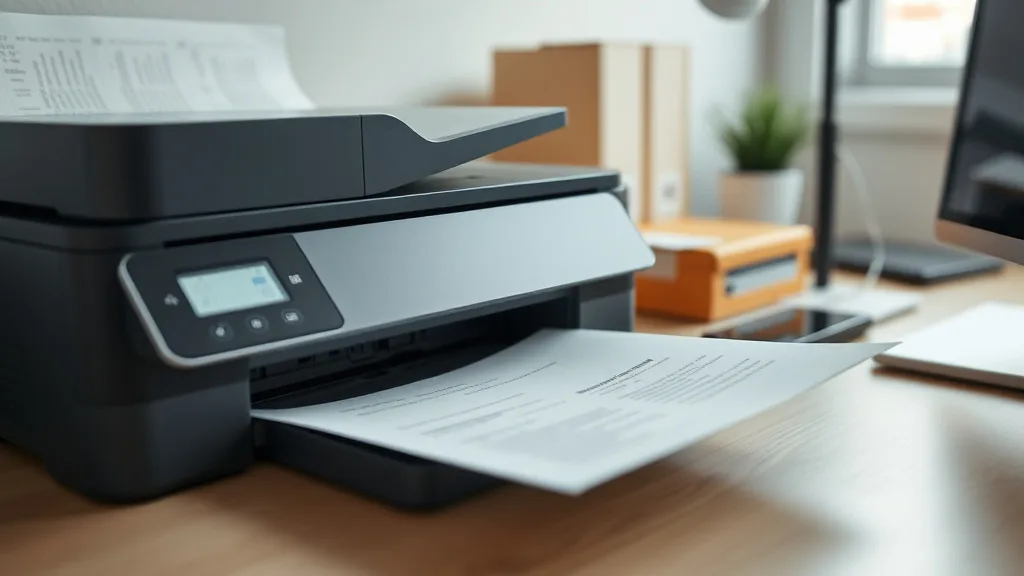
Analyzing Toner Yield Differences in OEM and Compatible Options
If you’re a printer owner frustrated by the high cost of brand-name toner cartridges, you might be tempted by lower-priced compatible cartridges—but uncertain about how much toner you’ll actually get for your money. The problem isn’t just shelf price; toner yield differences impact your true cost per page, and chip lockouts or print quality fluctuations can affect reliability. Understanding how toner yield varies between OEM (Original Equipment Manufacturer) and compatible options is crucial to making a smart purchasing decision that balances cost savings, print volume, and hassle.
What is Toner Yield and Why It Matters
Toner yield refers to the number of pages a toner cartridge can print before running out of toner. It’s typically estimated according to industry standards, like ISO/IEC 19752 or 19798, which measure yield at a fixed coverage percentage (usually 5% coverage per page). However, real-world printing can consume more or less toner depending on your documents.
Toner yield directly influences the cost per page (CPP) — the ultimate metric for comparing printer cartridge value. Lower yield means you’ll replace cartridges more often, eroding any upfront savings if the per-cartridge price is cheap but the pages you get are few.
How Toner Yield Differs Between OEM and Compatible Cartridges
Phone cases - Sponsored - 15% off first order
Phone Case Gift - They pick the model · 2 minutes Code FIRST15GIFTOEM Cartridges
OEM cartridges are designed, produced, and tested by the printer manufacturer specifically for their machines. They usually guarantee:
- Consistent toner yield: Due to controlled production and quality standards.
- Reliability: Chips and internal components are engineered to work with the printer firmware.
- Full page count: Yield ratings on the box are often conservative but accurate.
- Premium cost: Higher price points reflect R&D, testing, and profit margins.
Compatible Cartridges
Compatible cartridges are made by third-party manufacturers to fit OEM printers but are not produced by the original printer maker. These tend to be less expensive but come with trade-offs:
- Variable toner yield: Some compatible cartridges achieve OEM-like yield, while others fall short.
- Compatibility risks: Printer chip lockouts or firmware updates may disable compatible cartridges or affect functionality.
- Mixed reliability: Print quality, page counts, and mechanical fit can vary widely between suppliers.
- Cost Advantage: Lower upfront costs can lead to significant savings when yield and quality meet expectations.
Why Toner Yield Can Vary So Much
Several factors influence toner yield differences beyond just cartridge brand:
- Toner formulation: Quality and density of toner powder affects how much toner covers a page.
- Cartridge design: Internal components like drums, pins, and wipers influence toner usage.
- Printer firmware/security: Some printer models implement chip verification or firmware updates that limit compatible cartridge function.
- Print settings and job type: Higher coverage documents consume toner faster than the 5% coverage standard.
- Manufacturing tolerances: Batch-to-batch variation especially in third-party cartridges introduces inconsistencies.
Analyzing toner yield requires considering both official yield numbers and the likelihood of real-world performance and printer compatibility.
Comparing Cost per Page Based on Yield and Price
Phone cases - Sponsored - 15% off first order
Titan Case - Precision fit · 2,000+ designs Code FIRST15TITThe principal purpose of analyzing toner yield difference is to understand cost per page (CPP), calculated as:
CPP = Cartridge Price / Toner Yield (number of pages)Here’s a simplified comparison example between OEM and compatible cartridges for the same printer model:
| Feature | OEM Cartridge | Compatible Cartridge |
|---|---|---|
| List Price | $120 | $60 |
| Rated Yield (pages @ 5% coverage) | 2,500 pages | 1,800 pages |
| Cost per Page | $0.048 | $0.033 |
| Chip Lockout Risk | None | Possible (depends on model) |
| Print Quality Consistency | Very High | Medium to High (supplier dependent) |
| Availability | Widely available | Sometimes limited |
What this table shows:
- The third-party option offers a lower cost per page despite a lower page yield.
- However, the yield drop (roughly 30%) can affect your print runs and runs the risk of chip or firmware lockouts.
- Reliability and print quality may be less predictable.
Balancing these variables is key before switching to compatible cartridges.
When It Makes Sense to Choose Compatible Cartridges Despite Lower Yield
- High volume, cost-sensitive environments: If your priority is lowering operating expenses, a compatible cartridge with slightly lower yield but half the price can be worthwhile.
- Non-critical document printing: For drafts or internal prints where absolute OEM quality isn’t crucial, compatible cartridges can perform adequately.
- Verified reliable suppliers: Some third-party manufacturers reliably produce high-yield, compatible cartridges that function well across firmware updates.
- Printer model flexibility: Older or less restrictive printers tend to accept compatible cartridges with fewer issues.
Common Pitfalls to Watch Out For with Compatible Cartridges
Phone cases - Sponsored - 15% off first order
Phone Cases For Charity - Every case supports a cause Code GIVE10- Firmware updates disabling cartridges: Printer makers sometimes release updates that block third-party cartridges; check compatibility reports regularly.
- Misleading yield claims: Some sellers overstate cartridge page counts; look for independent user reviews or third-party lab tests.
- Variable print quality: Inconsistent toner particle size or cartridge design can cause streaks, fading, or smearing.
- Hidden costs: Frequent replacements, wasted cartridges, or printer errors may add cost or downtime.
- Chip lockouts: Some compatible cartridges come with resettable chips or bypass tools, but these add complexity.
Pro Tip:
If you plan to buy compatible cartridges, buy from reputable suppliers who offer a satisfaction or money-back guarantee and provide clear information about yield and firmware compatibility.
Summary Comparison Matrix: OEM vs Compatible Toner Cartridges
| Factor | OEM Cartridge | Compatible Cartridge |
|---|---|---|
| Cost per Cartridge | High | Low to Moderate |
| Toner Yield Accuracy | High (official ratings reliable) | Variable (may be overstated or understated) |
| Print Quality | Consistent, high | Can vary, generally good if from good supplier |
| Compatibility/Chip Lockout Risk | None | Moderate to High, depends on firmware and model |
| Warranty & Support | Full printer manufacturer support | Limited or no support |
| Environmental Impact | Often higher-grade recycling programs | Varies by manufacturer |
| Use Case Suitability | Critical documents, professional use | Drafts, casual printing, cost-sensitive bulk runs |
Frequently Asked Questions
Q: Can using compatible cartridges void my printer warranty?
A: In many regions, using compatible cartridges does not void printer warranties, but check your manufacturer’s policy. However, damage caused by third-party inks or toner may not be covered under warranty.
Q: How can I verify the actual toner yield of a compatible cartridge?
A: Look for independent lab reviews or real-user feedback rather than manufacturer claims. Tracking your print count and document coverage also helps gauge performance.
Q: What should I do if my printer rejects a compatible cartridge after a firmware update?
A: Check the cartridge supplier for updated chips or firmware patches. Alternatively, you may need to revert to OEM cartridges or avoid updating the printer firmware.
Understanding toner yield differences between OEM and compatible cartridges is crucial to getting the best value out of your printer. By focusing on cost-per-page calculations, factoring in yield accuracy, and managing compatibility risks, you can make informed decisions tailored to your printing needs and budget.
See also: How Compatible Ink Cartridges Can Save Money Without Losing Quality
Top Picks
Watchdog picks
- MLT-D111S 111S Toner Cartridge High Yield Replacement for Samsung MLT-D111S MLTD
- B00T6RWJMU
- B0GYNVJ62W
- B07C11YW88
- TN730 TN-730 Toner Cartridges Black Replacement for Brother TN730 TN-730 MFC-L27
- B08R3R5KXJ
- HP DeskJet 2855e Wireless All-in-One Color Inkjet Printer, Scanner, Copier, Best
- EPSON 502 EcoTank Ink Ultra-high Capacity Bottle Color Combo Pack Works with ET-
Products in this guide
- Brother Printer LC30193PK Super High Yield XXL 3 Pack Ink Cartridges- 1 Ea: Cyan/Magenta/Yellow Ink
- Brother Genuine TN760 High Yield Black Toner Cartridge, (for use with MFC-L2710DW MFC-L2750DW HL-L2350DW HL-L2370DW HL-L
- Brother Genuine Standard Yield Toner Cartridge, TN730, Replacement Black Toner, Page Yield Up To 1,200 Pages, Amazon Das
- Brother Genuine TN730 3-Pack Standard Yield Black Toner Cartridge with Approximately 1,200 Page Yield/Cartridge
