
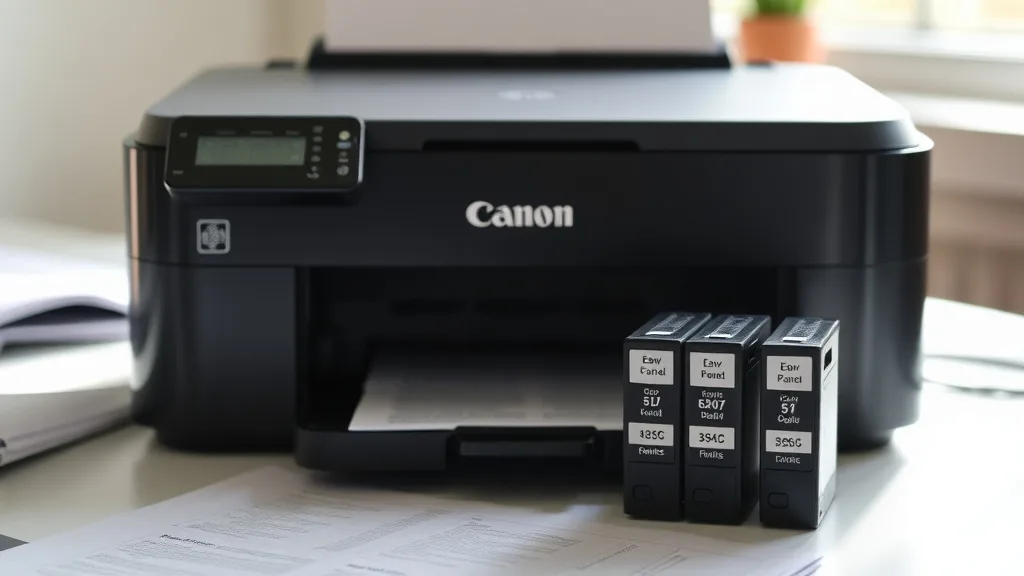
Canon’s “low yield” starter cartridges: what you actually get
If you’ve just purchased a Canon printer and noticed that the included cartridges seem to run out of ink surprisingly fast, you’re not alone. Canon’s so-called “starter cartridges” or “low yield” cartridges often have much lower page yields than their standard replacement counterparts. This leaves many printer owners frustrated by the high cost-per-page from the start—and confused about what these cartridges actually offer versus what’s promised. In this article, we’ll break down what Canon’s low yield starter cartridges really mean, how they affect your printing costs, and the trade-offs involved when considering OEM vs third-party replacements.
What Are Canon’s Low Yield Starter Cartridges?
When you buy a Canon inkjet printer, it usually comes packaged with starter cartridges labeled as “low yield” or “starter ink cartridges.” These cartridges contain significantly less ink than the standard or “high yield” replacement cartridges Canon sells separately. The main purpose of these starter cartridges is to allow the printer to work out of the box while keeping upfront costs for Canon lower.
This is not unique to Canon; many printer manufacturers use low yield starter cartridges to reduce the initial price of the printer. However, Canon’s starter cartridges are particularly notorious because their yields are substantially lower than standard versions, sometimes by as much as 30-50%.
See also: Analyzing Toner Yield Differences in OEM and Compatible Options
How Low Yield Affects Your Ink Supply and Cost-Per-Page
Phone cases - Sponsored - 15% off first order
Phone Case Gift - They pick the model · 2 minutes Code FIRST15GIFTInk cartridge yield is usually expressed as the estimated number of pages one cartridge can print before it runs dry. This metric is based on standardized test patterns like 5% coverage per page. Since starter cartridges have less ink, they provide fewer pages and thus a higher effective cost-per-page during initial use.
For example, if a standard black cartridge yields about 300 pages and costs $25, the cost-per-page is roughly $0.08. But if the starter black cartridge included holds only half the ink (yielding about 150 pages) while technically costing “free” with the printer, once replaced you pay the full $25. So, in the first cycle, you effectively spend the price of a full cartridge for fewer pages, which is frustrating when combined with expensive OEM replacement pricing.
Starter cartridges are intended for “light use” and to get the printer operational but are clearly not designed for continuous or heavy printing needs. Users motivated by printing value should plan for how to approach replacing these low yield cartridges as soon as possible.
Understanding Yield Differences: Starter vs Standard Cartridges
Below is a simplified comparison table illustrating typical page yields and approximate ink volume for Canon’s starter cartridges versus their standard replacements. Actual details can differ slightly by printer model and cartridge series, but the trend holds consistently.
| Cartridge Type | Typical Yield (pages) | Approximate Ink Volume | Cost per Cartridge (OEM) | Typical Cost per Page* |
|---|---|---|---|---|
| Black Starter | 150-175 | ~7 ml | Included with printer | N/A (initial) |
| Black Standard | 300-350 | ~14 ml | $20-$30 | ~$0.08 |
| Color (each) Starter | 100-120 | ~5 ml | Included with printer | N/A (initial) |
| Color (each) Standard | 200-250 | ~10 ml | $15-$25 | ~$0.10 |
* Based on OEM pricing and 5% coverage test standards; actual costs vary per use case.
Compatibility and Chip Issues with Starter and Replacement Cartridges
Phone cases - Sponsored - 15% off first order
Titan Case - Precision fit · 2,000+ designs Code FIRST15TITOne frustration for printer owners beyond low yield is Canon’s use of proprietary chips on cartridges that communicate with the printer and monitor ink levels. Starter cartridges include these chips but can sometimes trigger “ink cartridge not recognized” errors or prevent refilling attempts.
This chip-lock mechanism is designed to discourage refilling or using third-party compatible cartridges, which can be cheaper alternatives. However, it does create a headache when switching from starter cartridges to standard cartridges or compatible third-party options—you may encounter compatibility warnings or forced resets.
To mitigate this:
- Always start your printer setup and firmware updates before replacing cartridges.
- Use compatible cartridges confirmed to work with your specific printer model.
- Some third-party vendors offer “chip resetters” or firmware workarounds, but these come with risk.
Should You Use OEM Starter Cartridges Long-Term?
While starter cartridges are engineered only for initial setup and light testing, some users try to stretch them for long-term use, which often leads to printer errors signaling “low ink” prematurely. The chip can falsely report empty ink even when there’s some remaining ink physically in the cartridge.
Trying to bypass these warnings with third-party or refilled cartridges in combination with starter cartridges can risk print quality, machine error states, or even hardware damage. That’s why most OEM manuals recommend replacing starter cartridges with full-yield versions as soon as you run out.
Third-Party Compatible Cartridges and Refilled Options: Pros and Cons
Phone cases - Sponsored - 15% off first order
Phone Cases For Charity - Every case supports a cause Code GIVE10After exhausting starter cartridges, many cost-conscious users shop alternative options. Here’s a practical comparison of OEM standard cartridges, third-party compatible cartridges, and refilled cartridges in terms of cost-effectiveness, reliability, and risks.
| Feature | OEM Standard Cartridge | Third-Party Compatible Cartridge | Refilled OEM Cartridge |
|---|---|---|---|
| Ink Quality | Consistent, high | Varies widely | Varies, depends on refill shop |
| Page Yield | Stated by OEM | Usually equal or slightly less | Slightly less |
| Chip Compatibility | Guaranteed | Potential compatibility issues | Depends on chip reset |
| Cost per Cartridge | Highest | 30-50% lower than OEM | Lowest |
| Risk of Printer Errors | Low | Medium | Medium to high |
| Environmental Impact | Limited recycling | Same or better (some reusable) | Best (reuse cartridges) |
| Warranty Impact | No effect | Some vendors void warranty | May void warranty |
Practical Tips for Managing Canon Ink Cartridge Costs
- Plan ahead: Know the starter cartridges have low yield. Expect to purchase standard cartridges soon after setup.
- Calculate cost per page: Don’t just look at cartridge price—divide by yield for true ink cost.
- Use third-party compatibles cautiously: Check reviews and compatibility, avoid cheap no-name brands.
- Consider refills if confident: Find reputable refill services familiar with Canon cartridges.
- Keep firmware updated: Canon may issue updates that affect cartridge recognition and refilling.
- Recycle cartridges responsibly: Many third-party programs accept used OEM cartridges.
Frequently Asked Questions
Q: Why do Canon starter cartridges have a lower yield than replacement cartridges?
A: Starter cartridges are designed to provide enough ink for initial setup and some light usage. They contain less ink to reduce initial costs and encourage users to buy replacement cartridges, which have higher yields and come at a premium.
Q: Can I refill or use third-party cartridges in my Canon printer that came with starter cartridges?
A: Yes, but expect potential compatibility issues or ink recognition errors due to Canon’s chip lock mechanism. Using reputable third-party cartridges or professional refills can mitigate risks but confirm compatibility with your printer model.
Q: How can I calculate the true cost of printing with Canon starter cartridges?
A: Divide the cartridge cost by the estimated page yield. For starter cartridges that come free with the printer, factor in the subsequent cost of replacing them with standard cartridges quickly, since starter cartridges provide fewer pages, increasing initial effective cost per page.
Canon’s “low yield” starter cartridges are a classic example of inkjet manufacturers’ strategy to reduce upfront printer costs but shift more expense toward ink replacements. Being informed about what you actually get with these cartridges—and what to expect afterward—will help you avoid painful surprises and make smarter choices on managing your printing costs.
Top Picks
Watchdog picks
- B0BL466Y41
- HP (Refurbished) OfficeJet Pro 9015e All-in-One Wireless Color Printer for Home
- HQ Replacement Soldering Iron For Hakko FX-8801 FX-888D Station
- B0041RRMQS
- B08JHWZ15B
- B08CDK75M8
- B0GGYYBXP4
- Soldering Iron Kit, 60W Adjustable Temperature, Digital Multimeter, 5pcs Solderi
Products in this guide
- Brother Printer LC30193PK Super High Yield XXL 3 Pack Ink Cartridges- 1 Ea: Cyan/Magenta/Yellow Ink
- Brother Genuine Standard Yield Toner Cartridge, TN730, Replacement Black Toner, Page Yield Up To 1,200 Pages, Amazon Das
- Brother Genuine TN730 3-Pack Standard Yield Black Toner Cartridge with Approximately 1,200 Page Yield/Cartridge
- Inkjet Refill Kit Pro — Compatible with HP, Canon, Epson, and Lexmark Cartridges
