
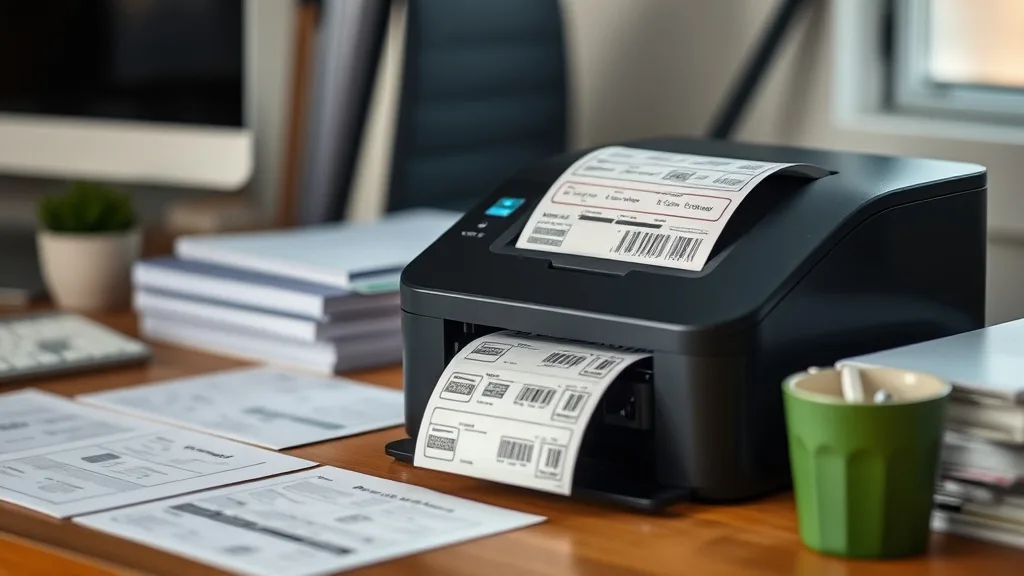
Finding an affordable, reliable label printer for home organization can be a frustrating challenge. Many budget printers skimp on print quality, have expensive consumables, or struggle with compatibility and durability. If you’re tired of overpriced cartridges and flimsy labels that fade or peel too soon, this guide will help you navigate the landscape to find the best cheap label printer that balances cost-per-page efficiency, ease of use, and output quality without sacrificing reliability.
What Is a Cheap Label Printer for Home Organization?
A cheap label printer refers to a device priced affordably upfront that can print durable, clear labels for organizing household items such as pantry jars, storage bins, files, and cables. Unlike high-end industrial label printers, these are designed for occasional or moderate daily use, emphasizing ease of setup, compatibility with various devices, and most importantly, low ongoing costs driven by consumables like tapes or cartridges.
“Cheap” doesn’t mean low quality — the goal is to find a printer with a low total cost of ownership (TCO), factoring in cost per label, tape or cartridge yield, and the printer’s reliability over time.
See also: Reviewing the Best Budget Printers Compatible with Third-Party Ink
How a Label Printer Works
Phone cases - Sponsored - 15% off first order
Phone Case Gift - They pick the model · 2 minutes Code FIRST15GIFTLabel printers for home use typically rely on thermal transfer or direct thermal printing technologies:
-
Thermal Transfer Printing: Uses a ribbon inside the cartridge that melts ink onto the label tape. Results in longer-lasting, smudge-resistant labels, ideal for kitchen and storage labels exposed to moisture.
-
Direct Thermal Printing: Does not use a ribbon; heat directly darkens the label tape. The downside is labels can fade or darken with heat and sunlight exposure, but the upfront cost and replacement consumables tend to be lower.
These printers usually use proprietary tapes or cartridges that include the label tape and sometimes the printing ribbon. The tape width and roll length influence the yield and cost per label.
Some models offer wireless or Bluetooth connectivity, smartphone app support, and various label templates for quick and easy designing.
When to Use a Cheap Label Printer
- Home organization projects: Label kitchen containers, shelves, cables, toys, office files, and storage bins.
- Small craft businesses and hobbyists: Create tags and labels without professional printing costs.
- Labeling for moving or storage: Clear identification of boxes and items.
- School and children’s projects: Durable, custom labels for supplies and lockers.
If you only need a few labels here and there, a printer with low tape cartridge cost and ease of use is best. For more frequent or heavy-duty use, consider yield and print durability.
Key Features to Evaluate When Choosing
Phone cases - Sponsored - 15% off first order
Titan Case - Precision fit · 2,000+ designs Code FIRST15TIT| Feature | Importance | Notes |
|---|---|---|
| Cost per Page / Label | Very High | Calculate by dividing cartridge cost by yield |
| Cartridge / Tape Yield | High | Longer rolls reduce replacements and cost |
| Print Quality and Durability | Medium to High | Thermal transfer preferred for durability |
| Compatibility | High | Smartphone apps or desktop support |
| Ease of Use | High | Intuitive design software and quick loading |
| Connectivity | Medium | Bluetooth/wireless for mobile convenience |
| Reliability and Maintenance | Very High | Reputation matters to avoid chip lockouts or jams |
| Initial Price | Medium | Balance price vs per-page cost |
Understanding Cost per Page and Yield
The real expense in label printing lies not in the printer but in the consumables—tapes or cartridges required for printing. Many brand-name models lock users into expensive branded cartridges with embedded chips that prevent the use of third-party options, driving up costs and reducing flexibility.
To calculate the Cost per Label, use this formula:
Cost per Label = Cartridge / Tape Price ÷ Number of Labels per CartridgeFor example, a tape costing $15 with a yield of 300 labels equates to $0.05 per label. Cheaper tapes or compatible third-party refills can bring this down further.
Comparing Popular Budget Label Printer Types
Phone cases - Sponsored - 15% off first order
Phone Cases For Charity - Every case supports a cause Code GIVE10| Feature | Brand-Name Cartridge Model | Compatible Third-Party Cartridge Model | Direct Thermal Budget Label Printer |
|---|---|---|---|
| Initial Printer Cost | $$ - $$$ | $$ - $$$ | $ - $$ |
| Cartridge Cost | High ($15-$30 per roll) | Lower ($10-$20; variable quality) | Very Low (label rolls $5-$15) |
| Cost per Label (estimated) | $0.05 - $0.10 | $0.03 - $0.07 | $0.02 - $0.05 |
| Yield (labels per tape) | Medium (200-300 labels) | Medium to High (varies by 3rd-party seller) | High (often 400+ labels) |
| Print Quality | High (thermal transfer) | High but varies; some risk of chip lockouts | Medium (direct thermal, less durable) |
| Chip Lockout Risk | Low to Medium | Medium to High (varies; some printers reject) | None |
| App / Software Support | Strong (dedicated apps with templates) | Variable; often compatible with brand apps | Basic apps or PC-only |
| Connectivity (Bluetooth/WiFi) | Usually included | Usually included | Basic or wired typically |
| Durability of Labels | High (smudge, water, fade resistant) | Medium to High | Low to Medium (labels fade over time) |
Reliability Trade-Offs: Brand vs Third-Party Consumables
Using brand-name cartridges usually guarantees compatibility and consistent print quality but comes with a price premium. Chip-embedded cartridges often restrict usage to authorized refills, inflating ongoing costs.
Third-party or compatible cartridges promise significant savings and often match quality well but can risk print errors or ‘chip lockouts’ if the printer firmware blocks unrecognized chips. Some users report varying performance depending on the vendor, so buy from reputable sources and check recent reviews.
If possible, select a model known for friendly third-party cartridge support or open cartridge systems.
Practical Recommendations for Home Use
- Calculate Your Usage: Estimate how many labels you’ll print monthly to know if higher upfront price with cheaper consumables or vice versa is best.
- Check Consumable Availability: Ensure replacement tapes/cartridges are available locally or online at reasonable prices and not subject to frequent stockouts.
- Assess Label Durability: For kitchen or garage labels, prefer thermal transfer models for better moisture and fade resistance.
- Consider Ease of Design: Strong app/software support speeds label creation, especially if you want using smartphone.
- Beware Firmware Updates: Some printers lock out third-party cartridges via software updates—consider models with open policies or manual update controls.
- Evaluate Connectivity: Bluetooth models ease mobile device printing but sometimes lack on PC; compromise accordingly.
- Limit Refills to Trusted Sellers: Using unverified third-party cartridges can harm print head life or void warranties.
How to Keep Printing Costs Low
- Opt for label printers that allow refillable cartridges or bulk tape refills.
- Consider compatible third-party tapes with good reviews.
- Cut labels adequately sized to avoid tape wastage.
- Regularly clean print heads to prevent damage and wasted labels.
- Avoid updates that lock cartridges if you rely on third-party supplies.
- Use barcode or plain text over graphics to save ink and time.
Summary Comparison Table
| Aspect | Brand-Name Cartridge Printer | Third-Party Compatible Printer | Direct Thermal Budget Printer |
|---|---|---|---|
| Upfront Cost | Moderate to High | Moderate | Low to Moderate |
| Consumable Cost | High | Moderate to Low | Low |
| Label Durability | High | Medium to High | Medium (fade over time) |
| Risk of Chip Lockout | Low | Medium to High | None |
| Printer Reliability | High | Medium | Medium |
| Ease of Use (Software) | Strong | Variable | Basic |
| Connectivity Options | Wireless, Bluetooth | Wireless, Bluetooth | Mostly wired or basic BT |
Frequently Asked Questions
Q: Can I use third-party labels or cartridges in any label printer?
A: Not always. Some printers include firmware that can block or malfunction with non-OEM cartridges, causing compatibility issues or chip errors. Research your printer model’s compatibility before purchasing third-party supplies.
Q: Are direct thermal label printers suitable for long-term labeling?
A: They’re fine for short-term home applications but their labels tend to fade with heat and sunlight exposure. For items subject to moisture or abrasion, thermal transfer printers with ribbon-based cartridges perform better.
Q: How do I calculate the true cost of my label printer?
A: Consider the upfront cost plus the ongoing cost of consumables divided by the number of labels you get per cartridge. This gives you the cost per label and helps avoid surprise expenses. Factor in reliability and how often you’ll replace parts or clean the machine.
Finding the best cheap label printer for home organization means balancing printer price, ongoing tape/cartridge costs, label longevity, and your specific labeling needs. With care and some upfront research on yield and compatibility, you can cut through sticker shock and get a durable, efficient labeling solution tailored to your home projects.
Top Picks
Watchdog picks
- B0DPYJWX2F
- Fanttik T1 Max Soldering Iron Kit, Cordless Soldering Iron, 7 Seconds Fast Heati
- Brother Genuine High-Yield Black Toner Cartridge Twin Pack TN760 2Pk, TN7602PK,2
- B0GYNH6H2L
- B0D8B24CTB
- B07J2P2V7T
- B08PDHVZ4N
- HP DeskJet 2855e Wireless All-in-One Color Inkjet Printer, Scanner, Copier, Best
Products in this guide
- HP OfficeJet Pro 8125e Wireless All-in-One Color Inkjet Printer, Print, scan, Copy, ADF, Duplex Printing Best-for-Home O
- HP DeskJet 2755 Wireless All-in-One Printer, Mobile Print, Scan & Copy, Instant Ink Ready, Works with Alexa (3XV17A)
- HP (Refurbished) OfficeJet Pro 9015e All-in-One Wireless Color Printer for Home Office, Compatible with Alexa (1G5L3A) (
- Epson EcoTank ET-2800 Wireless Color All-in-One Cartridge-Free Ink Supertank Printer with Scan and Copy for Home Use, Wh
