
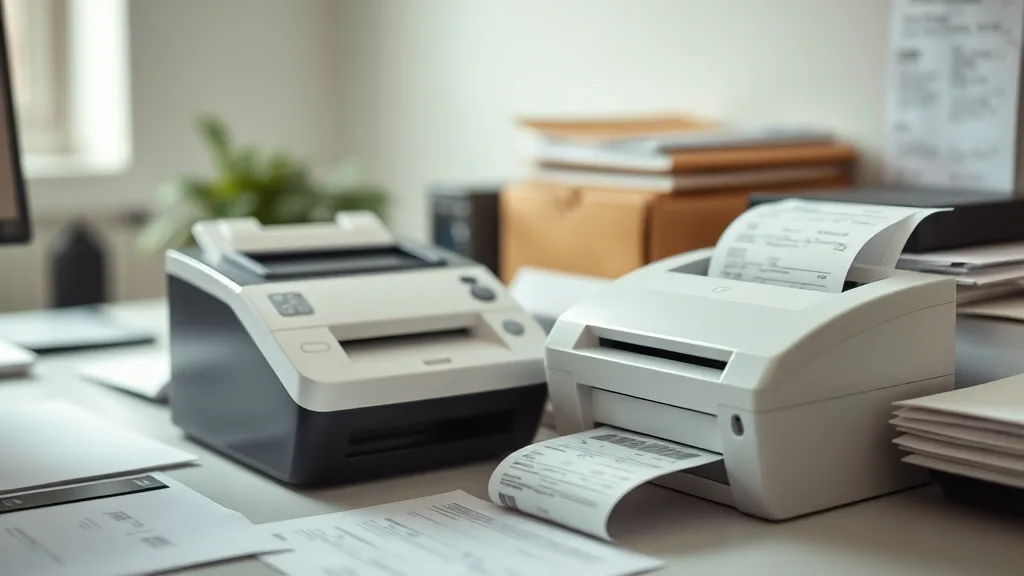
Thermal printers are a common choice for businesses that need fast, reliable printing for receipts and small-batch postage. However, many printer owners quickly find themselves frustrated with the rising costs of brand-name thermal paper and proprietary cartridges, the challenges of yield variability, and compatibility issues with third-party supplies. This article explores how thermal printers work, how to evaluate their use for receipts and postage, and practical strategies to keep owning and operating costs low without sacrificing reliability.
What Are Thermal Printers?
Thermal printers produce printed images by selectively heating coated thermal paper or labels, which darken in the areas touched by the printhead. Unlike inkjet or laser printers, thermal printers do not use ribbons, ink, or toner cartridges for printing — the paper itself is the consumable.
There are two main types of thermal printers:
- Direct Thermal: Uses heat-sensitive paper that darkens when heated. Ideal for receipts, shipping labels, and small-batch postage.
- Thermal Transfer: Uses a heat-sensitive ribbon to transfer ink onto labels, which is more durable but involves consumable ribbons.
For receipts and small postage quantities, direct thermal printers dominate due to cheaper consumables and simpler maintenance.
See also: Reviewing the Best All-in-One Printers for Ink Refills
How Do Thermal Printers Work?
Phone cases - Sponsored - 15% off first order
Phone Case Gift - They pick the model · 2 minutes Code FIRST15GIFTUnlike traditional printers that use physical ink, thermal printers rely on specialized thermal paper. The printhead contains tiny heating elements arranged across the width of the paper path. As the paper passes over these elements, they selectively heat, triggering a chemical reaction in the paper’s coating that creates dark marks.
Thermal printers are quiet, fast, and capable of printing barcodes, QR codes, and small graphics easily—making them well suited to retail receipts, postage labels, and ticket printing.
When to Use Thermal Printers for Receipts and Small-Batch Postage
Thermal printers are best for:
- Retail environments: Printing customer receipts quickly at checkout.
- Small batch postage: Printing shipping labels or postage in on-demand settings.
- Mobile operations: Their small size and low maintenance needs suit mobile or pop-up businesses.
- Low to medium volume printing: Typically under a few thousand labels or receipts monthly, where maintenance can be managed in-house.
They are less optimal for:
- High-volume printing (large warehouses or mailing houses) where industrial thermal printers with higher durability and throughput are required.
- Situations demanding archival-quality prints, as direct thermal prints fade over time due to heat, light, and chemicals.
- Printing full-color, photographic-quality images.
Understanding Cost-Per-Page and Yield in Thermal Printing
Phone cases - Sponsored - 15% off first order
Titan Case - Precision fit · 2,000+ designs Code FIRST15TITOne of the biggest frustrations for thermal printer owners is unexpected costs. Unlike ink-based printers with visible cartridges, thermal printers incur most expenses from the specialized thermal paper or label rolls and, in some cases, ribbons.
Cost Factors:
- Thermal paper/labels cost per roll: Brand-name thermal rolls can be up to 30-50% more expensive than third-party alternatives.
- Roll yield: The length and print density affect how many receipts or labels a roll can produce.
- Printer consumables lifespan: Printhead and platen roller wear out over time, leading to degraded print quality.
Evaluating Cost-Per-Page:
A simple formula to calculate cost per page (CPP) is:
CPP = (Cost of thermal roll + amortized printhead cost per page + printer maintenance cost per page) / Number of pages per rollFor example, if a thermal roll costs $20 and yields 2,000 receipts, and the printhead lasting 200,000 prints is amortized at $100 replacement cost:
- Roll CPP: $20 ÷ 2000 = $0.01
- Printhead CPP: $100 ÷ 200,000 = $0.0005
- Maintenance CPP (assuming negligible for simplicity)
Total CPP = $0.0105 per receipt
Switching to third-party rolls priced at $14 but with slightly lower yield (1,800):
- Roll CPP: $14 ÷ 1800 = ~$0.0078
- Total CPP ≈ $0.0083 per receipt
This quick math shows how savings add up over many prints.
Compatibility and Risk of Third-Party Supplies
Third-party thermal rolls generally work fine but may cause issues such as:
- Poor image contrast: Some cheaper papers yield faded or blotchy prints.
- Paper jams: Variations in paper thickness or roll diameter can affect feeder performance.
- Thermal head damage: Rough or low-quality paper coatings may accelerate printhead wear.
- Chip lockouts: Some advanced thermal printers use embedded chips on rolls for authentication. Third-party rolls without chips might be rejected or cause error messages.
Mitigating Risks:
- Buy from reputable third-party suppliers with proven compatibility.
- Order test rolls first to evaluate print quality and hardware compatibility.
- Monitor printhead wear and clean regularly; adhere to manufacturer maintenance schedules.
- If chip lockouts are a problem, check if firmware upgrades or alternative brands circumvent restrictions.
Reliability Trade-Offs: OEM vs Third-Party Supplies
Phone cases - Sponsored - 15% off first order
Phone Cases For Charity - Every case supports a cause Code GIVE10| Feature | Brand-Name Thermal Rolls | Third-Party Thermal Rolls |
|---|---|---|
| Cost per roll | Higher ($20-$30 range) | Lower ($10-$18 range) |
| Print quality consistency | High, with guaranteed contrast | Variable; depends on paper quality |
| Compatibility with printer | Guaranteed | Usually fine; some chip issues |
| Warranty impact | Generally supported | May void or complicate claims |
| Availability | Widely available | Varies, regional restrictions |
| Printhead wear risk | Minimal if paper per spec | Slightly increased risk if low-quality paper |
| Environmental factors (fade, smudge) | Optimized coatings | Mixed; some cheaper papers less durable |
Practical Advice: How to Optimize Your Thermal Printing Cost and Quality
- Evaluate print volume and required durability: Don’t pay for commercial-grade rolls if you’re printing a few hundred receipts per month.
- Calculate your total cost per page (paper + maintenance + hardware amortization): Enables informed supplier choices.
- Test third-party rolls in small batches: Before switching wholesale, test third-party supplies with your specific printer model.
- Keep your thermal printheads clean: Use manufacturer-approved cleaning pens or wipes regularly to prolong printhead life and avoid degradation.
- Watch for printer firmware updates: Sometimes fixes improve compatibility or remove chip lockouts.
- Store thermal rolls properly: Avoid heat and sunlight to prevent premature paper darkening.
- Plan for printhead replacement: Printheads typically last 100,000 to 200,000 prints; budget accordingly.
Summary
Thermal printers provide an efficient and cost-effective solution for receipts and small-batch postage, but managing ongoing costs requires attention to paper quality, compatibility, and printhead maintenance. Brand-name thermal rolls guarantee reliability but at a premium, while third-party supplies offer potential savings with some risk. Calculating your true cost-per-page and committing to routine maintenance can keep your thermal printing operation both affordable and dependable.
Frequently Asked Questions
Q: Can I use generic thermal paper in any thermal printer?
A: Mostly yes, but ensure the paper matches your printer’s width and thickness specifications. Also, beware of coatings that may accelerate printhead wear or produce poor contrast.
Q: How often should I replace my thermal printer’s printhead?
A: Typically every 100,000 to 200,000 prints, depending on usage and maintenance. Signs of wear include streaks, faded prints, or missing lines.
Q: Do third-party thermal rolls affect my printer warranty?
A: It depends on the manufacturer’s policy. Some may void warranty claims if damage is linked to third-party supplies; always check your printer’s warranty terms.
Top Picks
Watchdog picks
- EPSON 702 DURABrite Ultra Ink Standard Capacity Black & Color Cartridge Combo Pa
- TN730 TN-730 Toner Cartridge 2-Pack Replacement for Brother TN730 Toner Cartridg
- B07R3N9X3F
- Smart Ink Remanufactured Ink Cartridges Replacement for HP 962XL 962 XL Combo Pa
- B00FFJ0R1Q
- HP 65 Black Ink Cartridge - Works with AMP 100, DeskJet 2600, 3700; Envy 5000 -
- B000NL0T1K
- B0963X6B5V
Products in this guide
- Inkjet Refill Kit Pro — Compatible with HP, Canon, Epson, and Lexmark Cartridges
- HP OfficeJet Pro 9125e Wireless All-in-One Color Inkjet Printer, Print, scan, copy, fax, ADF, Duplex printing best-for-o
- HP OfficeJet Pro 8125e Wireless All-in-One Color Inkjet Printer, Print, scan, Copy, ADF, Duplex Printing Best-for-Home O
- Brother HL-L2300D Monochrome Laser Printer with Duplex Printing
