
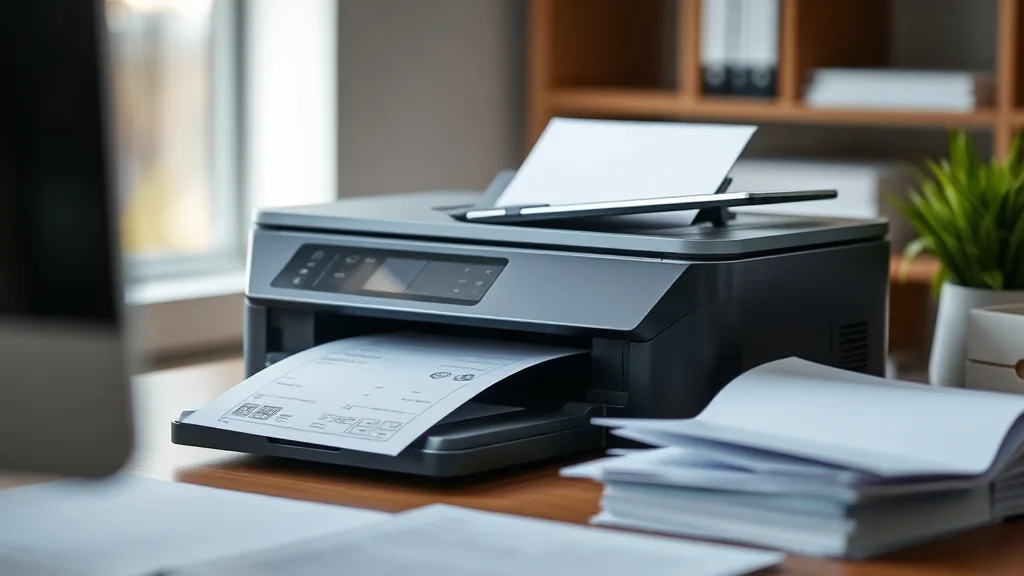
Refill kits promise big savings on ink expenses, but many printer owners worry about how using them might affect their printer’s warranty and manufacturer support. If you’ve ever hesitated before refilling your cartridge because you’re unsure whether it will void your warranty or cause support hassles, this article explains what happens when you use third-party refill kits, the potential risks to warranty coverage, and how to navigate these challenges while still saving on ink.
What Are Refill Kits and Why Use Them?
A refill kit typically includes bottles of ink, tools like syringes or refill funnels, and instructions to refill empty or near-empty ink cartridges at home. Refill kits are marketed as an economical alternative to expensive brand-name cartridges, often reducing cost per page by up to 70-80%. For frequent printer users, this can translate into significant savings over time.
Unlike compatible cartridges (third-party cartridges built to fit your model) or remanufactured cartridges (genuine cartridges refilled and resold), refill kits let you extend the life of your own OEM cartridge by injecting new ink into it.
See also: 15. Refill ink kits for HP 63 — results after 15 refills
How Refill Kits Affect Printer Warranties
Phone cases - Sponsored - 15% off first order
Phone Case Gift - They pick the model · 2 minutes Code FIRST15GIFTThe Fine Print of Warranty Coverage
Printer warranties, especially manufacturer-backed ones, typically cover defects in materials and workmanship under normal use. However, manufacturer warranty policies often contain clauses stating that damage caused by “non-approved consumables” or “unauthorized modifications” may void the warranty.
With refill kits, the main concern is that manufacturers consider refilling as an unauthorized modification. This is because:
- Refill kits typically do not come from the original cartridge maker.
- Users open cartridges, which may cause leaks or damage.
- The ink quality may be inferior, clogging nozzles or damaging components.
- Refilling may bypass chip protections, which manufacturers view as warranty violations.
Legal Framework Around Warranty Voiding
It’s important to note that laws vary by region, but in many places (e.g., under U.S. Magnuson-Moss Warranty Act), manufacturers cannot outright void a warranty just because a consumer used third-party ink or refilled cartridges. They must prove that the refill or third-party ink caused the damage to deny warranty repairs.
In practice, this means:
- If your printer stops working and you have used a refill kit, you may be required to pay for repairs if the problem is related to ink or physical cartridge damage.
- If the problem is unrelated (e.g., a hardware failure), warranty coverage should still apply.
- Manufacturer support may refuse service or troubleshooting for issues they associate with refilling practices.
How Using Refill Kits Impacts Manufacturer Support
Even if your warranty remains intact, using refill kits can complicate manufacturer support:
- Technical Support Limitations: Support staff may refuse to troubleshoot printing issues or may insist on diagnosis with original cartridges only.
- Firmware Updates and Chip Lockouts: Some printer models’ firmware includes chip lockouts that detect and disable refilled cartridges. This can lead to error messages or inability to print after updates.
- Reduced Diagnostics: Refill-related damages or clogs might not be covered, leading to out-of-pocket repair expenses.
- Customer Service Frustrations: Representatives may be less willing to assist if refill kits are suspected, leading to longer hold times or pushes to purchase genuine cartridges.
When to Use Refill Kits: Weighing Savings Versus Risk
Phone cases - Sponsored - 15% off first order
Titan Case - Precision fit · 2,000+ designs Code FIRST15TITPrinting budget-conscious users who print large volumes or just want to stretch their cartridges might consider refill kits. But they should evaluate:
- Printer Type: Inkjet printers usually tolerate refilling better than thermal or laser printers. Some models are designed with chip technology that disables refills.
- Warranty Status: If your printer is still under warranty and you rely on manufacturer support, refilling carries more risk.
- Technical Comfort: Refill kits require manual handling and can be messy or tricky. You need steady hands and attention to detail.
- Printing Needs: For non-critical or low-volume printing, refill kits could reduce costs without impacting support significantly.
- Manufacturer Policy: Some manufacturers are more aggressive about warranty denial or chip lockouts; research your specific model.
Common Pitfalls of Using Refill Kits
- Ink Leaks and Cartridge Damage: Improper refilling can cause spillage that damages the cartridge or printer internals.
- Clogged Print Heads: Incompatible ink formulations or improper flushing can lead to print quality issues.
- Chip Read Errors: Many OEM cartridges have chips that track ink levels; refilling can cause chip errors or printer refusals.
- Firmware Blockages: Updates may introduce new restrictions that lock out refilled cartridges.
- Voided Warranty Risk: If repair is needed, you may lose free repair coverage if the manufacturer determines refill caused the fault.
Comparison Table: Brand-Name Cartridge vs. Refill Kit vs. Compatible Cartridge
Phone cases - Sponsored - 15% off first order
Phone Cases For Charity - Every case supports a cause Code GIVE10| Feature / Factor | Brand-Name Cartridge | Refill Kit | Compatible Cartridge |
|---|---|---|---|
| Initial Purchase Cost | High | Low (ink only, refill tools) | Moderate |
| Cost Per Page | High | Low | Low to Moderate |
| Yield | Certified manufacturer yield | Variable (depends on refill accuracy) | Varies by product and quality |
| Print Quality | Consistent, guaranteed | Variable; potential for clogs | Usually high, but varies |
| Warranty Impact | None (OEM) | Potential to void or limit warranty | May void warranty depending on policy |
| Chip and Firmware Support | Fully supported | May be blocked by firmware updates | May be blocked or unsupported |
| Reliability / Failure Risk | Lowest | Higher risk (user error, ink quality) | Moderate risk |
| Ease of Use | Plug and print | Requires manual refilling process | Plug and print |
| Environmental Impact | Medium (disposable cartridges) | Lower (reuse cartridges) | Medium (disposable cartridges) |
Balancing Cost Savings with Warranty and Support
If you strongly want to reduce your ink costs with refill kits but worry about warranty or support:
- Wait Until Warranty Expires: Use refill kits only after the manufacturer warranty lapses.
- Test on Non-Critical Printers: Try refilling on secondary or older printers first.
- Buy Compatible Cartridges: These may offer better warranty support than refill kits but still save money.
- Keep OEM Cartridges on Hand: Use the brand-name cartridges when talking to tech support or troubleshooting.
- Research Your Model: Look for user forums or support sites to understand risks specific to your printer model and firmware.
Conclusion
Refill kits can drastically reduce ink expenses, but they carry real risks of voiding printer warranties and complicating manufacturer support. Understanding how refills intersect with warranty terms, chip and firmware protections, and print quality helps you make an informed choice. If protecting your warranty and seamless manufacturer support is a priority, sticking with OEM or quality compatible cartridges might be a safer route. If you want to maximize cost savings and are willing to accept some risk and effort, refill kits can be an effective tool—especially when used with care and awareness.
Frequently Asked Questions
Q: Will using a refill kit automatically void my printer’s warranty?
A: Not automatically. Manufacturers can deny warranty coverage for damage linked to refills, but by law they often must prove refills caused the problem. Unrelated hardware issues generally remain covered.
Q: Do refill kits work on all printer models?
A: No. Some models have chip or firmware protections that block refilled cartridges, resulting in error messages or refusal to print. Check compatibility with your model before purchasing.
Q: Can I switch back to brand-name cartridges if I have used refilled ones?
A: Yes, usually you can. However, some chip or firmware locks may not reset, so issues could persist even after switching back. Always keep original cartridges on hand as backup.
Top Picks
Watchdog picks
- AZ Compatible Toner Cartridge Replacement for Dell 1250 (1250BK) use in Color La
- B08VF3XRQ8
- B08R3R5KXJ
- B002R5AF1I
- HP 67 Black/Tri-Color Ink Cartridges (2-Pack) - Works with DeskJet 1255, 2700, 4
- B08B3K9H7L
- B00B5JOC5C
- Fanttik T1 Max Soldering Iron Kit, Cordless Soldering Iron, 7 Seconds Fast Heati
Products in this guide
- Inkjet Refill Kit Pro — Compatible with HP, Canon, Epson, and Lexmark Cartridges
- HP (Refurbished) OfficeJet Pro 9015e All-in-One Wireless Color Printer for Home Office, Compatible with Alexa (1G5L3A) (
- Epson EcoTank ET-2800 Wireless Color All-in-One Cartridge-Free Ink Supertank Printer with Scan and Copy for Home Use, Wh
- Epson EcoTank ET-2800 Wireless Color All-in-One Cartridge-Free Ink Supertank Printer with Scan and Copy for Home Use, Bl
