
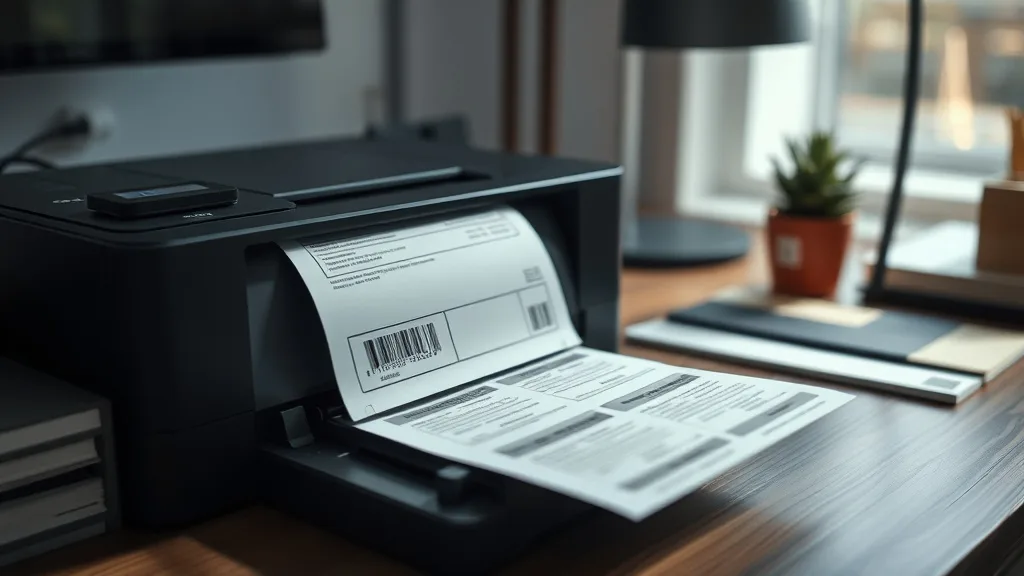
When it comes to printing needs around the house, many people automatically think of inkjet printers. They are common, versatile, and widely available. However, for specific tasks like organizing, labeling, or creating durable tags, a label printer can be a surprisingly better option. If you’ve been frustrated by wasted ink cartridges, smudged labels, or slow print speeds with your inkjet for household labeling jobs, this article will shed light on when a label printer actually beats an inkjet for your everyday home use.
What Is a Label Printer?
A label printer is a specialized device designed primarily to print adhesive labels, tags, or receipts rather than standard documents or photos. Unlike inkjet printers that spray ink onto regular paper, label printers often use direct thermal, thermal transfer, or specialized ink technologies to create durable, clear text or image prints on adhesive-backed rolls or sheets.
Typically compact and easy to set up, label printers produce small-format output suitable for organizing household items, mailing envelopes, name tags, storage bins, cables, or even DIY craft projects. While they excel at single-purpose printing, they are usually not designed to replace multi-function inkjet or laser printers for everyday document printing.
See also: HP 61 vs HP 962 cost per page — which is actually cheaper per print
How Label Printers Work Compared to Inkjets
Phone cases - Sponsored - 15% off first order
Phone Case Gift - They pick the model · 2 minutes Code FIRST15GIFTTo understand why label printers can outperform inkjets in certain household roles, it helps to look at the core differences in how they print:
-
Inkjet Printers: Inkjets spray tiny ink droplets through nozzles onto paper. They rely on consumable ink cartridges that can be expensive, require frequent replacement or refilling, and risk nozzle clogging if unused for a time. Inkjet printers can print full-color documents and photos but are best suited for flat standard media (like photo paper or plain paper).
-
Label Printers: Most common home label printers use either direct thermal printing or thermal transfer printing:
- Direct thermal printers use heat-sensitive paper that darkens where heated, requiring no ink or toner.
- Thermal transfer printers use a heat pen to transfer ink from a ribbon onto the media, producing longer-lasting prints that resist moisture and fading.
These technologies streamline consumable costs and maintenance by eliminating or reducing the use of liquid ink. The use of rolls or cassettes of labels also means fewer packaging wastes and less frequent media replacement compared to sheets of paper.
When to Use a Label Printer Instead of an Inkjet for Household Tasks
Household printing needs vary widely, but label printers can be a superior solution for many specific scenarios:
1. Frequent Labeling and Organization
If you regularly label storage boxes, jars, cables, tool parts, shelves, or filing folders, a label printer offers speed, convenience, and durability. Inkjet prints on labels or paper can smudge or wear off, especially on glossy or textured surfaces.
2. Cost-Effective Labeling Over Time
Inkjet cartridges often deliver low page yields for small printing tasks like labels. The cost-per-page (or per label) can skyrocket, especially when cartridges dry out or clog from infrequent use. Label printers, particularly direct thermal models, have near-zero ink-related costs and yield hundreds or thousands of labels per roll, dramatically reducing long-term printing costs.
3. Printing Small, Custom Shapes or Sizes
Label printers usually support various label sizes and shapes from continuous rolls to pre-cut tags. This flexibility helps tailor prints to unusual household items, unlike inkjets that require cutting or special paper.
4. Enhanced Durability and Smudge Resistance
Thermal transfer labels resist water, oils, chemicals, and UV exposure far better than inkjet prints on plain or label paper. This is crucial for labeling outdoor items, kitchen containers, garden equipment, or electronics.
5. Compact Size and Dedicated Use
Label printers are smaller than most inkjets and fit neatly on desks or shelves. If a dedicated device is preferable for organizing or crafting projects without tying up your main printer, label printers are a smart choice.
Comparing Label Printers and Inkjets for Household Use
Phone cases - Sponsored - 15% off first order
Titan Case - Precision fit · 2,000+ designs Code FIRST15TIT| Criteria | Label Printer | Inkjet Printer |
|---|---|---|
| Consumable Cost | Low (mostly label rolls; some ribbons) | High (frequent cartridge replacement) |
| Cost Per Label/Page | Very low to moderate | High, especially for small prints |
| Print Speed | Fast for small labels | Slower, especially for high-resolution prints |
| Print Durability | Excellent (waterproof or smudge-resistant) | Moderate; inks prone to smudging and fading |
| Media Flexibility | Limited to labels, tags, receipts | Wide range — documents, photos, labels (with special paper) |
| Color Printing | Mostly black and white | Full color available |
| Maintenance | Low (no cartridges with direct thermal) | Higher (cartridge clogs, drying ink) |
| Device Size | Compact | Varies, usually larger |
| Use Cases | Organizing, labeling, crafting | Photos, documents, occasional labels |
Common Pitfalls When Choosing or Using Label Printers
- Assuming Label Printers Replace All Printing Needs: Label printers specialize in small formatted print-outs. They rarely replace full-size document or photo printers.
- Ignoring Compatibility and Media Costs: Some label printers require proprietary rolls or ribbons that can be costly. Always calculate total cost per label.
- Overlooking Chip Lockouts: Certain printers lock cartridges or ribbons to specific brands, limiting third-party or refill options. This may affect affordability.
- Expecting Full-Color Prints: Most household-friendly label printers are monochrome. Color labeling solutions remain mainly with inkjets.
- Not Considering Yield vs Print Size: Printing large labels rapidly consumes label rolls; calculate yield carefully to avoid unexpected running out mid-project.
How to Calculate Cost-Per-Page and Yield for Label vs Inkjet Printing
Phone cases - Sponsored - 15% off first order
Phone Cases For Charity - Every case supports a cause Code GIVE10To decide if a label printer beats your inkjet for household jobs, start with a simple cost-per-label/page formula:
Cost per label/page = (Cost of consumables) / (Yield in labels/pages)Example
-
Inkjet cartridge cost: $30
-
Yield: 200 pages (labels per page vary)
-
Cost/page = $30 / 200 = $0.15 per page (excluding paper cost)
-
Label printer roll cost: $15
-
Roll yield: 1000 labels
-
Cost/label = $15 / 1000 = $0.015 per label
If your home projects involve hundreds of labels, the label printer offers a 10x cost advantage per output.
Final Advice: When to Invest in a Label Printer
- If you frequently print labels or tags at home for prolonged periods, label printers save money and time.
- For occasional label printing mixed with photos or documents, an inkjet might still be more versatile.
- Think about media availability, label durability needs, and print quality to decide on your ideal solution.
- Check for open cartridge/ribbon systems if budget is a concern, avoiding devices with chip-locks that force expensive consumables.
- Remember that label printers are tools designed for specific tasks, not universal print replacements.
A well-chosen label printer complements your home printing arsenal and helps you organize smarter—with less ink waste and hassle.
Frequently Asked Questions
Q: Can I print color labels with a label printer?
A: Most household label printers print in black and white or grayscale. Color label printing is usually done with specialized color label printers or inkjets with color label media.
Q: Do label printers require expensive proprietary consumables?
A: Some do, especially thermal transfer models using ribbons, but many accept third-party or generic rolls. It’s important to check compatibility before purchasing.
Q: Will a label printer work for printing photos or documents?
A: No. Label printers are designed for small-format labels or tags and typically don’t support printing photos or standard documents like inkjets do.
Top Picks
Watchdog picks
- 60W Adjustable Temperature Soldering Iron Kit - 9-in-1 With 5 Tips, Solder Wire
- B0BN57XFD8
- B08FY8XQ3W
- Downy Fabric Softener Dryer Sheets, April Fresh, 120 Count
- Canon PG-245 / CL-246 Genuine Ink Value Pack (2 Cartridges), Compatible with iP2
- B01N5Q9Q6J
- B0BVD54HPS
- B08KDQZJQ5
Products in this guide
- HP OfficeJet Pro 8125e Wireless All-in-One Color Inkjet Printer, Print, scan, Copy, ADF, Duplex Printing Best-for-Home O
- Epson EcoTank ET-2400 Wireless Color All-in-One Cartridge-Free Supertank Printer with Scan and Copy for Everyday Home Pr
- HP OfficeJet Pro 9125e Wireless All-in-One Color Inkjet Printer, Print, scan, copy, fax, ADF, Duplex printing best-for-o
- HP DeskJet 2755 Wireless All-in-One Printer, Mobile Print, Scan & Copy, Instant Ink Ready, Works with Alexa (3XV17A)
