
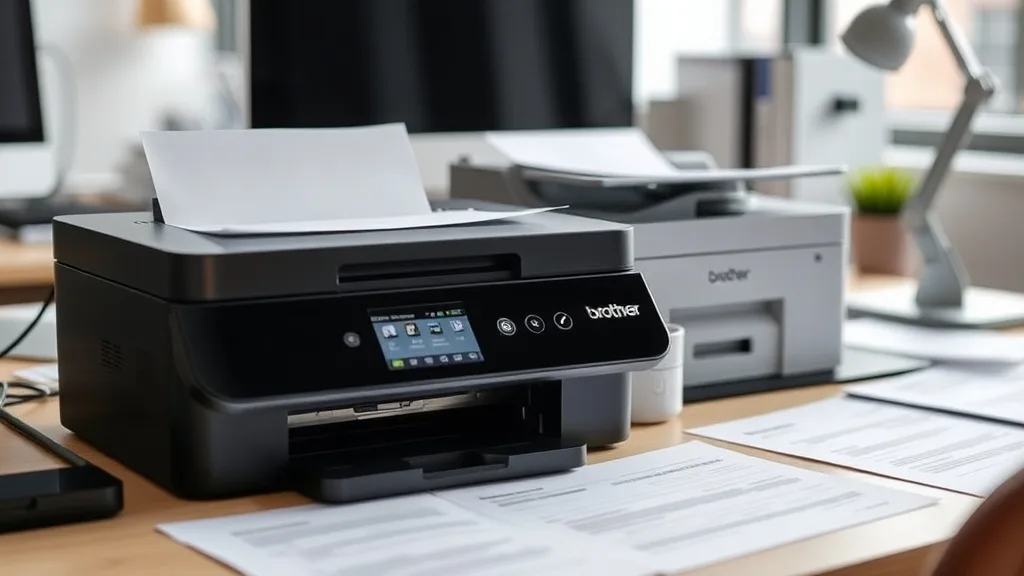
If you own a Brother printer that uses LC3017 or LC3019 cartridges, you’ve probably noticed confusing and sometimes frustrating differences in cartridge sizing and pricing. The core issue many printer owners face is the “XL trap”: whether to buy standard or XL cartridges, how much longer they last, and if XL cartridges really offer better value—and why sometimes they don’t. Understanding the true cost per page and yield differences between Brother LC3017 and LC3019 cartridges can help you avoid overpaying and get the best bang for your buck without risking printer errors or chip lockouts.
What Are Brother LC3017 and LC3019 Cartridges?
Brother reference numbers LC3017 and LC3019 correspond to ink cartridges designed for certain Brother printers. Generally:
- LC3017 cartridges are the standard-sized cartridges.
- LC3019 cartridges are the XL (extra-large) or high-yield versions of the same cartridges.
Both offer the same ink colors and fit the same printers, but the XL cartridges usually claim to hold roughly twice the ink and last twice as long.
The key questions:
- Do the XL cartridges really last twice as long?
- Do XL cartridges offer lower cost per page (CPP)?
- Are there risks in mixing or switching between LC3017 and LC3019?
- How does chip technology affect compatibility and yields?
Let’s dig into all this.
See also: 7. Canon”s “low yield” starter cartridges: what you actually get
How the XL Trap Works: Yield, Cost, and Chip Lockouts
Phone cases - Sponsored - 15% off first order
Phone Case Gift - They pick the model · 2 minutes Code FIRST15GIFT1. Cartridge Yield — The Print Volume You Actually Get
Yield is usually measured in pages printed before the cartridge runs out, typically at 5% coverage per page. Brother’s OEM specs advertise:
- LC3017 (standard): Around 300-400 pages.
- LC3019 (XL): Around 800-1000 pages.
In theory, the XL cartridge offers approximately 2.5x the pages of the standard size. But independent tests and user experiences often reveal lower actual yield differences, sometimes only 1.8x to 2x, depending on print habits and content.
2. Cost Per Page (CPP) Analysis
Cost per page is simple but crucial: divide the cartridge price by the yield.
| Cartridge | Approx. Price | Yield (pages) | Cost per Page ($) |
|---|---|---|---|
| LC3017 Standard | $18 | 350 | $0.051 |
| LC3019 XL | $30 | 800 | $0.037 |
This hypothetical example shows that while the XL cartridge costs nearly double, it yields more than twice the pages, resulting in a lower CPP. However, real-world yields may vary, and online third-party sellers often skew prices, affecting value.
3. Chip Technology and Printer Lockouts
Brother inks cartridges are smart: they have chips that communicate with the printer to monitor ink levels and validate cartridge authenticity. Here’s where compatibility risk creeps in:
- OEM Cartridges have factory programmed chips that report accurate ink levels and ensure full printer function.
- Third-party compatible or refilled cartridges may have less reliable chips, potentially causing incorrect ink level readings or printer error messages.
- XL vs Standard Cartridge Chips: Sometimes, XL cartridges have different chip firmware, and the printer firmware might not accept a chip if it senses the “wrong” cartridge variant, even if size physically fits.
This means swapping LC3017 with LC3019, or mixing OEM with third-party, can trigger “cartridge not recognized” errors, reduced functionality, or forced firmware updates.
When to Choose LC3017 vs LC3019
Use LC3017 Standard Cartridges if:
- You print infrequently or only small volumes monthly.
- Your priority is upfront cost savings.
- You prefer to buy smaller cartridges to reduce the chance of ink drying out unused.
- You want to minimize compatibility errors from chip differences or firmware-driven lockouts.
- Your printer is older or known to have tighter chip restrictions.
Use LC3019 XL Cartridges if:
- You print regularly or in high volume.
- You want a better cost per page over the long term.
- You don’t mind the higher upfront cost for extra pages per cartridge.
- You prefer fewer cartridge swaps and less hassle changing cartridges.
- Your printer is newer and more compatible with XL chips and firmware.
Third-party XL cartridges usually provide the best savings but come with a reliability trade-off that may include printer error messages or prematurely flagged “empty” cartridges.
Common Pitfalls to Avoid
Phone cases - Sponsored - 15% off first order
Titan Case - Precision fit · 2,000+ designs Code FIRST15TIT-
Relying Solely on Manufacturer Yield Estimates: These are idealized — real yields vary by print coverage, color intensity, and printer model. Testing your own yield over time is best.
-
Ignoring Chip Differences and Firmware Updates: Printer firmware updates can introduce stricter enforcement of chip IDs, rejecting third-party or even different-model OEM cartridges.
-
Mixing Standard and XL Cartridges in the Same Printer: Some printers expect consistent cartridge types per color. Mixing can cause errors or inaccurate ink level reporting.
-
Assuming XL Always Means Better Value: Infrequent printing with XL cartridges can waste ink as cartridges dry out. If you print sporadically, smaller cartridges might be more economical despite higher CPP.
-
Overpaying at Retail or Online: Shop around and compare cost per page, not just sticker price. Beware “discount” sellers who sell old stock or refurbished cartridges with reduced yields.
Brother LC3017 vs LC3019 Cartridge Comparison Table
| Feature | LC3017 Standard Cartridge | LC3019 XL Cartridge |
|---|---|---|
| Approx. Yield | 300-400 pages | 800-1000 pages |
| Typical Price | Lower upfront cost | Higher upfront cost |
| Cost Per Page | Higher (~$0.05 per page) | Lower (~$0.035-$0.04 per page) |
| Ink Volume | About 10-12 ml | About 25-30 ml |
| Chip Type | Standard chip, basic info | XL chip, sometimes different firmware |
| Compatibility | Compatible with all LC301x printers | Compatible but may trigger firmware lockouts if outdated |
| Suitability | Low-volume, infrequent printing | High-volume, frequent printing |
| Risk of Dry-Out | Lower (smaller ink volume) | Higher risk if unused for months |
| Third-party Availability | Moderate availability | Widely available, but riskier |
How to Maximize Value and Minimize Headaches
Phone cases - Sponsored - 15% off first order
Phone Cases For Charity - Every case supports a cause Code GIVE10- Track your real page yield by noting when cartridges empty.
- Calculate your actual cost per page and compare it periodically.
- Avoid mixing standard and XL cartridges; pick one cartridge type to use throughout.
- Consider printer firmware update schedules before buying third-party cartridges.
- Test third-party compatibles cautiously and keep OEM cartridges on hand.
- If you print infrequently, prefer smaller cartridges to reduce ink waste.
- Buy XL if you print bulk documents or photos regularly and want convenience.
Frequently Asked Questions
Q: Can I use an LC3019 XL cartridge instead of LC3017 standard in my printer?
A: Yes, physically the cartridges fit the same printers, but some models may trigger chip or firmware errors. Always check your printer’s compatibility and firmware version.
Q: Are third-party LC3019 XL cartridges reliable?
A: Third-party compatible XL cartridges often save money but have a higher risk of chip errors, inaccurate ink levels, or shortened yield. Use reputable sellers and be prepared for occasional troubleshooting.
Q: Is it cheaper to buy XL cartridges or multiple standard cartridges?
A: XL cartridges generally have lower cost per page and fewer replacements, so they save money if you print often. If printing is rare, standard cartridges might reduce ink drying out and lower waste.
Understanding the LC3017 vs LC3019 XL trap boils down to your printing volume, willingness to tolerate chip quirks, and upfront vs long-term spending. By factoring in yield, cost per page, chip compatibility, and your own print habits, you can turn Brother cartridge purchasing from a frustration into a smarter, more cost-effective routine.
Top Picks
Watchdog picks
- Skydo 141A Toner Cartridge 2 Black Replacement for HP 141A W1410A 141X W1410X To
- HP 962XL Black High-Yield Ink Cartridge - Works with OfficeJet 9010, Pro 9010, 9
- Soldering Kit, 60W Soldering Iron, 110V Welding Kit with Ceramic Heater, Portabl
- B0FGC43YCL
- EPSON 702 DURABrite Ultra Ink High Capacity Black & Standard Color Cartridge Com
- B0G1NBKD38
- Hakko T18S3P Tip for Fx-888 Station, 5.2mm
- B0FMBGXC2C
Products in this guide
- Brother LC3013BK Individual High-Yield Black Ink Cartridge
- Brother Genuine Standard Yield Toner Cartridge, TN730, Replacement Black Toner, Page Yield Up To 1,200 Pages, Amazon Das
- Brother Genuine TN730 3-Pack Standard Yield Black Toner Cartridge with Approximately 1,200 Page Yield/Cartridge
- Brother Printer LC30193PK Super High Yield XXL 3 Pack Ink Cartridges- 1 Ea: Cyan/Magenta/Yellow Ink
