
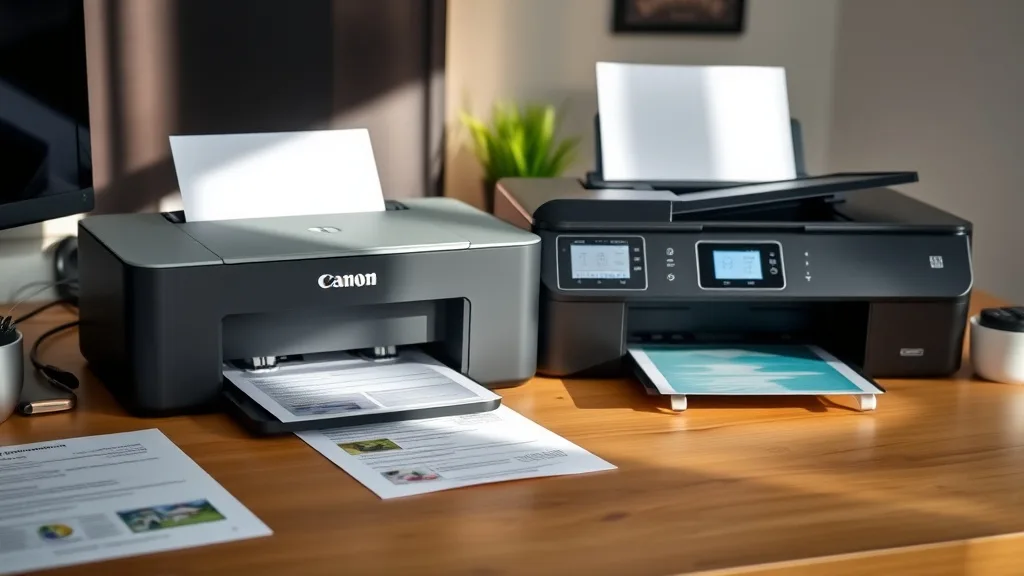
The Canon PIXMA TR4720 and the HP DeskJet 2755e are both popular all-in-one printers marketed to home users and small offices. But if you’ve bought one only to find the ink costs or reliability issues outweigh initial savings, you’re not alone. This long-term review walks through the real-world performance, ink costs, cartridge compatibility, and overall value of these two models to help you decide which printer truly stands up over time.
What These Printers Are
Both the Canon PIXMA TR4720 and HP DeskJet 2755e are compact all-in-one inkjet printers targeted for casual use—printing documents, photos, and scanning at home or in a small office context. They come with wireless connectivity, support photo paper, and offer basic copy and scan functions.
- Canon PIXMA TR4720: This model emphasizes ease of use and photo-quality printing, touting features like auto two-sided printing and a user-friendly interface.
- HP DeskJet 2755e: This unit focuses on affordability and connectivity, designed to work smoothly with mobile devices and cloud printing apps.
Both printers are positioned below higher-end models, making upfront cost very appealing but raising questions around ongoing consumable expenses and machine longevity.
See also: 23. Epson EcoTank ET-2800 vs Canon MegaTank G3270 comparison
How They Work: Ink Systems and Cartridges
Phone cases - Sponsored - 15% off first order
Phone Case Gift - They pick the model · 2 minutes Code FIRST15GIFTCritical to both printers’ long-term cost and reliability are their ink systems.
Canon PIXMA TR4720 Ink System
- Uses two separate cartridges: one black (pigment-based) and one tri-color (dye-based).
- Cartridge series is relatively common and has many third-party compatible options.
- Ink yields are moderate — typically around 180 pages for black, 180 pages for color per cartridge.
- Canon printers tend to be slightly more forgiving of third-party cartridges but implement chip-based recognition, which can sometimes falsely block compatible cartridges after firmware updates.
HP DeskJet 2755e Ink System
- Similar dual-cartridge arrangement (black and tri-color).
- HP’s cartridges often include an NFC and chip for authentication, which is known for stricter compatibility enforcement.
- Estimated yields slightly lower than Canon’s, about 160 pages black and 165 pages color.
- HP’s advanced ink lockout protocols mean third-party cartridges often face frequent lockouts or require manual chip resets.
When to Use Which Printer
Choosing the right model depends on your top priorities.
-
Canon PIXMA TR4720
- Best for users wanting better photo print quality.
- Those willing to experiment cautiously with compatible third-party ink to reduce running costs.
- Users who print moderate volumes (100-200 pages/month).
- Ideal if duplex printing is important for saving paper.
-
HP DeskJet 2755e
- Good for users who primarily print documents with basic quality.
- Those who prioritize wireless/mobile app integration.
- Users with very light print volumes (under 100 pages/month).
- Suitable if you mostly use brand-name ink cartridges to avoid lockouts.
Common Pitfalls
Phone cases - Sponsored - 15% off first order
Titan Case - Precision fit · 2,000+ designs Code FIRST15TIT-
Ink Cost and Compatibility: Both printers use proprietary cartridges that command premium prices compared to generic ink refills or remanufactured cartridges. HP’s ink-chipping and lockout systems are more aggressive, causing frustration and potentially higher ink spend.
-
Yield vs Real-World Use: The quoted page yields often come from ISO standards under ideal conditions. Real print jobs mixing photos and text often reduce yield by 20-30%.
-
Firmware Updates: Automatic firmware updates sometimes add restrictions or decrease compatibility with third-party inks, especially noticeable in HP printers.
-
Print Quality Degradation: Over many months, some users report issues like streaking or color inconsistencies, likely due to ink drying in nozzles if the printer is idle too long.
Long-Term Cost and Reliability Comparison
| Feature | Canon PIXMA TR4720 | HP DeskJet 2755e |
|---|---|---|
| Upfront Price | Moderate | Slightly Lower |
| Black Ink Cartridge Yield | ~180 pages | ~160 pages |
| Color Ink Cartridge Yield | ~180 pages | ~165 pages |
| OEM Ink Price (per cartridge) | Medium-High | High |
| Third-Party Ink Compatibility | Fair; some chip recognition issues but more tolerant | Poor; frequent lockouts, require manual resets |
| Duplex Printing | Yes | No |
| Wireless/Mobile Features | Standard, good app support | Enhanced features with cloud/mobile focus |
| Print Quality (Text/Photos) | Good text, better for photos | Good text, photo quality average |
| Long-Term Reliability | Good, with occasional clogging issues | Moderate; more chip error frustrations |
Cost Per Page Example Analysis
Phone cases - Sponsored - 15% off first order
Phone Cases For Charity - Every case supports a cause Code GIVE10To give a concrete example, assume OEM black cartridge costs $20 and color cartridge $25.
-
Canon (Black + Color cartridge cost)/(yield) = Cost per page
-
Black: $20 / 180 = $0.11 per black page
-
Color: $25 / 180 = $0.14 per color page
-
HP Black: $22 / 160 = $0.14 per black page
-
HP Color: $27 / 165 = $0.16 per color page
From this, Canon offers slightly better cost efficiency on ink against yield for OEM consumables. Third-party and refill options further widen this margin on Canon but may cause lockout on HP.
Bottom Line: Which Printer Should You Choose?
- If you want lower ongoing ink costs, better photo printing, and moderate duplex use, the Canon PIXMA TR4720 will likely give you better long-term value and fewer hassles, especially if you are willing to experiment safely with third-party inks.
- If initial price and app/cloud integration for light document printing dominate your needs, and you always stick to brand-name ink, the HP DeskJet 2755e is a reasonable pick.
- Understand that neither printer is built for heavy-duty printing workloads or heavy photo printing without frequent cartridge replacements and maintenance.
Frequently Asked Questions
Q: Can I use third-party cartridges with these printers without problems?
A: Canon’s PIXMA TR4720 is generally more forgiving with third-party cartridges, but firmware updates can cause chip recognition problems. HP DeskJet 2755e has stricter ink lockout protocols, so third-party cartridges often fail or require chip resets.
Q: Which printer has better print quality for photos?
A: The Canon PIXMA TR4720 provides noticeably better photo print quality over the HP DeskJet 2755e due to its ink formulation and print head technology.
Q: Do both printers support automatic duplex printing?
A: Only the Canon PIXMA TR4720 supports automatic double-sided printing, which can save paper over time. The HP DeskJet 2755e does not have this feature.
Top Picks
Watchdog picks
- TN760 Toner for Brother Printer TN730: Compatible for Brother TN-730/TN-760 TN 7
- Canon PG-245 / CL-246 Genuine Ink Value Pack (2 Cartridges), Compatible with iP2
- B0FLXG5Z7Q
- B0FBRH75LK
- B0748ZCG45
- Downy Fabric Softener Dryer Sheets, April Fresh, 120 Count
- B00B5JOC5C
- B0H1M158VT
Products in this guide
- Inkjet Refill Kit Pro — Compatible with HP, Canon, Epson, and Lexmark Cartridges
- HP OfficeJet Pro 8125e Wireless All-in-One Color Inkjet Printer, Print, scan, Copy, ADF, Duplex Printing Best-for-Home O
- HP DeskJet 2755 Wireless All-in-One Printer, Mobile Print, Scan & Copy, Instant Ink Ready, Works with Alexa (3XV17A)
- Epson EcoTank ET-2800 Wireless Color All-in-One Cartridge-Free Ink Supertank Printer with Scan and Copy for Home Use, Wh
