
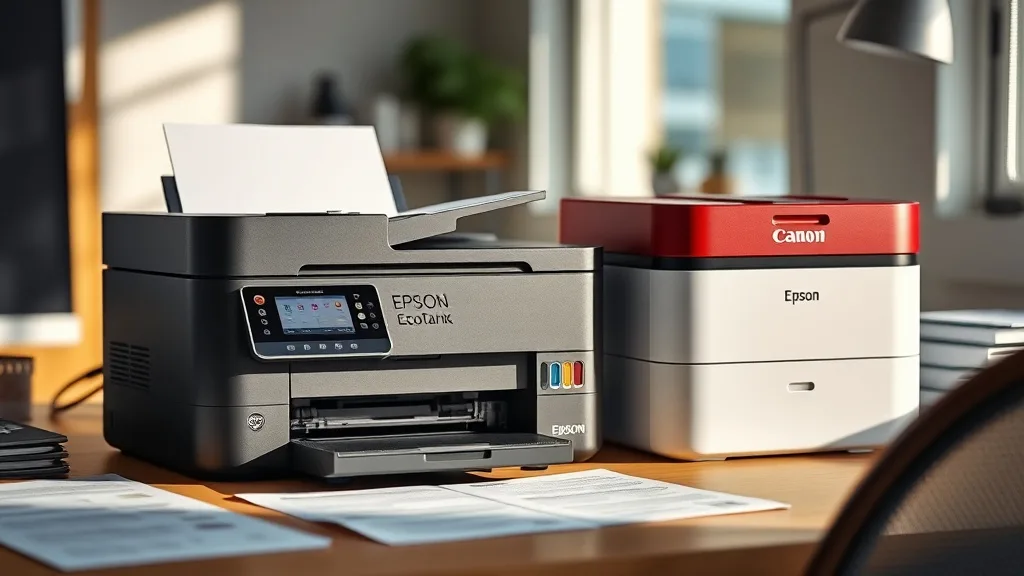
If you’ve been burned by the high cost of original equipment manufacturer (OEM) cartridges and are debating between two popular refillable ink tank printers, the Epson EcoTank ET-2800 and the Canon MegaTank G3270, this comparison will help you cut through the sticker shock and marketing promises. We’ll focus on their actual cost per page, yields, compatibility issues, reliability differences, and overall value — so you can decide which system suits your budget and printing needs.
Epson EcoTank ET-2800 vs Canon MegaTank G3270: What They Are
Epson EcoTank ET-2800
The Epson EcoTank ET-2800 is a compact inkjet printer featuring refillable ink tanks instead of traditional cartridges. It offers wireless printing, an automatic document feeder (ADF), and is marketed for high-volume users looking to slash ink expenses. Its refillable tanks can be topped up with economy-sized ink bottles Epson provides, designed to greatly reduce per-page costs.
Canon MegaTank G3270
Canon’s MegaTank G3270 takes a similar approach with integrated ink tank design aimed at home and small office users. It also offers wireless connectivity and built-in scanning and copying functions. Canon’s MegaTank printers emphasize print quality and cost savings, using proprietary ink bottles designed specifically for its tanks.
Both printers target consumers frustrated by the high continuous cost of OEM cartridges, offering larger reservoirs and cheaper ink refills. But beneath this broad similarity lies important differences in print yield, reliability, compatibility risks, chip lockouts, and user experience that can substantially impact your total cost of ownership.
See also: 27. Canon PIXMA TR4720 vs HP DeskJet 2755e long-term review
How Each Printer Works (Ink Delivery and Chip Systems)
Phone cases - Sponsored - 15% off first order
Phone Case Gift - They pick the model · 2 minutes Code FIRST15GIFTBoth printers use ink tanks that you manually refill by pouring ink from bottles into dedicated reservoirs:
-
Epson ET-2800: Four separate tanks (Cyan, Magenta, Yellow, Black) feed ink to printhead nozzles. The system tracks ink consumption digitally, reducing the risk of overfilling. A chip in the ink bottles helps prevent counterfeit ink usage but can sometimes cause compatibility issues with third-party ink suppliers.
-
Canon G3270: Similar four-tank system with compatible ink bottles designed for the model. Canon uses a chip lockout mechanism on ink bottles to ensure only authorized replacements work, protecting OEM ink sales but limiting third-party refill options.
In both cases, users save on ink by buying refill bottles rather than cartridges. The difference lies in how strictly each manufacturer enforces chip lockouts and how well third-party inks work with these chip systems.
Cost-Per-Page and Yield Comparison
At the heart of the printer purchase decision for cost-conscious users is the effective cost per page printed, which includes initial printer cost, ink cost, and ink yield (number of pages one bottle or tank fills).
| Feature | Epson EcoTank ET-2800 | Canon MegaTank G3270 |
|---|---|---|
| Initial Printer Price | Typically mid-range for ink tanks | Comparable mid-range price |
| Ink Bottle Volume (per color) | ~70 ml per bottle | ~70 ml per bottle |
| Estimated Black Page Yield | ~4,500 pages (ISO standard) | ~6,000 pages (ISO standard) |
| Estimated Color Page Yield | ~7,500 pages total (all color bottles combined) | ~7,000 pages total (all color bottles combined) |
| Cost per Black Page | Around $0.003–$0.005 depending on source | Around $0.003 or slightly less due to yield |
| Cost per Color Page | Around $0.007 | Slightly higher or comparable |
| Chip Lockout Sensitivity | Moderate; third-party inks sometimes work | High; third-party ink compatibility limited |
Analysis
- Yield differences: Canon tends to provide higher black yield estimates, which lowers its black text cost per page slightly.
- Color efficiency: Epson’s color yield estimates are a bit higher, so if you print often in color, Epson might save you a bit more.
- Ink price fluctuations: Both brands sell OEM ink at premium prices, so third-party options heavily influence cost savings. Epson is somewhat more flexible here; Canon employs stricter chip restrictions.
Reliability and Compatibility Trade-Offs
Phone cases - Sponsored - 15% off first order
Titan Case - Precision fit · 2,000+ designs Code FIRST15TITEpson
- Generally reliable with good printhead longevity.
- Sometimes third-party ink bottles require firmware updates to bypass chip errors.
- Occasional clogging reported but manageable with routine head cleaning.
- Compatible cartridges and remanufactured inks are available but not guaranteed by Epson.
Canon
- Known for sharp, high-quality color prints.
- Chip lockouts can disable use of third-party inks; firmware updates often target these workarounds.
- Slightly more sensitive printhead prone to drying if not used regularly.
- Customer support responsive but OEM ink dependence is high.
Which Should You Choose?
If your priority is maximum ink flexibility and a broader range of cheaper refill options, Epson might be more forgiving with third-party refills. Canon offers higher yields and often sharper print quality but at the risk of higher ongoing OEM ink expenses and technical hurdles if you stray from original ink products.
Total Cost of Ownership: Realistic Scenarios
Let’s consider a moderate printer owner printing 1,000 black and white pages and 500 color pages annually:
| Printer Model | Epson ET-2800 (OEM Ink Use) | Canon G3270 (OEM Ink Use) | Epson ET-2800 (Third-party Ink) | Canon G3270 (Third-party Ink) |
|---|---|---|---|---|
| Printer cost | $300 | $320 | $300 | $320 |
| Ink cost (per year) | $12 (black) + $8 (color) | $10 (black) + $9 (color) | $6 (black) + $5 (color) | $N/A (chip lock issues usual) |
| Maintenance & Support | Low | Medium (chip issues) | Medium | High (compatibility concerns) |
| Estimated TCO over 3 yrs | ~$400 | ~$440 | ~$350 | ~$440+ (risk of bricking printer) |
Note: Values assume average OEM pricing and third-party prices vary widely by vendor and region.
Summary Comparison Table
Phone cases - Sponsored - 15% off first order
Phone Cases For Charity - Every case supports a cause Code GIVE10| Feature | Epson EcoTank ET-2800 | Canon MegaTank G3270 |
|---|---|---|
| Ink Cost (Black) | Low to moderate | Low to moderate |
| Ink Cost (Color) | Low | Moderate |
| Print Quality | Good | Excellent |
| Ink Compatibility | Moderate flexibility | Limited (strict chip lockout) |
| Firmware Update Impact | Possible third-party issues | Frequent chip lock carrier |
| Print Speed (B&W) | Moderate (up to ~10 ppm) | Slightly faster (~13 ppm) |
| Wireless Printing | Yes | Yes |
| Scanner/ADF Included | Yes (small ADF) | Yes (small ADF) |
| Overall Reliability | Good | Good but sensitive |
| Ideal User | Budget conscious, moderate use | Quality/color priority, OEM users |
Frequently Asked Questions
Q: Can I use third-party ink bottles with these printers?
A: Epson is somewhat more lenient, and some third-party inks work with the ET-2800 after firmware updates or workarounds. Canon’s G3270 has strict chip lockouts, often blocking third-party inks completely.
Q: Which printer has a lower cost per page?
A: Both offer low cost per page compared to cartridge printers, but Canon’s black page yield is higher, slightly lowering black text costs. Epson may have an edge in color page cost.
Q: Does firmware updating affect ink compatibility?
A: Yes. Both manufacturers release updates that can block third-party inks. Epson users sometimes find ways to bypass this, whereas Canon’s system is more restrictive.
Choosing between the Epson EcoTank ET-2800 and the Canon MegaTank G3270 comes down to your print volume, tolerance for OEM dependency, and how much risk you’re willing to accept regarding third-party ink compatibility and chip lockouts. If initial ink cost and color quality weigh heaviest, Canon’s model may suit you better. If you are driven by the lowest ink costs and want more refill flexibility, Epson’s ET-2800 is likely a safer bet.
Top Picks
Watchdog picks
- B08FY8XQ3W
- AZ Compatible Toner Cartridge Replacement for Dell 1250 (1250BK) use in Color La
- Aomya Ink Refill Kit 100ml for HP 67 61 65 60 62 63 910 920 901 902 932 933 934
- B07F97MPYT
- JANMORE Universal Ink Refills Kit Dye Ink Refill Kit Compatible for HP Canon Bro
- HP 141A Black Toner Cartridge - Works with LaserJet M110, LaserJet MFP M139, M14
- B001ET76H8
- HP Original 63/65XL Black High‑Yield + 63/65 Tri-Color- Works DeskJet 1110, 2100
Products in this guide
- Epson EcoTank ET-2980 Wireless All-in-One Color Supertank Printer with Refillable Ink Tanks, 3 Years of Ink, Mobile Prin
- Epson EcoTank ET-2980 Wireless All-in-One Color Supertank Printer with Refillable Ink Tanks, 3 Years of Ink, Mobile Prin
- Epson EcoTank ET-3950 Wireless All-in-One Color Supertank Printer with up to 3 Years of Ink Refillable Tanks, Perfect fo
- Epson EcoTank ET-2988 Wireless All-in-One Color Supertank Printer with up to 3 Years of Ink, Refillable Tanks, Perfect f
