
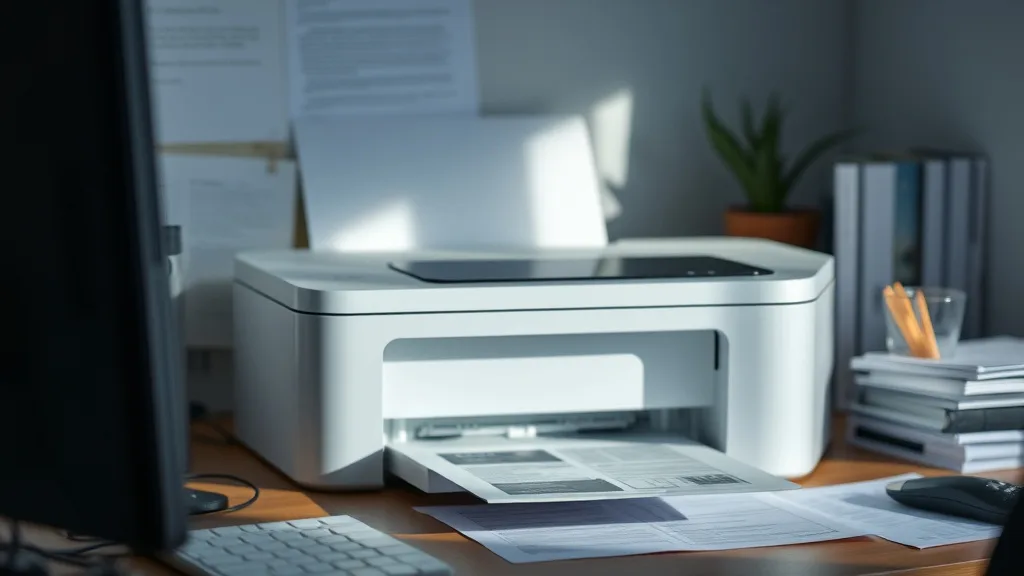
The high cost of printer ink and frequent cartridge replacements are major frustrations for many printer owners. If you’re tired of overpaying for brand-name cartridges and want to find a printer that keeps your overall printing costs low, the Brother HL-1210W offers a compelling option. This black-and-white laser printer is often cited as one of the cheapest printers to own when you factor in cost per page, cartridge yield, and reliability.
Here’s why the Brother HL-1210W might be the lowest-cost printer for your needs by unpacking its operating mechanics, the economics of owning it, and important considerations before purchase.
What the Brother HL-1210W Is
The Brother HL-1210W is a compact monochrome laser printer designed primarily for home and small office use. It specializes in black-and-white printing, which inherently reduces costs compared to color laser or inkjet printers. The “W” stands for wireless, so it supports Wi-Fi connectivity, allowing flexible placement without the hassle of cables.
Key Features:
- Monochrome laser printing only
- Wireless and USB connectivity
- Compact size with straightforward control panel
- Prints up to 20 pages per minute
- Resolution up to 2400 x 600 dpi
See also: Best Laser Printers Compatible with Affordable Third-Party Toner
How It Works—Why Laser and Monochrome Matter
Phone cases - Sponsored - 15% off first order
Phone Case Gift - They pick the model · 2 minutes Code FIRST15GIFTUnlike inkjet printers, which spray droplets of ink onto paper, the HL-1210W uses a laser beam to form images via static electricity on a rotating drum. Toner powder is then attracted to the charged areas and transferred to paper with heat fusing.
This technology has a few fundamental cost advantages:
- Toner powder is cheaper per page than ink cartridges.
- Monochrome printing avoids the costs of multiple ink colors.
- Laser printers typically have high-yield cartridges with tens of thousands of pages capacity.
- Toner cartridges maintain print quality throughout their life rather than fading.
For the HL-1210W, the official toner cartridge can yield around 700 pages on average at 5% coverage — a typical standard for black text documents. Third-party or compatible cartridges often boast similar or higher yields with significantly lower prices.
When to Use the Brother HL-1210W
This printer excels in environments where you need:
- Primarily black-and-white text printing (documents, homework, invoices)
- Moderate to high volume printing without frequent cartridge changes
- Wireless connectivity for flexible placement
- A small footprint to save desk space
It is not suitable if you require:
- Color printing (you’ll need an inkjet or color laser)
- Photo or high-graphic quality output (inkjet printers still lead here)
- Duplex (double-sided) printing—this model requires manual paper flipping
Cost Considerations: Why It’s Potentially the Cheapest Printer to Own
Phone cases - Sponsored - 15% off first order
Titan Case - Precision fit · 2,000+ designs Code FIRST15TITThe biggest cost factor for most printers is consumables — toner or ink. Let’s break down the cost-per-page (CPP) math including compatible cartridges, yield, and the impact of chip lockouts and compatibility issues.
Cost Per Page Breakdown
| Printer Model | Cartridge Type | Approx. Yield (pages) | Average Cartridge Cost | Cost Per Page | Notes |
|---|---|---|---|---|---|
| Brother HL-1210W | Brand toner cartridge | 700 | $40 | ~5.7¢ | Single cartridge, easy to replace |
| Brother HL-1210W | Third-party compatible | 700-800 | $15-$20 | ~2-3¢ | Savings of up to 60% compared |
| Generic color inkjet | Brand ink cartridges | 200 per color | $100 total (for 3 colors + black) | ~25-50¢ (color) | Much higher ink costs |
| Other budget laser | Brand toner cartridge | 1000+ | $60 | ~6¢ | Typically higher cartridge cost |
Pricing is approximate and varies by region and retailer
Why the Brother HL-1210W’s CPP Stands Out
- Single Toner Cartridge: Unlike color printers with 4 cartridges, you only replace one cartridge — reducing cost complexity.
- High Yield: A 700-page yield means fewer replacements and lower frequency of downtime.
- Compatible / Third-party Options: Unlike many newer printers with complex chip lockouts, the HL-1210W’s cartridges are widely supported by third-party manufacturers. This maintains reliable functionality while slashing cost.
- Durability and Reliability: As a laser printer, it generally has fewer issues related to ink evaporation, clogs, or drying compared to inkjets.
- Affordable Initial Investment: Entry price for the HL-1210W is competitive, so the combined cost of printer + toner is reasonable upfront.
Compatibility, Chip Lockouts, and Reliability Trade-offs
One of the biggest risks in cheap printer ownership is cartridge compatibility. Many newer printers employ chip-locked cartridges that disable third-party or refilled cartridges. Fortunately, the HL-1210W, being an older model with a large install base, does not aggressively enforce such lockouts, making third-party cartridges viable and reliable.
What to Expect:
- Minimal firmware updates that disable compatible cartridges (many users avoid auto firmware updates).
- Reliable detection of third-party cartridges, with occasional reset steps in rare cases.
- Consistent print quality from compatible toners, as laser toner technology is less volatile than ink.
That said, you must still buy compatible cartridges from reputable suppliers to avoid quality and reliability issues such as toner leaks or drum wear.
Common Pitfalls to Avoid
Phone cases - Sponsored - 15% off first order
Phone Cases For Charity - Every case supports a cause Code GIVE10While the HL-1210W offers excellent operating costs, watch for these issues:
- Monochrome Only: Don’t expect color or photo quality — this printer is solely for black text or simple graphics.
- No Automatic Duplex: Manual paper flipping required for double-sided printing, adding a small inconvenience and extra paper handling time.
- Beware Cheap Third-party Scams: Extremely cheap cartridges may cause print defects, toner dust outside the cartridge, or early wear on the drum.
- Firmware Updates: Avoid automatic firmware updates which may eventually impact third-party cartridge compatibility.
- Higher Initial Cost than Basic Inkjets: Entry cost is higher than some cheap inkjets; savings really shine over time with lower CPP.
Conclusion
If you primarily print black-and-white documents and want to avoid insane ink cartridge prices, the Brother HL-1210W’s combination of laser technology, single-cartridge simplicity, high-yield toner, and the availability of low-cost third-party cartridges can make it arguably the cheapest printer to own over the long term. It’s a sound choice for students, home businesses, or anyone facing sticker shock from inkjet cartridge refills.
By understanding its cost per page math, yield, reliability nuances, and possible pitfalls, you can confidently decide if the HL-1210W matches your printing needs and budget.
Frequently Asked Questions
Q: Can I use third-party toner cartridges safely with the Brother HL-1210W?
A: Yes, many users successfully use reputable third-party or compatible cartridges, which greatly reduce cost per page without significant reliability issues.
Q: Does the HL-1210W support wireless printing?
A: Yes, it supports Wi-Fi connectivity, allowing you to print wirelessly from computers and mobile devices.
Q: How long does a single toner cartridge last?
A: Official cartridges yield approximately 700 pages at 5% coverage, but actual yield varies with print density. Compatible cartridges may offer similar or slightly higher yields for less expense.
Top Picks
Watchdog picks
- B09ZVMYHGF
- Miss Deer LC3019XXL Ink Cartridges, Comaptible Replacement for Brother LC3019 LC
- inkgens 31 32XL Ink Bottle Set Refill for HP Smart Tank 7600 7602 7300 7301 7001
- E-Z Ink TN760 Toner for Brother Printer Compatible for Brother TN-760 TN730 TN-7
- B002BWQ6XK
- 218A Toner Cartridges 4 Pack (with Chip) Compatible Replacement for HP 218A 218X
- B00NQ1CLTI
- B07N1DF9VV
Products in this guide
- Brother LC3019BK Super High Yield Black Ink Cartridge
- Brother LC3013BK Individual High-Yield Black Ink Cartridge
- Brother Printer LC30193PK Super High Yield XXL 3 Pack Ink Cartridges- 1 Ea: Cyan/Magenta/Yellow Ink
- Brother Genuine TN760 High Yield Black Toner Cartridge, (for use with MFC-L2710DW MFC-L2750DW HL-L2350DW HL-L2370DW HL-L
