
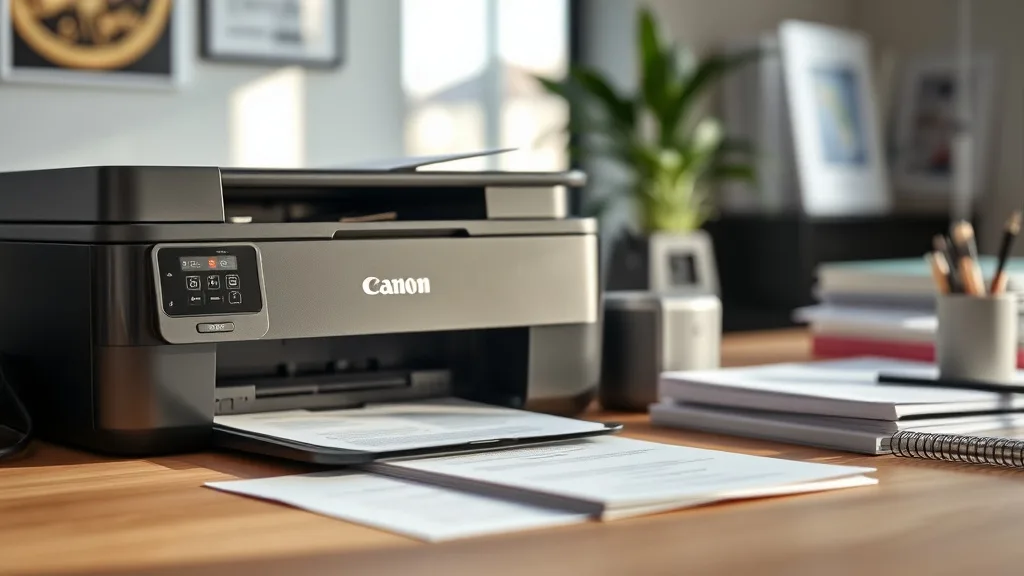
Canon MAXIFY vs PIXMA for Home Office Ink Costs
If you’re running a home office and looking at Canon’s printer lineup, you’ve likely been caught between choosing a MAXIFY or a PIXMA printer. Both offer solid performance, but when it comes to ink costs—the real ongoing expense—the choice can significantly impact your budget. Understanding how these two series differ in terms of ink yield, cost per page, reliability, and compatibility is essential to making a smart investment that won’t leave you frustrated with high cartridge prices or unexpected chip lockouts.
This article breaks down the key differences impacting ink costs for Canon MAXIFY vs PIXMA printers tailored for home office use, helping you cut through the marketing hype and make an informed decision.
See also: HP 61 vs HP 962 cost per page — which is actually cheaper per print
What Are Canon MAXIFY and PIXMA?
Phone cases - Sponsored - 15% off first order
Phone Case Gift - They pick the model · 2 minutes Code FIRST15GIFTCanon offers multiple printer series designed for different types of users:
- MAXIFY: Targeted mainly at small business or home office users who print moderate to high volumes. These printers often feature larger ink tanks, higher page yields, and optimized ink formulations for documents and simple graphics.
- PIXMA: Primarily aimed at consumers and photography enthusiasts. PIXMA printers provide excellent photo quality and color vibrancy but tend to have smaller cartridges optimized for lower-volume printing, with an emphasis on image fidelity.
Each line has its strengths, but to understand their impact on your ink budget, focusing on cartridge yield, cost-per-page, and how compatible or third-party options perform is key.
How Ink Costs Differ: MAXIFY vs PIXMA
When assessing ink costs, consider these core factors:
- Cartridge Yield (Page Count): How many pages each cartridge can print.
- Cartridge Price: The upfront cost of each ink cartridge.
- Cost Per Page (CPP): Cartridge price divided by yield—a critical metric to measure ink economics.
- Compatibility and Chip Lockouts: How ink cartridge chips interact with the printer firmware and the implications for third-party cartridge usage.
- Reliability and Print Quality Trade-offs: Balancing cost savings with printer performance and lifespan.
1. Cartridge Yield and Cost Per Page
MAXIFY printers tend to use individual ink tanks that offer higher page yields—often in the range of several hundred to over 1,000 pages for black text documents. This makes MAXIFY cartridges more economical for users with heavier volume needs.
PIXMA printers, on the other hand, use smaller cartridges designed for photo-rich and mixed use but with lower black text yield, often below 500 pages per cartridge.
2. Cartridge Price and Value
The upfront cost for MAXIFY cartridges might be higher than PIXMA counterparts, but when factoring in yield, their cost per page usually comes out lower for text-heavy printing.
PIXMA cartridges cost less but print fewer pages, which can increase your cost per page unless your printing volume is very low or primarily photo prints.
3. Compatibility and Chip Lockouts
Both MAXIFY and PIXMA printers employ chip technology on cartridges to communicate ink levels and validate authenticity. This often restricts the seamless use of third-party or remanufactured cartridges.
- MAXIFY printers generally have more aggressive firmware updates that can block some third-party compatible cartridges, raising risk if you want to use cheaper ink alternatives.
- PIXMA printers are somewhat more flexible but still require caution. Identify your exact model’s reputation for chip compatibility before deciding.
4. Print Quality vs Cost Trade-off
If your home office prioritizes crisp text document printing, MAXIFY offers inks tailored for sharper black text and high-volume output.
PIXMA printers excel in color accuracy and photo printing, which can justify higher per-page ink costs if that’s your primary use.
Canon MAXIFY vs PIXMA Ink Cost Comparison Table
Phone cases - Sponsored - 15% off first order
Titan Case - Precision fit · 2,000+ designs Code FIRST15TIT| Feature | Canon MAXIFY | Canon PIXMA | Home Office Scenario Fit* |
|---|---|---|---|
| Typical Black Ink Cartridge Yield (Pages) | 500 – 1500+ | 200 – 500 | MAXIFY better for high volume text docs |
| Typical Cartridge Price (USD) | $20 – $40 per cartridge | $15 – $30 per cartridge | PIXMA may appear cheaper upfront |
| Cost Per Page (Black Ink) | ~$0.02 – $0.04 per page | ~$0.04 – $0.07 per page | MAXIFY more cost-effective for volume |
| Compatibility with Third-Party Ink | Moderate risk of chip lockouts | Moderate risk, varies by model | Check model-specific compatibility |
| Print Quality (Text) | Very good, optimized for documents | Good, more focused on photos | MAXIFY preferred for frequent text users |
| Print Quality (Photo/Color) | Decent but not photography-focused | Excellent, vivid colors | PIXMA best for mixed photo+doc prints |
| Recommended Use Cases | Small business, heavy document printing | Home users, photo enthusiasts | MAXIFY for volume; PIXMA for quality |
*Based on typical home office printing volumes of 250-1000 pages/month with mixed document/photo needs.
When to Choose Canon MAXIFY for Your Home Office
If your printing workload leans toward frequent black text documents, drafts, forms, or invoices at volumes approaching or exceeding a few hundred pages a month, MAXIFY’s lower cost per page and higher page yields will save money in the long run.
The larger cartridge sizes reduce the frequency of replacements, meaning less downtime and fewer upfront cartridge purchases. Just be mindful of firmware updates potentially impacting third-party refill options.
When PIXMA Makes More Sense
Phone cases - Sponsored - 15% off first order
Phone Cases For Charity - Every case supports a cause Code GIVE10PIXMA printers shine for users who want versatility and excellent color photo output without printing huge volumes. Their smaller cartridges mean lower initial costs and less ink degradation if you print infrequently.
If your home office printing needs are light or you regularly print photos alongside documents, PIXMA offers solid quality that justifies a slightly higher cost per page.
Common Pitfalls and How to Avoid Them
- Ignoring Cost Per Page: Don’t just compare cartridge sticker prices. Always calculate cost per page based on the official yield, or better yet, real-world yield estimates.
- Overlooking Compatibility Risks: Always check your specific model’s chip and firmware update history before buying third-party cartridges. Some models can get locked out unexpectedly, forcing OEM purchases.
- Underestimating Volume Needs: Choosing a PIXMA for high volume will increase overall costs, while a MAXIFY for light, photo-heavy use may be overkill in upfront expense.
Practical Tips to Reduce Ink Costs Regardless of Printer
- Buy multipacks or XL cartridges when available to lower cost per milliliter.
- Consider refillable cartridge models or continuous ink systems if your printer and warranty allow.
- Keep firmware updates on hold or check online forums before updating, to avoid new ink chip lockouts.
- Store cartridges properly and print regularly to avoid drying or clogging, especially with color inks.
- Track your monthly print volume to match with the correct printer tier so you aren’t over- or under-buying ink supplies.
Frequently Asked Questions
Q: Can I use third-party ink cartridges with MAXIFY and PIXMA printers?
A: Both printers use chip technology that may prevent or limit third-party cartridge use. Compatibility varies by printer model and firmware version, so research carefully before buying non-OEM ink.
Q: Which printer line has a lower cost per page for black ink?
A: MAXIFY printers typically offer a lower cost per page for black text due to larger cartridges with higher page yields, making them more economical for high-volume printing needs.
Q: Is print quality noticeably different between MAXIFY and PIXMA?
A: Yes. MAXIFY is optimized for crisp, sharp text documents, while PIXMA delivers superior color accuracy and photo print quality. Choose based on what matters most to your home office.
Understanding these distinctions and carefully matching your home office printing habits with the right Canon printer series can help you slash ink costs, avoid frustration, and get the best value over the printer’s lifespan.
Top Picks
Watchdog picks
- EPSON 502 EcoTank Ink Ultra-high Capacity Bottle Black Works with ET-2750, 2760,
- B001ET73J2
- B08X4BQL7D
- B0CT8ZJ7ZC
- B00063RWT8
- HP 962 Cyan, Magenta, Yellow Ink Cartridges - Works with OfficeJet 9010, 9020 -
- B07G82D89G
- Epson EcoTank ET-2800 Wireless Color All-in-One Cartridge-Free Ink Supertank Pri
Products in this guide
- HP 65 Black Ink Cartridge Works with HP AMP 100, DeskJet 2600, 3700, ENVY 5000 Series
- Brother LC3013BK Individual High-Yield Black Ink Cartridge
- Brother Printer LC30193PK Super High Yield XXL 3 Pack Ink Cartridges- 1 Ea: Cyan/Magenta/Yellow Ink
- Brother Genuine TN730 3-Pack Standard Yield Black Toner Cartridge with Approximately 1,200 Page Yield/Cartridge
