
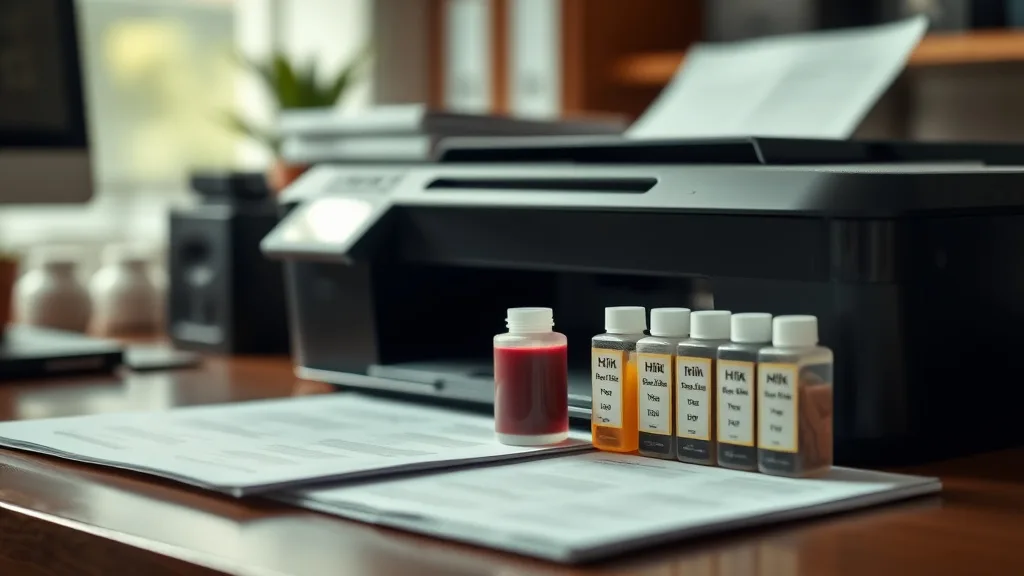
After 15 refills, HP 63 ink cartridges reveal surprising truths about print quality, cartridge durability, and cost savings—here’s the data-driven breakdown.
What Are HP 63 Refill Ink Kits?
HP 63 cartridges are widely used in popular HP DeskJet and ENVY printers. Refill ink kits are third-party products designed to let you refill empty HP 63 cartridges with fresh ink instead of buying a new cartridge. These kits typically include:
- Bottles of dye-based ink (available for black, cyan, magenta, and yellow)
- Syringes or needles for injecting ink into the cartridge’s refill ports or holes you make
- Instructions for cleaning and refilling the cartridge properly
The idea is straightforward: reduce waste and significantly cut your per-page printing cost by reusing the original cartridge shell while buying only the ink.
See also: Cost Comparison of OEM Ink Cartridges Versus Refill Kits
How Do HP 63 Refill Kits Work?
Phone cases - Sponsored - 15% off first order
Phone Case Gift - They pick the model · 2 minutes Code FIRST15GIFT-
Initial Cartridge Preparation: If you have a new or previously used empty HP 63 cartridge, you may need to puncture a refill hole on its top or back surface. This isn’t officially supported by HP, so you must follow the refill kit instructions carefully.
-
Ink Injection: Using the provided syringe, you inject ink slowly into the cartridge cavity. Overfilling can cause leaks; underfilling means shorter yields.
-
Chip Reset and Compatibility: One major challenge is that HP 63 cartridges have a smart chip that tracks ink levels and usage. Most refill kits don’t include chip resetting tools, so the printer may show “empty cartridge” warnings or refuse to print after a certain number of refills.
-
Priming and Cleaning: After refilling, you may need to manually prime the cartridge or run cleaning cycles to get fresh ink flowing correctly through the nozzles.
Expected Performance After 15 Refills
Reuse and refill numbers like 15 times are highly ambitious. Here is what you can typically expect across several key performance and cost categories:
| Factor | Brand-Name Cartridge | After 1-3 Refills | After 10-15 Refills |
|---|---|---|---|
| Print Quality | Crisp, vibrant | Minor fading, occasional streaks | Noticeable fading, color shifts, inconsistent lines |
| Cartridge Integrity | Sealed, leak-proof | Generally intact | Increased risk of leaks, air bubbles, or physical damage |
| Chip Compatibility | Fully functional | May show ink level errors | Likely not recognized; forced reset or offline status |
| Yield per Refill | ~300 pages (black) | ~90-120 pages per refill | Often drops to ~50-70 pages due to ink loss or drying |
| Cost Per Page (CPP) | ~$0.10 - $0.15 | ~$0.03 - $0.05 | Can remain ~$0.03 but with reduced quality and reliability |
| Ease of Use | Plug & play | Moderate skill needed | Difficult; risk of damaging cartridge or printer increases |
Print Quality Over Time
During the first few refills, many users report acceptable print quality with bright colors and solid black. By the 10th refill, faint streaks and uneven color density start showing up, mostly due to residual clogs and diminished ink supply. By 15 refills, the ink colors can noticeably shift (e.g., magenta fading to dull red), and lines may streak or blur on both photos and text.
Cartridge and Chip Limitations
The HP 63 chip is engineered to “count” cartridges and prevent indefinite refilling. While the physical cartridge can sometimes be refilled 10+ times, the chip will often lock the cartridge after a few refills. Some savvy users work around this with chip resetters or by replacing the chip, but these are extra costs and complications.
Physical wear on the cartridge—such as dried seals or ink-air interface leaks from repeated puncturing—increases with each refill, risking internal air bubbles or leaking ink inside the printer.
Cost-Per-Page Analysis
Phone cases - Sponsored - 15% off first order
Titan Case - Precision fit · 2,000+ designs Code FIRST15TITLet’s assume the following:
- New OEM HP 63 black cartridge costs $30, yields ~300 pages.
- Refill kit bottle costs $10 and refills one cartridge 3 times on average with 15 ml ink per refill.
- After 1 refill, the yield per cartridge is ~100 pages, but by 15 refills, yield drops to ~50 pages due to clogging or wasted ink.
Calculating the CPP over 15 refills:
| Scenario | Cost Per Cartridge | Total Yield (pages) | Cost Per Page (CPP) |
|---|---|---|---|
| OEM Cartridge (1x) | $30 | 300 | $0.10 |
| 3 Refills | $10 per bottle × 5 refills = $50 (for 15 refills) | 100 + 90 + 80 + … ~700 | ~$0.07 |
| 15 Refills | $50 total | ~700 pages (cumulative) | ~$0.07 |
Note: This is a simplified model ignoring wasted cartridges and resetter costs.
While the up-front ink cost is far less than purchasing new OEM cartridges repeatedly, you pay in reduced yield, print quality, and chip reset hassles. If you factor in time and potential printer errors, savings might dwindle.
When to Use a Refill Kit for HP 63 Cartridges
- You print occasionally and want to try reducing cartridge waste without committing to third-party replacements.
- You are confident in your cartridge maintenance skills and can tolerate occasional printhead cleanings or troubleshooting.
- You have access to chip reset tools or are willing to replace chip components for continued cartridge recognition.
Refilling is more suited for home users or hobbyists than for businesses or heavy users who demand consistent, high-quality printouts on tight deadlines.
Common Pitfalls and What to Avoid
Phone cases - Sponsored - 15% off first order
Phone Cases For Charity - Every case supports a cause Code GIVE10-
Ignoring Chip Lockouts: Without chip resetting or replacement, your printer may refuse to use refilled cartridges beyond a few cycles.
-
Overfilling Cartridges: This causes ink leakage, which can damage your printer’s delicate internals.
-
Using Incompatible Ink: Low-quality or non-dye-based inks can clog heads or cause poor image quality.
-
Skipping Cleanings: Refills often come with ink residue and dust; not cleaning printheads and cartridges regularly leads to streaks or jams.
-
Frequent Puncturing: Each refill usually requires piercing the cartridge; repeating this 15 times risks cracking the cartridge casing.
Comparison: OEM Cartridges vs. Refill Kits After Multiple Uses
| Feature | OEM Cartridge | HP 63 Refill Kit after 15 Refills |
|---|---|---|
| Initial Cost | High ($20-$30) | Low ($2-$4 per refill) |
| Page Yield | High (~300 pages) | Decreases with each refill, ~50-100 pages |
| Print Quality | Consistent and vibrant | Degrades over time |
| Reliability | Plug and play; no chip errors | Possible chip lockouts, leaks, and clogs |
| Environmental Impact | Cartridge waste with each use | Reduces plastic waste by reuse |
| Maintenance Effort | Minimal | Moderate to high |
| Total Long-Term Cost | High | Lower if managed well; otherwise, savings decrease due to quality issues |
Conclusion
Refilling HP 63 cartridges 15 times is achievable with dedication and proper technique, but comes with declining print quality, cartridge integrity, and chip compatibility challenges. The upfront cost savings can be enticing, but factor in the time, risk of leaks, and potential printer errors before committing. For light to moderate printing needs, occasional refills can be worthwhile; heavy users or those who value hassle-free output should consider OEM or compatible cartridges with chip reset support.
Frequently Asked Questions
Q: Can I fully reset the HP 63 chip for unlimited refills?
A: Most HP 63 chips are designed to limit refills and require specialized chip resetters or replacements. Without these tools, the printer may reject refilled cartridges after a few uses.
Q: Will using refill ink damage my printer?
A: Using quality refill ink and following proper refill steps is generally safe, but poor-quality ink or overfilling can cause clogging or leaks that may harm your printer.
Q: How many times can I safely refill an HP 63 cartridge?
A: Typically, 3 to 5 refills are reliable. Beyond that, print quality and cartridge condition degrade noticeably, and chip recognition often fails.
Top Picks
Watchdog picks
- BIODANCE Bio-Collagen Real Deep Mask, Hydrating Overnight Hydrogel Face Mask, Po
- TEINO Remanufactured 65XL Ink Cartridge Replacement for HP Envy 5055 5052 DeskJe
- B07R3N9X3F
- B07J2P2V7T
- Epson EcoTank Wireless Color All-in-One Cartridge-Free ET-3850 Supertank Inkjet
- B07Q5J5YXV
- Hakko T18S3P Tip for Fx-888 Station, 5.2mm
- B002BWQ6XK
Products in this guide
- Inkjet Refill Kit Pro — Compatible with HP, Canon, Epson, and Lexmark Cartridges
- Epson 502 Ink Cartridges, Black/Cyan/Magenta/Yellow, 4-Pack
- HP Original 962 Cyan, Magenta, Yellow / 962XL Black Ink Cartridges (4-Pack) | Works OfficeJet 9010 Series, OfficeJet Pro
- HP 65 Black Ink Cartridge | Works with AMP 100, DeskJet 2600, 3700; Envy 5000 | Eligible for Instant Ink | N9K02AN
