InkLedger is reader-supported. When you buy through links on our site, we may earn an affiliate commission, at no cost to you. This helps us keep the lights on and the ink costs down.
The Truth About Printer Firmware Updates and Ink Cartridges
Phone cases - Sponsored - 15% off first order
Phone Case Gift - They pick the model · 2 minutes Code FIRST15GIFT
Printer firmware updates. They sound innocuous enough, maybe even beneficial. After all, updates usually mean improvements, right? Faster performance, bug fixes, enhanced security. But when it comes to your printer, those updates can have a hidden cost: they can render your existing ink cartridges useless. This article will delve into the often-shady world of printer firmware updates and how they impact your ink cartridge choices – and your wallet.
Think about it: You happily install a firmware update, only to be greeted by an error message informing you that your perfectly good, half-full cartridge is no longer compatible. Suddenly, that money-saving compatible ink cartridge you just purchased is essentially a paperweight. Is this a genuine attempt to improve your printer, or a calculated move by manufacturers to lock you into buying only their (more expensive) cartridges? Let’s unpack this.
Why Do Printers Need Firmware Updates?
Before we dive into the controversy, let’s acknowledge that firmware updates can be legitimate. They can address security vulnerabilities, improve printer performance, add new features (though rarely on basic inkjet models), and fix software bugs. Manufacturers also claim that updates are necessary to maintain compatibility with evolving operating systems and software. And that’s sometimes true!
However, the less charitable explanation is that firmware updates are a powerful tool to control the ink cartridge market. By subtly altering the printer’s software, manufacturers can effectively brick third-party cartridges, forcing you to buy their own brand at a premium.
How Firmware Updates Affect Ink Cartridge Compatibility
The core issue lies in how printers identify and authenticate ink cartridges. Modern printers use microchips on the cartridges to communicate with the printer. These chips contain information about the cartridge, including its manufacturer, ink level, and serial number.
Firmware updates can change the way the printer reads this information. They might:
- Update the “whitelist” of acceptable cartridge IDs: The printer essentially checks if the cartridge’s ID is on an approved list. If it’s not, the printer refuses to work with it.
- Change the authentication protocol: The printer might require a new or different authentication process, making older cartridges incompatible.
- Implement dynamic security: This involves constantly changing the security measures, making it difficult for third-party manufacturers to keep up.
The result? Your perfectly functional compatible cartridge, previously recognized and working fine, is suddenly deemed “unrecognized,” “damaged,” or simply “incompatible.” You’re left with no choice but to buy a new cartridge, likely an OEM (Original Equipment Manufacturer) version, at a higher price. Let’s say you just bought the Canon PG-245 / CL-246 value pack [/products/b00trdoylw-canon-pg-245-cl-246-genuine-ink-value-pack-2-cartridges-comp/]. That’s a sunk cost if the printer then refuses to use it.
Real-World Examples
Numerous users have reported experiencing this issue across various printer brands, including HP, Epson, Brother, and Canon. Online forums are filled with complaints about firmware updates rendering compatible cartridges unusable.
One common scenario: A user purchases a set of compatible cartridges, installs them, and everything works perfectly. Then, the printer prompts them to install a firmware update. After the update, the printer displays an error message, stating that the cartridges are not recognized. The user is then forced to purchase new OEM cartridges to resume printing.
Another tactic is delayed incompatibility. The firmware update doesn’t immediately invalidate the cartridge. Instead, it might wait until the cartridge is nearly empty before displaying an error, maximizing the user’s frustration and urgency to buy a replacement.
Strategies to Mitigate Firmware Update Risks
Phone cases - Sponsored - 15% off first order
Titan Case - Precision fit · 2,000+ designs Code FIRST15TITSo, what can you do to protect yourself from these ink-cartridge-killing firmware updates? Here are some practical steps:
-
Disable Automatic Updates: This is the most crucial step. By default, most printers are set to automatically download and install firmware updates. Dig into your printer’s settings (usually accessible through the printer’s control panel or software on your computer) and disable automatic updates. Check your printer’s manual for specific instructions.
-
Research Before Updating: If you must update your firmware (perhaps to address a critical security vulnerability), research online beforehand. Search for reports of the update causing compatibility issues with third-party cartridges for your specific printer model. User forums and online reviews can provide valuable insights.
-
Decline Prompts: Your printer may periodically display prompts asking you to install updates. Resist the urge to click “Install.” Instead, choose options like “Remind me later” or “Never check for updates.”
-
Use Older Printer Drivers: In some cases, reverting to an older printer driver can bypass the firmware update’s restrictions. Printer drivers control how your computer communicates with the printer. Older drivers may not include the updated ink authentication protocols. This is a more advanced solution, but it can be effective.
-
Consider Ink Refill Kits: If you’re technically inclined, consider using ink refill kits [/products/b00mfg54b6-inkjet-refill-kit-pro-hp-canon/]. These kits allow you to refill your existing cartridges with new ink, bypassing the need for new cartridges altogether. This can significantly reduce your printing costs and eliminate the risk of firmware-related incompatibility issues. Be aware of the risks and potential mess, and see our guide on DIY ink refills for more information.
-
Switch to an Ink Tank Printer: Ink tank printers, such as Epson EcoTank and Canon MegaTank models, use refillable ink tanks instead of cartridges. This eliminates the need to buy new cartridges frequently, making them a more cost-effective and environmentally friendly option in the long run. While the initial investment is higher, the long-term savings on ink can be substantial. See our comparison: Epson EcoTank vs. Canon MegaTank: Which Ink Tank Printer Saves You More?
-
Embrace Printing Alternatives: Do you really need to print that document? Explore digital alternatives whenever possible. Save documents as PDFs, share them electronically, and view them on your computer or mobile device. Going paperless can save you money on ink, paper, and printer maintenance.
-
Contact the Manufacturer (with Caution): If you encounter a compatibility issue after a firmware update, you can try contacting the printer manufacturer’s customer support. However, be prepared for them to deny responsibility or blame the compatible cartridge. In some cases, they may offer a firmware rollback (reverting to the previous firmware version), but this is not always guaranteed.
Is There Anything Illegal About This?
The legality of these practices is a gray area. Printer manufacturers argue that they have the right to protect their intellectual property and ensure the quality of their products. They claim that compatible cartridges may not meet their standards and could potentially damage the printer.
However, consumer advocacy groups and third-party cartridge manufacturers argue that these firmware updates are anti-competitive and violate consumer rights. They contend that manufacturers are using these updates to create a monopoly on ink cartridges, forcing consumers to pay inflated prices.
Several lawsuits have been filed against printer manufacturers over these practices, alleging anti-trust violations and deceptive trade practices. The outcomes of these lawsuits could have significant implications for the future of the printer and ink cartridge market.
The Future of Ink Cartridges
Phone cases - Sponsored - 15% off first order
Phone Cases For Charity - Every case supports a cause Code GIVE10
The future of ink cartridges is uncertain. With the rise of ink tank printers and digital alternatives, the demand for traditional cartridges may decline. Manufacturers may continue to implement firmware updates to protect their market share, but they may also face increasing legal and consumer backlash.
One potential solution is for governments to regulate the printer and ink cartridge market, ensuring fair competition and protecting consumer rights. This could involve requiring manufacturers to disclose the impact of firmware updates on cartridge compatibility or prohibiting them from using updates to intentionally brick compatible cartridges.
In the meantime, consumers must remain vigilant and informed about the risks of firmware updates. By taking proactive steps to protect themselves, they can avoid being locked into expensive OEM cartridges and save money on their printing costs. And always check InkLedger before you buy; we’re watching the prices and the compatibility.
Watchdog picks
- B07YPR2DGHCheck on Amazon → · Buy on Amazon
- 67XL 67 XL 6055e 2755e 2800e 2855e 6000 Ink Cartridges Black/Color Combo Pack CoCheck on Amazon → · Buy on Amazon
- B0C1ZF94GWCheck on Amazon → · Buy on Amazon
- B0DMS3D2JTCheck on Amazon → · Buy on Amazon
- B0GYNFD72NCheck on Amazon → · Buy on Amazon
- B000N3BBW0Check on Amazon → · Buy on Amazon
- Epson EcoTank ET-2980 Wireless All-in-One Color Supertank Printer with RefillablCheck on Amazon → · Buy on Amazon
- B01N7V39QJCheck on Amazon → · Buy on Amazon
Products in this guide
- Inkjet Refill Kit Pro — Compatible with HP, Canon, Epson, and Lexmark CartridgesCheck on Amazon →
- Brother Printer LC30193PK Super High Yield XXL 3 Pack Ink Cartridges- 1 Ea: Cyan/Magenta/Yellow InkCheck on Amazon →
- Aomya Ink Refill Kit 100ml for HP 67 61 65 60 62 63 910 920 901 902 932 933 934 940 952 94 95 96 Inkjet Printer CartridgCheck on Amazon →
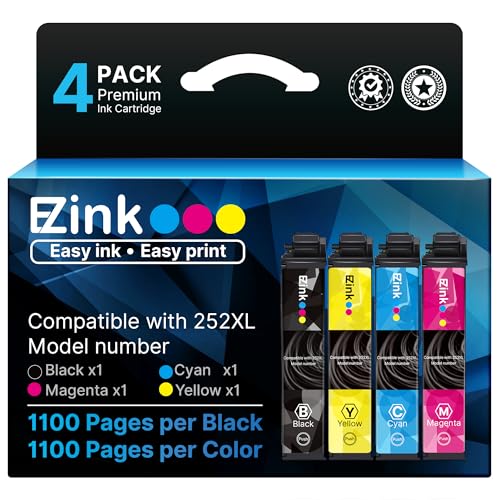
- E-Z Ink Remanufactured Ink Cartridge Replacement for 252XL Combo Pack for Epson Printer Workforce WF-7110 WF-7720 WF-7710 WF-3620 WF-3640 (1 Large Black, 1 Cyan, 1 Magenta, 1 Yellow) 4 PackCheck on Amazon →