InkLedger is reader-supported. When you buy through links on our site, we may earn an affiliate commission at no cost to you. This helps us keep the lights on and the ink prices honest.
Finding the Best Ink Tank Printers for Photo Printing in 2024
Phone cases - Sponsored - 15% off first order
Phone Case Gift - They pick the model · 2 minutes Code FIRST15GIFT
Ink tank printers have revolutionized home and small office printing, offering dramatically lower running costs compared to traditional cartridge-based models. This makes them especially attractive for photo enthusiasts who print frequently and want to avoid the sting of constantly replacing expensive ink cartridges. But not all ink tank printers are created equal when it comes to photo quality. This guide will compare Epson, Canon, and HP ink tank printers, focusing on print quality, color accuracy, and long-term cost-effectiveness to help you choose the best option for your photo printing needs. We’ll cut through the marketing hype and give you the straight facts.
What Makes a Great Photo Printer?
Before diving into specific models, let’s define what makes an ink tank printer suitable for high-quality photo printing:
- High Resolution: Measured in dots per inch (DPI), a higher resolution generally results in sharper, more detailed prints. Look for printers with a resolution of at least 4800 x 1200 DPI.
- Color Gamut and Accuracy: A wider color gamut means the printer can reproduce a broader range of colors, leading to more vibrant and realistic photos. Color accuracy refers to how faithfully the printer reproduces the colors in the original image.
- Ink Type: Dye-based inks are generally preferred for photo printing due to their ability to produce vibrant colors and smooth gradients. Pigment-based inks are more durable and water-resistant but may not offer the same level of color vibrancy. Some printers use a combination of both.
- Paper Handling: The printer should be able to handle a variety of photo paper types, including glossy, matte, and specialty papers. It should also support borderless printing for a professional finish.
- Connectivity: Wi-Fi connectivity, mobile printing capabilities, and support for memory cards or USB drives offer convenient ways to print photos directly from your devices.
Epson EcoTank Models for Photo Printing
Epson’s EcoTank printers are known for their refillable ink tanks and low running costs. However, not all EcoTank models are ideal for photo printing. Here are a few models that stand out:
-
Epson EcoTank Photo ET-8550: This is Epson’s flagship photo-centric EcoTank. It boasts a six-color Claria ET Premium ink system that includes photo black and gray inks for enhanced black and white prints and smoother gradations. Its ability to print on a variety of media, including cardstock and even CDs/DVDs, makes it a versatile choice. It also features wireless connectivity and mobile printing. While the upfront cost is higher, the exceptional print quality and ultra-low running costs make it a compelling option for serious photographers.
-
Epson EcoTank ET-8500: A slightly more compact version of the ET-8550, this model offers similar photo printing capabilities with the same six-color ink system. The main difference is that it supports smaller paper sizes. It’s an excellent choice for those who don’t need to print on larger media.
-
Epson EcoTank ET-2850: While not marketed specifically as a photo printer, the ET-2850 is a capable all-in-one printer that can produce decent photo prints. It uses a four-color ink system and offers wireless connectivity and mobile printing. It’s a good option for general home use with occasional photo printing needs. However, if photo quality is your top priority, you’ll be better off with the ET-8550 or ET-8500.
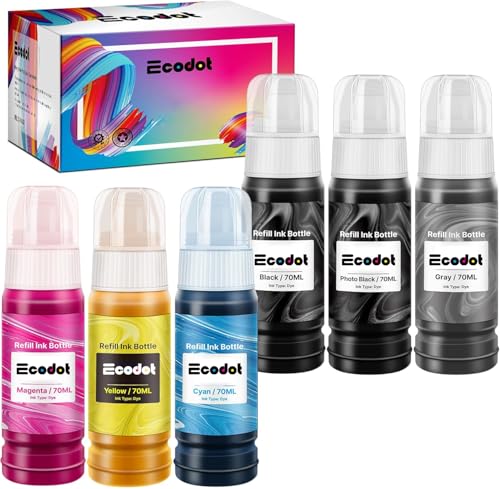
Consider the cost of replacement ink bottles. For example, a black ink bottle like [/products/b012iwpsay-epson-664-ecotank-ink-ultra-high-capacity-bottle-black-t6641/](/products/b012iwpsay-epson-664-ecotank-ink-ultra-high-capacity-bottle-black-t6641/] offers thousands of pages of printing before needing a refill, drastically reducing your per-page cost.
Canon MegaTank Models for Photo Printing
Canon’s MegaTank printers offer a similar value proposition to Epson’s EcoTank line, with refillable ink tanks and low running costs. Here are a few Canon MegaTank models suitable for photo printing:
-
Canon PIXMA G620: This wireless MegaTank printer is designed specifically for photo printing. It features a six-color dye-based ink system, delivering vibrant and accurate colors. The G620 supports borderless printing and can handle a variety of paper types, including glossy photo paper. It also includes Wi-Fi connectivity and mobile printing capabilities. The G620’s dedicated photo features make it a strong contender for photo enthusiasts.
-
Canon PIXMA G5020: While not specifically marketed as a photo printer, the G5020 is a capable all-in-one printer that can produce decent photo prints. It uses a four-color ink system (dye-based for color, pigment-based for black) and offers wireless connectivity. It’s a reasonable option for general home use with occasional photo printing, but it won’t match the quality of the G620 or the Epson ET-8550 series.
HP Smart Tank Models for Photo Printing
HP’s Smart Tank printers also feature refillable ink tanks, offering a cost-effective alternative to cartridge-based printers. However, HP’s focus has been more on general office use rather than dedicated photo printing.
-
HP Smart Tank 7602: This all-in-one printer offers a good balance of features and performance. It uses a four-color ink system and includes wireless connectivity, mobile printing, and automatic two-sided printing. While it can produce decent photo prints, it lacks the dedicated photo features and color accuracy of the Epson and Canon models mentioned above.
-
HP Smart Tank 5101: A more basic model in the Smart Tank lineup, the 5101 is suitable for general home and office use. It uses a four-color ink system and offers wireless connectivity. Photo printing quality is adequate for casual use, but it’s not the best choice for serious photo enthusiasts.
Key Differences and Performance Showdown
Phone cases - Sponsored - 15% off first order
Titan Case - Precision fit · 2,000+ designs Code FIRST15TITHere’s a comparison of the key features and performance of the top contenders:
| Feature | Epson EcoTank ET-8550/8500 | Canon PIXMA G620 | HP Smart Tank 7602 |
|---|---|---|---|
| Ink System | 6-color dye-based | 6-color dye-based | 4-color (dye/pigment) |
| Max. Resolution | 5760 x 1440 DPI | 4800 x 1200 DPI | 4800 x 1200 DPI |
| Borderless Printing | Yes | Yes | Yes |
| Paper Handling | Wide range, CD/DVD printing | Variety | Standard |
| Connectivity | Wi-Fi, Ethernet, USB, SD card | Wi-Fi, USB | Wi-Fi, USB |
| Photo Quality | Excellent | Excellent | Good |
| Color Accuracy | Excellent | Excellent | Good |
| Print Speed | Moderate | Moderate | Moderate |
| Cost Per Page | Very Low | Very Low | Low |
Print Quality and Color Accuracy:
The Epson EcoTank ET-8550/8500 and Canon PIXMA G620 both excel in print quality and color accuracy due to their six-color dye-based ink systems. They produce vibrant, realistic colors and smooth gradients, making them ideal for printing photos. The HP Smart Tank 7602, with its four-color system, offers decent photo prints but lacks the same level of color vibrancy and accuracy.
Cost-Effectiveness:
All three printer models offer significantly lower running costs compared to cartridge-based printers. The cost per page is typically less than a cent for black and white prints and a few cents for color prints. The initial investment in an ink tank printer is higher, but the long-term savings on ink cartridges make it a worthwhile investment, especially for frequent photo printers.
Real-World Usage Notes:
- Epson: The ET-8550 can sometimes struggle with thicker cardstock, requiring manual feeding. The software interface can also feel a bit clunky compared to Canon’s.
- Canon: The G620’s paper tray can feel a bit flimsy. Some users have reported occasional issues with color calibration, requiring manual adjustments.
- HP: The Smart Tank 7602 is the easiest to set up and use, but the photo quality is noticeably inferior to the Epson and Canon models.
Is an Ink Tank Right For Your Printing Needs?
Ink tank printers shine in situations where you print frequently, especially color documents and photos. If you only print occasionally, a laser printer might be a better fit, particularly for black-and-white documents. Laser printers excel at producing sharp, crisp text and don’t suffer from the ink drying out if left unused for extended periods.
Also, consider what you print. If you need archival-quality prints that will resist fading over time, pigment-based inks are the better choice. However, for vibrant, colorful photos, dye-based inks are generally preferred. Some high-end ink tank printers, like the Epson ET-8550, use a combination of both dye and pigment inks to offer the best of both worlds.
For tips on extending the life of your ink cartridges and troubleshooting common printing problems, be sure to check out our guides on cleaning clogged printer heads [/pillars/mvp-pillar-2-clogged-printhead-when-to-clean-vs-when-to-replace/](/pillars/mvp-pillar-2-clogged-printhead-when-to-clean-vs-when-to-replace/] and storing unused cartridges /pillars/mvp-pillar-3-storing-unused-cartridges-the-vacuum-sealing-trick/.
The Verdict
Phone cases - Sponsored - 15% off first order
Phone Cases For Charity - Every case supports a cause Code GIVE10
For serious photo enthusiasts looking for the best possible print quality and color accuracy, the Epson EcoTank ET-8550/8500 and Canon PIXMA G620 are the top choices. Both offer excellent performance and ultra-low running costs. The Epson ET-8550 stands out with its ability to print on a wider range of media, while the Canon G620 is slightly more compact and user-friendly, in some opinions.
If you’re looking for a more affordable option for general home use with occasional photo printing needs, the HP Smart Tank 7602 is a decent choice. However, be prepared to sacrifice some photo quality and color accuracy compared to the Epson and Canon models.
Ultimately, the best ink tank printer for you will depend on your specific needs and budget. Consider the factors discussed in this guide, and choose the model that best meets your requirements. With the right ink tank printer, you can enjoy high-quality photo prints without breaking the bank.
Watchdog picks
- TEINO Remanufactured Ink Cartridge Replacement for HP 65 65XL 65 XL use with HP Check on Amazon → · Buy on Amazon
- Soldering Iron Kit, 80W 110V Fast Heat up in 10s LCD Digital Adjustable TemperatCheck on Amazon → · Buy on Amazon
- B09DV14ZZLCheck on Amazon → · Buy on Amazon
- EaseFusion Replacement for Epson 502 Ink Refill Bottles Work with ET-2850 ET-385Check on Amazon → · Buy on Amazon
- B01N4IWH2OCheck on Amazon → · Buy on Amazon
- B0BJ194Z43Check on Amazon → · Buy on Amazon
- TN730 TN-730 Black Toner Cartridges 2 Pack Compatible TN730 Toner Cartridge ReplCheck on Amazon → · Buy on Amazon
- B0F7KKY728Check on Amazon → · Buy on Amazon
Products in this guide
- HP OfficeJet Pro 8125e Wireless All-in-One Color Inkjet Printer, Print, scan, Copy, ADF, Duplex Printing Best-for-Home OCheck on Amazon →
- HP OfficeJet Pro 9125e Wireless All-in-One Color Inkjet Printer, Print, scan, copy, fax, ADF, Duplex printing best-for-oCheck on Amazon →
- HP (Refurbished) OfficeJet Pro 9015e All-in-One Wireless Color Printer for Home Office, Compatible with Alexa (1G5L3A) (Check on Amazon →
- Epson EcoTank Wireless Color All-in-One Cartridge-Free ET-3850 Supertank Inkjet Printer for Home Office, Scanner, CopierCheck on Amazon →