InkLedger is reader-supported. When you buy through links on our site, we may earn an affiliate commission. This helps us to keep the lights on and the ink flowing (ironically!). Rest assured, our reviews are independent and based on years of experience wrestling with printer ink costs.
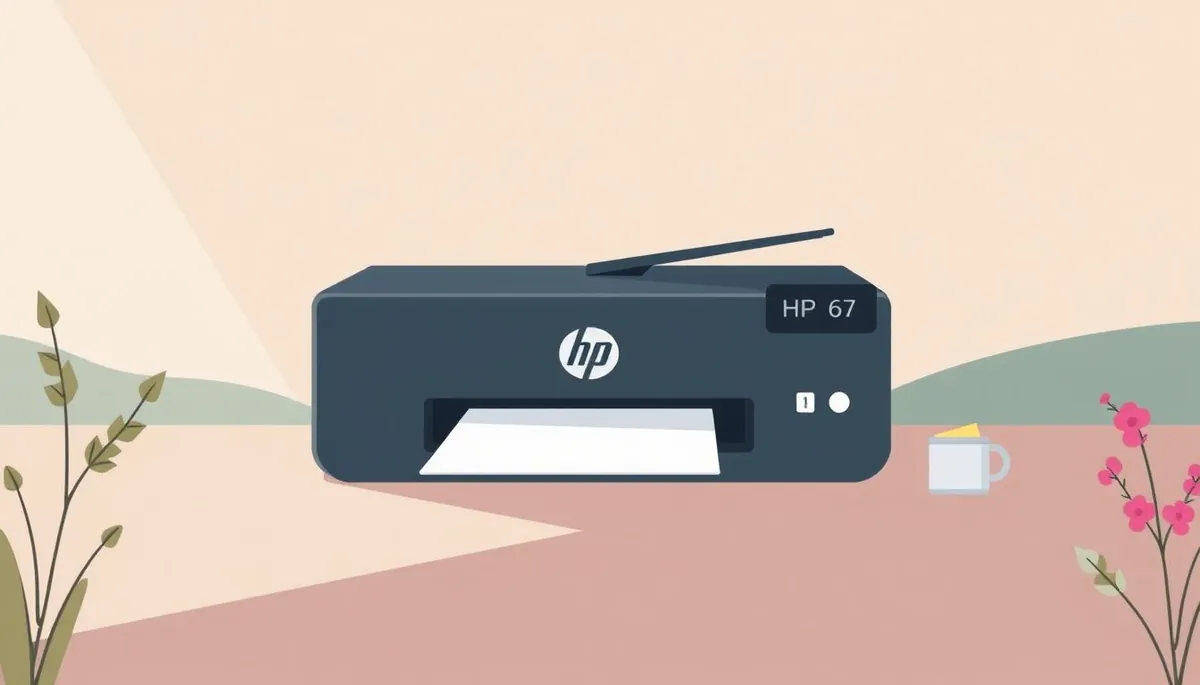
The bane of many a home office and student budget is the ever-present need for printer ink. HP, like other major printer manufacturers, offers standard and high-yield cartridges for many of their printers. For those using printers compatible with the HP 67 series, the choice often boils down to HP 67 vs HP 67XL: which one offers the better value? Let’s break down the real differences in page yield and cost to see which cartridge is the smarter buy.
Page Yield: The Core Difference
Phone cases - Sponsored - 15% off first order
Phone Case Gift - They pick the model · 2 minutes Code FIRST15GIFT
The most significant difference between the HP 67 and HP 67XL is the number of pages each cartridge is designed to print. This is referred to as the page yield. HP provides estimated page yields based on industry-standard testing (ISO/IEC 24711).
- HP 67 Black: Typically yields around 120 pages.
- HP 67XL Black: Typically yields around 240 pages.
- HP 67 Tri-Color: Typically yields around 100 pages.
- HP 67XL Tri-Color: Typically yields around 200 pages.
It’s crucial to remember that these are estimates. Your actual page yield will vary depending on what you print, how often you print, and your printer settings. Printing graphics-heavy documents or using draft mode will both impact how long your cartridge lasts.
Understanding “Yield” Caveats
Printer manufacturers’ stated page yields are calculated under very specific, controlled conditions. These conditions often don’t reflect real-world usage. Factors that can significantly reduce your actual page yield include:
- Print Coverage: Documents with heavy text or images use more ink than light text documents.
- Print Mode: “Draft” mode uses less ink, increasing page yield. “Best” mode uses more ink, decreasing page yield.
- Cleaning Cycles: Printers automatically run cleaning cycles to maintain printhead health, which consumes ink. This is discussed in depth in our guide to avoiding clogged printheads [/pillars/mvp-pillar-2-clogged-printhead-when-to-clean-vs-when-to-replace/].
- Infrequent Use: If you don’t print regularly, the ink can dry out in the cartridge, leading to wasted ink during cleaning cycles or even a completely unusable cartridge. This is why proper cartridge storage is vital; see our vacuum sealing trick for unused cartridges [/pillars/mvp-pillar-3-storing-unused-cartridges-the-vacuum-sealing-trick/].
Cost Comparison: Initial Price vs. Cost Per Page
While the HP 67XL costs more upfront than the HP 67, the increased page yield often translates to a lower cost per page. Let’s look at a hypothetical example:
-
HP 67 Black: $20 (for 120 pages) = $0.17 per page
-
HP 67XL Black: $35 (for 240 pages) = $0.15 per page
-
HP 67 Tri-Color: $25 (for 100 pages) = $0.25 per page
-
HP 67XL Tri-Color: $40 (for 200 pages) = $0.20 per page
In this scenario, the XL versions are cheaper per page. The savings might seem small, but they add up over time, especially if you print frequently.
Finding the True Cost
To determine the true cost, follow these steps:
- Check Current Prices: Find the current prices of both HP 67 and HP 67XL cartridges from reputable retailers. Prices fluctuate, so it’s essential to get the most up-to-date information.
- Calculate Cost Per Page: Divide the cartridge price by the estimated page yield.
- Factor in Printing Habits: Consider how much you print. If you only print occasionally, the higher upfront cost of the XL might not be worth it if the ink dries out before you use it all.
- Don’t Forget Alternatives: Explore compatible cartridges or refill kits. We have a guide to safe compatible cartridges if you want to go this route.
Alternatives to OEM HP 67 Cartridges
Phone cases - Sponsored - 15% off first order
Titan Case - Precision fit · 2,000+ designs Code FIRST15TITOEM (Original Equipment Manufacturer) cartridges, like those produced by HP, are typically the most expensive option. Fortunately, there are alternatives that can save you money.
Compatible Cartridges
Compatible cartridges are manufactured by third-party companies and designed to work with your HP printer. They are often significantly cheaper than OEM cartridges. However, quality can vary.
Pros:
- Lower cost
- Often offer higher page yields than OEM cartridges
Cons:
- Quality can be inconsistent
- Some printers may display error messages or refuse to recognize compatible cartridges (though this is becoming less common)
- The ink could be lower quality, resulting in less vibrant prints or quicker fading
Before purchasing compatible cartridges, read reviews and choose reputable brands. We constantly test these and report back on our findings.
Ink Refill Kits
Ink refill kits allow you to refill your existing HP 67 cartridges. This is the most cost-effective option, but it requires some effort and can be messy.
Pros:
- Lowest cost per page
- Environmentally friendly
Cons:
- Requires some technical skill and patience
- Can be messy
- Potential for print quality issues if not done correctly
- Risk of damaging the cartridge if overfilled
If you’re comfortable with DIY projects, an ink refill kit can save you a significant amount of money. We have a detailed guide on how to properly refill ink cartridges.
Making the Right Choice for Your Needs
Ultimately, the best choice between HP 67 and HP 67XL depends on your individual printing habits and budget.
- Choose HP 67 if: You print infrequently and don’t want to spend more upfront, and are sure you’ll use the cartridge before the ink dries out.
- Choose HP 67XL if: You print regularly and want the lowest cost per page.
- Consider Compatible Cartridges if: You want to save money and are willing to take a small risk on print quality.
- Consider Ink Refill Kits if: You’re comfortable with DIY projects and want the absolute lowest cost per page.
Before making a decision, take a look at your printing habits and compare the costs. By doing your research, you can save money and avoid overpaying for printer ink. And remember, sometimes the best solution is to print less! Think twice before hitting “print” – could that document be viewed digitally instead?
Watchdog picks
Phone cases - Sponsored - 15% off first order
Phone Cases For Charity - Every case supports a cause Code GIVE10
- LEVOIT Air Purifier for Home Allergies Pet Hair in Bedroom, Covers Up to 1073 ftCheck on Amazon → · Buy on Amazon
- Brother Genuine TN760 High Yield Black Toner Cartridge, (for use with MFC-L2710DCheck on Amazon → · Buy on Amazon
- HP 962 Cyan, Magenta, Yellow Ink Cartridges - Works with OfficeJet 9010, 9020 - Check on Amazon → · Buy on Amazon
- B002R5AF1ICheck on Amazon → · Buy on Amazon
- B01N7V39UOCheck on Amazon → · Buy on Amazon
- B0CT2R7199Check on Amazon → · Buy on Amazon
- B08JHWZ15BCheck on Amazon → · Buy on Amazon
- Toner Kingdom Compatible Toner-Cartridge Replacement for Canon 054H 054 High YieCheck on Amazon → · Buy on Amazon
Products in this guide
- Brother LC3013BK Individual High-Yield Black Ink CartridgeCheck on Amazon →
- Epson 502 Ink Cartridges, Black/Cyan/Magenta/Yellow, 4-PackCheck on Amazon →
- HP 65 Black Ink Cartridge Works with HP AMP 100, DeskJet 2600, 3700, ENVY 5000 SeriesCheck on Amazon →
- Brother Genuine TN730 3-Pack Standard Yield Black Toner Cartridge with Approximately 1,200 Page Yield/CartridgeCheck on Amazon →