InkLedger is reader-supported. We independently research, test, and recommend the best products. We may receive commissions on purchases made through links from our site.
The Environmental Impact of Printer Ink Cartridges: Recycling and Sustainable Alternatives
Printer ink, seemingly innocuous, carries a hidden environmental burden. From the manufacturing process to the eventual disposal of cartridges, the impact is significant. We’re not just talking about a bit of plastic – we’re talking about oil consumption, greenhouse gas emissions, and the potential for toxic chemicals to leach into the environment. But the good news is there are ways to minimize your printing footprint. Let’s dive into the problems and, more importantly, the solutions.
The Problem: A Cartridge Graveyard
Phone cases - Sponsored - 15% off first order
Phone Case Gift - They pick the model · 2 minutes Code FIRST15GIFT
Every year, hundreds of millions of printer cartridges end up in landfills. The U.S. alone tosses out an estimated 350 million cartridges annually. These cartridges, primarily made of plastic and metal, take centuries to decompose.
The Manufacturing Footprint
Creating a new cartridge requires raw materials, energy, and water. The plastic often used is derived from petroleum, a non-renewable resource. The manufacturing process releases greenhouse gases, contributing to climate change. Consider this:
- Plastic Production: Manufacturing one kilogram of plastic releases approximately 6 kg of CO2.
- Energy Consumption: The energy required to produce a single cartridge is significant, especially considering the sheer volume produced.
The Landfill Dilemma
When cartridges end up in landfills, they pose several environmental threats:
- Slow Decomposition: As mentioned, cartridges take hundreds of years to break down.
- Leaching of Toxins: Some cartridges contain residual ink and chemicals that can leach into the soil and groundwater, potentially contaminating water sources. This is a particular concern with older cartridge designs.
- Space Consumption: Landfills are already overcrowded. Disposing of millions of cartridges adds to the problem.
Recycling: A Partial Solution
Recycling printer cartridges is a better option than sending them to landfills, but it’s not a perfect solution.
How Cartridge Recycling Works
Many manufacturers, such as HP, Epson, Canon, and Brother, offer cartridge recycling programs. These programs typically involve:
- Collection: Consumers return used cartridges to designated drop-off locations or mail them back to the manufacturer.
- Sorting: Cartridges are sorted by type and manufacturer.
- Processing: Cartridges are either refilled and resold (remanufactured) or broken down into raw materials for reuse.
The Limitations of Recycling
While recycling is beneficial, it faces several challenges:
- Limited Participation: Not everyone recycles their cartridges. Convenience and awareness are key factors.
- Complex Processing: Cartridges are complex devices made of various materials, making recycling more difficult and costly compared to recycling simpler materials like paper or aluminum.
- Downcycling: In some cases, the materials recovered from cartridges are used to create lower-quality products, a process known as downcycling.
Tip: Check if your local office supply store offers rewards for recycling cartridges. Staples and Office Depot often have programs that give you store credit for each cartridge you return. These programs can incentivize recycling and save you money on future purchases.
Sustainable Alternatives: Rethinking Your Printing Habits
Phone cases - Sponsored - 15% off first order
Titan Case - Precision fit · 2,000+ designs Code FIRST15TITThe most effective way to reduce the environmental impact of printer ink is to reduce your reliance on cartridges altogether. Here are some strategies:
Ink Tank Printers: A Game Changer
Ink tank printers, like Epson EcoTank and Canon MegaTank models, use refillable ink tanks instead of traditional cartridges. This significantly reduces plastic waste. Instead of replacing entire cartridges, you simply refill the tanks with ink from bottles.
- Reduced Waste: Ink tank printers generate far less waste than cartridge-based printers. A single set of ink bottles can often print thousands of pages, equivalent to dozens of cartridges.
- Lower Running Costs: The cost per page is typically much lower with ink tank printers, saving you money in the long run.
- Initial Investment: Ink tank printers have a higher upfront cost than traditional printers. However, the long-term savings on ink usually outweigh the initial investment. See our comparison of Ecotank vs. Megatank: The Ultimate Ink Tank Printer Showdown for a detailed analysis.
- Refill Considerations: When refilling, use the correct ink type for your printer model to avoid damage. For instance, using generic ink in an EcoTank printer might clog the print heads.
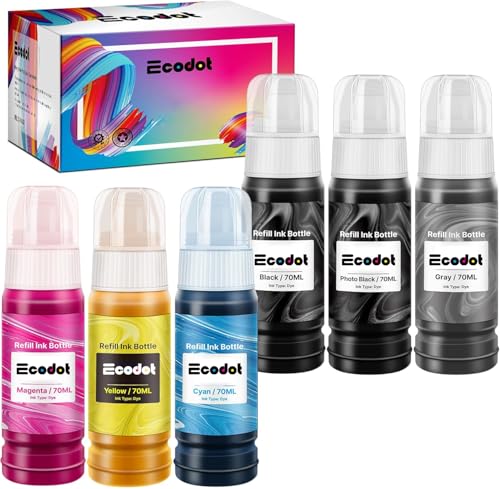
While we’re on the topic, consider buying ink in larger bottles. For example, the Epson 664 EcoTank inkCheck on Amazon → is a better bet than individual cartridges for the equivalent yield.
Refill Kits: A DIY Approach
Refilling your own ink cartridges is another way to reduce waste and save money. Refill kits typically include ink, syringes, and instructions.
- Significant Savings: Refilling cartridges can save you up to 90% compared to buying new OEM cartridges.
- Reduced Waste: You reuse your existing cartridges, reducing plastic waste.
- Requires Skill: Refilling cartridges can be messy and requires some technical skill. Improper refilling can damage your printer.
- Ink Quality: The quality of the ink in refill kits can vary. Choose reputable brands to ensure good print quality and compatibility with your printer.
- Step-by-Step Guide: To ensure you are taking the right steps, refer to our guide on How to Properly Refill Ink Cartridges: A Step-by-Step Guide.
Compatible Cartridges: A Third-Party Option
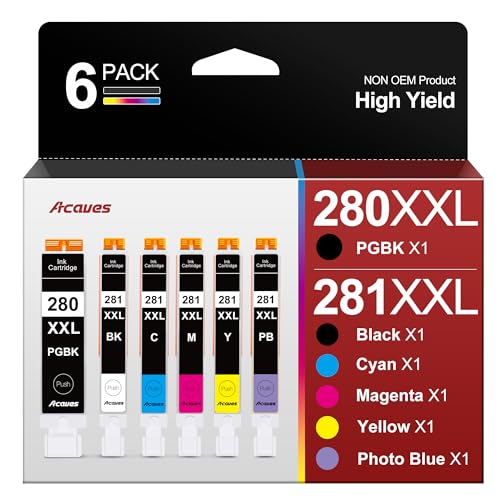
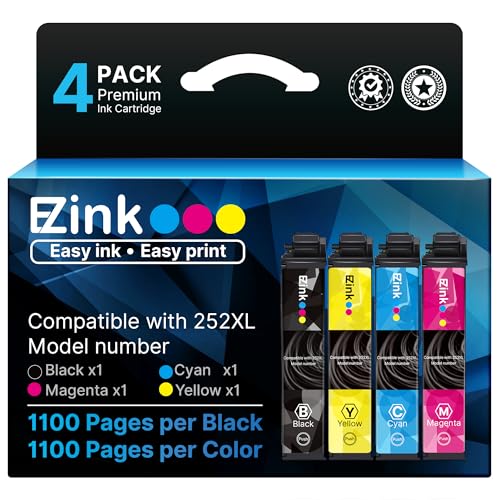
Compatible cartridges are manufactured by third-party companies and are designed to work with specific printer models. They are often cheaper than OEM cartridges.
- Cost Savings: Compatible cartridges can save you money compared to OEM cartridges.
- Variable Quality: The quality of compatible cartridges can vary. Some work well, while others may produce poor print quality or damage your printer.
- Warranty Concerns: Some printer manufacturers may claim that using compatible cartridges voids your warranty. However, this is often not the case.
Important Note: To avoid warranty issues, make sure that the cartridges you purchase are backed by a warranty from the manufacturer. And read up on whether Will Using Compatible Ink Cartridges Void Your Printer Warranty?.
Reduce Printing: The Simplest Solution
The most sustainable solution is to simply print less.
- Digital Alternatives: Consider using digital alternatives to printing whenever possible. Read documents on your computer screen instead of printing them. Share documents electronically instead of printing copies.
- Proofread Before Printing: Carefully proofread documents before printing to avoid wasting ink and paper on errors.
- Print on Both Sides: Use duplex printing (printing on both sides of the paper) to reduce paper consumption.
- Adjust Print Settings: Use draft mode or grayscale printing for documents that don’t require high quality. These settings use less ink. You can also improve the darkness of your prints by calibrating your inkjet printer.
Beyond Ink: Other Environmental Considerations
The environmental impact of printing extends beyond ink cartridges. Consider the paper you use and the energy consumption of your printer.
Sustainable Paper Choices
- Recycled Paper: Choose paper made from recycled content. This reduces the demand for virgin wood pulp and saves trees.
- FSC-Certified Paper: Look for paper certified by the Forest Stewardship Council (FSC). FSC certification ensures that the paper comes from responsibly managed forests.
- Tree-Free Paper: Consider using paper made from alternative fibers like bamboo or hemp. These materials are more sustainable than wood pulp.
Energy Efficiency
- Energy Star Printers: Choose printers that are Energy Star certified. These printers are designed to use less energy.
- Turn Off When Not in Use: Turn off your printer when you’re not using it. This can save energy and extend the life of your printer.
- Power Saving Mode: Enable the power-saving mode on your printer. This puts the printer into a low-power state when it’s not in use.
By making conscious choices about the printer you use, the ink you buy, and your printing habits, you can significantly reduce your environmental impact. It’s a small change that can make a big difference.
Watchdog picks
Phone cases - Sponsored - 15% off first order
Phone Cases For Charity - Every case supports a cause Code GIVE10
- B09XT22566Check on Amazon → · Buy on Amazon
- TEINO Remanufactured Ink Cartridge Replacement for HP 65 65XL 65 XL use with HP Check on Amazon → · Buy on Amazon
- B0BVD54HPSCheck on Amazon → · Buy on Amazon
- B0D96T79YFCheck on Amazon → · Buy on Amazon
- Remanufactured Replacement for Epson 702 Ink Cartridges for 702XL Ink cartridgesCheck on Amazon → · Buy on Amazon
- B09WDBHXB3Check on Amazon → · Buy on Amazon
- B073Q8P6CQCheck on Amazon → · Buy on Amazon
- Dr. Tobias Omega 3 Fish Oil 2000mg Triple Strength with 800mg EPA 600mg DHA Per Check on Amazon → · Buy on Amazon
Products in this guide
- HP OfficeJet Pro 9125e Wireless All-in-One Color Inkjet Printer, Print, scan, copy, fax, ADF, Duplex printing best-for-oCheck on Amazon →
- HP OfficeJet Pro 8125e Wireless All-in-One Color Inkjet Printer, Print, scan, Copy, ADF, Duplex Printing Best-for-Home OCheck on Amazon →
- HP DeskJet 2855e Wireless All-in-One Color Inkjet Printer, Scanner, Copier, Best-for-home, 3 month Instant Ink trial incCheck on Amazon →
- HP DeskJet 2955 Wireless All-in-One Color Inkjet Printer, Scanner, Copier, Best-for-Home, 3 Month Trial of Instant Ink ICheck on Amazon →