
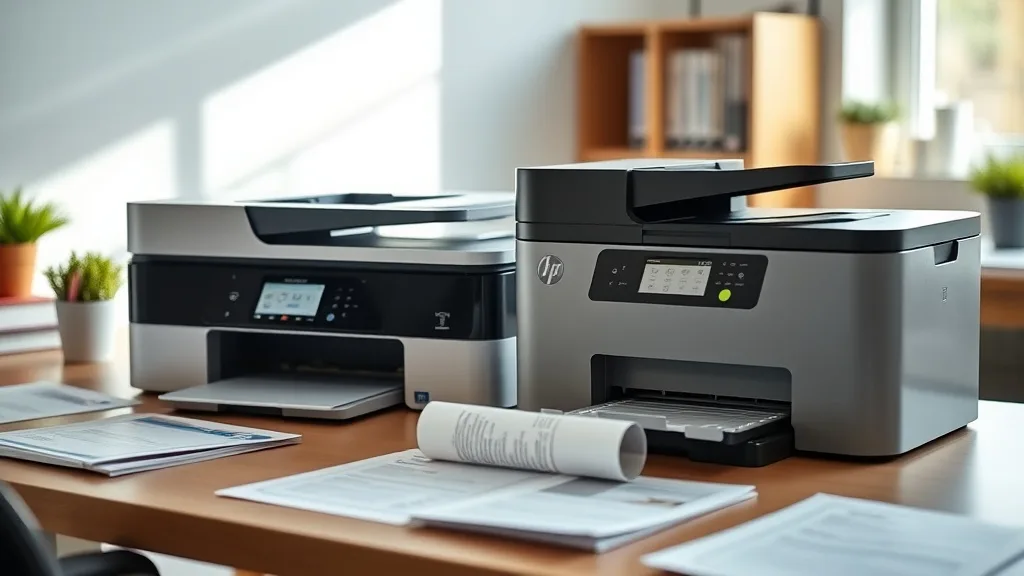
The decision to invest in a new all-in-one printer often hinges not just on upfront cost but on the total cost of ownership (TCO) over the life of the device. If you’re weighing the HP OfficeJet Pro against the Brother MFC-L2710DW for your home or office needs, you’re likely concerned about long-term affordability and value, especially in light of high OEM cartridge prices and the potential trade-offs involved in using third-party supplies. This article breaks down the TCO for both printers over a three-year period, focusing on factors like cartridge yield, cost per page, reliability, and compatibility risks to help you make an informed choice.
What is Total Cost of Ownership (TCO) for Printers?
TCO includes all expenses related to owning and operating a printer beyond its purchase price. The main components are:
- Initial cost — The retail price of the printer itself.
- Consumables costs — This covers ink or toner cartridges and any necessary replacements.
- Maintenance and repairs — Routine service, parts replacement, and downtime costs.
- Energy consumption — Electricity costs for running and idle periods.
- Replacement intervals — How often you need to replace consumables or the printer itself.
For inkjet and laser printers used in small offices or home environments, consumables usually dominate TCO, so focusing on cartridge yield and cost per page gives a clearer view of what you’ll actually pay.
See also: Cost Per Page Savings Using Compatible Ink vs OEM Cartridges
Printer Overview: HP OfficeJet Pro vs Brother MFC-L2710DW
Phone cases - Sponsored - 15% off first order
Phone Case Gift - They pick the model · 2 minutes Code FIRST15GIFT| Feature | HP OfficeJet Pro | Brother MFC-L2710DW |
|---|---|---|
| Printer Type | Color Inkjet | Monochrome Laser |
| Initial Retail Price (approx.) | Moderate ($150-$200) | Lower ($100-$130) |
| Cartridge Type | Ink cartridges (separate color cartridges) | Toner cartridge (single black) |
| Cartridge Yield (est.) | Color: ~1,000 pages (combo) / Black: 1,200 pages | Black: ~1,200 pages (standard) |
| OEM Cartridge Cost | High (especially for color) | Moderate |
| Third-Party Cartridge Availability | Widely available | Widely available |
| Print Speed | Approx. 20 ppm black/color | Approx. 32 ppm black |
| Connectivity | USB, Ethernet, Wireless | USB, Ethernet, Wireless |
These basic facts set the stage for our TCO comparison by highlighting fundamentally different printing technologies (inkjet vs laser), print output (color vs mono), and cartridge style.
How Cartridge Yield and Cost-per-Page Impact Your Bottom Line
Cartridge Yield and Cost Comparison
The biggest variable in TCO is how often you need to buy replacement cartridges and how much each costs. Let’s break down the costs using general estimates from market pricing and average cartridge yields:
| Printer Model | Cartridge Type | OEM Cartridge Cost | Approx. Yield (pages) | Cost per Page (OEM) |
|---|---|---|---|---|
| HP OfficeJet Pro | Black ink cartridge | $35 | 1,200 | 2.9 cents |
| Color ink combo set | $60 | 1,000 (combined CMY) | 6 cents | |
| Brother MFC-L2710DW | Black toner cartridge | $70 | 1,200 | 5.8 cents |
Calculating Total Consumables Cost Over 3 Years
Assuming a moderate monthly volume of 250 black-and-white pages and 100 color pages for the HP:
-
HP OfficeJet Pro:
- Black ink: 250 pages x 36 months = 9,000 pages / 1,200 yield = 7.5 cartridges × $35 = $262.5
- Color ink: 100 pages x 36 months = 3,600 pages / 1,000 yield = 3.6 sets × $60 = $216
- Total ink cost ≈ $478.5
-
Brother MFC-L2710DW:
- Black toner: 350 pages x 36 months = 12,600 pages / 1,200 yield = 10.5 cartridges × $70 = $735
This simplified example shows that while the Brother toner cartridges cost more up front, the absence of color printing and generally higher yield may keep consumables costs competitive depending on usage.
Reliability and Compatibility Trade-Offs
Phone cases - Sponsored - 15% off first order
Titan Case - Precision fit · 2,000+ designs Code FIRST15TITBrand-Name vs Third-Party Cartridges
OEM cartridges tend to be more reliable with better print quality and fewer issues like clogging or detection errors. However, their pricing strategy leads many users to consider third-party options. Both HP and Brother printers attract a large market of compatible and remanufactured cartridges, but compatibility risk varies:
- HP OfficeJet Pro: More prone to firmware updates that “lock out” third-party cartridges intermittently, requiring manual resets or workarounds.
- Brother MFC-L2710DW: Generally more lenient firmware, fewer detection lockouts reported.
Maintenance and Downtime
Laser printers like the Brother can have lower maintenance costs, as toner cartridges don’t dry out and generally last longer once installed. Inkjets like HP may require more frequent head cleaning and can suffer from nozzle blockages if not used regularly.
Print Quality and Usage Scenarios
- HP OfficeJet Pro: Better for low-volume color printing, marketing collateral, or documents requiring vibrant images.
- Brother MFC-L2710DW: Suitable for high-volume black-and-white printing with faster speeds and lower risk of ink wastage.
Energy Consumption Considerations
Laser printers usually consume more energy when warming up but often have faster print speeds reducing overall use time. Inkjet printers have lower power draw but take longer per page. In most small office or home office cases, energy cost differences are minor compared to consumables costs.
Summary Comparison Table: TCO Considerations Over 3 Years
Phone cases - Sponsored - 15% off first order
Phone Cases For Charity - Every case supports a cause Code GIVE10| Aspect | HP OfficeJet Pro | Brother MFC-L2710DW | Notes |
|---|---|---|---|
| Initial Printer Cost | Higher ($150-$200) | Lower ($100-$130) | Brother initially cheaper |
| Consumables Cost (3 yrs) | ~$480 (color + black OEM ink) | ~$735 (black OEM toner) | HP lower if color print volume is low |
| Use of Third-Party Cartridges | Prone to firmware lockouts, compatibility issues possible | More compatible with aftermarket cartridges | Brother better for third-party ink loyalty |
| Print Speed | ~20 ppm (color & b/w) | ~32 ppm (black) | Brother much faster for b/w printing |
| Color Printing | Yes | No | HP needed if color is required |
| Maintenance & Reliability | Moderate (ink drying, nozzle cleaning) | Low (toner long-lasting, less clogging) | Brother may reduce downtime |
| Total Cost Suitability | Budget-conscious but need color | High-volume black & white printing | Depends on usage profile |
When to Choose Which Printer?
-
Go with the HP OfficeJet Pro if:
- You need a versatile color printer with acceptable print speed.
- Your color print volumes are moderate, so consumables costs stay manageable.
- You can tolerate potential third-party ink lockouts or commit to OEM cartridges.
- You prefer sharper photo prints and marketing materials in color.
-
Choose the Brother MFC-L2710DW if:
- Your primary printing is black and white with high volume.
- You want faster print speeds and minimal maintenance.
- You’re sensitive to printer and cartridge prices and want consistent third-party compatibility.
- Color printing is not a priority.
Common Pitfalls to Avoid
- Ignoring color use cases: Buying a monochrome laser just to save on toner costs when color printing is needed will frustrate you and increase outsourcing costs.
- Expecting third-party cartridges to always work flawlessly: Firmware updates and chip lockouts can suddenly block compatible cartridges.
- Underestimating cartridge yield variability: Environmental factors and print settings affect real-world yields noticeably.
Frequently Asked Questions
Q: How much can I save by using third-party cartridges in these printers?
A: Savings of 30-60% per cartridge are common with third-party cartridges, but beware compatibility risks and potential print quality issues or printer firmware lockouts.
Q: Will the HP OfficeJet Pro ink cartridges dry out if I don’t print often?
A: Yes, ink cartridges in an inkjet printer can dry out if unused for extended periods, leading to clogged nozzles and wasted ink. Frequent printing is recommended.
Q: Which printer has lower environmental impact over its lifespan?
A: Laser printers like the Brother tend to have longer-lasting toner cartridges and less waste from consumables replacements compared to inkjet cartridges, but energy use and paper waste from failed prints also factor in.
Balancing cost, reliability, and printing needs is essential. For color versatility and lower monthly page volume, the HP OfficeJet Pro may offer a more cost-effective TCO. For heavy-duty black-and-white printing with faster throughput and easier aftermarket cartridge options, the Brother MFC-L2710DW stands out. Carefully consider your actual color usage, volume, and tolerance for cartridge compatibility issues to find the best fit for your budget and workflow.
Top Picks
Watchdog picks
- TN730 TN-730 Black Toner Cartridges 2 Pack Compatible TN730 Toner Cartridge Repl
- 65XL 65 Ink Cartridges Black/Color Combo Pack Replacement for HP 65XL Ink Work f
- B0FBRH75LK
- Ink Cartridge Printer Replacement Part Compatible with Expression Photo XP-15000
- EPSON 502 EcoTank Ink Ultra-high Capacity Bottle Black Works with ET-2750, 2760,
- B0D3XGJ6HW
- B08QR6P8KV
- B000NL0T1K
Products in this guide
- Brother Printer LC30193PK Super High Yield XXL 3 Pack Ink Cartridges- 1 Ea: Cyan/Magenta/Yellow Ink
- HP (Refurbished) OfficeJet Pro 9015e All-in-One Wireless Color Printer for Home Office, Compatible with Alexa (1G5L3A) (
- Brother LC3019BK Super High Yield Black Ink Cartridge
- Genuine Brother LC3019 (LC-3019) (BK/C/M/Y) High Yield Color Ink 4-Pack (Includes 1 Each LC3019BK, LC3019C, LC3019M, LC3
