
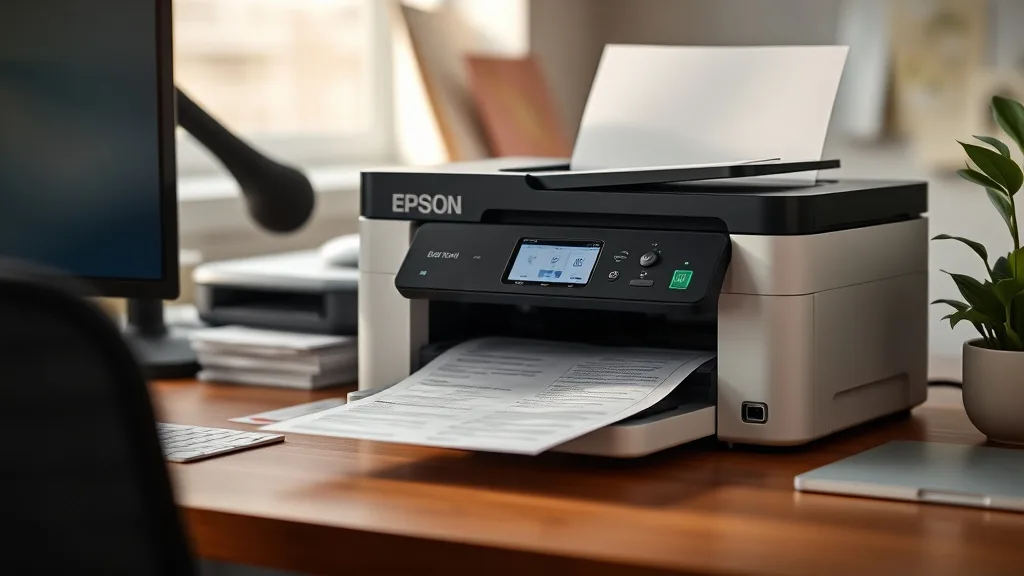
Epson EcoTank: Worth It at $399? A Two-Year Cost Model
If you’re fed up with the high cost of ink cartridges and are considering switching to an Epson EcoTank printer priced around $399, you’re asking the right question: “Will this printer actually save me money over time, or is it just a gimmick cloaked in refillable tanks?” Printer owners burned by OEM cartridge pricing deserve straightforward cost analysis—not hype. This article breaks down the real economics behind this popular refillable ink printer using a practical two-year cost model and addresses key considerations like yield, cost per page, compatibility, and reliability trade-offs.
See also: Cost Comparison: OEM Ink vs Compatible Ink Over One Year
What is the Epson EcoTank?
Phone cases - Sponsored - 15% off first order
Phone Case Gift - They pick the model · 2 minutes Code FIRST15GIFTEpson EcoTank printers are a reflex in the inkjet market aiming to solve the notorious ink expense problem. Instead of traditional cartridges, they come with large, refillable ink tanks that promise high page yields per refill and low ongoing ink costs. The printer’s upfront price is significantly higher than a typical cartridge printer, but it includes several bottles of ink to fill the tanks.
The key selling point is the low cost per page (CPP) due to high ink volumes, which Epson claims can offset the initial investment over time, especially for high-volume users.
How the Two-Year Cost Model Works
To get a clear picture of whether the EcoTank at $399 is worth it, you need to estimate your printing volume and compare the total cost of ownership over time with a traditional cartridge printer. Total cost of ownership includes:
- Initial printer cost
- Ink or cartridge cost
- Ink yield (pages per refill or cartridge)
- Reliability and compatibility risks (which can affect replacement/repair costs and downtime)
Let’s break these down for a hypothetical two-year ownership under typical home/office use of about 1,000 pages annually (2,000 pages over 2 years).
Step 1: Calculate Initial Investment
- EcoTank printer: $399
- Starting ink included: roughly enough to print 7,500 pages (based on Epson’s official yield claims)
Step 2: Determine Ongoing Ink Costs
- Replacement ink bottles (sold as sets of 4 or individually) cost approximately $40-$50 per set and yield about 6,000 pages per full refill cycle. You’ll need around 1 refill for 2 years (for 2,000 pages).
- Traditional cartridges for a comparable printer might cost $60 per cartridge with 300 pages yield each, needing roughly 7 cartridges over two years.
Step 3: Compute Cost per Page
| Printer Type | Initial Printer Cost | Ink Cost (2 Years) | Total Cost (2 Years) | Approx. Yield (pages) | Cost per Page (CPP) |
|---|---|---|---|---|---|
| Epson EcoTank (refillable) | $399 | $40 | $439 | 7,500 (starting) + 2,000 (manual refills) = 9,500 | $439 ÷ 9,500 ≈ 4.6¢ |
| Traditional Cartridge | $129 | $420 (7 cartridges) | $549 | 2,100 | $549 ÷ 2,100 ≈ 26.1¢ |
Step 4: Factor in Non-Monetary Costs
- Reliability: EcoTanks generally score well on reliability but can sometimes have chip-related firmware lockouts affecting refill detection; traditional cartridges typically have less hassle but higher per-page costs.
- Compatibility Risk: Firmware updates in EcoTank printers or refilled tanks occasionally cause recognition issues. This can require user intervention or temporary cost increase for OEM ink.
- Print Quality & Speed: Both options deliver comparable print quality, but EcoTank printers often prioritize cost savings rather than high-end photo quality or professional color calibration.
When Should You Consider Epson EcoTank?
Phone cases - Sponsored - 15% off first order
Titan Case - Precision fit · 2,000+ designs Code FIRST15TIT- High or Consistent Printing Volumes: If you print more than 1,000 pages annually, the $399 upfront can quickly pay off due to lower refill costs.
- Frustrated OEM Cartridge Buyers: If cartridge pricing and frequent replacement are burning your budget, EcoTank solves the pain point.
- Desire to Reduce Environmental Waste: Larger refill bottles produce less plastic trash compared to small cartridges.
When It Might Not Be Worth It
- Low Volume or Occasional Printing: If you print fewer than 500 pages per year, ink can dry out in tanks, and you may never recoup the upfront cost.
- Preference for Hassle-Free Replacement: EcoTanks may require occasional chip resets or firmware attention; OEM cartridges offer plug-and-play convenience.
- Color Accuracy and Professional Quality Printing: For photo professionals or design-heavy printing, a cartridge-based photo printer might be better despite high cost.
Common Pitfalls to Watch Out For
Phone cases - Sponsored - 15% off first order
Phone Cases For Charity - Every case supports a cause Code GIVE10- Firmware Updates and Chip Lockouts: Epson has clamped down on third-party ink with firmware that can disable refilled tanks. Staying informed and avoiding automatic updates might be necessary.
- False Economy with Cheap Third-Party Ink: Some third-party inks claim low prices but can clog nozzles or inaccurately report ink levels, costing time and money.
- Overestimating Illustrated Yields: Official page yields depend on 5% coverage per page; real usage can vary widely based on documents printed.
Cost Comparison Summary
| Feature | Epson EcoTank ($399) | Traditional Cartridge Printer ($129) |
|---|---|---|
| Upfront Cost | $399 | $129 |
| Ink Included (Yield) | ~7,500 pages | One cartridge (~300 pages) |
| Ink Replacement Cost (Lifetime) | ~$40 (1 refill) | ~$420 (7 cartridges) |
| Total 2-Year Cost | ~$439 | ~$549 |
| Cost Per Page (Approximate) | 4.6¢ | 26.1¢ |
| Reliability | High, minor chip lockout risk | High, low risk but higher ink cost |
| Environmental Impact | Lower plastic waste | Moderate to high plastic waste |
| Print Quality | Good, for home/office use | Variable, often slightly better for photos |
Conclusion
The Epson EcoTank priced at $399 can be a cost-effective choice for higher-volume printer users spanning two or more years, offering a striking reduction in cost-per-page. However, it demands a willingness to manage potential firmware quirks and ensure consistent ink usage to prevent clogging or tank drying. Those who print infrequently or prioritize absolute convenience might find the initial cost and maintenance complexity unwelcome. In the battle against expensive OEM cartridges, refillable tanks like the EcoTank stand out as a practical alternative worth serious consideration.
Frequently Asked Questions
Q: How often will I need to refill the Epson EcoTank ink tanks?
A: Depending on your printing volume, you may only need to refill the tanks once or twice per year. Each original EcoTank ink bottle can yield thousands of pages.
Q: Can I use third-party ink with the Epson EcoTank?
A: While third-party ink is available and can reduce upfront costs, it carries compatibility risks including chip recognition failure or printhead clogging. Use at your own discretion.
Q: What happens if Epson releases a firmware update that blocks refilled ink?
A: Firmware updates can disable non-OEM ink tanks temporarily. To avoid this, many users delay updates and rely on online communities for workarounds until Epson revises their software.
Top Picks
Watchdog picks
- Compatible for EPT502 Ink Refill Bottles Eco Tank ET-2850 ET-3850 ET-4850 ET-150
- Brother Genuine Standard Yield Toner Cartridge, TN730, Replacement Black Toner,
- MLT-D111S 111S Toner Cartridge High Yield Replacement for Samsung MLT-D111S MLTD
- Aomya Ink Refill kit 5x100ml for Canon 250 251 270 271 280 281 1200 2200 PG240 C
- B0G6YZ5YFV
- Brother HL-L2300D Monochrome Laser Printer with Duplex Printing
- B09ZVMYHGF
- B07YPR2DGH
Products in this guide
- Epson EcoTank ET-2980 Wireless All-in-One Color Supertank Printer with Refillable Ink Tanks, 3 Years of Ink, Mobile Prin
- Epson EcoTank ET-2980 Wireless All-in-One Color Supertank Printer with Refillable Ink Tanks, 3 Years of Ink, Mobile Prin
- Epson EcoTank ET-3950 Wireless All-in-One Color Supertank Printer with up to 3 Years of Ink Refillable Tanks, Perfect fo
- Epson EcoTank ET-2988 Wireless All-in-One Color Supertank Printer with up to 3 Years of Ink, Refillable Tanks, Perfect f
