
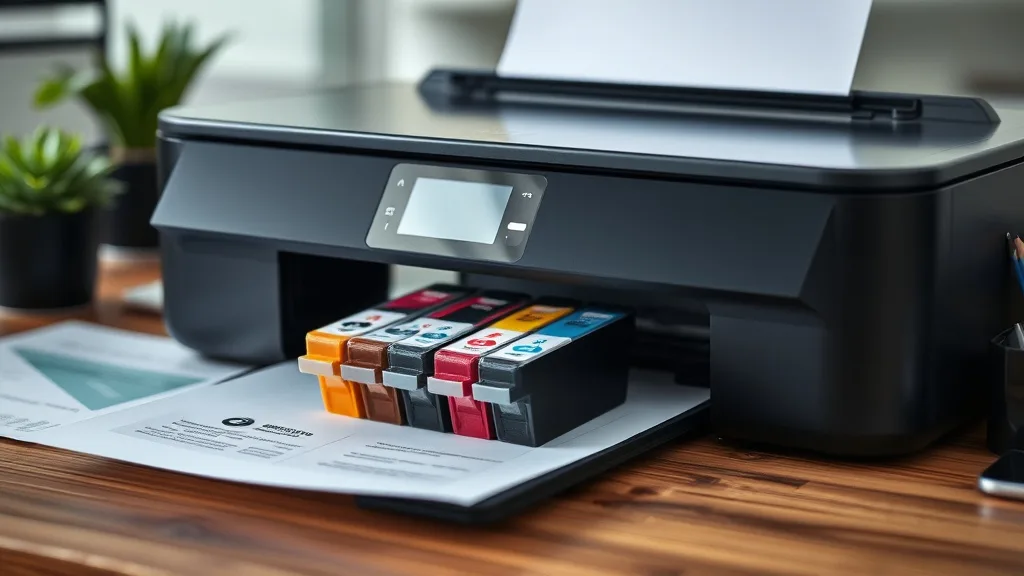
Printer ink cartridges are a pricey consumable, and many printer owners face the problem of ink drying out or cartridges losing viability before they get fully used. Whether you buy in bulk to save or keep spare cartridges on hand for emergencies, improper storage is a major cause of wasted money — dried-out nozzles, degraded ink quality, and chip failures cut your costly ink’s lifespan short. This guide explains how to properly store printer ink cartridges to maximize shelf life and maintain print quality, helping you get the most cost-per-page value from every cartridge you buy.
Why Proper Storage Matters
Ink cartridges contain liquid or gel ink that is susceptible to drying out, color fading, and clogging over time if not stored correctly. Exposure to air, light, temperature changes, and moisture can accelerate degradation. Many printers also use ARC chips or smart locks that can prevent refilled or expired cartridges from functioning, so maintaining cartridge health is crucial. Proper storage minimizes waste, avoids early failure, and protects the printer itself from damage caused by poor ink quality or dried clogs.
See also: 37. Storing unused cartridges: the vacuum-sealing trick
How Cartridge Ink Degrades
Phone cases - Sponsored - 15% off first order
Phone Case Gift - They pick the model · 2 minutes Code FIRST15GIFT- Evaporation: Ink solvent evaporates through the cartridge casing or nozzle opening if left open or improperly sealed.
- Sedimentation: Pigments or dyes settle unevenly, causing clogs or inconsistent colors.
- Chemical breakdown: Light, heat, or moisture accelerates breakdown of ink chemicals, altering color and flow.
- Chip lockout & expiration: OEM chips may detect age or refilling attempts, restricting use even if ink remains viable.
Step-by-Step: How to Properly Store Ink Cartridges
Follow these practical steps to ensure your ink cartridges stay fresh and functional for as long as possible.
1. Keep the Cartridge in Original Packaging
OEM cartridges come in sealed, airtight packaging that prevents drying and contamination. If you aren’t opening the cartridge immediately, keep it unopened inside this packaging until needed. Once opened, reseal carefully or use other storage measures.
2. Store in a Cool, Stable Temperature Environment
Ink is sensitive to temperature extremes:
- Aim to store cartridges between 15°C and 25°C (59°F-77°F).
- Avoid places with high heat like near windows, heaters, or electronics.
- Freezing will cause ink to separate or coagulate; extreme heat thins ink and causes evaporation.
3. Minimize Exposure to Air and Light
Oxygen and UV light accelerate ink degradation:
- Store cartridges in airtight containers or resealable plastic bags.
- Include a small desiccant pouch to absorb moisture without overdrying.
- Use opaque or dark containers, or keep cartridges in dark areas.
4. Maintain Proper Orientation
Some cartridges retain ink well if stored upright, others horizontally. Check manufacturer guidelines or test what works best for your cartridge type. As a general rule:
- For cartridges with exposed nozzles or print heads, store upright to prevent nozzle drying and leakage.
- For cartridges enclosed by protective caps or covers, horizontal storage is usually acceptable.
5. Avoid Opening or Handling Nozzles Directly
Once the cartridge is opened, avoid removing protective seals or caps unless immediately installing it. Handling print heads or nozzles can expose ink to air or damage microscopic components causing clogs. Store cartridges sealed or in properly designed holders.
6. Track Purchase and Open Dates
Ink cartridges do degrade even under ideal conditions:
- Mark the purchase or unpack date on the cartridge or container.
- Use oldest cartridges first (FIFO: First In, First Out).
- Aim to use cartridges within 6 to 12 months post-purchase for best results.
7. Use Compatible Storage Solutions When Bulk-Storing
If you buy compatible or third-party cartridges in bulk to save money, pay extra attention to storage quality. Some third-party ink sets may be more prone to drying out or chemical breakdown. Invest in good airtight containers (e.g., plastic bins with tight lids) and stable climate conditions.
Quick Comparison: OEM vs Third-Party Cartridge Storage Needs
Phone cases - Sponsored - 15% off first order
Titan Case - Precision fit · 2,000+ designs Code FIRST15TIT| Feature | OEM Cartridges | Compatible / Third-Party Cartridges |
|---|---|---|
| Packaging | Sealed, often vacuum packed | May vary; often less airtight or sealed |
| Chip Sensitivity | Sensitive to time, refills | Often less chip lockout but not always |
| Ink Chemical Stability | Manufactured to last longer | Quality varies; potentially less stable |
| Recommended Storage Time | 6 to 12 months unopened | 3 to 6 months unopened, varies by brand |
| Storage Temperature Sensitivity | Moderate sensitivity | Sometimes more sensitive to heat or cold |
| Risk if Improperly Stored | Ink drying, chip lockout | Ink drying, color fading, or clogs |
| Cost Impact from Waste | High per cartridge | Lower cost but potentially wasted when dried |
Additional Tips for Prolonged Cartridge Life
- Use the printer regularly to prevent stale ink buildup in print heads.
- If a cartridge is partially used, reseal it with tape or a plastic cover to reduce air exposure.
- Consider investing in printers with refillable tanks or bulk ink systems if you often deal with high volume, reducing per-page costs and reliance on cartridges.
- Clean printer heads periodically with manufacturer-recommended solutions to prevent clog problems caused by old ink.
- Avoid shaking cartridges vigorously which may introduce bubbles and accelerate degradation.
What to Avoid When Storing Ink Cartridges
Phone cases - Sponsored - 15% off first order
Phone Cases For Charity - Every case supports a cause Code GIVE10- Leaving cartridges unsealed on your desk or exposed to ambient air.
- Storing ink cartridges in direct sunlight or near heat sources like radiators.
- Freezing cartridges, as thawing causes separation and clumping.
- Mixing cartridges of vastly different ages in the printer, which can cause flow and color issues.
- Ignoring printer error messages related to ink recognition or ink quality—sometimes a fresh cartridge solve the problem, but sometimes the chip is no longer trustworthy.
Frequently Asked Questions
Q: How long can unopened ink cartridges be stored?
A: Typically, unopened cartridges keep well for about 6 to 12 months if stored properly in a sealed, cool, dark environment. Check manufacturer expiry dates where available.
Q: Can I store partially used cartridges?
A: Yes, but reseal them tightly with tape or plastic wrap covering the nozzles to reduce air exposure and drying. Store upright if possible.
Q: Do third-party cartridges require special storage considerations?
A: Third-party cartridges may be less tightly sealed and more sensitive to temperature and humidity. Using airtight containers and storing in stable, cool conditions is especially important for these.
Properly storing your printer ink cartridges is one of the best steps you can take to protect your ink investment and prevent early failure. By following the practical, cost-conscious advice above, you’ll reduce waste, maintain print quality, and maximize every drop of expensive printer ink.
Top Picks
Watchdog picks
- B0BN57XFD8
- Soldering Kit, 60W Soldering Iron, 110V Welding Kit with Ceramic Heater, Portabl
- B0FHDJXJNZ
- EPSON 702 DURABrite Ultra Ink Standard Capacity Black & Color Cartridge Combo Pa
- B0GYNVJ62W
- Epson EcoTank ET-3850 Wireless Color All-in-One Cartridge-Free Supertank with Sc
- B0CHJ8T7XS
- B08PDT1Y3H
Products in this guide
- HP DeskJet 2755 All-in-One Wireless Printer Scanner Copier Instant Ink Ready Mobile Print Black 7.5ppm Color 5.5ppm Wifi
- HP OfficeJet Pro 9125e Wireless All-in-One Color Inkjet Printer, Print, scan, copy, fax, ADF, Duplex printing best-for-o
- HP OfficeJet Pro 8125e Wireless All-in-One Color Inkjet Printer, Print, scan, Copy, ADF, Duplex Printing Best-for-Home O
- HP OfficeJet Pro 9125 Wireless All-in-One Color Inkjet Printer, Print, Scan, Copy, Fax, ADF, Duplex Print/scan, Best-for
