
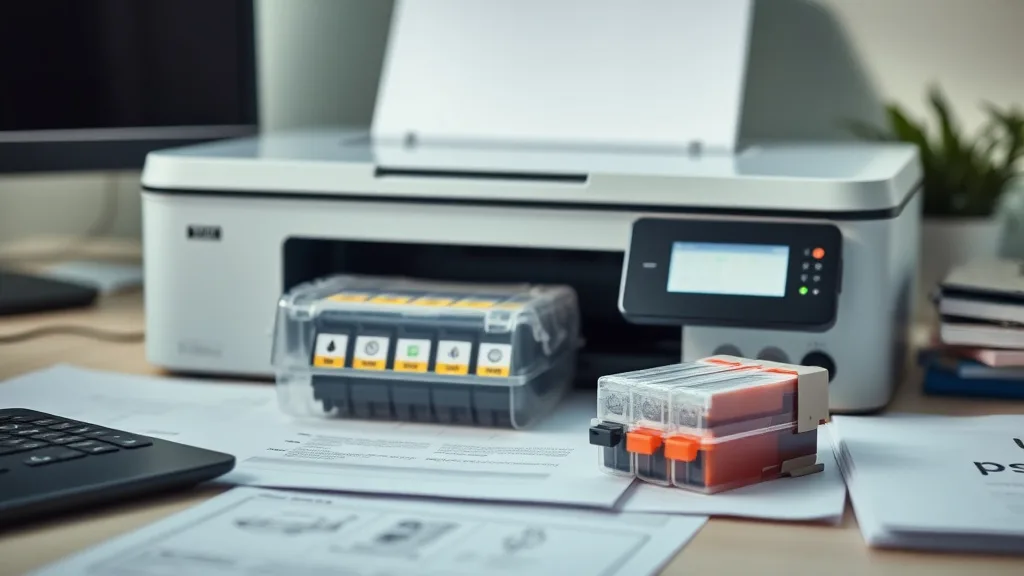
The Problem with Storing Unused Printer Cartridges
If you’ve ever struggled with dried-out ink cartridges or spent money on replacement cartridges only to find them useless due to clogging or ink evaporation, you’re not alone. Printer owners frequently buy cartridges in bulk or stock up on third-party compatible or remanufactured cartridges to save money. However, improper storage can lead to ink degradation, clogging, and even chip malfunctions. This wastes your upfront investment and forces you back into overpriced brand-name replacements. One of the lesser-known yet effective methods to prolong cartridge life is vacuum-sealing unused cartridges. This article explains how vacuum sealing works, why it can be a game-changer for storing cartridges, when to use it, and common pitfalls to avoid.
See also: Troubleshooting Printer Errors Related to Third-Party Ink Cartridges
What is Vacuum-Sealing Unused Cartridges?
Phone cases - Sponsored - 15% off first order
Phone Case Gift - They pick the model · 2 minutes Code FIRST15GIFTVacuum sealing is the process of removing air from a package before sealing it tightly in an airtight plastic pouch. For printer cartridges, vacuum sealing means placing the unused cartridge inside a special vacuum bag and extracting all the air. This prevents the cartridge’s ink and internal components from exposure to environmental air, moisture, or contaminants.
Cartridges, especially inkjet types, rely on a delicate balance of moisture and chemical composition inside their ink reservoirs and print heads. Exposure to air can cause inks to dry up or settle unevenly, leading to clogged nozzles when printing resumes. Vacuum sealing slows down or halts ink evaporation and oxidation by eliminating oxygen and moisture fluctuations around the cartridge. This keeps the ink healthier for longer periods compared to standard storage like boxes or resealable plastic bags.
How Vacuum-Sealing Works for Printer Cartridges
- Air Removal: Vacuum-sealing machines or hand pumps extract air from the cartridge package, significantly reducing oxygen levels.
- Airtight Seal: The vacuum bag is heat-sealed or tightly closed to prevent new air from entering.
- Stable Environment: Without oxygen and moisture variations, ink inside the cartridge evaporates more slowly, and its chemical stability is maintained.
- Dust & Contaminant Barrier: The sealed pouch also shields cartridges from dust and airborne particles which could degrade the print head if introduced upon installation.
- Chip Protection: Some printers check cartridge chips for freshness or usage. Vacuum sealing can slow chip degradation from environmental factors but won’t completely stop electronic chip aging.
When to Use Vacuum Sealing for Cartridges
Phone cases - Sponsored - 15% off first order
Titan Case - Precision fit · 2,000+ designs Code FIRST15TITVacuum sealing isn’t necessary for all users or cartridges, but it becomes valuable in certain scenarios, especially if you:
- Buy in Bulk: If you purchase compatible or remanufactured cartridges in large quantities to save money but don’t use them immediately.
- Long Storage Times: When you expect to store extra cartridges for several months before use.
- Refilled or Third-Party Cartridges: These are often more vulnerable to drying out or ink degradation as their sealing mechanisms may be less robust than brand-name originals.
- Slower Printing Rates: If you print infrequently, and cartridges remain unused on the shelf for longer durations.
- Stockpiling During Deals: Storing discounted cartridges awaiting future use.
For fresh cartridges already in use or those you plan to install immediately, vacuum sealing offers minimal benefit.
How to Vacuum-Seal Your Unused Cartridges: 5 Steps
Step 1: Choose the Right Vacuum Sealer and Bags
Use vacuum sealers with heat-sealing functionality and bags designed for electronics or delicate items. Standard food vacuum bags may leach plasticizers or create static. Anti-static, moisture-resistant vacuum bags are optimal for cartridges.
Step 2: Handle Cartridges Carefully
Don’t shake or tilt cartridges during packaging to avoid ink movement inside. Keep cartridges away from extreme heat and direct sunlight before sealing.
Step 3: Place Each Cartridge Individually in a Vacuum Bag
Sealing cartridges separately prevents potential damage from contact and makes inventory management easier.
Step 4: Vacuum Out All Air and Seal
Using your vacuum sealer, extract air thoroughly without crushing the cartridge. Proper sealing must leave no air gaps to ensure an effective oxygen barrier.
Step 5: Label and Store in a Cool, Dry Place
Include date and cartridge type on the package. Store vacuum-sealed cartridges in consistent temperature conditions—ideally between 15°C and 25°C—and away from direct sunlight.
Comparing Common Cartridge Storage Methods
Phone cases - Sponsored - 15% off first order
Phone Cases For Charity - Every case supports a cause Code GIVE10| Storage Method | Cost | Air Exposure | Moisture Control | Protection from Dust | Chip/Ink Stability | Best For |
|---|---|---|---|---|---|---|
| Original Packaging | Free/Included | Moderate | Low | Moderate | Moderate | Short-term storage, immediate use |
| Resealable Plastic Bag | Low | Moderate | Low-Medium | Low | Low-Medium | Short-term, low cost |
| Vacuum Sealing | Moderate | Minimal | High | High | High | Long-term storage, bulk purchases |
| Refrigeration (Fridge) | Moderate | Moderate | Moderate (varies) | Low | Medium | Slowed ink degradation but risk condensation |
Note: Refrigerating cartridges may seem logical but can cause condensation when removed, potentially damaging ink flow and chip components.
Common Pitfalls of Vacuum-Sealing Printer Cartridges
- Sealing Used or Opened Cartridges: Vacuum sealing only effectively preserves unused sealed cartridges. Opened cartridges with exposed print heads and vents will dry regardless.
- Static Build-Up: Incorrect vacuum bags might generate static electricity, potentially damaging sensitive chip electronics.
- Storage Environment Neglect: Vacuum sealing delays degradation but doesn’t replace storing cartridges in a temperature-controlled, low-humidity environment.
- Ignoring Cartridge-Type Specifics: Some pigment-based inks or solid ink sticks behave differently—vacuum sealing may have less effect.
- Chip Authentication Locks: Many OEM cartridges use chips that authenticate by time or ink level rather than ink condition. Vacuum sealing doesn’t reset chip counters or bypass printer lockouts that prevent reuse or refilling.
Is Vacuum Sealing Worth It? A Cost-per-Page Perspective
One of the main reasons users buy compatible or remanufactured cartridges is to lower the cost per page compared to brand-name cartridges. However, dried-out or clogged cartridges increase print failures and waste, negating savings.
For example:
- A brand-name cartridge with a yield of 300 pages might cost $30 ($0.10/page).
- A compatible cartridge costs $15 but if it clogs due to poor storage and only yields 150 pages, the cost per page becomes $0.10 — equalizing cost but with more hassle.
- Proper vacuum sealing can maintain the compatible cartridge’s full yield potential, preserving the $0.05/page advantage.
Proper cartridge storage, including vacuum sealing, is crucial to maximizing your savings and reliability when avoiding OEM cartridge pricing.
Conclusion
Vacuum-sealing unused printer cartridges is an often overlooked but effective method to preserve ink quality and chip reliability over extended periods. While not a magic bullet for every cartridge type or use case, it can significantly extend shelf life, reduce clogging, and maximize cost-per-page savings—especially when you buy in bulk or use third-party cartridges that lack the robust sealing of OEM products. Pair vacuum sealing with cool, stable storage environments, anti-static bags, and mindful handling to keep your printer running smoothly and cost-effectively.
Frequently Asked Questions
Q: Can vacuum sealing restore an already dried-out cartridge?
A: No. Vacuum sealing only preserves freshness by preventing drying out. It cannot revive a cartridge that has already dried or clogged.
Q: Will vacuum sealing affect the printer’s chip recognition?
A: Vacuum sealing may slow chip aging slightly but will not reset chip counters or bypass brand printer authentication systems.
Q: Is vacuum sealing necessary for pigment-based or solid ink cartridges?
A: Vacuum sealing is mostly beneficial for traditional liquid ink cartridges. Pigment-based inks and solid inks have different storage realities and may not gain much from vacuum sealing.
Top Picks
Watchdog picks
- AOLIBE MLT-D111S Toner Cartridge High Yield Compatible for Samsung 111S MLT111S
- B08CDK75M8
- B001E10B9I
- EPSON 702 DURABrite Ultra Ink Standard Capacity Black Cartridge (T702120-S) Work
- Skyink Compatible Ink Cartridge Replacement for Canon 245XL 246XL 245 246 XL (Bl
- B0F7JTLB86
- HP 65 Black Ink Cartridge - Works with AMP 100, DeskJet 2600, 3700; Envy 5000 -
- MLT-D111S 111S Toner Cartridge High Yield Replacement for Samsung MLT-D111S MLTD
Products in this guide
- Remanufactured Replacement for Epson 702 Ink Cartridges for 702XL Ink cartridges Combo Pack Work with Printer Workforce
- TEINO Remanufactured Ink Cartridge Replacement for HP 65 65XL 65 XL use with HP Envy 5055 5052 5058 DeskJet 3755 2655 37
- HP DeskJet 2755 Wireless All-in-One Printer, Mobile Print, Scan & Copy, Instant Ink Ready, Works with Alexa (3XV17A)
- 218A Toner Cartridges 4 Pack (with Chip) Compatible Replacement for HP 218A 218X for Color LaserJet Pro 3201dw MFP 3301f
