
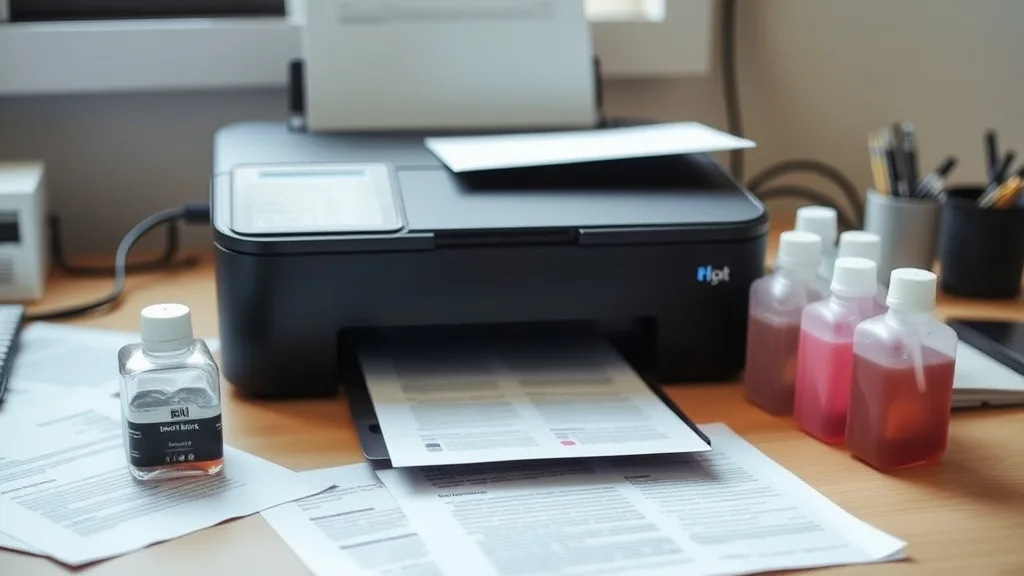
Refilling ink cartridges can be a money-saving strategy for printer owners frustrated by the high cost of brand-name cartridges. However, without the right approach, refilling can damage your cartridges, clog print heads, or cause poor print quality — negating any savings. This guide details best practices for refilling ink cartridges safely, maximizing yield, and minimizing the risks of cartridge damage and printer lockouts.
What Is Ink Cartridge Refilling?
Ink cartridge refilling involves adding new ink to an empty or partially used cartridge instead of buying a new OEM (brand-name) or third-party replacement. It’s a common DIY approach to reducing the high cost per page associated with original ink cartridges. Refilling can include:
- Using ink refill kits purchased online or in stores.
- Filling cartridges with bulk ink bottles and syringes.
- Using professional refill services.
Refilling aims to reuse the cartridge’s physical shell (the plastic container, chip, and print head nozzles) while restoring ink levels.
See also: Best Practices for Installing Compatible Toner Cartridges Safely
How Cartridge Refilling Works
 Sponsored
- Removing the cartridge safely: Remove the cartridge from the printer carefully to avoid damaging contacts or the print head.
- Accessing the ink chamber: Most cartridges have a small hole or fill port that can be used to inject ink. If no hole is visible, you may need to carefully create one or remove a plug.
- Injecting ink: Using the proper color ink and a syringe or refill pen, slowly inject ink into the chamber. Avoid overfilling as it can cause leakage.
- Sealing the cartridge: After refilling, reseal the hole with tape or a plug to prevent drying or spills.
- Resetting the cartridge chip (optional): Some cartridges have chips or chips that track ink levels. If ignored, your printer may report empty or refuse to print. You may need chip resetters or compatible chips to circumvent this.
- Reinstalling and testing: Reinsert the cartridge and run a cleaning cycle or test print to ensure proper ink flow.
When to Refill Ink Cartridges
Refilling is most beneficial when:
- Your cartridge is mostly empty but the print head nozzles are still functional.
- The cartridge model is designed for refilling (some modern cartridges are blocked by chip locks).
- You want to reduce printing costs drastically without buying replacement cartridges.
- You are willing to invest time learning safe refill techniques.
Avoid refilling cartridges that are physically damaged, dried out, or heavily clogged, as this often leads to degraded print quality or permanent failure.
Best Practices for Refilling Ink Cartridges Without Damage
1. Use Compatible or High-Quality Refill Ink
Using genuine OEM ink refills is the safest but most expensive option. Third-party refill ink that matches OEM specifications (dye or pigment, color formulation) usually works well but varies in quality. Avoid cheap ink that doesn’t specify compatibility—it can clog nozzles or damage cartridge components.
2. Know Your Cartridge Design
Some cartridges are designed to be refilled multiple times, while others use plastic seals or chips engineered to prevent refilling. Research your cartridge model to understand its refill potential and any special steps needed to reset chips or avoid printer errors.
3. Maintain Cleanliness
Ink is messy and prone to drying quickly. Work in a clean, dust-free area with paper towels or cloths handy. Clean cartridge contacts and print heads gently with isopropyl alcohol wipes before and after refilling to avoid print defects caused by dirt or dried ink.
4. Don’t Overfill
Overfilling ink cartridges can cause leaking inside the printer, which leads to damage and costly repairs. Fill slowly, monitor ink levels visually (if possible), and stop when you reach the cartridge’s maximum capacity.
5. Use Proper Tools
Use syringes or refill pens designed for your cartridge type. A blunt needle syringe offers precise control and reduces damage risk. Chip resetters can extend cartridge usability but ensure compatibility with your cartridge model.
6. Handle Chips and Printer Lockouts
Many new cartridges have chips that block refilling, showing “cartridge empty” or “incompatible” errors even after refill. Some options to address chip lockouts:
- Purchase compatible chips.
- Use a chip resetter device.
- Select cartridges known for easier chip resets if refilling is your goal.
7. Test and Clean Regularly
After refilling, run printer cleaning cycles or alignment tests to ensure even ink distribution. Print a test page to check for streaks, fade, or color issues before starting a large print job.
8. Limit Number of Refills
Cartridges have finite lifespans. Nozzle integrity, seal condition, and chip durability eventually degrade. Limit refills to a reasonable number (usually 2-3 times) before replacing cartridges to avoid poor print quality or damage.
Comparison: OEM vs Refilling vs Compatible Cartridges
| Feature | OEM Cartridges | Refilling Ink Cartridges | Compatible Third-Party Cartridges |
|---|---|---|---|
| Initial Cost | High | Low (inking cost only) | Moderate to Low |
| Cost Per Page | Highest | Lowest | Moderate |
| Yield Guarantee | Manufacturer rated | Variable / less reliable | Manufacturer spec-based (varies) |
| Print Quality Consistency | Very high | Variable (ink & refill method) | Generally good, varies by brand |
| Damage Risk to Cartridge | None (new) | Possible if refilled improperly | None (new) |
| Printer Error/Lockout Risk | Minimal | Higher (chip issues possible) | Lower than refilling |
| Environmental Impact | Moderate (recycling exists) | Best (reuse & less waste) | Moderate (disposable) |
| Convenience | Best (plug and play) | Requires effort/time | Good (ready to install) |
Common Pitfalls in Ink Cartridge Refilling
- Using wrong or incompatible ink: Leads to clogs, poor color, or chemical damage.
- Refilling a cartridge with no visible fill port: Forcing injection damages cartridge seals.
- Ignoring the chip lockout: Refilling without chip resetting results in printer errors.
- Not handling print heads carefully: Touching or scratching nozzles reduces performance.
- Overfilling causing leakage inside the printer: Risking hardware damage.
- Refilling too many times: Cartridge nozzles and seals degrade, affecting print quality.
- Using old or poorly stored refill ink: Ink degradation causes clogs or poor prints.
Summary
Refilling ink cartridges is a practical method to cut printing costs if done carefully. Understanding your cartridge type, using compatible ink, handling components gently, monitoring fill levels, and addressing printer chip issues can help you safely refill cartridges without damage. While refilling isn’t for every cartridge or every user, following these best practices can extend cartridge life and reduce ink expenses significantly.
Frequently Asked Questions
Q: How many times can I safely refill an ink cartridge?
A: Generally, 2-3 refills are safe before print quality declines. Beyond that, wear and chip errors increase.
Q: Can I use third-party ink in my original cartridges?
A: Yes, but quality varies. Use inks that match your printer’s technology (dye vs pigment) and avoid cheap inks.
Q: What should I do if the printer says the cartridge is empty after refilling?
A: This is often a chip lockout. Try using a chip resetter, compatible chip replacements, or compatible cartridges designed for refill users.
Top Picks
Watchdog picks
- Printer Ink 67 Compatible for HP 67 Ink Cartridges Black/Color Combo Pack for HP
- B089CGSV4N
- HP DeskJet 2923 Wireless All-in-One Color Inkjet Printer, Scanner, Copier, 6 Mon
- Fanttik T1 Max Soldering Iron Kit, Cordless Soldering Iron, 7 Seconds Fast Heati
- B0CWP64QMT
- B0BJ194Z43
- B0FMBTJLX6
- B0GYNH6H2L
Products in this guide
- Inkjet Refill Kit Pro — Compatible with HP, Canon, Epson, and Lexmark Cartridges
- MLT-D111S 111S Toner Cartridge High Yield Replacement for Samsung MLT-D111S MLTD111S D111S to use with Xpress M2020W Ton
- MLT-D116L High Yield Toner Cartridge - 1 Pack, Black Replacement for Samsung 116L D116L MLTD116L Toner to use with Xpres
- Brother Printer LC30193PK Super High Yield XXL 3 Pack Ink Cartridges- 1 Ea: Cyan/Magenta/Yellow Ink