
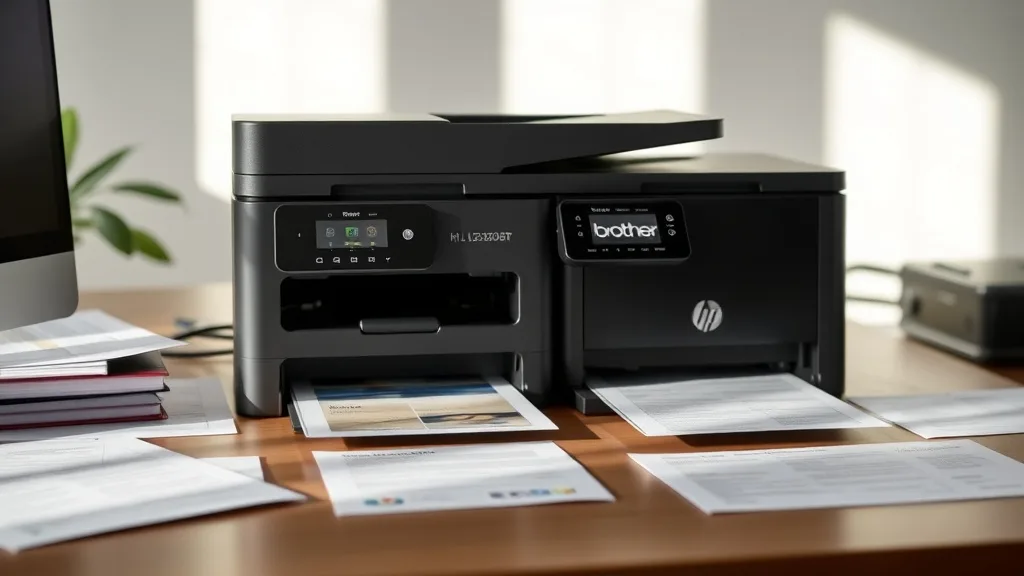
If you’re trying to choose between the Brother HL-L2350DW and the HP LaserJet M110w for home use, you’re likely wrestling with factors like print speed, cost-per-page, cartridge yield, and reliable connectivity. Both are compact monochrome laser printers aimed at personal or small office environments, but subtle differences in their design and consumable costs can impact your long-term satisfaction and expenses. This comparison will help you cut through marketing noise and understand the real-world value each printer offers.
Brother HL-L2350DW vs HP LaserJet M110w: What It Is
Both printers are monochrome laser printers designed primarily for black-and-white documents.
-
Brother HL-L2350DW: Known for affordability and speed, this model is a wireless duplex printer that emphasizes efficiency and lower running costs.
-
HP LaserJet M110w: A compact wireless monochrome laser printer intended for simple, occasional printing with a smaller physical footprint but slightly different cost dynamics.
Understanding how these printers operate, their cost implications over time, and their reliability will help you pick the best fit for home use.
See also: 26. Monochrome laser vs inkjet: real-world cost comparison
How They Work
Phone cases - Sponsored - 15% off first order
Phone Case Gift - They pick the model · 2 minutes Code FIRST15GIFTBrother HL-L2350DW
- Printing Technology: Monochrome laser printer using laser scanning and an image drum for laser printing.
- Connectivity: Wi-Fi, USB 2.0; supports wireless printing from mobile devices.
- Duplexing: Automatic two-sided printing.
- Output: Up to 32 pages per minute (ppm).
- Cartridge: Uses a high-yield toner cartridge rated for approximately 1,200 to 3,000 pages depending on the cartridge (standard vs high yield).
HP LaserJet M110w
- Printing Technology: Monochrome laser printer with similar laser imaging technology.
- Connectivity: Wi-Fi only; designed with wireless printing from mobile and PC applications in mind.
- Duplexing: Manual (no automatic duplex).
- Output: Up to 19 ppm.
- Cartridge: Typically ships with a toner cartridge around 1,000 page yields.
When to Use It
Brother HL-L2350DW is ideal if:
- You need faster print jobs (up to 32 ppm).
- Automatic duplexing is essential to save paper.
- You print frequently and need higher yield cartridges to reduce the cost per page.
- You value more connectivity options (USB + Wi-Fi).
HP LaserJet M110w is better if:
- You print infrequently and prioritize a smaller footprint.
- You prefer a very straightforward wireless-only setup.
- You don’t mind manual duplex or no duplex at all.
- Your priority is lightweight usage, and speed is less crucial.
Cost-per-Page and Yield Analysis
Phone cases - Sponsored - 15% off first order
Titan Case - Precision fit · 2,000+ designs Code FIRST15TITThe long-term cost of owning a laser printer depends heavily on consumables and toner yields. Here’s a typical cost comparison based on standard cartridges.
| Feature | Brother HL-L2350DW | HP LaserJet M110w |
|---|---|---|
| Cartridge Type | Replaceable toner cartridge (standard & high yield available) | Replaceable toner cartridge (standard yield) |
| Standard Cartridge Yield | ~1,200 pages | ~1,000 pages |
| High Yield Cartridge Availability | Yes (up to ~3,000 pages) | Generally no high yield option |
| Cost of Standard Cartridge | $40-$50 | $50-$60 |
| Approximate Cost per Page (Standard Cart) | ~$0.033–$0.042 | ~$0.05–$0.06 |
| Cost of High Yield Cartridge | $70–$90 | N/A |
| Approximate Cost per Page (High Yield) | ~$0.023–$0.030 | N/A |
Interpretation:
- Brother’s availability of high-yield cartridges makes it cheaper to run if you print frequently.
- HP’s cartridge costs, combined with slightly lower yields, push up the cost per page.
- Automatic duplexing in Brother further saves paper, indirectly improving cost efficiency.
Compatibility Risk and Chip Lockouts
Both Brother and HP use cartridge chips designed to communicate toner status to the printer. This has implications for third-party cartridge compatibility:
- Brother HL-L2350DW: Generally considered more permissive toward third-party compatible cartridges, though some users report occasional chip reading errors that require chip resetting or firmware tweaks.
- HP LaserJet M110w: Known for tighter chip lockouts and firmware limitations that may prevent use of compatible, refilled, or remanufactured cartridges without voiding warranty or seeing “replace cartridge” warnings.
This means:
- If cost savings via third-party or refilled cartridges matter, Brother tends to be more forgiving.
- HP may require sticking closer to OEM cartridges to avoid compatibility frustrations.
Always check current user experiences and firmware updates since manufacturers may change chip and firmware behavior over time.
Reliability Trade-Off: OEM vs Third-Party Consumables
Phone cases - Sponsored - 15% off first order
Phone Cases For Charity - Every case supports a cause Code GIVE10- OEM cartridges offer peace of mind with guaranteed compatibility and consistent print quality.
- Third-party cartridges can be significantly cheaper per page but can risk printer errors, failed prints, or chip detection issues.
For the Brother model, many users successfully use third-party or remanufactured cartridges at a cost savings, making it more attractive for home users on a budget. However, slightly more vigilance may be needed for firmware updates that affect compatibility.
For the HP LaserJet M110w, many users report a more locked down system that actively discourages third-party toner use. This means if you want hassle-free reliability, you might need to plan for higher OEM cartridge costs.
Summary Table: Brother HL-L2350DW vs HP LaserJet M110w
| Feature | Brother HL-L2350DW | HP LaserJet M110w |
|---|---|---|
| Print Speed | Up to 32 ppm | Up to 19 ppm |
| Automatic Duplexing | Yes | No (manual only) |
| Connectivity | Wi-Fi, USB 2.0 | Wi-Fi only |
| Standard Cartridge Yield | ~1,200 pages | ~1,000 pages |
| High Yield Cartridge | Available (~3,000 pages) | Usually unavailable |
| Cartridge Cost (Standard) | $40 - $50 | $50 - $60 |
| Cost per Page (Standard) | ~3.3-4.2 cents | ~5-6 cents |
| Third-Party Cartridge Compatibility | Moderate to Good | Limited due to chip lock |
| Size (footprint) | Slightly larger | Compact |
| Ideal Use Case | Frequent home/multi-user printing + duplex | Simple, occasional home use |
| Price Range (retail) | Moderate | Moderate to slightly lower |
Choosing the Right Printer for Your Home
If you anticipate printing regularly, prioritize print speed, want auto-duplexing to save paper, and plan to reduce running costs with high-yield or compatible cartridges, the Brother HL-L2350DW stands out as the more economical and versatile choice.
If your printing needs are light and infrequent, your workspace is tight, and you prefer a very simple wireless printer without worrying about duplexing, the HP LaserJet M110w will serve well — but expect to pay more per page due to higher cartridge costs and limited third-party alternatives.
Frequently Asked Questions
Q: Can I use third-party toner cartridges with these printers?
A: Brother HL-L2350DW generally supports third-party or remanufactured cartridges better than the HP LaserJet M110w, which has more aggressive chip lockouts. Always check for current compatibility and possible firmware impacts.
Q: Which printer saves more money in the long run?
A: Brother HL-L2350DW saves money over time due to faster printing, automatic duplexing, and higher yield/high-yield cartridge options that lower cost per page.
Q: Is duplexing a necessary feature for home use?
A: It depends on your printing habits. Automatic duplexing saves paper and time for frequent printers. If printing is occasional, manual or no duplexing may suffice, but it can increase paper consumption.
Top Picks
Watchdog picks
- B08QR6P8KV
- B07ZHTFF44
- Brother Genuine Standard Yield Toner Cartridge, TN730, Replacement Black Toner,
- B0G6Z1834N
- 65XL Black Ink Cartridge Replacement for HP Ink 65 Black HP65XL Black Ink Cartri
- B0FHDJXJNZ
- B0GGYYBXP4
- B08CDK75M8
Products in this guide
- Brother LC3013BK Individual High-Yield Black Ink Cartridge
- HP 134A Black Toner Cartridge Printers | Works with LaserJet M209 Series; LaserJet MFP M234 Series | W1340A
- HP (Refurbished) OfficeJet Pro 9015e All-in-One Wireless Color Printer for Home Office, Compatible with Alexa (1G5L3A) (
- HP OfficeJet Pro 8125e Wireless All-in-One Color Inkjet Printer, Print, scan, Copy, ADF, Duplex Printing Best-for-Home O
