
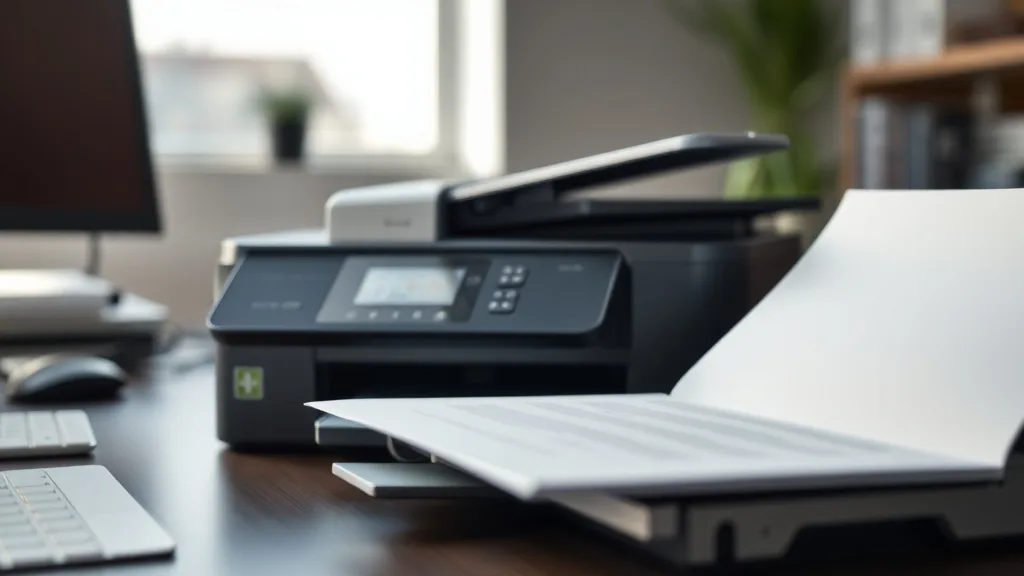
Choosing between a monochrome laser printer and an inkjet for your home or office print needs often comes down to cost—especially when you factor in ongoing expenses like toner or ink replacement. If you’ve been frustrated by sky-high prices for brand-name cartridges or unexpected yield drops from third-party supplies, this cost comparison will clarify which technology truly saves you money on a per-page basis without sacrificing reliability.
What Is a Monochrome Laser Printer vs. an Inkjet Printer?
A monochrome laser printer is a type of printer that uses a laser beam to create sharp, black-only images on a drum which transfers toner powder onto paper. It’s designed specifically for high-volume text printing, making it a popular choice for offices or users who primarily print documents.
An inkjet printer, on the other hand, sprays tiny droplets of liquid ink directly onto paper. Inkjet printers typically produce quality color images and text but tend to have slower print speeds and may require frequent ink cartridge replacements.
See also: 21. Inkjet vs laser for home use — a cost-per-page lens
How Each Printer Technology Impacts Cost
Phone cases - Sponsored - 15% off first order
Phone Case Gift - They pick the model · 2 minutes Code FIRST15GIFTThe cost of owning and operating a printer involves two main components:
- Upfront cost: The price you pay to buy the printer.
- Operating cost: The cost to buy consumables (toner or ink) and maintenance over time.
1. Upfront Pricing
Monochrome laser printers generally have a higher purchase price compared to basic inkjet models but tend to offer faster print speeds and a longer lifespan.
Inkjets may be less expensive initially, but cheaper models often sacrifice durability and print volume capacity.
2. Consumables Yield and Cost-Per-Page
This is where the most significant difference lies:
- Toner Cartridges (Laser): Laser toner typically has a higher page yield per cartridge than inkjet cartridges. A single monochrome toner cartridge can print thousands of pages before needing replacement.
- Ink Cartridges (Inkjet): Ink cartridges have lower capacity, often requiring replacement after a few hundred pages.
However, brand-name toner cartridges are often disproportionately expensive, and many users turn to third-party or compatible cartridges to reduce costs. While third-party ink cartridges usually come with a lower price tag, their yield and reliability vary.
3. Cost-per-Page (CPP) Calculation
Understanding cost-per-page is essential for a real-world cost comparison. The formula is:
Cost per page = (Cartridge price) / (Page yield)
Let’s illustrate with general examples:
| Printer Type | Cartridge Price | Expected Yield (pages) | Cost per Page (USD) |
|---|---|---|---|
| Brand-name Laser Toner | $120 | 2,500 | $0.048 |
| Third-party Laser Toner | $75 | 2,200 | $0.034 |
| Brand-name Ink Cartridge | $40 | 300 | $0.133 |
| Third-party Ink Cartridge | $20 | 250 | $0.08 |
From this simplified example, even with third-party supplies, laser printing is substantially cheaper per page.
When to Choose Monochrome Laser vs. Inkjet Based on Cost
Choose a Monochrome Laser Printer if:
- You mostly print black and white text documents.
- Print volumes are moderate to high (hundreds to thousands of pages monthly).
- You want lower ongoing printing costs per page.
- You prefer faster print speeds.
- You want to avoid frequent cartridge replacements.
- You’re willing to invest more upfront for long-term savings.
Choose an Inkjet Printer if:
- You occasionally print in color or need photo-quality output.
- Your print volume is low to moderate.
- You prioritize lower initial printer costs.
- You don’t mind higher per-page costs or frequent cartridge changes.
Reliability and Compatibility Trade-offs
Phone cases - Sponsored - 15% off first order
Titan Case - Precision fit · 2,000+ designs Code FIRST15TITOEM vs. Third-Party Consumables
- OEM cartridges guarantee compatibility and often superior print quality, but at a premium price.
- Third-party cartridges reduce costs significantly but can carry risks: lower yield, inconsistent print quality, printer error messages, or chip lockout issues.
Manufacturers often include microchips that track cartridge usage. Some laser printers are more prone to reject third-party toner cartridges with chip locks, which can increase operating costs by forcing brand-name purchases.
Inkjet printers also use chips, sometimes making refillable cartridges or third-party alternatives harder to use without compatibility or firmware update issues.
Warranty Considerations
Using third-party or refilled cartridges occasionally voids printer warranties or manufacturer support, an important consideration for business users.
Potential Pitfalls in Cost Calculations
-
Ignoring yield variability: Page yields advertised can vary widely depending on print content and settings (e.g., print density).
-
Overlooking maintenance costs: Laser printers have fewer moving parts and require less frequent maintenance than some inkjets, where clogged nozzles and print head replacements add cost.
-
Relying on chip lockout assumptions: Some third-party suppliers have developed workarounds for chip lockouts but they’re not guaranteed for all printer models.
-
Neglecting print quality differences: Higher yield and lower cost per page are less meaningful if print quality suffers for your specific needs.
Summary Comparison Table
Phone cases - Sponsored - 15% off first order
Phone Cases For Charity - Every case supports a cause Code GIVE10| Feature | Monochrome Laser Printer | Inkjet Printer |
|---|---|---|
| Upfront Printer Cost | Higher | Lower |
| Page Yield (Black) | High (1,500 - 3,000+ pages/sample) | Low (200 - 500 pages/sample) |
| Cost Per Black Page | Low ($0.03 - $0.05) | High ($0.08 - $0.13) |
| Print Speed | Fast (20-40 ppm typical) | Slow (5-15 ppm typical) |
| Color Printing | No, black only | Yes, full color supported |
| Maintenance Frequency | Low | Moderate (ink clogs, heads, cleaning) |
| Reliability with Third-Party Supplies | Moderate to high but chip lockouts possible | Variable; often less consistent |
| Best Use Case | Text-heavy document printing | Photos, color graphics, casual use |
Actionable Tips to Optimize Printing Costs
- Calculate total usage: Estimate your monthly page volume before buying.
- Compare cost per page over time: Don’t be swayed by low printer prices alone.
- Buy high-yield cartridges if possible: Even expensive OEM cartridges can have lower CPP when yield is factored in.
- Test third-party cartridges carefully: Research user reviews and warranties.
- Consider maintenance needs: Laser printers generally require less service.
- Be cautious with firmware updates: Some updates disable third-party cartridge compatibility.
Frequently Asked Questions
Q: Can third-party toner cartridges damage my laser printer?
A: Generally no, but low-quality cartridges might cause print defects or toner leakage. Always buy from reputable suppliers and ensure compatibility.
Q: Why do inkjet cartridges run out so quickly compared to laser toner?
A: Inkjet cartridges contain liquid ink with smaller page coverage per cartridge and higher ink consumption on color and photo prints, whereas laser toner uses powder that lasts longer.
Q: Is it cheaper to refill cartridges than buy new third-party options?
A: Sometimes, but refilling can be messy, inconsistent in yield, and void warranties. Chip lockouts may prevent refills from working properly.
Understanding the balance between upfront cost, consumables yield, and per-page cost is key when deciding between monochrome laser and inkjet printers. For text-heavy, volume-oriented users, lasers typically offer a much better cost profile, while inkjets serve more specialized, low-volume, or color printing needs despite higher operating costs.
Top Picks
Watchdog picks
- B09PH83KK5
- B07YPR2DGH
- B0BL466Y41
- B01NBB1J9U
- LEVOIT Air Purifier for Home Allergies Pet Hair in Bedroom, Covers Up to 1073 ft
- B08X4BQL7D
- Brother Genuine Standard Yield Toner Cartridge, TN730, Replacement Black Toner,
- B0FGC43YCL
Products in this guide
- Brother Genuine Standard Yield Toner Cartridge, TN730, Replacement Black Toner, Page Yield Up To 1,200 Pages, Amazon Das
- MLT-D116L High Yield Toner Cartridge - 1 Pack, Black Replacement for Samsung 116L D116L MLTD116L Toner to use with Xpres
- HP OfficeJet Pro 8125e Wireless All-in-One Color Inkjet Printer, Print, scan, Copy, ADF, Duplex Printing Best-for-Home O
- Inkjet Refill Kit Pro — Compatible with HP, Canon, Epson, and Lexmark Cartridges
