InkLedger is reader-supported. When you buy through links on our site, we may earn an affiliate commission at no cost to you. We only recommend products and services we believe are genuinely helpful.
How to Get the Most Out of Your Ink Cartridges: Expert Tips
Phone cases - Sponsored - 15% off first order
Phone Case Gift - They pick the model · 2 minutes Code FIRST15GIFT
Printer ink – it’s the bane of many a home office. We all know the feeling of dread when that low ink warning pops up, signaling another expensive trip to the store. But what if you could squeeze more life out of your existing cartridges? You can! By understanding a few key principles and implementing some simple strategies, you can significantly extend the lifespan of your ink and delay those dreaded replacement purchases. This guide will show you how to Maximize Ink Cartridge Life through optimized printing habits, proper printer maintenance, and a dash of clever strategy.
1. Optimize Your Printing Habits
The way you print dramatically impacts how quickly you deplete your ink cartridges. Making a few adjustments to your printing habits can lead to substantial savings over time.
Draft Mode is Your Friend
For everyday documents and internal drafts, switch your printer to “Draft” or “Economy” mode. This setting uses significantly less ink by reducing the ink density and resolution. While the print quality might not be suitable for glossy photos or client presentations, it’s perfectly acceptable for most routine tasks. You’ll be surprised how much longer your cartridges last.
Print in Black and White Whenever Possible
Color ink cartridges tend to deplete much faster than black ink. Before printing, ask yourself if color is truly necessary. For documents that are primarily text-based, selecting “Black and White” or “Grayscale” printing can help conserve your color ink cartridges. Many printers also offer a “Black Ink Only” mode, which forces the printer to use only the black cartridge, even for elements that might otherwise use a small amount of color.
Be Mindful of Font Choices
Believe it or not, the font you use can impact ink consumption. Some fonts, like Arial and Calibri, are more ink-efficient than others, like some heavier serif fonts. While this effect is subtle, consistently using ink-efficient fonts for your documents can contribute to overall savings. You can find several resources online that compare the ink usage of different fonts.
Preview Before Printing
Always preview your documents before printing. This allows you to catch any unnecessary formatting errors, blank pages, or other issues that would result in wasted ink and paper. Most software programs have a “Print Preview” option.
Embrace Double-Sided Printing
Printing on both sides of the paper (duplex printing) not only saves trees but also indirectly reduces ink consumption. By using less paper overall, you’ll print fewer pages, thus extending the life of your ink cartridges. If your printer doesn’t have automatic duplex printing, you can manually flip the pages to print on both sides.
2. Printer Maintenance and Cartridge Care
Proper printer maintenance and cartridge care are essential for maximizing ink cartridge life. Neglecting these aspects can lead to clogged printheads, premature cartridge failure, and wasted ink.
Run Regular Printhead Cleaning Cycles (But Not Too Often!)
Most inkjet printers have a built-in printhead cleaning function. This process helps to clear any clogs or dried ink that can obstruct the nozzles, leading to poor print quality. However, it’s important to use this function sparingly, as it consumes a significant amount of ink. Only run a cleaning cycle if you notice streaks, faded colors, or other print quality issues. Excessive cleaning can actually deplete your cartridges faster. We have a deep dive on the topic here: /pillars/mvp-pillar-2-clogged-printhead-when-to-clean-vs-when-to-replace/.
Store Cartridges Properly
When not in use, store your ink cartridges in a cool, dark place, ideally in an airtight container. This helps prevent the ink from drying out or evaporating. If you have multiple cartridges, consider storing them in a resealable plastic bag with a damp paper towel to maintain humidity. We detail how to seal them properly here: /pillars/mvp-pillar-3-storing-unused-cartridges-the-vacuum-sealing-trick/.
Handle Cartridges With Care
Avoid touching the gold contacts or nozzles on the ink cartridges. Oils and contaminants from your fingers can interfere with the electrical connections and cause printing problems. When installing or removing cartridges, handle them gently to avoid damaging them.
Power Down Smartly
Don’t just yank the power cord. Always turn off your printer using the power button. This allows the printer to properly cap the printheads, preventing the ink from drying out and causing clogs.
3. Cartridge Strategy: Choose Wisely and Consider Alternatives
Your cartridge purchasing strategy can have a huge impact on your long-term ink costs. Here’s how to make smarter choices.
Opt for XL or High-Yield Cartridges
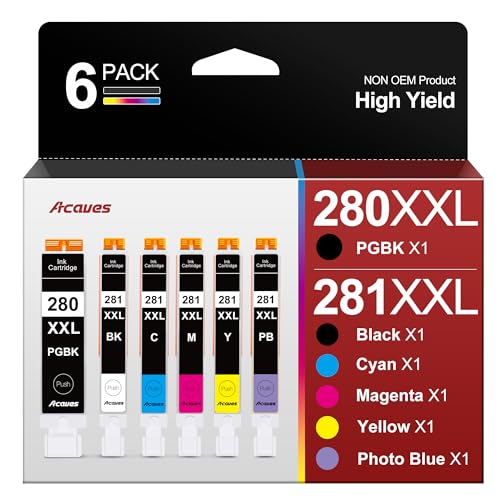
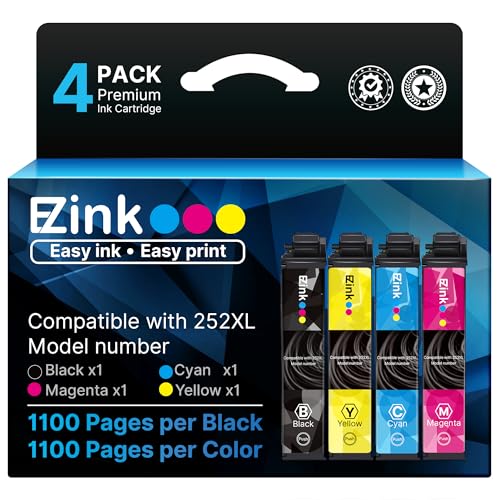
If your printer supports them, choose XL or high-yield cartridges over standard-yield cartridges. While they may cost more upfront, they contain significantly more ink, resulting in a lower cost per page. For example, the Canon PG-245 is available in a standard version: /products/b00e58rq4q-canon-pg-245-genuine-black-ink-cartridge-compatible-with-ip2/Check on Amazon → and an XL version: /products/b00e58rq8m-canon-pg-245-xl-genuine-black-ink-cartridge-compatible-with/Check on Amazon →. The XL version will save you in the long run if you print frequently.
Consider Compatible or Refilled Cartridges
Explore compatible or refilled ink cartridges from reputable third-party suppliers. These cartridges can offer significant cost savings compared to OEM cartridges, without necessarily sacrificing print quality. However, be sure to do your research and choose a supplier with a good reputation and a warranty. Also, be aware that some printer manufacturers may try to discourage the use of third-party cartridges through firmware updates or warnings. Read our guide on compatible cartridges to learn more.
Know Your Printer’s Ink System
Understand how your printer uses ink. Some printers use all cartridges (black and all colors) to create a deep black, even when printing “black only.” This can lead to premature depletion of color cartridges. If you primarily print black and white documents, consider choosing a printer with a single black cartridge system.
Don’t Panic at “Low Ink” Warnings
Printer ink level indicators are often inaccurate and can display a “low ink” warning long before the cartridge is actually empty. Ignore these warnings and continue printing until you notice a decline in print quality. You can often override the warning message and continue printing for quite some time.
4. The Ultimate Solution: Ink Tank Printers
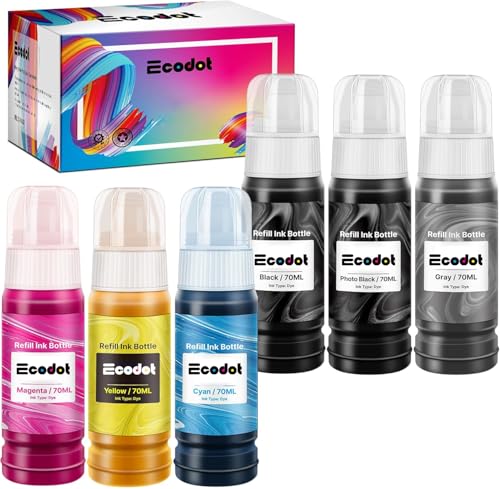
If you’re truly tired of the high cost of ink cartridges, consider investing in an ink tank printer. These printers use refillable ink tanks instead of cartridges, offering dramatically lower running costs. While the initial investment is higher, the cost per page is significantly lower, making them a great option for high-volume printing. Epson’s EcoTank series and Canon’s MegaTank series are popular choices. For example, the Epson 664 Ecotank ink bottles: /products/b012iwr5x2-epson-664-ecotank-ink-ultra-high-capacity-bottle-yellow-t664/Check on Amazon →, [/products/b012iwr5kk-epson-664-ecotank-ink-ultra-high-capacity-bottle-cyan-t66422/](/products/b012iwr5kk-epson-664-ecotank-ink-ultra-high-capacity-bottle-cyan-t66422/], [/products/b012iwr4yc-epson-664-ecotank-ink-ultra-high-capacity-bottle-magenta-t66/](/products/b012iwr4yc-epson-664-ecotank-ink-ultra-high-capacity-bottle-magenta-t66/], and [/products/b012iwpsay-epson-664-ecotank-ink-ultra-high-capacity-bottle-black-t6641/](/products/b012iwpsay-epson-664-ecotank-ink-ultra-high-capacity-bottle-black-t6641/] offer much lower costs per page than traditional cartridges.
By implementing these expert tips, you can significantly extend the life of your ink cartridges and reduce your printing costs. Remember to adjust your printing habits, perform regular printer maintenance, choose cartridges wisely, and consider alternative printing solutions like ink tank printers. With a little effort, you can take control of your ink consumption and stop overpaying for printer ink.
Watchdog picks
- Compatible for EPT502 Ink Refill Bottles Eco Tank ET-2850 ET-3850 ET-4850 ET-150Check on Amazon → · Buy on Amazon
- Soldering Iron Kit, 80W 110V Fast Heat up in 10s LCD Digital Adjustable TemperatCheck on Amazon → · Buy on Amazon
- YIHUA 939D+ Digital Soldering Station, 75W Equivalent with Precision Heat ControCheck on Amazon → · Buy on Amazon
- B0014D3N0QCheck on Amazon → · Buy on Amazon
- B0G6Z1834NCheck on Amazon → · Buy on Amazon
- B00PB6F2V4Check on Amazon → · Buy on Amazon
- B00B5JOC5CCheck on Amazon → · Buy on Amazon
- EPSON 702 DURABrite Ultra Ink High Capacity Black & Standard Color Cartridge ComCheck on Amazon → · Buy on Amazon
Products in this guide
Phone cases - Sponsored - 15% off first order
Titan Case - Precision fit · 2,000+ designs Code FIRST15TIT- HP (Refurbished) OfficeJet Pro 9015e All-in-One Wireless Color Printer for Home Office, Compatible with Alexa (1G5L3A) (Check on Amazon →
- Epson EcoTank Wireless Color All-in-One Cartridge-Free ET-3850 Supertank Inkjet Printer for Home Office, Scanner, CopierCheck on Amazon →
- HP OfficeJet Pro 8125e Wireless All-in-One Color Inkjet Printer, Print, scan, Copy, ADF, Duplex Printing Best-for-Home OCheck on Amazon →
- Epson EcoTank ET-2800 Wireless Color All-in-One Cartridge-Free Ink Supertank Printer with Scan and Copy for Home Use, WhCheck on Amazon →