InkLedger is reader-supported. When you buy through links on our site, we may earn an affiliate commission, at no cost to you. This helps us fund the ink-stained fingers required for this relentless price tracking.
Epson printers are known for their quality, but let’s face it: those OEM (Original Equipment Manufacturer) ink cartridges can drain your wallet faster than you can say “low ink.” The good news is that third-party ink for Epson printers offers a compelling alternative, promising significant cost savings. But with so many options on the market, how do you choose the right third-party ink? This guide cuts through the noise, offering a data-driven look at quality, reliability, and value to help you make an informed decision and keep your printing costs down.
The Allure (and Risks) of Third-Party Ink
Phone cases - Sponsored - 15% off first order
Phone Case Gift - They pick the model · 2 minutes Code FIRST15GIFT
The primary driver for switching to third-party ink is, unsurprisingly, price. OEM cartridges are notoriously expensive, often costing more than the printer itself over its lifespan. Third-party alternatives can offer savings of 50% or more, a tempting prospect for any budget-conscious user. But before you jump on the bandwagon, it’s crucial to understand the risks.
The biggest concerns revolve around print quality and printer health. Poorly formulated ink can produce faded colors, blurry text, or even clog your print heads. In the worst-case scenario, incompatible ink could damage your printer. However, the landscape of third-party ink has evolved significantly in recent years. Many reputable brands now offer high-quality alternatives that rival OEM performance.
Key Considerations Before Switching
Before diving into specific recommendations, consider these factors:
- Your Printing Needs: Are you printing high-resolution photos, everyday documents, or a mix of both? High-quality photo printing demands a more precise ink formulation.
- Printer Model: Not all third-party inks are created equal. Ensure the ink is specifically designed for your Epson printer model.
- Warranty: While the Magnuson-Moss Warranty Act generally protects consumers from having their warranties voided for using third-party products, it’s always a good idea to check your printer’s warranty policy. See our article on Will Using Compatible Ink Cartridges Void Your Printer Warranty? for more details.
- Reviews: Read reviews from other users. Look for consistent feedback on print quality, reliability, and customer support.
Top Third-Party Ink Brands for Epson: Our Recommendations
While we can’t perform exhaustive lab testing on every brand, we’ve analyzed user reviews, product specifications, and pricing data to identify some of the most reliable third-party ink options for Epson printers. These recommendations are based on a combination of factors, including print quality, longevity, and cost-effectiveness.
1. LD Products: LD Products consistently receives high marks for its print quality and reliability. They offer a wide range of compatible cartridges for various Epson printer models. Their cartridges are often filled to a higher capacity than standard OEM cartridges, providing even greater value. User reviews frequently praise the vibrant colors and sharp text produced by LD Products ink. They also offer a 100% satisfaction guarantee, providing peace of mind.
2. Inkjets.com: Inkjets.com is another well-regarded brand known for its quality control and customer service. They offer both compatible cartridges and refill kits. Their refill kits can offer even greater savings, but require a bit more effort to use. Inkjets.com cartridges are rigorously tested to ensure compatibility and performance.
3. V4INK: V4INK offers a compelling balance of price and performance. Their cartridges are generally more affordable than LD Products or Inkjets.com, making them a good option for budget-conscious users. While print quality may not be quite as good as LD Products, it’s still more than adequate for everyday printing needs.
4. Amazon Basics: For simple text black and white printing, the Amazon Basics brand is a good option for the price. It is not recommended for printing professional photos.
A Note on Refill Kits
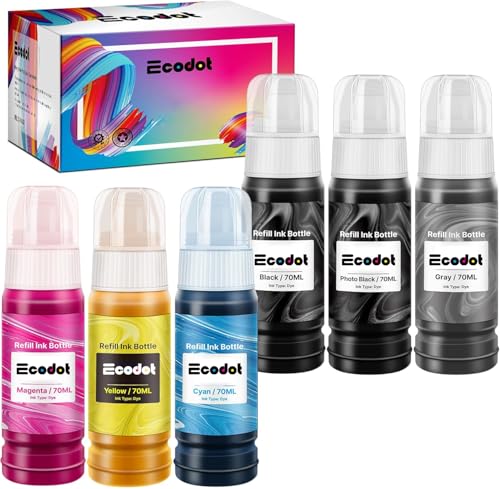
Refill kits offer the potential for even greater savings compared to compatible cartridges. These kits typically include bottles of ink and syringes for refilling your existing cartridges. While refill kits can be a cost-effective option, they also require more effort and can be messy. It’s crucial to follow the instructions carefully to avoid damaging your cartridges or your printer. See our article on How to Refill Ink Cartridges: Save 60–90% vs. OEM with Tested Methods for a step-by-step guide. A product like /products/b00mfg54b6-inkjet-refill-kit-pro-hp-canon/Check on Amazon → could be a helpful starting point.
Addressing Common Concerns About Third-Party Ink
Phone cases - Sponsored - 15% off first order
Titan Case - Precision fit · 2,000+ designs Code FIRST15TITMany users are hesitant to switch to third-party ink due to concerns about print quality, printer damage, and warranty issues. Let’s address these concerns head-on.
Print Quality: Can Third-Party Ink Match OEM Quality?
In many cases, yes. Reputable third-party brands invest heavily in research and development to create ink formulations that rival OEM quality. However, it’s important to choose your brand carefully. Read reviews and look for brands that offer a satisfaction guarantee. We recommend doing a test print of a high quality photo when you first install a new third party cartridge.
Printer Damage: Will Third-Party Ink Ruin My Printer?
While it’s possible for poorly formulated ink to damage your printer, it’s relatively rare, especially with reputable brands. Clogging is the most common issue, but this can often be resolved with a simple print head cleaning. See our article on How to Clean Clogged Printer Heads and Extend Cartridge Life for more information.
Warranty Void: Will Using Third-Party Ink Void My Warranty?
As mentioned earlier, the Magnuson-Moss Warranty Act protects consumers from having their warranties voided for using third-party products. However, if the third-party ink directly causes damage to your printer, the manufacturer may not be liable for repairs. This is why it’s crucial to choose a reputable brand and follow the instructions carefully. See our article on Are Compatible Ink Cartridges Safe for Your Printer? What You Need to Know for more details.
Maximizing Savings and Minimizing Risks
Here are some practical tips for maximizing savings and minimizing risks when using third-party ink for your Epson printer:
- Buy in Bulk: Purchasing cartridges in multi-packs can often save you money.
- Store Cartridges Properly: Store unused cartridges in a cool, dark place, sealed in their original packaging. See our article on Storing Unused Cartridges: The Vacuum-Sealing Trick for more information.
- Run Regular Maintenance: Perform regular print head cleanings to prevent clogging.
- Monitor Ink Levels: Keep an eye on your ink levels and replace cartridges before they run completely dry.
- Consider an EcoTank Printer: If you print frequently, consider investing in an Epson EcoTank printer. These printers use refillable ink tanks instead of cartridges, offering significantly lower printing costs over the long term, even if the upfront investment is higher. See our article on Is an Epson EcoTank Printer Worth It? Cost Analysis vs. Cartridges & Lasers for more details. You can find Ecotank ink like /products/b012iwr5x2-epson-664-ecotank-ink-ultra-high-capacity-bottle-yellow-t664/Check on Amazon → on our site.
Making the Switch: A Step-by-Step Guide
Phone cases - Sponsored - 15% off first order
Phone Cases For Charity - Every case supports a cause Code GIVE10
Ready to make the switch to third-party ink? Here’s a simple step-by-step guide:
- Identify Your Printer Model: Make sure you know the exact model number of your Epson printer.
- Research Compatible Cartridges: Use the brand’s website or a retailer’s search tool to find compatible cartridges for your printer model.
- Read Reviews: Pay attention to reviews from other users, focusing on print quality and reliability.
- Purchase Cartridges: Order your cartridges from a reputable retailer.
- Install Cartridges: Follow the instructions that come with the cartridges.
- Run a Test Print: Print a test page to check the print quality.
- Adjust Settings (If Necessary): If the print quality is not satisfactory, try adjusting your printer settings. You may need to increase the ink density or change the print quality settings.
- Monitor Performance: Keep an eye on the print quality and reliability of the cartridges over time.
Final Thoughts: Is Third-Party Ink Right for You?
Switching to third-party ink can be a smart way to save money on printing costs. By choosing a reputable brand, following the instructions carefully, and taking care of your printer, you can enjoy significant savings without sacrificing print quality or reliability. While OEM ink offers a certain level of guaranteed performance, the price difference often justifies exploring the world of third-party alternatives. Remember to weigh your printing needs, budget, and risk tolerance before making a decision. And always, always read the reviews.
Watchdog picks
- B0CZSFG7VXCheck on Amazon → · Buy on Amazon
- B07R3N9X3FCheck on Amazon → · Buy on Amazon
- B0FDL1LS3BCheck on Amazon → · Buy on Amazon
- B002BWQ6XKCheck on Amazon → · Buy on Amazon
- B001QY8QXMCheck on Amazon → · Buy on Amazon
- B00NQ1CLTICheck on Amazon → · Buy on Amazon
- B08VF3XRQ8Check on Amazon → · Buy on Amazon
- B0D8B24CTBCheck on Amazon → · Buy on Amazon
Products in this guide
- Dawn Ultra Dish Soap, Original Scent, 75 fl oz (2-Pack)Check on Amazon →
- Inkjet Refill Kit Pro — Compatible with HP, Canon, Epson, and Lexmark CartridgesCheck on Amazon →
- Canon PG-245 / CL-246 Genuine Ink Value Pack (2 Cartridges), Compatible with iP2820, MG2420/2924/2920/3020/2522/2525, MXCheck on Amazon →
- Brother LC3013BK Individual High-Yield Black Ink CartridgeCheck on Amazon →