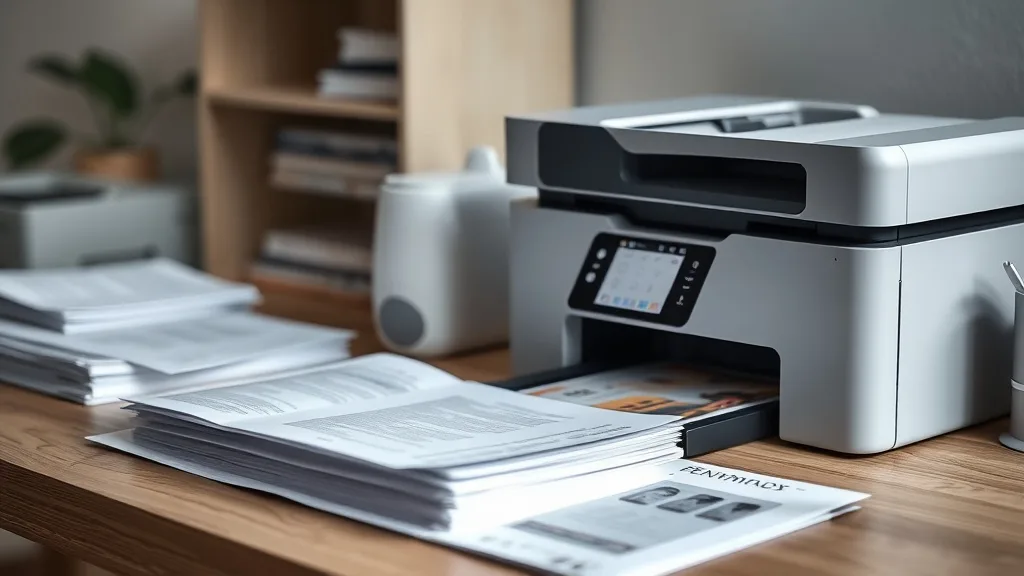
Discover printers that effortlessly accept compatible toner cartridges, delivering reliable performance and significant savings without the hassle of chip errors or print issues.
Why Compatible Toner Cartridges Matter
Brand-name toner cartridges often cost several times more than compatible or remanufactured alternatives, sometimes exceeding the printer’s purchase price itself. Compatible cartridges — manufactured by third parties or refilled models — offer substantial savings but can be problematic if the printer employs strict chip authentication, firmware lockouts, or optical sensor tricks to detect non-OEM supplies.
Choosing a printer designed or known for tolerating compatible toner cartridges can unlock significant budget relief without sacrificing quality or reliability. Before we list top models, let’s understand the key factors in evaluating printers for third-party cartridge use.
See also: Best Printers for Using Compatible Ink Cartridges in 2024
Key Factors for Printers That Play Well with Compatible Toner
Phone cases - Sponsored - 15% off first order
Phone Case Gift - They pick the model · 2 minutes Code FIRST15GIFT- Compatibility and Chip Support: Some printers have simpler cartridge authentication or support universal chips that third-party suppliers replicate easily.
- Firmware Updates and Lockouts: Frequent firmware updates can block third-party cartridges through new chip recognition or communication protocols.
- Print Yield and Page Cost: Knowing the OEM cartridge yield versus compatible cartridge yield helps calculate true cost per page (CPP).
- Print Quality and Reliability: Compatible cartridges may have slight differences in toner formula or construction; a printer’s tolerance here affects satisfaction.
- Ease of Cartridge Replacement: Printers that allow cartridge reset or chip bypass tools improve third-party cartridge usability.
- Support for Standard Toner Sizes: Common cartridge models tend to have better third-party support.
Best Printers Known for Compatible Toner Cartridge Compatibility
Below is a ranked list of printer types (mostly laser printers) proven by user reports and industry tests to work well with compatible toner cartridges. This is based on how consistently they accept third-party cartridges without error; their cost efficiency; and print quality.
1. Business-Class Monochrome Laser Printers with Universal Cartridge Models
Many office-focused monochrome laser printers use straightforward cartridge technology with chips that third-party manufacturers can clone easily. These models commonly support multiple third-party chips and enjoy stable firmware that doesn’t aggressively lock out compatible cartridges.
Pros:
- Very low cost per page with compatible toner
- High yield cartridges (typically 2,000 to 10,000 pages)
- Solid black and white print quality for text documents
Cons:
- Limited to monochrome—no color options
- Larger footprint and higher upfront cost than inkjets
2. Color Laser Printers with Standard Toner Cartridges and Confirmed Chip Cloning
Some midrange color laser printers use popular cartridge numbers with widespread chip cloning in the aftermarket. These printers support multi-color printing with good quality and accept compatible cartridges for each color toner well if sourced carefully.
Pros:
- Lower cost per page than brand name color cartridges
- Good color quality for office graphics
- Decent cartridge yields in the 1,500 to 4,000 page range
Cons:
- Compatible cartridges vary in quality – some magenta or yellow tones may shift
- Firmware updates can sometime cause temporary blockouts requiring chip resets
3. Multifunction Monochrome Laser Printers with Easy Cartridge Access
Multifunction models (print, copy, scan) that use simple, widely available toner cartridges offer good value. Their firmware often doesn’t include aggressive lockouts, and the cartridges commonly have higher yields.
Pros:
- Combine several office functions into one device
- Cost-effective to maintain using compatible cartridges
- Easy cartridge replacement lowers downtime
Cons:
- Usually monochrome only — no color option
- Not all multifunction models perform equally well; check user compatibility reports
4. Standardized Cartridge Models on Laser Printers with User-Resettable Chips
Certain printer series feature cartridges with chips that users can reset or replace with aftermarket tools. These models provide an extra level of compatibility resilience, extending the life of compatible toner cartridges after yield counters signal “empty.”
Pros:
- Extended use of single compatible cartridges reduces cost-per-page
- Flexible firmware compatibility with common chip resellers
Cons:
- Requires manual chip resets or additional accessories
- Adds some complexity to maintenance
Comparison Table: Printer Types vs Compatible Toner Cartridge Features
| Feature | Business Monochrome Laser | Color Laser with Chip Support | Monochrome MFP | Resettable Chip Models |
|---|---|---|---|---|
| Compatible Cartridge Support | High | Medium to High | Medium to High | High |
| Firmware Blocking Risk | Low | Medium | Low | Low to Medium |
| Black Print Quality | Excellent | Good | Excellent | Excellent |
| Color Print Quality | Not Applicable | Good | Not Applicable | Not Applicable or Good |
| Cartridge Yield Range (pages) | 2,000-10,000 | 1,500-4,000 | 2,000-5,000 | Varies |
| Cost Per Page with Compatible Toner | Low | Medium | Low to Medium | Lowest |
| Ease of Cartridge Replacement | Easy | Moderate | Easy | Moderate (chip reset) |
| Printer Upfront Cost | Medium-High | Medium-High | Medium | Medium |
How to Calculate Cost Per Page for Compatible Toner Cartridges
Phone cases - Sponsored - 15% off first order
Titan Case - Precision fit · 2,000+ designs Code FIRST15TITThe core metric for savings is the cost per page (CPP), which you calculate like this:
[ \text{CPP} = \frac{\text{Cartridge Price}}{\text{Yield (pages)}} ]
For example, if a compatible cartridge costs $30 and yields 3,000 pages:
[ \text{CPP} = \frac{30}{3000} = 0.01 \text{ or 1 cent per page} ]
Compare this with the brand-name cartridge price and yield. If the brand cartridge is $80 for the same 3,000 pages, its CPP is about 2.7 cents per page—more than double.
Note: Check yield ratings from the manufacturer or validation tests, as exaggerated yields can skew CPP calculations.
What to Watch For When Using Compatible Toner Cartridges
- Chip Incompatibility: Some cartridges won’t “talk” to the printer chip correctly, leading to error messages or refusal to print.
- Firmware Update Issues: Printer manufacturers sometimes push firmware that blocks third-party cartridges post-update.
- Print Quality Differences: Compatible toners generally produce good prints but may have slight differences in crispness or density.
- Yield Variations: Not all compatibles match OEM yield exactly; some may provide fewer pages.
- Warranty and Support: Some printer warranties specify using OEM cartridges; fines or support restrictions may apply if you use compatibles.
Actionable Tips for Maximizing Compatibility and Savings
Phone cases - Sponsored - 15% off first order
Phone Cases For Charity - Every case supports a cause Code GIVE10- Research Before Purchase: Use forums and reviews to identify printer models with high compatible cartridge success rates.
- Purchase Compatible Toner from Reputable Suppliers: Look for those offering guarantees or compatibility warranties.
- Avoid Automatic Firmware Updates: Delay printer firmware updates immediately after release to see if they affect compatible cartridge acceptance.
- Consider Chip Reset Tools: For printers with chip-based counters, invest in reset tools or compatible chips to maximize cartridge lifespan.
- Test Print Quality: Always test a cartridge on your printer before committing to bulk purchases.
Frequently Asked Questions
Q: Will compatible toner cartridges void my printer’s warranty?
A: Generally, using compatible cartridges does not void your warranty under regulations in many countries, but some manufacturers may claim otherwise. Always check your warranty terms, but third-party toner use is common and typically safe.
Q: How can I tell if my printer supports compatible cartridges?
A: Look for printers with popular cartridge numbers that third-party sellers advertise compatibility with, and check online reviews or forums for user experiences regarding compatible cartridge acceptance.
Q: Why do some printers stop recognizing compatible cartridges after a firmware update?
A: Firmware updates sometimes include code to detect and block non-OEM chips or cartridges to protect OEM sales. Avoid updating firmware until verifying compatibility with your preferred third-party toner provider.
Top Picks
Watchdog picks
- B08JHWZ15B
- LEVOIT Air Purifier for Home Allergies Pet Hair in Bedroom, Covers Up to 1073 ft
- HP OfficeJet Pro 9125e Wireless All-in-One Color Inkjet Printer, Print, scan, co
- B000VKGRF0
- Hakko T18S3P Tip for Fx-888 Station, 5.2mm
- HP OfficeJet Pro 8125e Wireless All-in-One Color Inkjet Printer, Print, scan, Co
- B01N7V39QJ
- EPSON 552 EcoTank Ink Ultra-high Capacity Bottle Five Color Combo Pack (T552920-
Products in this guide
- HP DeskJet 2755 Wireless All-in-One Printer, Mobile Print, Scan & Copy, Instant Ink Ready, Works with Alexa (3XV17A)
- HP 134A Black Toner Cartridge Printers | Works with LaserJet M209 Series; LaserJet MFP M234 Series | W1340A
- HP OfficeJet Pro 9125e Wireless All-in-One Color Inkjet Printer, Print, scan, copy, fax, ADF, Duplex printing best-for-o
- Remanufactured Replacement for Epson 702 Ink Cartridges for 702XL Ink cartridges Combo Pack Work with Printer Workforce