
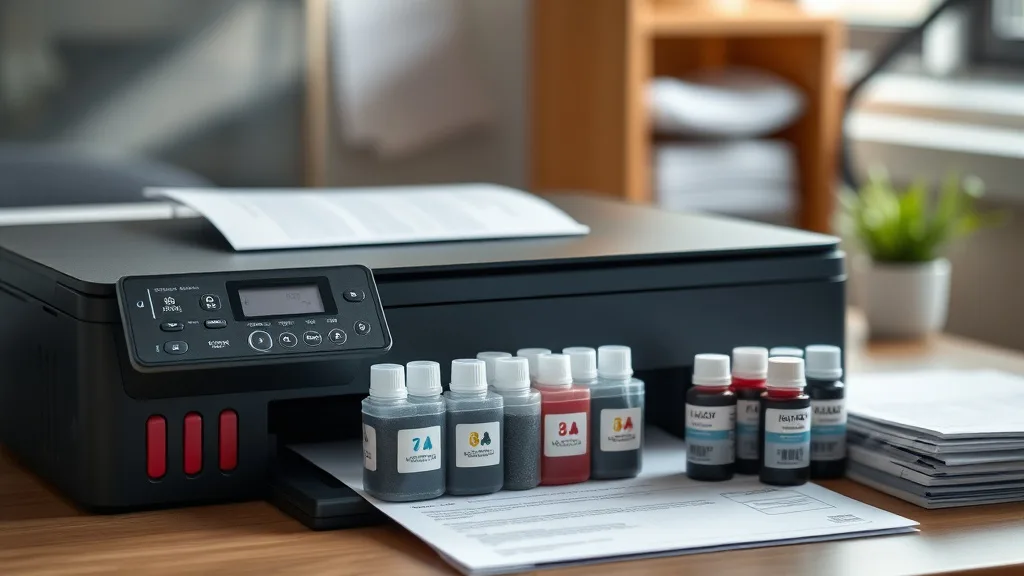
Affordable Ink Refill Kits with Step-by-Step Instructions
If you’re frustrated by the high cost of brand-name ink cartridges and tired of paying inflated prices for replacements, affordable ink refill kits offer a practical way to slash your printing expenses. However, without clear guidance, the process can feel daunting. This article breaks down what ink refill kits are, how they work, when they’re a smart choice, and how to use them safely with step-by-step instructions. We’ll also cover the common risks and trade-offs involved, helping you save money while avoiding headaches.
What Are Ink Refill Kits?
Ink refill kits are DIY sets that allow printer owners to refill empty ink cartridges with new ink instead of buying expensive new cartridges. These kits typically include ink bottles of various colors, syringes or refill tools, gloves, and sometimes instructions for specific cartridge models.
Unlike third-party compatible cartridges, which are prefilled and designed to fit your printer, refill kits require you to handle the ink and physically replenish the cartridge yourself. This hands-on approach often results in the lowest per-page cost but comes with some risks and extra effort.
How Ink Refill Kits Work
Phone cases - Sponsored - 15% off first order
Phone Case Gift - They pick the model · 2 minutes Code FIRST15GIFT- Cartridge Preparation: You begin by removing the empty cartridge from your printer and sometimes cleaning or puncturing it to allow new ink to enter.
- Ink Injection: Using a syringe or refill tool included with most kits, you carefully draw ink from the bottle and inject it into the cartridge’s reservoir.
- Sealing and Resetting: After refilling, the cartridge must be sealed to prevent leaks. In some cases, chip-resetting steps are required, as many cartridges have chips that monitor ink levels.
- Reinstallation and Testing: Place the refilled cartridge back in the printer and print test pages to ensure proper ink flow and color accuracy.
When to Use Ink Refill Kits
- You want the lowest printing cost: Refilling a cartridge can reduce per-page ink costs by 50-80% or more compared to buying a brand-new OEM cartridge.
- You have a printer model compatible with refill kits: Not all printers or cartridges refill well; some chip-lock technology complicates reuse.
- You’re comfortable with DIY tasks and careful handling of ink: If you’re willing to invest a little time and effort.
- Your printing volume is moderate: Frequent refilling can become tedious and less practical if you’re a high-volume user.
Common Pitfalls & Compatibility Risks
Phone cases - Sponsored - 15% off first order
Titan Case - Precision fit · 2,000+ designs Code FIRST15TIT- Chip lockout & ink level monitoring: Many newer cartridges contain chips designed to prevent refilling or reset ink counters. Without a compatible chip resetter, you may see false “empty” warnings or the printer may reject the cartridge.
- Ink leakage & cartridge damage: Mishandling ink can cause leaks that damage your printer or cause print quality problems.
- Color mismatches: Third-party inks may not have the exact pigment formulations as OEM inks, potentially resulting in less accurate or vibrant prints.
- Yield inconsistencies: Refills typically restore most but not all of the cartridge’s original yield, especially if the cartridge or refill kit is lower quality.
- Warranty concerns: Using non-OEM refill kits may void printer warranties in some cases.
Step-by-Step Instructions for Using an Ink Refill Kit
What You’ll Need
- Ink refill kit compatible with your cartridge model (includes ink bottles, syringes, refill tools, gloves)
- Paper towels or a cloth for cleanup
- A workspace covered to protect surfaces from ink stains
- Chip resetter (optional, for cartridges with chip protection)
Step 1: Remove the Cartridge and Prepare It
- Turn off your printer and remove the empty cartridge carefully.
- Place paper towels on your workspace under the cartridge to catch potential spills.
- Some cartridges require removing a label or sealing tape from the ink port to access the reservoir.
Step 2: Prepare the Refill Syringe and Ink
- Put on gloves to avoid staining your hands.
- Shake the ink bottles gently if required.
- Fill the syringe with the recommended amount of ink (check kit instructions).
Step 3: Inject the Ink
- Insert the syringe needle into the cartridge’s ink port slowly and carefully.
- Gently push the plunger to inject ink; avoid overfilling to prevent leaks.
- Remove the syringe once complete and wipe away any drips.
Step 4: Seal and Reset (If Needed)
- Seal the ink port with tape or plugs provided in the kit.
- If the cartridge has a chip, use a compatible chip resetter device to restore ink level reporting.
Step 5: Reinstall and Test
- Place the cartridge back in your printer.
- Run a printer cleaning cycle if your printer supports it.
- Print a test page to check ink flow and color.
- Repeat if necessary, but don’t refill too often to avoid cartridge clogs or damage.
Cost & Yield Comparison: OEM vs Refill Kits vs Compatible Cartridges
Phone cases - Sponsored - 15% off first order
Phone Cases For Charity - Every case supports a cause Code GIVE10| Feature | Brand-Name Cartridge | Third-Party Compatible Cartridge | Ink Refill Kit |
|---|---|---|---|
| Average Cost per Cartridge | High ($30-$60) | Moderate ($15-$35) | Low ($5-$15 for refill ink) |
| Cost Per Page | $0.10 - $0.20 | $0.05 - $0.12 | $0.02 - $0.06 |
| Ink Quality | Consistent, OEM-standard | Varies, often good | Varies, can be inconsistent |
| Ease of Use | Plug & play | Plug & play | DIY process, more time/effort |
| Risk of Printer Damage | Low | Moderate, depends on cartridge | Moderate to High if spilled |
| Chip Lockout Issues | None | Some models | Frequent without chip resetter |
| Yield (Pages per Cartridge) | Manufacturer-stated typically accurate | Slightly lower | Typically 85-95% of OEM yield |
Tips for Success
- Always buy refill kits matched to your cartridge model for best compatibility.
- Test refilled cartridges with non-critical print jobs first.
- Keep a spare original cartridge handy as backup.
- Use chip resetters if needed—many kits sell these separately.
- Store ink bottles in a cool, dark place with caps tightly closed.
- Clean print heads periodically to maintain quality.
Conclusion
Affordable ink refill kits represent one of the most cost-effective solutions for reducing printing expenses. Though they require some care and patience, the savings can be substantial compared to purchasing OEM cartridges. Evaluate your own printer model, printing volume, and willingness to DIY before committing. When done carefully and correctly, refills can keep your printer running smoothly while saving you money page after page.
Frequently Asked Questions
Q: Will ink refill kits work with all printers?
A: No. Some printers use chip technology that prevents or complicates refilling. Check cartridge and printer compatibility before buying a kit.
Q: How many times can I refill the same cartridge?
A: Typically, 2-3 refills give good performance. Repeated refilling risks clogging and leaks due to cartridge wear.
Q: Will refilling ink affect print quality?
A: It can. Quality varies by ink and cartridge condition. Using recommended inks and cleaning heads help maintain good results.
See also: Cost Comparison: OEM Ink vs Compatible Ink Over One Year
Top Picks
Watchdog picks
- B012IWR5X2
- B09ZVMYHGF
- B09W73NQPW
- B002R5AF1I
- B089CGSV4N
- HP Original 67 Tri-Color / 67XL Black Ink Cartridges (2-Pack) - Works DeskJet 12
- ecodot 552 Pigment Ink Refill Ink Bottle Replacement for Epson 552 Ink Used for
- Epson EcoTank ET-2400 Wireless Color All-in-One Cartridge-Free Supertank Printer
Products in this guide
- Brother Printer LC30193PK Super High Yield XXL 3 Pack Ink Cartridges- 1 Ea: Cyan/Magenta/Yellow Ink
- EPSON 702 DURABrite Ultra Ink High Capacity Black & Standard Color Cartridge Combo Pack (T702XL-BCS) Works with WorkForc
- EPSON 502 EcoTank Ink Ultra-high Capacity Bottle Black Works with ET-2750, 2760, 2850, 3750, 3760, 3850, 4850, and other
- EPSON 502 EcoTank Ink Ultra-high Capacity Bottle Color Combo Pack Works with ET-2750, 2760, 2850, 3750, 3760, 3850, 4850
