
44. Scanning apps for iPhone that beat a flatbed

By Marcus Nolan · Senior Editor, InkLedger
Published May 12, 2026 · Last reviewed May 12, 2026
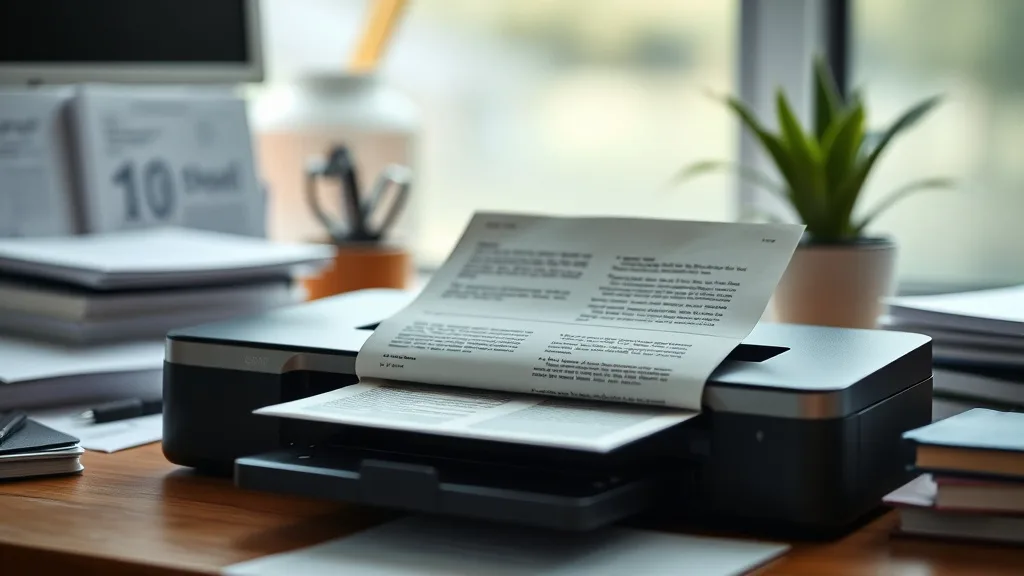
Scanning Apps for iPhone That Beat a Flatbed: Why Your Desk Scanner Might Be Obsolete
If you’re tired of lugging out your flatbed scanner every time you need to digitize a document or photo, you’re not alone. Flatbed scanners take up space, require computer connections, and can be slow and inconvenient for everyday scanning. Fortunately, your iPhone camera combined with a high-quality scanning app can deliver scans that match or exceed the quality of many flatbed scanners—without the hassle. In this article, we’ll explore how iPhone scanning apps have evolved, what features to look for, and when they genuinely outperform flatbeds, helping you decide when to ditch the scanner and go mobile.
See also: Inkledger Tips for Extending Printer Cartridge Lifespan
What iPhone Scanning Apps Are and How They Work
What They Are
iPhone scanning apps use your device’s built-in high-resolution camera and software algorithms to capture documents, photos, receipts, whiteboards, and more. Unlike just snapping a photo, these apps optimize image capture through perspective correction, auto-cropping, edge detection, and contrast enhancement, resulting in a scan-like output.
How They Work
-
Capture and Crop: The app identifies the document edges in a live camera feed or photo and crops accordingly to eliminate backgrounds.
-
Perspective Correction: It straightens any angled shots to simulate a direct flatbed scan.
-
Image Enhancement: Adjusts contrast, brightness, and sharpness to improve readability and replicate the uniform light exposure of a flatbed scanner.
-
Multi-page Scanning and PDFs: Multiple pages can be scanned and compiled into a single PDF for easy sharing or archiving.
-
OCR (Optical Character Recognition): Converts scanned text into searchable and editable content without manual retyping.
When iPhone Scanning Apps Beat a Flatbed Scanner
iPhone scanning apps offer distinct advantages in various scenarios:
- On-the-Go Convenience: Instantly scan without being tethered to a computer or desk.
- Speed: Capture and share documents or receipts quickly during meetings or travel.
- Portability: Access scanning functionality anywhere without extra equipment.
- Cost Saving: No investment in bulky, expensive scanner hardware or replacement ink.
- Photo and Artwork Capture: Some apps provide better color correction and clarity for photos and art than certain budget flatbeds.
- Multi-format Support: Ability to scan whiteboards, IDs, business cards, and even handwritten notes.
However, flatbeds can still have an edge in ultra-high-resolution archival photo scanning, scanning thick books, or when you require extremely precise color fidelity.
Key Features to Look for in iPhone Scanning Apps
Understanding these features will help you choose an app that truly replaces or outperforms your scanner for most purposes.
| Feature | What It Does | Why It Matters |
|---|---|---|
| Auto Crop & Edge Detection | Automatically detects and crops document edges | Saves time and improves scan accuracy |
| Perspective Correction | Corrects angled shots for straight output | Eliminates keystone distortion common in phone scans |
| Image Enhancement | Adjusts brightness, contrast, sharpness | Improves readability and simulates flatbed exposure |
| OCR | Recognizes and extracts text from scans | Enables text search, copy-paste, and editing |
| Multi-page & PDF Export | Combines multiple pages in single file | Convenience for contracts, reports, and archives |
| Cloud and App Integration | Syncs with cloud storage and other apps | Facilitates backup and cross-device usage |
| Batch Scanning | Quickly scan multiple documents/receipts | Great for expense tracking and bulk digitization |
| Annotation & Editing | Mark up scanned documents with notes or highlights | Useful for reviewing contracts or lectures |
| Privacy & Security | Ensures scanned data is confidential | Important for sensitive documents |
Top iPhone Scanning Apps That Rival or Beat Flatbed Scanning
While we won’t name specific brand apps here, many popular scanning apps offer similar capabilities. Below is a generic ranked list focused on the criteria that matter most to printer/scanner owners burned by cost and inconvenience.
1. Full-Featured Scanner with OCR and Cloud Sync
- Includes powerful text recognition for editable scans
- Offers automatic edge detection and batch scanning
- Supports exporting to multiple file formats and integration with cloud drives
2. Lightweight, Speed-Focused App
- Super fast capture and export, great for receipts and quick notes
- Auto-cropping with clean black-and-white enhanced scans
- Minimal interface for streamlined use
3. Photo & Artwork Optimizer
- Advanced color correction and glare removal for photos
- Manual adjustment sliders for fine-tuning
- Can scan ID cards and whiteboards in addition to documents
4. Privacy-First Scanner
- On-device processing ensures no upload to third-party servers
- Secure PDF encryption and password protection
- Basic enhancement and cropping features
Cost Efficiency: Comparing iPhone Scanning Apps to Flatbed Scanners
While flatbed scanners might seem like a one-time purchase saving money over complicated consumables, factoring in real use costs changes the picture.
| Cost Element | Flatbed Scanner | iPhone Scanning App |
|---|---|---|
| Upfront Cost | $50 to $200+ for mid-range device | Often free to under $10 |
| Consumables Needed | Ink cartridges or toner (if combined with printer) | None |
| Time Investment | Setup + PC connection + waiting for scan | Instant scan on device |
| Replacement Parts | Glass platen, cables, hardware failures | Included camera; app updates via app store |
| Software Costs | Yes, sometimes bundled or optional upgrades | Usually bundled, some apps offer in-app features |
| Maintenance | Cleaning, calibration | Minimal (mostly app updates and phone care) |
In summary: iPhone apps are far more cost-efficient and convenient for everyday scanning needs, especially as yields and batch efficiencies improve.
Common Pitfalls When Replacing Flatbed Scanners with iPhone Apps
- Lighting Conditions: Poor ambient light can degrade scan quality. Use natural or bright indirect light sources.
- Document Thickness: Books or magazines with thick spines can be tricky without flatbed flattening.
- Color Accuracy: Some apps can oversharpen or flatten colors; manual tweaks may be necessary.
- OCR Imperfections: Text recognition is improving but may struggle with handwritten, decorative, or low-contrast fonts.
- Chip/Software Lockouts: Unlike ink cartridges, scanning apps suffer fewer hardware restrictions but watch for subscription models or limited free versions.
- Phone Stability: Shaky hands or motion blur can reduce image sharpness; use a stable surface or tripod if needed.
Conclusion
For many users, modern iPhone scanning apps effectively replace the need for a traditional flatbed scanner. They offer mobility, speed, and quality that matches or exceeds budget scanners without ink or maintenance costs. Businesses scanning receipts, students digitizing notes, and photo enthusiasts can all benefit. However, for specialized archiving or precision photo work, a high-end flatbed remains valuable. Understanding your typical scan needs and evaluating apps against the features and pitfalls outlined here can help you make smart, cost-saving choices.
Frequently Asked Questions
Q: Can iPhone scanning apps replace my flatbed scanner entirely?
A: For most casual and business scanning tasks like documents, receipts, and photos, yes. However, for extremely high-resolution archival scans, thick book scanning, or ultra-precise color fidelity, a high-quality flatbed may still be preferable.
Q: Do I need to pay for premium scanning apps to get good results?
A: Many free apps offer solid features like auto-cropping and enhancement. Paid versions typically add OCR, cloud integration, or batch scanning, which can improve productivity but are optional depending on your needs.
Q: How reliable is text recognition (OCR) on iPhone scanning apps?
A: OCR accuracy continues to improve and works well on clean, printed text. It may struggle with handwriting, fancy fonts, or low-contrast prints, so proofreading is recommended for critical documents.
Cut your scanning costs, increase your convenience, and get great results with your iPhone—no flatbed required.
Top Picks


Sponsored · From our family of brands

Galaxy Case Co.
Built for Galaxy. Ready for impact.