
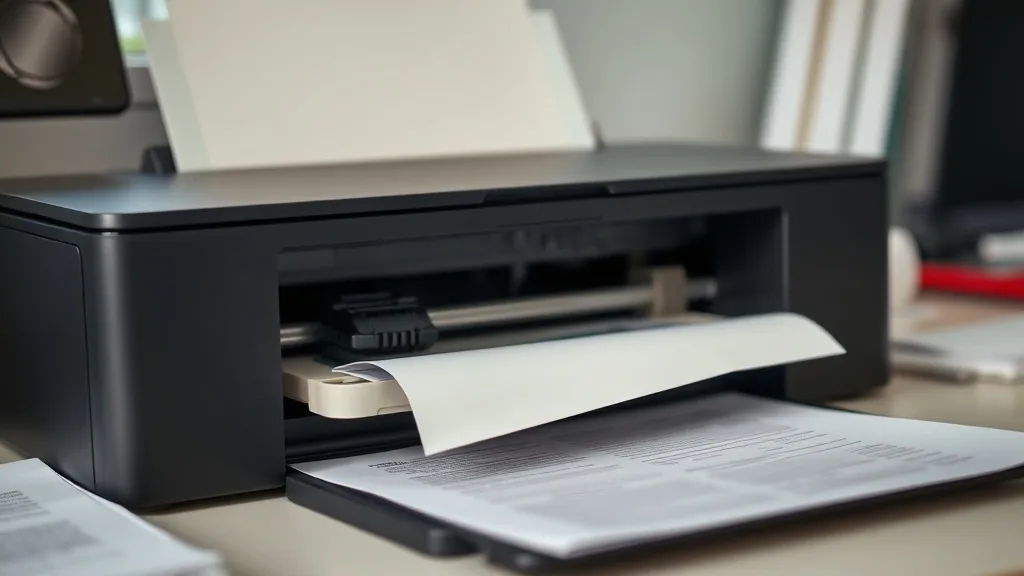
A clogged printhead is one of the most frustrating issues printer owners face, especially when grappling with costly OEM cartridges and tight budgets. Knowing when to clean your clogged printhead yourself and when it’s time to replace it can save you money and extend your printer’s life. This guide breaks down the difference between cleaning and replacing a clogged printhead, with practical cost-per-page considerations, yield impacts, and reliability trade-offs between OEM and third-party supplies.
What Is a Clogged Printhead?
The printhead is the component in an inkjet printer responsible for transferring ink onto the paper. It contains tiny nozzles that spray ink droplets precisely to create text and images. Over time, these nozzles can become clogged with dried ink, dust, or debris, causing streaks, missing lines, or discolored prints. This is commonly called a “clogged printhead.”
A clogged printhead doesn’t just affect print quality; it can also cause ink wastage, cartridge errors, and premature wear on the printer.
See also: 19. HP ink subscription vs buying cartridges: the 24-month math
How Does a Printhead Get Clogged?
Phone cases - Sponsored - 15% off first order
Phone Case Gift - They pick the model · 2 minutes Code FIRST15GIFTPrinthead clogging usually occurs for several reasons:
- Ink drying inside nozzles: Especially common if the printer sits idle for long periods without use, or if low-quality ink causes rapid drying.
- Poor quality ink: Third-party or refilled cartridges sometimes contain ink formulas not optimized for the printhead, increasing clog risk.
- Dust and debris accumulation: Environmental dust or particulates can block or interfere with nozzles.
- Mechanical wear or damage: Repeated clearing cycles or mishandling during cartridge replacement can damage the delicate nozzles.
When to Clean vs When to Replace a Clogged Printhead
Knowing whether to clean or replace your clogged printhead depends on several factors, including severity, cost, printer model, and your tolerance for DIY fixes. Below is a breakdown of each approach.
When to Clean a Clogged Printhead
Cleaning is usually the first step and can be quite effective, especially for partial clogs or initial symptoms.
- Symptoms fit cleaning: Minor skipping in print lines, faded colors, or spotty printouts.
- Recent cartridge change: Sometimes new cartridges may have blocked nozzles requiring cleaning.
- Printer supports cleaning cycles: Most printers have built-in software cleaning options; take advantage of these first.
- Cost is a concern: Cleaning is far cheaper than replacing the printhead or cartridge.
- No visible physical damage: If no cracks or obvious damage is present, cleaning may restore print quality.
Cleaning Methods
- Software cleaning cycles: Run the printer’s internal printhead cleaning utility through the control panel or software driver.
- Manual cleaning: Remove the cartridge and gently wipe the contacts and nozzles on a lint-free cloth dampened with distilled water or isopropyl alcohol.
- Soaking: For stubborn clogs, carefully soaking only the nozzles in a cleaning solution (specialized printhead cleaner or diluted isopropyl alcohol) can help.
- Use quality ink: Switching to OEM or compatible high-quality ink lowers future clog risk.
When to Replace a Clogged Printhead
Replacement is warranted when cleaning attempts fail or the printhead is physically damaged.
- Repeated clogs despite cleaning: If symptoms persist after multiple cleaning cycles, replacement may be necessary.
- Visible damage: Cracks, severe scratches, or broken nozzles mean cleaning won’t resolve the issue.
- Printhead integrated with cartridge: Some printers have cartridges with integrated printheads, meaning a cartridge swap replaces the printhead automatically.
- Cost vs replacement: For older printers, the cost of replacement printheads may approach or exceed buying a new printer; weigh those costs.
- Time and effort: Persistent clogging that wastes time or prints poorly regardless of cleaning signals replacement.
Cost-Per-Page and Yield Considerations
Phone cases - Sponsored - 15% off first order
Titan Case - Precision fit · 2,000+ designs Code FIRST15TITUnderstanding the cost impact and yield differences between cleaning and replacing can guide your choice. Cleaning is nearly free but may reduce yield if print quality doesn’t improve fully, causing wasted pages and toner/ink.
If you replace your printhead or cartridge:
- You pay upfront but restore optimal print quality.
- This restores expected cartridge yields, saving ink waste on subpar pages.
- Using OEM products often ensures longer lifespan and better compatibility.
- Third-party or remanufactured printheads/cartridges can cost less but carry compatibility and reliability risk.
| Factor | Cleaning Printhead | Replacing Printhead/Cartridge |
|---|---|---|
| Cost | Low – mostly time and minimal supplies | Medium to high, depends on printer model and OEM vs third-party |
| Time Required | 10-30 minutes (software/manual) | Depends on availability; 5-15 minutes to swap |
| Likelihood of Success | 50-80% for minor clogs | Nearly 100% if new part is functional |
| Risk of Damage | Low if careful | Low but depends on installation correctness |
| Impact on Yield | Partial improvement, some waste possible | Full restoration of expected yield |
| Warranty Impact | Usually none | May maintain warranty if OEM parts |
| Ease of Use | DIY friendly | Easy to moderate; depends on printer |
| Suitability | Minor clogs, early symptoms | Severe or persistent clogs, physical damage |
Balancing OEM vs Third-Party Solutions
Inkjet owners burned by exorbitant OEM cartridge prices often turn to third-party or refill options. This affects printhead clogging in practical ways:
- OEM Ink: Optimized for printhead longevity and fewer clog issues but at higher cost-per-page.
- Third-Party Ink: Cost-efficient but often compromises reliability, increasing clog risk.
- Refilled Cartridges: Variable quality; some users see frequent clogs and chip lockouts.
- Chip Lockouts: Printer firmware updates may disable refilled or compatible cartridges’ communication, sometimes forcing printhead or cartridge replacement.
While third-party options can save money, be vigilant about cleaning frequency and understand the trade-offs in reliability versus initial savings.
Common Pitfalls to Avoid
Phone cases - Sponsored - 15% off first order
Phone Cases For Charity - Every case supports a cause Code GIVE10- Over-cleaning: Running too many cleaning cycles wastes ink and can damage the printhead.
- Harsh chemicals: Using strong solvents can damage delicate nozzles or contacts.
- Ignoring print quality: Prolonging cleaning cycles on severely clogged printheads wastes paper and ink.
- Mixing incompatible inks: Can accelerate clogging and void warranty.
- Neglecting preventive use: Infrequent printing drastically raises clog risk; regular printing prevents buildup.
Practical Tips
- Print a test page weekly to keep nozzles active.
- Use OEM or reputable compatible cartridges with known quality.
- Perform cleaning cycles only as recommended by your printer’s manual.
- If cleaning fails after 2-3 attempts, consider replacing the cartridge or printhead.
- Store cartridges properly to prevent ink drying.
Frequently Asked Questions
Q: How many times should I run the printhead cleaning cycle before replacing the printhead?
A: Generally, 2-3 cleaning cycles are sufficient. If print quality does not improve, a replacement is likely needed.
Q: Can I clean the printhead myself without damaging it?
A: Yes, using the printer’s cleaning software or gently wiping nozzles with distilled water or isopropyl alcohol on a lint-free cloth is safe when done carefully.
Q: Does replacing a cartridge automatically replace the printhead?
A: Only if your printer uses cartridges with integrated printheads. Otherwise, printheads are separate components and require individual replacement.
Navigating clogged printheads doesn’t have to drain your budget. Understanding when to clean and when to replace—and factoring in cost-per-page, yield, and cartridge compatibility—keeps your printing reliable without falling into costly OEM traps.
Top Picks
Watchdog picks
- Epson EcoTank ET-2988 Wireless All-in-One Color Supertank Printer with up to 3 Y
- B074ND5RDT
- Soldering Iron Kit, 60W LED Display Digital Solder Pen, 5 Replaceable Tips, 21-i
- EPSON 702 DURABrite Ultra Ink Standard Capacity Black Cartridge (T702120-S) Work
- B01N7V39QJ
- Canon PG-245 XL / CL-246 XL Genuine Ink Value Pack (2 Cartridges), Compatible wi
- AYMSous 5-Pack Universal Ink Refill Kit for All HP Canon Epsn Brother Printers C
- HP 63XL/65XL Black High-Yield Ink Cartridge (Replaces and Works with Both 63XL &
Products in this guide
- Inkjet Refill Kit Pro — Compatible with HP, Canon, Epson, and Lexmark Cartridges
- HP 65 Black Ink Cartridge Works with HP AMP 100, DeskJet 2600, 3700, ENVY 5000 Series
- Brother Genuine TN730 3-Pack Standard Yield Black Toner Cartridge with Approximately 1,200 Page Yield/Cartridge
- Brother Printer LC30193PK Super High Yield XXL 3 Pack Ink Cartridges- 1 Ea: Cyan/Magenta/Yellow Ink
